Abdul Basit
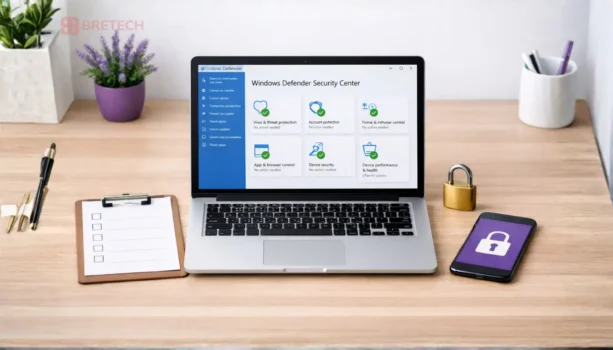
Windows Defender is the first thing many people rely on when a PC starts acting slow, pop-ups appear, or a friend warns about viruses. Windows Defender feels “built-in and free,” so it is normal to ask if it is enough in 2026.
The risky mistake is assuming any protection is enough, then downloading random “security boosters” when something looks wrong. Unsafe tools can add more problems, including fake alerts, browser hijacks, and stolen passwords.
A safer path is to understand what Defender does well, where it is limited, and what extra layers you need for online banking, offices, and remote work in Pakistan.
Windows Defender can be enough for many home users in Pakistan if Windows is updated, Defender is fully enabled, and you browse carefully. If you do online banking, manage business PCs, or share devices, a paid security suite is often safer because it adds stronger web protection, support, and extra controls.
If you want a quick shortlist of complete options, start here: Best Security Software in Pakistan.
What Windows Defender Protects Well
Defender is not “nothing.” On a clean, updated Windows 10/11 PC, it can cover the basics.
- Real-time virus and malware scanning
- Basic protection against common threats from downloads and USB drives
- Browser and download warnings (especially with Microsoft browsers)
- Regular updates through Windows Update
For many students and home users who install trusted apps and avoid risky sites, this is a strong starting point.
Where Windows Defender Is Often Not Enough in Pakistan
In Pakistan, the risk is not only “viruses.” A lot of harm comes from scams, fake apps, cracked software bundles, and unsafe browser add-ons.
Defender may feel limited when you need:
- Stronger protection against phishing links and fake login pages
- Easier controls for family devices and shared office PCs
- Business-focused settings and reporting for multiple computers
- Help and support when something goes wrong
- Extra layers like secure browsing tools and clearer protection features
If your users are switching away from a well-known brand and want safe replacements, this guide helps: Best Kaspersky Antivirus Alternatives in Pakistan.
Defender vs Paid Antivirus: Simple Comparison
| What You Need | Windows Defender | Paid Antivirus Usually Helps More |
|---|---|---|
| Basic home protection | Good if updated | Also good |
| Online banking safety | Basic | Often stronger web protection |
| Shared family PC | Limited controls | Usually easier controls |
| Small office PCs | Basic | Better business features/support |
| Remote work logins | Basic | Often safer layers + policies |
| Support when infected | Self-fix only | Vendor tools + guided support |
If you want tool options beyond antivirus alone, browse: Best Cybersecurity Tools in Pakistan.
If You Use Online Banking, Do This Instead of “Only Defender”
Online banking safety is one of the biggest reasons people upgrade. A single phishing page can defeat any antivirus if you type your password on the wrong site.
If you do banking in Pakistan, follow a stricter setup:
- Keep Windows and the browser updated
- Use a clean browser profile for banking only
- Avoid public Wi-Fi for banking
- Do not save banking passwords on shared PCs
- Turn on alerts and review transactions often
For a security-tool angle, use: Best Antivirus Software for Online Banking in Pakistan.
If You Run a Business or Office, Defender Alone Is Usually Not Enough
For offices, the problem is consistency. One weak PC can spread trouble through shared files, email, and USB use.
Business setups usually need:
- Standard protection across all PCs
- Clear rules for updates and scans
- Better protection for email and browsing
- Support for renewals and upgrades
→ Start here: Best Antivirus Software for Businesses in Pakistan.
→ If you want an SME-focused view, see: Business Security Software for SMEs in Pakistan.
If you are comparing two common business directions, this is useful: Avast vs AVG Business Security in Pakistan.
Remote Work: Defender Works Only If Your Habits Are Clean
Remote work security is not just antivirus. It is about safe logins, device sharing, and work files moving between places.
Do these basics:
- Separate work and personal browsing (different browser profiles)
- Lock the device and use a strong Windows password
- Avoid unknown extensions and “free VPN” style add-ons
- Keep backups for work folders
→ Use this guide as your remote work checklist: Remote Work Cybersecurity in Pakistan.
→ If you manage teams and want business-grade options, see: Nord Security Business Products in Pakistan.
When You Should Upgrade From Defender
Upgrade if any of these are true:
- You do online banking on the same PC you browse freely
- You share the computer with family or staff
- You regularly install new tools, plugins, or cracked software (best to stop this)
- You want faster support when something breaks
- You are responsible for office or client data
If you are considering AVG or Avast, these posts can help you choose based on real needs:
- AVG Antivirus Price in Pakistan (2026): Plans, Cost Guide
- Avast Premium Security in Pakistan
For price-intent readers who are close to buying:
What to Avoid (This Causes Most Infections)
- Cracked antivirus or “free keys” bundles
- Random “PC cleaner” tools from pop-ups
- Fake browser update pages
- Unknown extensions that ask for broad permissions
- Turning protection off and forgetting to turn it back on
If you want a structured overview of safe choices, return to: Best Security Software in Pakistan.
FAQs
Q: Is Windows Defender good enough for normal home use in Pakistan?
A: It can be enough if Windows is updated, Defender is fully enabled, and you avoid risky downloads. For heavy banking or shared PCs, extra protection is safer.
Q: Can Defender stop phishing and fake banking pages?
A: It can block some threats, but phishing often depends on user actions. Safer browsing habits and stronger web protection help more for banking.
Q: Do I still need antivirus if I am careful?
A: Careful browsing reduces risk, but updates, scans, and protection layers still matter because threats can arrive through links, USB drives, or shared files.
Q: Why do people buy paid antivirus if Defender exists?
A: Paid suites often add stronger web and identity features, easier controls, and support when problems happen, which helps for banking and business use.
Q: What is the safest first step if I suspect a virus?
A: Update Windows and your antivirus first, run a full scan, remove unknown browser extensions, and avoid installing random “cleanup” tools during panic.
Q: Is Defender enough for small offices?
A: For a single PC it may be okay, but for multiple PCs and shared work, business-focused security and support is usually a better fit.