Abdul Basit

Best PDF tools for legal and government use in Pakistan are now essential for courts, law firms, and public offices handling sensitive documents daily. When teams rely on free online converters or pirated PDF software, confidential records can leak, and files can get corrupted at the worst time.
A common mistake is using tools that only hide text instead of doing proper redaction, or skipping OCR for scanned case files. This can leave hidden data inside the PDF and create compliance problems.
The safer option is a licensed PDF editor with secure redaction, OCR, encryption, and clear signing logs. BreTech provides genuine licenses in Pakistan with PKR pricing, local payments, and 1–72 hour email delivery as an authorized reseller.
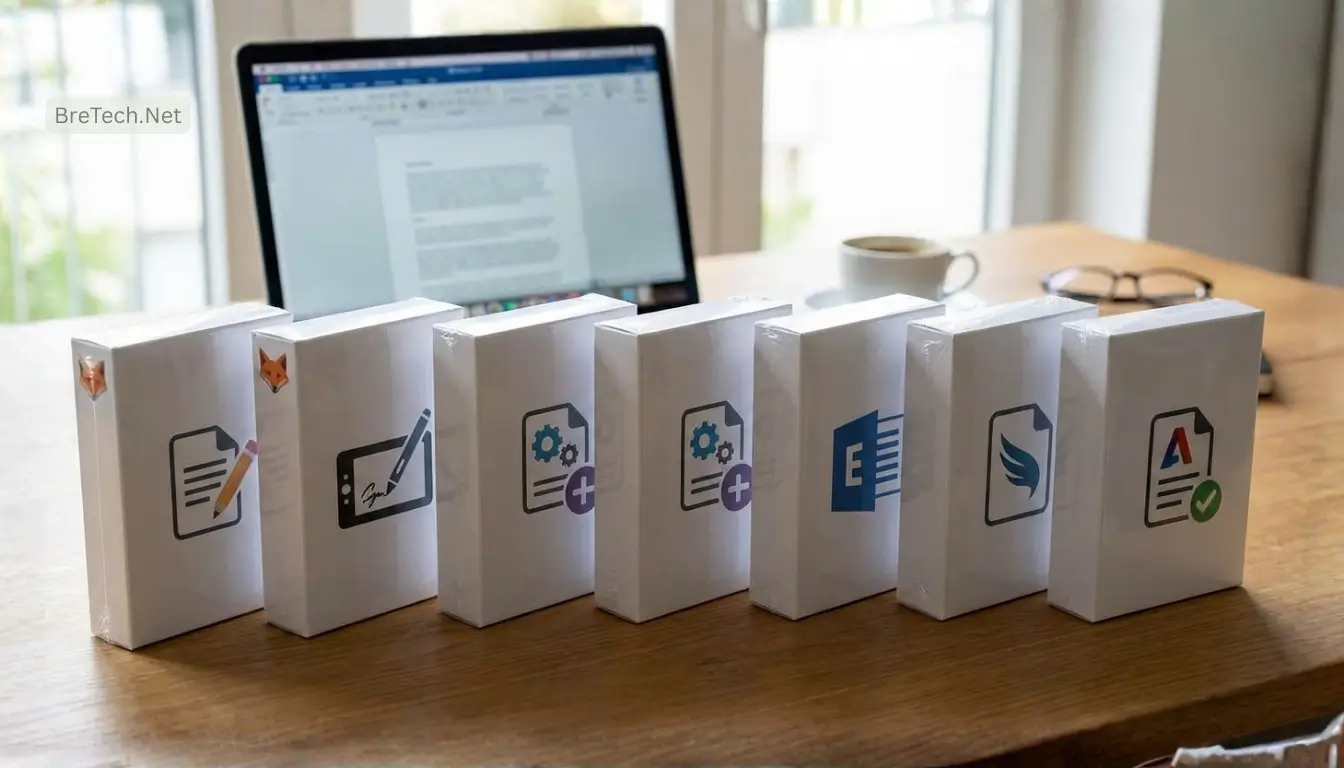
Best PDF tools for legal and government use in Pakistan include Foxit PDF Editor Plus, PDF-XChange Editor Plus/PRO, EaseUS PDF Editor, SwifDoo PDF, and Ashampoo PDF Pro. Choose Foxit or PDF-XChange for heavier redaction and compliance work, and pick EaseUS or SwifDoo for simpler daily editing on normal office PCs.
Quick Overview: Best PDF Tools for Legal and Government Use in Pakistan
| Tool Name | File Types Covered | Best For |
|---|---|---|
| Foxit PDF Editor Plus | Scanned PDFs (OCR), editable PDFs, PDF/A archives | Courts and law firms needing strong redaction, OCR, and secure workflows |
| Foxit eSign Business | PDF contracts, approval forms, multi-signer documents | Government approvals and legal teams needing audit trails and signing workflows |
| PDF-XChange Editor Plus | Scanned PDFs (OCR), legal PDFs with comments/stamps | Legal teams doing heavy markup and precise redaction on normal office PCs |
| PDF-XChange PRO | Full PDF suite (create, edit, convert, OCR, secure) | Departments handling large document volumes under one toolkit |
| EaseUS PDF Editor | Word/Excel ↔ PDF, scanned PDFs (OCR), fillable forms | Small law firms that want an easy interface for daily legal paperwork |
| SwifDoo PDF | Everyday PDFs (read, comment, merge/split, basic edits) | Solo lawyers, NGOs, and smaller offices using older or mid-range PCs |
| Ashampoo PDF Pro | Editable PDFs, encrypted PDFs, archived case files | Budget-focused buyers wanting a one-time license with strong core features |
Why Legal Professionals and Government Offices Need a Strong PDF Solution
Best PDF tools for legal and government use streamline everyday work. They remove the need to retype pages, add secure redaction and OCR, and keep clean version control and audit trails. When they connect to your case and records systems, it becomes easier to stay compliant.
Top tools also speed up routine jobs with batch actions, form templates, and e-signatures that meet legal rules. With clear chain-of-custody logs, access controls, and searchable archives, they protect sensitive data and help maintain public trust.
Key Features to Look For in a Legal-Grade PDF Tool
When you choose the right pdf tool for a law firm or tool for government use, make sure it supports:
- Document redaction and redaction tools that can redact sensitive data and metadata permanently, not just mask text visually.
- OCR (optical character recognition) to convert scanned documents into searchable, editable pdf documents.
- Secure pdf workflows with encryption and password protection so you can handle sensitive government documents securely.
- Audit trails and eSign support for legal documents that need traceable signatures and clear signer history.
- Fillable pdf forms to standardize applications and government workflows instead of using unstructured paper documents.
Tools that provide these features help you handle sensitive pdf files, reduce human error, and make pdf documents easier to manage at scale.
Top 7 Best PDF Tools for Legal and Government Use in Pakistan
1. Foxit PDF Editor Plus – Advanced Redaction & OCR
Foxit PDF Editor Plus is a robust PDF editor built for legal teams and government offices in Pakistan that need advanced document redaction, reliable OCR for scanned files, and strong document management for sensitive case and policy documents.
- Advanced PDF editing tools for legal documents and court drafts
- Document redaction that can redact sensitive text, images, and metadata securely
- OCR for scanned documents so old paper documents move into digital workflows
- Options for PDF/A-style archiving to support long-term government documents
Ideal for: Legal teams and government offices that want a reliable PDF solution with strong redaction tools and secure PDF workflows.
2. Foxit eSign Business – Secure Workflow Signing
Foxit eSign Business focuses on secure eSign workflows and approvals, giving law firms and government departments a clear way to send, sign, and track PDF documents with full audit trails and reusable online form templates.
- Cloud-based tools to send, sign, and track PDF documents securely
- Audit trails so legal professionals can show who signed, when, and how
- Fillable PDF forms for repeat legal documents and government documents
- Integration into existing PDF management processes
Ideal for: Law firm partners, boards, and government departments that rely on document workflows with clear audit trails rather than just basic PDF editing.
3. PDF-XChange Editor Plus – Precise Editing & Redaction
PDF-XChange Editor Plus is a powerful PDF editor that stays light on system resources while delivering precise editing, advanced document redaction, and OCR, which is ideal for courts and government offices using mid-range PCs and laptops.
- Detailed PDF editing tools, comments, and stamps for legal documents
- Advanced document redaction for sensitive documents that must stay confidential
- OCR to turn scanned documents into searchable PDF files
- Familiar interface for users moving from other PDF software like Adobe Acrobat
Ideal for: Legal teams and courts that need a robust PDF editor for large volumes of legal documents with strong document redaction.
4. PDF-XChange PRO – Full PDF Suite for Teams
PDF-XChange PRO combines several PDF tools into one complete PDF software suite, letting legal teams and government agencies create, edit, convert, and secure PDF documents under a single license instead of juggling multiple separate tools.
- Complete PDF solution to create, edit, convert, and manage PDF documents
- OCR and document management features for large document collections
- Security features such as encryption and controlled access
- Tools that provide a consistent PDF workflow across departments
Ideal for: Government offices and bigger firms that want a PDF solution for large document volumes instead of separate tools stitched together.
5. EaseUS PDF Editor – Easy Interface for Beginners
EaseUS PDF Editor is a user-friendly PDF editor that helps small team setups move away from free online tools and into a more secure PDF environment, offering simple editing, form filling, and OCR so new users can handle core legal documents confidently
- Easy-to-learn interface that reduces training needs for staff
- Basic PDF editing tools, comments, and form filling
- Conversion between Word, Excel, and PDF format for common legal documents
- OCR to handle paper documents and scanned case files
Ideal for: Small law firms and individual legal professionals that want a user-friendly PDF tool to handle everyday legal documents without complex menus.
6. SwifDoo PDF – Lightweight Editor for Daily Use
SwifDoo PDF is a light PDF software solution that runs smoothly on older PCs and laptops, giving solo lawyers, NGOs, and small offices a fast way to read, comment, and adjust everyday PDF files without the weight of a full enterprise suite.
- Quick PDF reader and PDF editor for daily document changes
- Practical document workflows like merge, split, and simple document redaction
- Tools that help staff make PDF changes without heavy hardware
- Good for users who mainly need to view, comment, and adjust PDF files
Ideal for: Solo lawyers, NGOs, and smaller government units that need a fast, reliable PDF reader and editor for routine tasks.
7. Ashampoo PDF Pro
Ashampoo PDF Pro gives legal professionals and government offices a strong PDF solution with a one-time license model, combining full editing, encryption, and long-term archiving tools for teams that prefer fixed software costs instead of subscriptions.
- Full PDF editor with solid editing tools and comments
- File encryption and security features to protect sensitive documents
- Support for long-term archiving of legal documents and government documents
- Clear, one-time purchase instead of ongoing cloud-based subscriptions
Ideal for: Buyers in government offices and law firms who want a reliable PDF software alternative to Adobe with a one-time payment.
How These PDF Tools Compare for Legal & Government Use
Foxit PDF Editor Plus: Deep Redaction & Compliance
A strong choice when you need secure document redaction, OCR for scanned documents, and stable PDF/A-style archiving. Good fit for law firms and court offices that handle sensitive case files every day.
Foxit eSign Business: Approvals, Signatures & Audit Trails
Best when your biggest problem is tracking who signed what and when. Ideal for government workflows, board approvals, and multi-signer legal documents that must carry clear audit logs.
PDF-XChange Editor Plus: Precise Editing on Normal PCs
Balances advanced PDF editing tools and strong document redaction with a light footprint. Works well in government offices and legal teams that need power without upgrading every PC.
PDF-XChange PRO: One Suite for Large Document Volumes
Acts as a complete PDF solution for departments that create, edit, convert, and archive thousands of PDF files. Useful for government agencies that want one toolkit instead of separate tools.
EaseUS PDF Editor: Simple, Secure Start for Small Teams
Good for small law firms and new legal users moving away from free online converters. Offers a user-friendly interface, core PDF editing, and OCR so staff can handle common legal documents quickly.
SwifDoo PDF: Lightweight Editor for Everyday Tasks
Ideal when you mainly read, comment, and make small changes to PDF files. Runs smoothly on older PCs in small offices, NGOs, or solo law practices that don’t need a heavy PDF suite.
Ashampoo PDF Pro: One-Time License for Budget Control
Designed for buyers who want a full PDF editor and security features without ongoing subscription costs. A solid alternative to Adobe Acrobat for legal professionals and government offices on fixed budgets.
How to Choose the Right PDF Tool for Legal Needs in Pakistan
When choosing the best pdf tool for your organisation, think about your legal needs and government workflows instead of just the price.
Ask these questions:
- Do we mainly make pdf documents from Word and Excel, or deeply edit legal documents?
- How many sensitive documents do we handle every day that need document redaction?
- Do we need ai-powered pdf or automation yet, or mainly strong OCR and secure pdf editing?
- Does our law firm or department rely heavily on audit trails and signatures?
- Is our priority a cloud-based environment or a traditional desktop pdf software model?
For a small team with moderate legal documents, EaseUS PDF Editor or SwifDoo PDF may be enough. For large document volumes, complex workflows, and strict privacy and security needs, Foxit PDF Editor Plus, PDF-XChange Editor Plus, or PDF-XChange PRO are better tools needed for legal work.
If you want a clear alternative to Adobe Acrobat Pro that still feels familiar, Ashampoo PDF Pro and foxit pdf editor are good choices that provide a familiar interface and strong features.
Evidence Box: Why Secure PDF Tools Matter for Legal and Government Users
Verify this claim: secure pdf tools reduce the risk of exposure for legal documents and government documents.
- Legal and government agencies often handle sensitive documents with personal data, so tools that provide encryption, document redaction, and audit trails are essential to comply with privacy and security rules.
- Using free online converters or pirated pdf software can expose workflow data, metadata, and full pdf files to unknown servers, which makes it harder to stay compliant with privacy and security requirements.
- Reliable pdf software with OCR, strong security features, and proper document management helps legal teams handle large document volumes more consistently and securely.
You can keep this box in the blog to support internal IT and compliance discussions.
Simple Interactive Checklist Idea: Is Your Current PDF Setup Safe?
You can later turn this into a small interactive checklist tool on BreTech. For now, use these questions:
- Do our current pdf editing tools include proper document redaction that can protect sensitive data and metadata?
- Do we have at least one pdf solution with OCR for scanned documents and long-term legal documents?
- Are all pdf software installations genuine and licensed, or are we still using free online or cracked tools?
- Can we produce audit trails when legal documents are signed or approved?
- Do our legal teams and government offices clearly know which pdf tool to use for each task?
If you answer “no” to several of these, it is time to choose the right pdf software from the tools available through BreTech and standardize across your organisation.
Why Legal Teams and Government Agencies Buy PDF Software from BreTech
BreTech focuses on reliable pdf software solutions for Pakistan and supplies licenses in PKR with clear, local support. For legal professionals and government offices, this means:
- Genuine licenses that pass checks and audits
- Clear invoices in PKR for software solutions
- Fast digital delivery of license keys by email, usually within 1–72 hours
- Guidance on how to use pdf tools securely in real government workflows
You can explore BreTech’s PDF Tools collection to compare the best tools for your legal needs and government workflows and pick the right pdf solution for your environment.
Conclusion
Best PDF tools for legal and government use in Pakistan are no longer optional; they are part of how you protect sensitive data and keep cases and records on track. The right PDF solution gives you secure redaction, OCR for scanned files, proper archiving, and clear audit trails instead of risky free tools and manual fixes.
For small chambers, bigger law firms, and government offices, the key is to choose the right PDF software for your actual workload: light tools for simple viewing and edits, and stronger suites like Foxit, PDF-XChange, EaseUS, SwifDoo, and Ashampoo when you handle large volumes and confidential information every day.
BreTech helps you standardise on reliable PDF software with genuine licenses, PKR pricing, and 1–72 hour digital email delivery, plus local guidance when you are unsure which edition to buy. To move away from unsafe mix-and-match tools, explore the full PDF Tools collection and build a safer, compliant document workflow for your legal team or department.
FAQs (Frequently Asked Questions)
Q: What is the best PDF tool for a law firm in Pakistan?
A: Many law firms prefer Foxit PDF Editor Plus or PDF-XChange Editor Plus because they combine strong PDF editing tools, document redaction, OCR for scanned documents, and security features that help protect sensitive legal documents.
Q: Which PDF software is better for government documents and large volumes?
A: For government offices handling large document volumes, PDF-XChange PRO and Foxit PDF Editor Plus provide a strong PDF solution with OCR, encryption, and document management that works well across multiple departments.
Q: Can I use free online PDF tools for legal documents?
A: Free online tools can be useful for simple tasks but are risky for legal documents or government documents because PDF files and metadata may pass through external servers, making it harder to stay compliant and protect sensitive data.
Q: How do I protect sensitive information inside PDF documents?
A: Use document redaction tools in Foxit PDF Editor Plus, PDF-XChange Editor Plus, or Ashampoo PDF Pro to redact sensitive text, images, and metadata securely, and then save the PDF documents with encryption and passwords if needed.
Q: Is there a good alternative to Adobe Acrobat Pro from BreTech?
A: Yes, Foxit PDF Editor Plus, PDF-XChange Editor Plus, PDF-XChange PRO, and Ashampoo PDF Pro are strong alternatives to Adobe Acrobat Pro that offer a familiar interface and powerful PDF editing tools for legal professionals and government agencies.
Q: Does any PDF tool use AI to help legal professionals?
A: Some modern PDF software solutions introduce AI-powered PDF features such as smarter OCR and automation in document workflows, but in most Pakistan legal and government setups, the main priority remains secure PDF editing, document redaction, and reliable OCR rather than heavy AI features.
Q: How can we choose the right PDF software for a small team?
A: For a small team or a single law firm branch, start with a clear list of legal needs, check which tools help you handle sensitive documents securely, and then choose the right combination, such as EaseUS PDF Editor or SwifDoo PDF for everyday tasks plus one stronger tool like Foxit PDF Editor Plus for heavy document redaction.
Further Readings
- Best PDF Editing Software in Pakistan (2026)
- How to protect a PDF document with passwords and encryption
- Guide to PDF Editor with Digital Signature Support
- How to Convert PDF to Word Without Losing Formatting
- How to Convert Word to PDF Without Losing Formatting
For more helpful guides, visit our Office Productivity blog category.