Abdul Basit
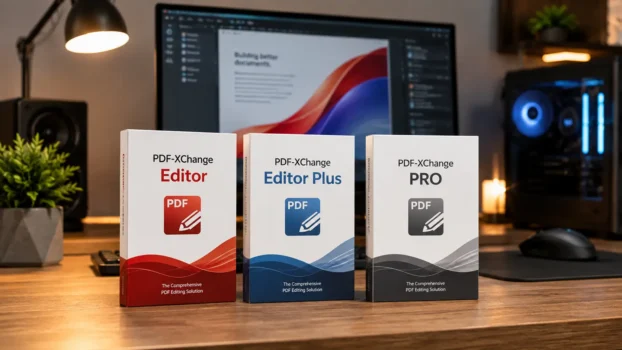
Most PDF software buyers in Pakistan do not need the most expensive edition. The better choice depends on whether you mainly edit existing PDFs, need advanced OCR and form creation, or want a complete suite for batch processing and PDF creation.
If you have been comparing PDF-XChange Editor vs Editor Plus vs PRO and feel confused about what each version actually adds, this guide explains the differences without unnecessary technical language.
Whether you are a freelancer annotating contracts, a school managing student documents, or a business handling large volumes of PDFs, the right edition depends on what you actually do with documents every day.
Key Takeaways
- PDF-XChange Editor is the base paid edition and suits users who need PDF viewing, annotation, editing, OCR, conversion, digital signatures, and everyday document work.
- Editor Plus adds Enhanced OCR, fillable-form creation and editing, dynamic stamps, document comparison, and other advanced tools.
- PDF-XChange PRO bundles Editor Plus with PDF-Tools and PDF-XChange Printer Standard for more complete PDF creation, conversion, printing, and batch-processing workflows.
- PDF-XChange end-user licenses are perpetual rather than annual subscriptions. Maintenance controls access to newer releases after the included maintenance period.
- All three editions are available from BreTech with PKR pricing, local payment options, digital delivery on most orders, activation guidance, and invoice support.
- Buying the right edition helps avoid paying for tools you do not need or choosing an edition that cannot handle your workflow.
What Is PDF-XChange, and Why Does It Matter in Pakistan?
PDF-XChange is developed by PDF-XChange Co Ltd, formerly associated with the Tracker Software Products name. Its Windows PDF applications cover document viewing, editing, annotation, OCR, form work, signing, conversion, printing, and batch processing.
The main buying decision is not simply whether you need a PDF editor. It is whether the standard Editor tools are enough, whether you need the advanced capabilities of Editor Plus, or whether you also need the additional PDF-Tools and Printer Standard applications included with PRO.
For a wider view of available products, explore PDF software solutions in Pakistan.
You can also browse PDF editing software if you want to compare PDF-XChange with other editing options.
Understanding the PDF-XChange Editor vs Editor Plus vs PRO comparison is the first step to choosing the right license.
PDF-XChange Editor vs Editor Plus vs PRO: Feature Breakdown
Here is a clear look at what each edition provides and when paying for the higher tier makes sense.
PDF-XChange Editor
PDF-XChange Editor is the base paid edition. It already includes a substantial set of tools for working with existing PDF documents.
What it includes:
- View, annotate, and comment on PDFs
- Edit existing PDF text and images
- Fill and save PDF forms
- OCR scanned documents using the standard OCR engine
- Create and manage bookmarks
- Add stamps and annotations
- Digitally sign PDF files
- Convert and export PDF content
- Redact sensitive information
- Create PDFs through the included PDF-XChange Printer Lite
What it lacks compared with Editor Plus:
- Enhanced OCR engine
- Creation and editing of fillable forms
- Custom dynamic stamps
- Document comparison
- Automatic form identification
- Other Editor Plus-only advanced functions
This edition suits home users, students, freelancers, office workers, and professionals who regularly review or edit PDFs but do not need advanced OCR or form-building tools.
For many buyers, PDF-XChange Editor is already much more than a basic PDF viewer.
PDF-XChange Editor Plus
PDF-XChange Editor Plus includes the features of PDF-XChange Editor and adds several tools aimed at more advanced professional document work.
Key additions over PDF-XChange Editor:
- Enhanced OCR for more advanced OCR requirements
- Creation and editing of fillable PDF forms
- Automatic form identification
- Custom dynamic stamps
- Document comparison
- Additional advanced document tools
Editor Plus is a better choice for professionals who regularly process scanned documents, create interactive forms, compare document versions, or need dynamic stamps.
It can suit:
- Lawyers and legal teams
- Accountants
- HR departments
- Schools and universities
- Administrative teams
- Businesses handling scanned records
- Professionals creating interactive PDF forms
You do not need Editor Plus simply to digitally sign a PDF. Standard PDF-XChange Editor already supports digital signatures.
The main reason to upgrade is the additional OCR, form, comparison, and dynamic-stamp functionality.
PDF-XChange PRO
PDF-XChange PRO is not simply a more advanced version of Editor Plus. It is a bundle of PDF-XChange applications.
It includes:
- PDF-XChange Editor Plus
- PDF-Tools
- PDF-XChange Printer Standard
This makes PRO suitable for users who need advanced editing together with more extensive PDF creation, conversion, printing, and batch-processing capabilities.
What PDF-Tools adds:
- Batch PDF creation and processing
- Conversion workflows
- Combining and splitting documents
- Page and document manipulation
- Repetitive PDF-processing workflows
- Security and document-processing tools
What PDF-XChange Printer Standard adds:
- Advanced print-to-PDF creation
- Microsoft Office toolbar integration
- Office2PDF batch conversion
- Additional PDF printer configuration options
PRO is designed for power users, IT teams, document-heavy businesses, and organizations that need more than an individual PDF editor.
If your team regularly creates, converts, combines, processes, or prints large numbers of documents, PRO may be a better fit than buying separate PDF-XChange applications.
Side-by-Side Comparison Table
| Feature | Editor | Editor Plus | PRO |
|---|---|---|---|
| View & annotate PDFs | Yes | Yes | Yes |
| Edit PDF text & images | Yes | Yes | Yes |
| Digital signatures | Yes | Yes | Yes |
| Standard OCR | Yes | Yes | Yes |
| Enhanced OCR | No | Yes | Yes |
| Create & edit fillable forms | No | Yes | Yes |
| Identify forms | No | Yes | Yes |
| Custom dynamic stamps | No | Yes | Yes |
| Compare documents | No | Yes | Yes |
| PDF redaction | Yes | Yes | Yes |
| Printer Lite | Yes | Yes | Included through Editor Plus |
| PDF-XChange Printer Standard | No | No | Yes |
| Office2PDF | No | No | Yes |
| PDF-Tools batch processing | No | No | Yes |
Editor Plus includes the key advanced Editor features such as Enhanced OCR, fillable-form creation, dynamic stamps and document comparison, while PRO adds PDF-Tools and Printer Standard to the package.
Who Should Buy Which Edition?
Buy PDF-XChange Editor if you:
- Mainly read, highlight, annotate, and comment on PDFs
- Need to edit existing PDF text or images
- Fill in existing PDF forms
- Need standard OCR for scanned documents
- Need digital signatures
- Need PDF redaction
- Work alone or have straightforward office requirements
- Want the lower-cost paid PDF-XChange edition
For most individual users who primarily work with existing PDF files, Editor may be enough.
Buy PDF-XChange Editor Plus if you:
- Need Enhanced OCR
- Build or edit fillable PDF forms
- Need automatic form identification
- Create dynamic stamps
- Compare different versions of documents
- Work in law, finance, HR, education, or document administration
- Need more advanced tools without the full PRO bundle
Editor Plus is the logical middle tier when the standard Editor works for most of your tasks but its advanced OCR and form capabilities are not enough.
Buy PDF-XChange PRO if you:
- Need everything included with Editor Plus
- Process large numbers of PDF documents
- Need PDF-Tools for batch workflows
- Need PDF-XChange Printer Standard
- Need Office2PDF batch conversion
- Run an IT, administration, document-management, or print workflow
- Want the three main PDF-XChange applications in one bundle
For schools and universities managing student records, admission forms, academic documents, and institutional workflows, the PDF software for schools and universities in Pakistan page covers broader institutional software options.
PDF-XChange Editor vs Editor Plus vs PRO: Pricing in Pakistan
PDF-XChange publishes its product pricing internationally, while buyers in Pakistan may prefer PKR pricing and local payment options.
The important licensing point is that PDF-XChange end-user licenses are perpetual. They are not normal annual software subscriptions. PDF-XChange states that there are no mandatory annual subscription fees.
A new license includes a maintenance period that provides access to new releases, updates, features, and fixes during that period. Extending maintenance is optional if you want continued access to newer releases after the included maintenance expires.
Key pricing points to understand:
- Editor is the lower-cost paid edition.
- Editor Plus costs more because it adds Enhanced OCR, form creation, document comparison, dynamic stamps, and other features.
- PRO costs more because it bundles Editor Plus, PDF-Tools, and PDF-XChange Printer Standard.
- Multi-user and volume licensing options are available.
- Licensing is generally based on users rather than concurrent usage.
Businesses, schools, government departments, and larger teams can review PDF-XChange volume licensing in Pakistan before requesting a multi-user quote.
Always verify current PKR pricing and the required number of users before purchasing.
Why Buy Through BreTech in Pakistan?
Buying the correct PDF-XChange edition matters just as much as choosing genuine software.
BreTech helps Pakistan buyers with:
- Genuine software licenses
- PKR pricing
- Local payment options
- Digital delivery on most orders
- Invoice support
- Activation guidance
- Help choosing between editions
- Business and volume-license guidance
This is especially important for organizations that need clear software licensing records for their systems.
You can also explore the full PDF-XChange software range available through BreTech.
Businesses considering unofficial or cracked software should also understand the legal risks of unlicensed software in Pakistan before making that decision.
PDF-XChange vs Adobe Acrobat: A Quick Note
PDF-XChange and Adobe Acrobat can both handle professional PDF work, but their product structure and licensing models differ.
PDF-XChange currently sells its end-user products using a perpetual license model, with optional maintenance for future releases. Adobe Acrobat Pro is widely offered through subscription plans, while Adobe also currently offers Acrobat Pro 2024 as a desktop-only three-year non-recurring license.
For Windows users who prefer perpetual software licensing, PDF-XChange can therefore be worth comparing with Acrobat before purchasing.
For a detailed buyer comparison, see PDF-XChange PRO vs Adobe Acrobat Pro to compare features, licensing, workflows, and which option may fit your needs.
The best choice still depends on the exact tools, platform support, collaboration requirements, document workflows, and licensing model you need.
PDF-XChange is primarily a Windows product. If your work is Mac-based, see the best PDF editors for Mac in Pakistan instead.
A Note on PDF Redaction
PDF redaction permanently removes sensitive information rather than simply covering it visually.
This can be important for legal documents, financial records, HR files, contracts, customer information, and other confidential documents.
PDF-XChange Editor already includes redaction functionality, so you do not need Editor Plus solely to redact PDF content. Editor Plus and PRO also provide redaction because PRO includes Editor Plus. PDF-XChange explains that applied redaction removes the underlying content so it is no longer retrievable.
If confidential-document handling is a major requirement, read the detailed guide to PDF redaction software for businesses in Pakistan before choosing your PDF software.
Common Questions About PDF-XChange in Pakistan
Can I upgrade from Editor to Editor Plus later?
Yes. PDF-XChange provides upgrade options for eligible existing licenses. The exact upgrade cost can depend on your current product, license, and maintenance status, so check the current upgrade option before purchasing.
Is there a free version?
Yes. More than 70% of PDF-XChange Editor features can be used without a license. However, using licensed features without the appropriate license can add evaluation watermarks to the document.
This makes the free version useful for testing the software, but buyers should understand which functions require a paid license before using them on important documents.
Does it work on Windows 11?
Yes. The current PDF-XChange Editor and Editor Plus release supports Windows 10 and later, which includes Windows 11.
Can one license cover multiple PCs?
PDF-XChange licensing is based on the user rather than simply one PC.
A licensed user may install the software on one primary desktop and one personal secondary laptop or tablet, provided that person is the primary user of both devices. Separate users require appropriate additional licenses.
Conclusion
The PDF-XChange Editor vs Editor Plus vs PRO decision comes down to what you actually need to do with PDFs.
- If you mainly edit, annotate, OCR, sign, redact, and work with existing PDFs, PDF-XChange Editor may be enough.
- If you also need Enhanced OCR, fillable-form creation, dynamic stamps, and document comparison, Editor Plus is the better choice.
- If you need Editor Plus together with PDF-Tools, Printer Standard, Office2PDF, and batch-processing workflows, PDF-XChange PRO is the complete bundle.
All three use PDF-XChange’s perpetual end-user licensing model. Before buying, compare your required features, number of users, maintenance needs, and current PKR pricing so you do not pay for tools you will not use