Abdul Basit
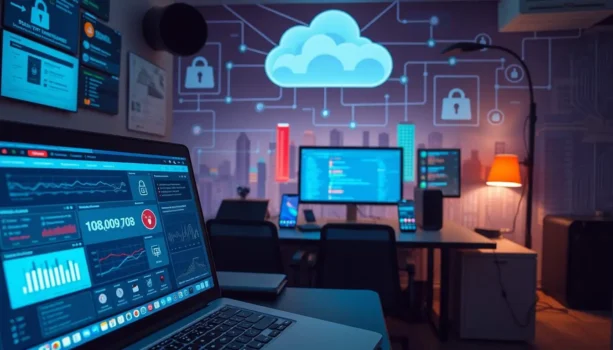
Remote Work Cybersecurity in Pakistan becomes critical when you are working from home, using public Wi-Fi, or sharing files with clients, and one wrong click can expose company data or lock you out at the worst time.
A common risky shortcut is trusting every urgent email, fake login page, or unexpected attachment that looks official. These mistakes often lead to account takeovers, data loss, ransomware infections, and long recovery work that could have been avoided.
The safer approach is to set a few strong basics and use the right security tools for your setup. This 2026 guide covers real remote work risks, practical best practices, and the main security tool categories that help protect logins, devices, and files.
Start here on BreTech:
- Network & VPN Security for safer connections
- Antivirus & Malware for device protection
- Privacy & Password for safer logins
- Security Suites for broader coverage in one license
If you choose to buy software, BreTech offers PKR-friendly pricing, fast digital email delivery on most orders, and local support to keep things simple and reliable.
Remote Work Cybersecurity: An Essential Overview
Remote work is growing in Pakistan, and knowing about cybersecurity is key. Businesses need strong security to protect their remote workers and data.
Understanding Remote Work Cybersecurity in Pakistan
Pakistan has seen a big rise in remote work. Companies face new cybersecurity challenges. They must protect their digital systems, networks, and train employees well.
This helps keep remote work safe in Pakistan. It also lowers risks and boosts security for all.
The Importance of Security for Remote Work Environments
Securing remote work spots is very important. Remote workers handle sensitive data from different places, making them vulnerable to threats. To keep them safe, companies should:
- Use strong authentication
- Encrypt communication
- Keep security software up to date
- Train employees on cybersecurity
These steps help create a safe space for remote work. It lets employees work without risking data security.
Common Security Risks for Remote Workers

Remote work is becoming more common, and it’s crucial to know and fight off cybersecurity risks. Pakistani business people and IT managers need to watch out for threats. This helps keep their data safe and work environment secure.
Identifying Cybersecurity Risks for Work From Home
Working from home brings unique cybersecurity risks. These can harm sensitive data. Some of these risks include:
- Phishing Attacks: Scammers send fake emails to remote workers to steal their login details and other sensitive info.
- Insecure Home Networks: Home networks often lack the security of corporate ones. This makes them easier targets for cyber threats.
- Unpatched Software: Not updating software and operating systems can leave it open to cyber attacks.
Facing Remote Working Security Risks & Cyber Threats
Businesses face many security risks and cyber threats. To fight these, they need strong cybersecurity measures. Some key strategies are:
- Implementing VPNs: Create secure connections for remote workers. They protect data from being intercepted.
- Regular Security Training: Teaching employees about cybersecurity risks and how to stay safe can lower the chance of cyber attacks.
- Strong Authentication Processes: Using multi-factor authentication (MFA) adds more security. It makes it harder for unauthorized users to get to sensitive data.
| Risk | Impact | Mitigation |
|---|---|---|
| Phishing Attacks | Data theft, credential compromise | Employee training, email filtering |
| Insecure Home Networks | Unauthorized access, data breaches | Use of VPNs, network security audits |
| Unpatched Software | Exploitation of vulnerabilities | Regular updates, patch management |
By tackling these cybersecurity risks, Pakistani businesses can protect their data. This supports a safe work from home environment.
Essential Security Tips for Remote Workers
Remote work is becoming more common in Pakistan. It’s important to have strong cybersecurity. These cybersecurity tips for remote workers can help protect your data.
Home Cybersecurity Best Practices for Remote Work
Keeping your home work area safe is key. Here are some tips for better home cybersecurity:
- Secure your Wi-Fi network: Use a strong password and keep your router’s firmware up to date.
- Use antivirus software: Get reputable antivirus to find and remove threats.
- Regularly back up data: Save your important files to an external drive or cloud service.
- Enable firewalls: Firewalls block unauthorized access to your network.
- Update software: Keep your operating system and apps updated to fix security holes.
Ensuring Secure Remote Access and Internet Security
Secure connections are vital for protecting your data. Here are important steps for secure remote access and internet security:
- Use VPNs: A VPN encrypts your internet, making it safe for your data.
- Implement multi-factor authentication: This adds extra security when logging in, ensuring only the right people get in.
- Monitor access: Watch who’s accessing your systems and data, and check access permissions often.
- Avoid public Wi-Fi: Use private networks when you can. If not, use a VPN to secure your connection.
- Educate yourself: Keep up with the latest internet security news and tactics from cybercriminals.
Following these tips will help you stay safe while working remotely.
Common Beginner Mistakes in Remote Work Security
Many beginners make simple mistakes that put their data at risk. Knowing what is not right is the first step to staying safe.
- What is Not Right: Using the same password for all accounts or skipping software updates.
- The Correct Way: Use strong, unique passwords for every account and enable automatic updates for your OS and applications.
- What is Not Right: Ignoring phishing emails or clicking suspicious links.
- The Correct Way: Be skeptical of unexpected emails and verify links before clicking; avoid downloading attachments from unknown senders.
- What is Not Right: Not using a VPN on insecure networks.
- The Correct Way: Always use a VPN to encrypt your connection when working remotely, especially on public Wi-Fi.
Protecting Work Devices and Data with Security Software
Keeping work devices and data safe is key for businesses, more so in remote work settings. Using strong cybersecurity helps protect important info and keeps work flowing smoothly.
Securing Work Devices: Beyond the Basics
Just using basic security isn’t enough to fight off today’s cyber threats. Advanced cybersecurity software is needed for better protection. Keeping this software up to date is crucial to fight off new dangers.
Using strong ways to log in, like multi-factor authentication and biometrics, adds more security. This makes devices harder to hack.
Email Security and Cybersecurity Software for Data Protection
Email security is a big part of keeping data safe. Using strong email security, like encryption and secure email servers, stops data leaks. It blocks threats like phishing and malware.
Also, using cybersecurity software with anti-virus, anti-phishing, and EDR keeps data safe from start to finish. This ensures all data is protected.
| Security Measure | Purpose | Examples |
|---|---|---|
| Multi-Factor Authentication | Enhances device access security | Google Authenticator, Microsoft Authenticator |
| Email Encryption | Protects email content from unauthorized access | ProtonMail, Tutanota |
| Endpoint Detection and Response | Monitors and responds to security threats on endpoints | Symantec, CrowdStrike |
Cybersecurity Best Practices for the Remote Workforce
Remote work is becoming more common. It’s key for businesses to have strong cybersecurity. This keeps data safe and the remote team secure. Employers can protect their digital world, reduce risks, and keep work going smoothly.
Tips for Employers on Remote Work Security
Employers are vital in making remote work safe. Here are some tips:
- Make detailed security policies for device and data use.
- Hold regular training to teach employees about cyber threats.
- Use strong passwords and multi-factor authentication (MFA).
- Keep software and firmware up to date to avoid vulnerabilities.
- Give secure access to company resources through VPNs and cybersecurity platforms.
Implementing Advanced Cybersecurity Platform Solutions
Advanced cybersecurity platforms are key for remote work protection. They offer many security features:
- Endpoint Protection: Fights malware, ransomware, and other threats to remote devices.
- Data Encryption: Keeps sensitive info safe from unauthorized access.
- Network Security: Watches for odd network activities and breaches.
- Incident Response: Helps quickly handle threats and lessen damage.
- Regular Audits: Finds and fixes system vulnerabilities.
In summary, using these cybersecurity best practices and advanced platforms helps employers. They create a safe space for their remote team, protecting data and operations.
Ready to secure remote work in Pakistan?
Explore security software price in Pakistan with clear PKR pricing, fast email delivery on most orders, and local support.
Choose the protection that matches your biggest risk:
- VPN and network security for remote access and public Wi-Fi
- Antivirus and malware protection for work laptops and PCs
- Privacy and password tools to reduce account takeovers
- All-in-one security suites for full coverage in one license
Secure Your Remote Team with Exclusive Deals
Looking for the best discounts on VPNs, antivirus, and cybersecurity platforms to protect your remote workforce? Visit our Security Software Offers page for exclusive promo codes, bundled deals, and genuine licenses trusted worldwide.
Staying Ahead: Evolving Cyber Threats
In today’s fast-changing world, it’s key for companies everywhere to keep up with new cyber dangers. Cybercriminals are always coming up with new ways to attack. So, it’s more important than ever to be ready and stop these threats before they happen.
The Landscape of Future Security Threats
The future of security threats is complex and changing fast. It’s shaped by new tech and smarter attacks. Here are some areas to watch:
- AI-Driven Attacks: Cybercriminals are using AI to make phishing scams and attacks more convincing and automated.
- IoT Vulnerabilities: With more Internet of Things devices, there are more ways for hackers to get in. Securing these devices is crucial.
- Ransomware Evolution: Ransomware attacks are getting better at targeting important systems and asking for more money.
To stay ahead, we need to keep researching and using the latest defense tools. By knowing and preparing for these threats, Pakistani businesses can protect themselves better.
Conclusion: Building a Resilient Remote Work Environment
Remote work is changing how we work in Pakistan. It’s crucial to have a secure remote work environment. Knowing the main cybersecurity threats and following best practices are key. This helps businesses stay safe online.
Using strong cybersecurity tools and training employees are vital. Teaching people about home cybersecurity, like using strong passwords and keeping software updated, helps a lot. These steps protect digital assets and keep work running smoothly.
To build a strong remote work environment, stay alert and use the right tools. Follow these tips to make your digital workspace safe and productive. Invest in good cybersecurity to protect your remote team’s future.
FAQs
Q: What are the best practices for remote work cybersecurity?
A: To enhance remote work cybersecurity, employees should implement strong security controls, use unique passwords, and regularly update their devices. Additionally, employing security software and engaging in cybersecurity training can help mitigate risks associated with working from home.
Q: What security risks do remote employees face?
A: Remote employees often face security risks such as phishing attacks, social engineering, and vulnerabilities in home networks. The increased use of personal devices for work can also lead to potential breaches of sensitive data if proper security measures are not in place.
Q: How can employers improve remote work security?
A: Employers can improve remote work security by enforcing security policies, providing security awareness training, and implementing robust endpoint protection. Regular assessments of security protocols and monitoring remote access points are also essential to protect against cyber threats.
Q: What are the common cybersecurity threats targeting remote workers?
A: Common cybersecurity threats targeting remote workers include ransomware attacks, social engineering attacks, and phishing scams. These threats exploit the vulnerabilities that arise when employees work from home without appropriate security measures in place.
Q: What are effective security strategies for remote work environments?
A: Effective security strategies for remote work environments include using VPNs for secure connections, maintaining updated security settings, and regularly monitoring for security incidents. Access control policies should also be enforced to restrict unauthorized access to sensitive data.
Q: How can remote workers secure their personal devices?
A: Remote workers can secure their personal devices by installing security software, enabling firewalls, and ensuring that their operating systems are up to date. Additionally, using a strong password and avoiding public Wi-Fi for work-related tasks can significantly enhance security.
Q: What cybersecurity training should be provided to employees working remotely?
A: Employees working remotely should receive training on identifying phishing attempts, understanding social engineering tactics, and learning about the importance of data security. This training can empower them to recognize and respond to security threats effectively.
Q: What security measures should be taken for home networks?
A: To secure home networks, users should change the default router password, enable WPA3 encryption, and regularly update firmware. Additionally, setting up a guest network for personal devices can help isolate work devices from potential security threats.
Further Reading
Looking to explore more protection tools and boost your cybersecurity knowledge? Check out these related articles:
- Best Security Software in Pakistan
- Best Cybersecurity Tools in Pakistan
- Why Cybersecurity is Important in Pakistan
- Best Data Privacy Software for Windows in Pakistan
- Best Antivirus Software for Businesses in Pakistan
- Why Antivirus Software is Important for Online Safety
- Business VPN for Work Isn’t Enough