 Abdul Basit
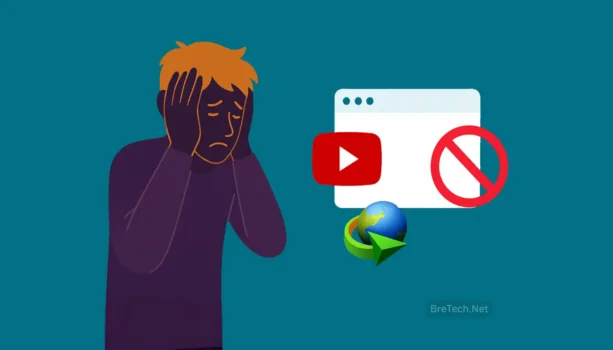
IDM not downloading videos usually happens when the browser integration is disabled, outdated, or blocked after a Chrome, Edge, Firefox, or YouTube update. In many cases, IDM is not broken. The Download panel may disappear because the IDM Integration Module needs an update, permission reset, or conflict check.
Start with the safe fixes first: update IDM, update your browser, restart the browser fully, and confirm that the IDM Integration Module is enabled. If the problem continues, test ad blockers, privacy extensions, antivirus web scanning, and YouTube site data before reinstalling anything.
Avoid cracked IDM builds, random “fix” extensions, or unofficial browser add-ons. They can break IDM updates, trigger antivirus warnings, and create security risks. This guide shows the clean steps to fix IDM video detection and YouTube download panel issues safely.
Key Takeaways
- Most common cause: IDM usually stops downloading YouTube videos because the browser Integration Module is disabled, outdated, or blocked by another extension.
- Start with updates: Update IDM and your browser before changing advanced settings.
- Check Chrome or Edge extensions: Make sure the IDM Integration Module is enabled and allowed to work on the video page.
- Test conflicts safely: Disable ad blockers, script blockers, and other download extensions briefly to find conflicts.
- Avoid cracked IDM: Cracked builds can break updates, trigger antivirus warnings, and create security risk.
Why IDM Stops Showing the Download Panel
YouTube often changes how it delivers video, including separate audio/video streams, new player code, and different media signals. When this changes, download tools can miss the signal they rely on.
Browsers also update quickly. After Chrome, Edge, or Firefox updates, extensions may be disabled, permissions may reset, or security settings may block the integration.
So the problem is usually not your Windows PC. It is often a version mismatch, a disabled module, or a conflict inside the browser.
First Check: Update IDM and Your Browser
Start here before touching advanced settings.
Open IDM and go to Help → Check for updates. If a newer version is available, install it and restart your PC once.
Then update your browser. A new Chrome, Edge, or Firefox version can silently break an older IDM integration until IDM or the browser module is refreshed.
Quick Fix Checklist
| Fix | What to do | Why it works |
|---|---|---|
| Update IDM | Help → Check for updates | New updates can restore detection after site or browser changes. |
| Restart browser fully | Close all browser windows and reopen | Reloads the integration cleanly. |
| Enable Integration Module | Turn on IDM Integration Module | The video download panel depends on this module. |
| Test with conflicts off | Disable ad blockers or script blockers briefly | Some extensions can hide the panel. |
| Check antivirus web scanning | Pause HTTPS scanning for one safe test | Security tools can sometimes block detection. |
| Clear YouTube site data | Clear site data and reload YouTube | Removes broken cached player or permission data. |
Fix the IDM Integration Module in Chrome and Edge
If IDM downloads normal files but not videos, the browser module is the first thing to check. Open your browser extensions page, find IDM Integration Module, and confirm it is enabled.
If it is enabled but still not working, do a quick reset. Disable the module, close the browser fully, reopen it, then enable the module again and test one standard YouTube video page.
If the module is missing, reinstall it from the official IDM installation folder or from IDM’s own integration process. Avoid third-party extension pages that claim to “fix IDM.”
For step-by-step browser setup help, read our guide on how to install the IDM extension in Chrome.
Clear YouTube Site Data and Retest
If IDM stopped showing only on YouTube, old site data may be part of the problem. Browser cache, cookies, and site permissions can keep a broken player state even after IDM is updated.
Open your browser settings, search for site data, find YouTube, and clear its stored data. Then close the browser fully, open YouTube again, sign in if needed, and test one normal video.
Do this after updating IDM and checking the Integration Module. Clearing site data alone may not help if the browser module is disabled or outdated.
Fix Conflicts That Commonly Hide the Panel
Conflicts are very common, especially on PCs used for work. Ad blockers and script blockers can stop the media request that triggers the IDM button. Other downloader extensions can also compete with IDM.
For a fast test, temporarily disable these and refresh the YouTube page:
- aggressive ad blockers
- script blockers
- other video download extensions
- privacy extensions that block media requests
- browser cleanup or security extensions
If IDM starts working, re-enable extensions one by one to find the exact conflict.
Antivirus and HTTPS Scanning Issues
Some antivirus suites inspect encrypted traffic using HTTPS scanning, Web Shield, or similar protection features. This can sometimes interfere with browser helpers, including IDM detection.
If you suspect this, pause HTTPS scanning for one quick test only. If IDM works immediately, add IDM to the antivirus allowed list and turn protection back on.
Do not keep antivirus protection disabled. Use this only as a test to confirm whether the security tool is causing the detection issue.
When IDM Cannot Download by Design
Even with the latest IDM version, some video types may not be downloadable. This can happen when the website uses protected streaming, restricted players, or formats that block third-party capture.
Common examples include:
- DRM or Widevine protected content
- some live streams
- some YouTube Music scenarios
- restricted players that block external download tools
- private or account-restricted video pages
If your issue happens only on these types, it may not be a bug you can fix from your side.
Safe and Legal Options for Offline Viewing
If you need reliable offline viewing, use official options where available. YouTube Premium allows offline viewing inside the YouTube app, and YouTube Studio lets you download your own original uploads.
For anything else, only save content you have clear rights or permission to download. This helps avoid account issues, copyright trouble, and unsafe third-party tools.
If you are comparing free and paid tools for permitted downloads, read our guide on Free vs Paid Video Downloader in Pakistan.
If You Want a Simpler Option for Allowed Downloads
Some users prefer a dedicated video downloader for permitted downloads, while keeping IDM for large files, software downloads, and normal browser downloads.
This can be useful when you need a simpler workflow, but the same rule applies: use trusted tools, avoid cracked software, and download only content you are allowed to save.
You can explore trusted options in our Download Managers category.
Buy Genuine IDM in Pakistan from BreTech
A genuine IDM license matters because it keeps updates working, keeps the Integration Module stable, and avoids the risks that come with cracked builds.
BreTech provides genuine IDM licenses in Pakistan with PKR pricing, local payment options, digital delivery where available, activation help, and invoice support.
Explore IDM options here: Internet Download Manager (IDM) licenses on BreTech
FAQs
Q: Why is IDM not downloading videos but downloads normal files?
A: This usually happens when the browser Integration Module is disabled, blocked by another extension, or out of sync with your browser version.
Q: How do I fix the IDM download panel not showing on YouTube?
A: Update IDM first, restart your browser fully, then enable the IDM Integration Module. If needed, disable ad blockers, script blockers, or privacy extensions for a quick test.
Q: Can antivirus block IDM from detecting videos?
A: Yes. HTTPS scanning or Web Shield features can interfere with browser helpers. Test briefly, add IDM to the antivirus allowed list if needed, and re-enable protection.
Q: Does clearing YouTube site data help?
A: It can help when the issue is caused by cached YouTube player data, old permissions, or a broken browser session. Do this after updating IDM and checking the Integration Module.
Q: Does IDM work on Shorts, live streams, or DRM-protected videos?
A: Not always. Some content types are restricted by design, so IDM may not detect or download them even when everything is updated.
Q: Should I install cracked IDM to fix YouTube issues?
A: No. Cracked IDM builds can break updates, trigger antivirus warnings, and create security risks. A genuine IDM license is the safer option.
Further Reading
Want to learn more about safe download tools and genuine software in Pakistan? Check these helpful posts:
- Best Video Downloader for PC
- IDM vs EaseUS Video Downloader Comparison
- Verify a Software License Is Genuine in Pakistan
Read more practical tips, troubleshooting guides, software comparisons, and download optimization advice in our Download Managers section.