Abdul Basit
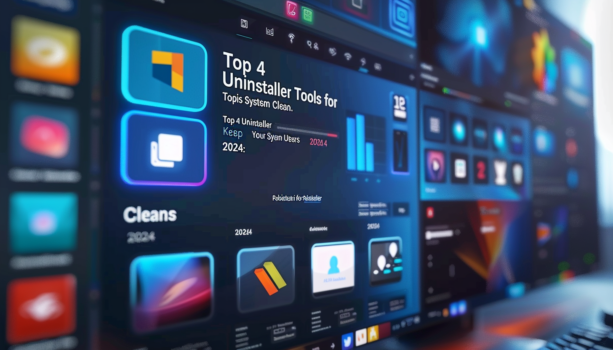
Best uninstaller software 2026 helps remove stubborn apps, leftover files, and broken uninstall traces that slow down your PC over time. In Pakistan, many users face issues where normal uninstall leaves junk behind, especially on Windows 10 and Windows 11 systems.
Many people rely on built-in uninstall or random free tools. This often leaves hidden files, registry errors, and unstable systems, especially on older PCs or office machines.
The safer approach is to use trusted uninstaller tools with proper cleanup engines and genuine licenses. This guide helps you choose the best uninstaller software for Windows in Pakistan, based on real use cases and cleanup needs.
Available in Pakistan with PKR pricing, local payments, and 1–72 hour digital email delivery from BreTech, an authorized software reseller.
The best uninstaller software 2026 includes tools like Ashampoo UnInstaller, Revo Uninstaller Pro, and IObit Uninstaller PRO. These tools fully remove programs, scan leftover files, and keep Windows clean. The right choice depends on whether you need simple cleanup, deep uninstall, or technician-level control.
Best Uninstaller Software 2026 (Quick Picks)
The best uninstaller software 2026 focuses on deep cleanup, leftover file removal, and stable Windows performance. Below are the top tools used by home users, offices, and technicians in Pakistan.
| Tool | Best For | Key Strength | Local Relevance |
|---|---|---|---|
| Ashampoo UnInstaller 16 | Everyday users and students | Tracks installs and removes leftovers well | Good for personal and family PCs in Pakistan |
| Revo Uninstaller Pro 5 | Office and business users | Force uninstall and Hunter Mode | Useful for stubborn software on work PCs |
| IObit Uninstaller 15 PRO | IT technicians and gamers | Deep uninstall and browser cleanup | Helpful for repair shops and heavy software users |
| CCleaner Editions | Multi-device users | Uninstall plus wider cleanup tools | Good for users who want broader PC maintenance |
Compare full features in the detailed table below, browse all options in Uninstaller Tools, or explore trusted brands like Ashampoo, Revo Uninstaller, IObit, and CCleaner.
Why Uninstaller Tools Matter in Pakistan
Many Windows users in Pakistan install trial software, utility tools, browser add-ons, and heavy apps that do not always uninstall cleanly. Over time, leftover files and uninstall traces can make a PC feel cluttered, especially on older systems used for study, office work, or repair jobs.
A reliable uninstaller helps remove stubborn apps more cleanly and reduces the mess left behind by incomplete uninstallations. That is useful for students, home users, freelancers, and technicians who want a cleaner Windows setup without wasting time on manual cleanup.
Top Uninstaller Tools for Windows in Pakistan
1. Ashampoo Uninstaller 16: Powerful PC Cleanup
Ashampoo UnInstaller 16 makes removing apps effortless, even if you didn’t track their installation. With smarter cleanup, faster performance, and added safety, it ensures your Windows stays clean and stable.
Key Features:
- Forensic analysis: Uninstalls programs even without prior monitoring.
- Registry Optimizer 2: Faster, more precise registry cleanup.
- Super Safe Mode: Extra cautious cleanup for sensitive systems.
- System snapshots & crash analyzer: Track changes and review crash logs.
- Move installations between drives: Free up space and manage apps better.
User Review:
“UnInstaller 16 is faster than ever. I love the Safe Mode cleanup and how it even removed apps I never tracked!” — Ahmed, Home User
2. Revo Uninstaller Pro 5: Remove Stubborn Apps Easily
Revo Uninstaller Pro 5 is great at removing apps that won’t uninstall the normal way. It also finds and deletes files left behind.
Key Features:
- Force uninstall: Removes programs even if they’re broken.
- Deep cleaning: Finds leftover files and registry entries.
- Tracks installs: Watches what changes during installation.
- Log database: Removes apps using built-in logs.
- Hunter mode: Point at any app and remove it with one click.
User Review:
“It even removed software I couldn’t delete for months. Very powerful!” — Sara, Office Admin
3. IObit Uninstaller 15 PRO: Clean Unwanted Programs Completely
IObit Uninstaller 15 PRO makes it easy to remove unwanted software, browser extensions, and Windows updates — without leaving a trace.
Key Features:
- Powerful uninstall engine: Deletes stubborn and bundleware apps.
- Deep clean: Scans and removes leftover files and registry entries.
- Browser extension removal: Gets rid of adware and plugins.
- Software health check: Flags outdated and risky programs.
- Install monitor: Tracks program changes in real-time.
User Review:
“Very smooth. I removed multiple apps in seconds, and it cleaned everything!” — Bilal, IT Technician
4. CCleaner Editions: Cleanup Tool with Uninstall Features
CCleaner is best known as a cleanup and optimization tool, but it also includes app uninstall features. That makes it a good fit for users who want simple software removal along with junk cleaning, startup management, and general PC maintenance.
It is not as uninstall-focused as tools like Revo or IObit, but it can still be useful for users who prefer an all-in-one tool instead of a dedicated uninstaller. For many home and office users in Pakistan, that broader approach is enough.
Key Features Across Editions:
- Uninstall apps: Remove programs from one place as part of general cleanup.
- Junk cleaner: Delete temp files, browser junk, and system clutter.
- Startup manager: Help improve boot times by managing startup items.
- Smart cleaning: Monitor and clean in real time in supported paid editions.
- Available for Windows, Mac, and Android: Choose the platform that suits your needs.
CCleaner Available Editions:
- Professional (Windows/Mac)
- Professional Plus (4-in-1 bundle)
- Professional for Business
- Cloud for Business
- Pro for Android
- Premium (All-in-One with extra protection)
User Review:
“I’ve used both the Pro and Plus versions. Great for cleanup, uninstalls, and keeping my startup fast!” — Bilal, Freelancer
IObit vs CCleaner: Which Is Better for Uninstalling?
If your main goal is removing stubborn software and cleaning leftover traces, IObit Uninstaller is usually the better choice. It is built more directly for uninstalling programs, removing browser add-ons, and cleaning related leftovers.
CCleaner is better for users who want a broader cleanup tool that also includes an uninstaller. It suits people who want app removal plus junk cleaning, startup control, and wider device support.
Benefits of Using Uninstaller Software
A good uninstaller helps remove programs along with leftover files, empty folders, and uninstall traces that standard uninstall methods often miss. This is useful when you want a cleaner Windows setup without wasting time on manual cleanup.
It can also help reduce uninstall errors, remove stubborn software more fully, and keep your PC easier to manage over time. For many users, that means less clutter, fewer broken app entries, and a more stable system.
What Good Uninstaller Software Should Include
The best uninstaller software 2026 should do more than remove apps from a list. It should scan leftover files, clean related registry traces, and help remove stubborn programs that fail during normal uninstall.
Useful features include batch uninstall, install monitoring, browser extension cleanup, and startup or junk cleanup support. These features matter most for users who install many tools, test software often, or want cleaner Windows performance over time.
How Uninstaller Software Cleans More Than Windows Uninstall
Standard Windows uninstall often removes only the main program. Good uninstaller software goes further by scanning for leftover folders, registry entries, logs, and related traces that remain after removal.
That deeper cleanup is useful when a program is broken, partially removed, or causing system clutter. It helps keep the PC cleaner and reduces the mess that can build up after repeated installs and removals.
| Process | Description |
|---|---|
| Initial Uninstallation | Remove the main application first. |
| Leftover Scan | Find remaining files, folders, and logs. |
| Registry Cleanup | Remove old registry traces linked to the program. |
| Final Cleanup | Clear leftover remnants for a cleaner system. |
Choosing the Right Uninstaller Tool for Your Needs
Choosing the right uninstaller software for Windows requires careful consideration. Here are key factors to keep in mind:
- Frequency of Installations: For frequent installs and removals, select an uninstaller that operates quickly and efficiently in batches.
- Type of Applications: Different uninstallers cater to different needs; gamers may prefer ones that manage large game files, while professionals might need those that handle common productivity software.
- Interface Usability: An easy-to-use interface simplifies the uninstalling process, saving you time.
- Specific Features: Look for tools with registry cleaning and advanced search capabilities to ensure thorough removal of leftover files.
Consider your preferences when selecting the best uninstaller for Windows. Customizable tools can enhance your experience and maintain system performance.
| Factor | Importance | Impact on User Experience |
|---|---|---|
| Frequency of Software Installations | High | Fast and efficient removal |
| Type of Applications | Medium | Tailored solutions for specific applications |
| Interface Usability | High | Better navigation and user engagement |
| Specific Features | High | Comprehensive cleaning capabilities |
Focus on the factors that match your way of using a computer and your needs. Paying attention to these details helps make uninstalling software smooth. It keeps your system clean and running well.
Best Practices for Using Uninstaller Tools
Use uninstaller tools when you remove apps you no longer need, especially trial software, broken programs, or browser add-ons. This helps keep your PC cleaner and reduces leftover files that can build up over time.
Before removing important software, check what is being deleted and close related apps in the background. For deeper cleanup, it is also smart to restart your PC after uninstalling stubborn programs.
Conclusion: Choosing the Best Uninstaller Tool
The best uninstaller software for Windows in Pakistan depends on how often you install and remove programs, and how deeply you want to clean leftover files. A good uninstaller can save time, remove stubborn apps more cleanly, and help keep Windows stable.
If you want a simple option, choose a tool that is easy to use and cleans leftovers well. If you deal with broken apps, frequent installs, or repair work, choose one with deeper uninstall and tracking features.
Explore more options in Uninstaller Tools, File & Software Management, or Utilities & Optimization.
FAQs
Q: What is the best uninstaller software 2026?
A: The best uninstaller software 2026 includes Revo Uninstaller Pro, IObit Uninstaller PRO, and Ashampoo UnInstaller. These tools remove programs completely, including leftover files and registry entries, making them better than standard Windows uninstall.
Q: How does uninstaller software for Windows work?
A: Uninstaller software for Windows helps remove programs you don’t want. It scans your computer to find installed software. Then, it gives you an easy way to remove programs fully. This includes getting rid of leftover files and settings. The result is a clean and fast-running PC.
Q: Can I use uninstaller software to remove browser add-ons in Pakistan?
A: Yes, most uninstaller software can remove browser add-ons. Tools like Revo Uninstaller and CCleaner Professional can delete browser plugins and toolbars. This helps Pakistani users keep their browsers clean and fast.
Q: Is CCleaner Professional free to use?
A: CCleaner Professional is not free. It’s a paid software with advanced features, including an uninstaller tool. There is a free version of CCleaner, but it has fewer features. The free version does basic cleaning. Paid CCleaner editions are available in Pakistan through BreTech.
Q: Can I uninstall Windows apps using these tools?
A: Yes! Programs like Ashampoo Uninstaller and CCleaner Professional can remove Windows apps. This includes pre-installed apps you might not want. Removing these apps can free up space and make your system faster. This is helpful for users in Pakistan.
Q: What’s the difference between uninstalling manually and using an uninstaller?
A: When you uninstall manually, you might leave behind some files and settings. This can make your system messy. Using uninstaller software removes everything related to the program. It gets rid of all files and settings. This keeps your system clean and running well.
Q: Can uninstaller software remove stubborn programs that won’t uninstall?
A: Yes, tools like Revo Uninstaller and Ashampoo Uninstaller are made to remove tough programs. They use smart scanning to find and delete all parts of a program. This works even for programs that are hard to uninstall normally. It’s very useful for dealing with stubborn software.
Q: Does CCleaner Professional Plus offer any extra features?
A: Yes, CCleaner Professional Plus has more features than just uninstalling. It can also fix disk issues, check your computer’s parts, and watch for problems in real-time. These extra tools help keep your computer running smoothly. It’s good for users who want an all-in-one tool to maintain their PC.
Q: Are there any risks in using uninstaller software?
A: Uninstaller software is usually safe to use. But there is a small risk of deleting important files if you’re not careful. Always use trusted tools like Ashampoo Uninstaller or Revo Uninstaller. Be sure to check what you’re removing before you delete it. Use these tools carefully to avoid mistakes.
Q: Can I use these uninstallers on Windows 11?
A: Yes, most good uninstallers work well with Windows 11. This includes Ashampoo Uninstaller and CCleaner Professional. They help you manage and remove software easily on the newest Windows system. These tools provide smooth support for Windows 11 users.
Want to learn more about uninstaller and PC cleanup tools? Check these related guides:
- IObit Uninstaller vs Revo vs Ashampoo
- Common Mistakes When Uninstalling Software
- How To Remove Windows 10 Bloatware
- How to Remove Leftover Files After Uninstalling Software
- How to Force Uninstall Programs on Windows
Looking for more Windows cleanup and removal tips? Visit our Uninstallers section and explore related Utilities & Optimization guides.