Abdul Basit
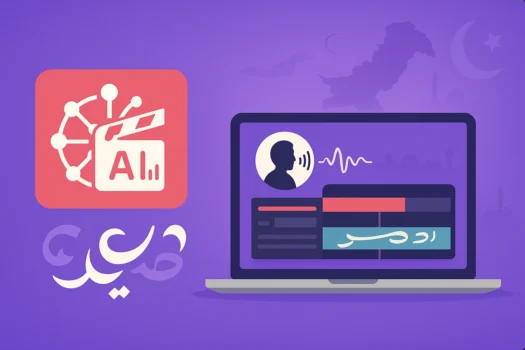
An Urdu AI video generator can help Pakistani creators turn scripts into presenter videos, reels, tutorials, ads, lessons, and narrated content without recording every scene manually. Vidnoz AI is a strong choice when Urdu voice and presenter-style generation matter, while FlexClip is useful when you want AI creation and browser-based editing together.
A free plan is usually the best place to start. Test your actual Urdu script, voice quality, captions, text rendering, and video output before paying. A paid plan makes more sense when free limits affect regular YouTube publishing, client projects, marketing content, training videos, or other business work.
Key Takeaways
- Start free and test your actual Urdu script before paying.
- Vidnoz AI is the stronger choice when Urdu voice and AI presenter videos are important.
- FlexClip is useful when you want AI video creation and browser-based editing together.
- Upgrade when a free-plan limitation actually affects your work.
- Use a traditional video editor only when the generated video needs more detailed manual finishing.
Urdu AI Video Generator Options at a Glance
| Tool | Best For | Type | When to Choose It |
|---|---|---|---|
| Vidnoz AI | Urdu voice, presenter videos, explainers, lessons, and reels | AI video generator | Choose when Urdu narration, avatars, and script-based video generation are important |
| FlexClip | Social videos, ads, templates, text-to-video, and quick editing | Online AI video maker and editor | Choose when you want AI generation plus normal browser-based editing |
If Urdu voice and presenter-style video creation are your main requirements, Vidnoz AI is the stronger starting point. If your videos combine AI-generated content with stock footage, images, templates, captions, music, and manual editing, FlexClip may provide a more flexible workflow.
Before paying for either service, confirm the current voice, generation, export, and plan limits because cloud-based AI features can change. You can also browse BreTech’s AI Video tools collection to compare related options available for buyers in Pakistan.
Free vs Paid Urdu AI Video Generator
Free AI video tools are useful for testing your workflow before making a purchase. Create a short sample using the same type of Urdu script you plan to use later, then check pronunciation, captions, Urdu text, visuals, scene timing, and overall video quality.
A paid plan becomes more useful when you produce videos regularly or find a specific free-plan restriction that affects your work. This may include generation capacity, export quality, branding, access to certain AI features, or the amount of content you need to create.
| Need | Free Plan | Paid Plan |
|---|---|---|
| Testing an Urdu script | Good starting point | Usually unnecessary at first |
| Trying AI avatars or templates | Useful | More options may be available |
| Occasional short videos | May be enough | Useful when limits become restrictive |
| Regular YouTube content | May become limiting | Better for frequent production |
| Client projects | Good for evaluation | Usually more practical |
| Business marketing | Useful for testing | Better for regular use |
| Higher-quality output | May be limited | Check the selected plan |
| More generation capacity | Limited | Higher allowances are normally available |
If you are specifically deciding whether free Vidnoz access is enough, read Vidnoz AI Free vs Paid in Pakistan.
Best Urdu AI Video Generators to Consider
Media.io AI Talking Avatar
Media.io AI Talking Avatar by Wondershare is a more focused option when you already have a portrait or character image and want to turn it into a speaking video.
You can upload your own narration for lip synchronization, which can be useful for Urdu projects when you want more control over pronunciation, Pakistani names, technical terms, or mixed Urdu-English speech.
Media.io is better suited to talking photos, spokesperson clips, short explainers, greetings, and similar content than full multi-scene video production.
Pakistan buyers can view Media.io AI Talking Avatar on BreTech for current options and PKR pricing.
Vidnoz AI
Vidnoz AI is a browser-based AI video generator for scripts, avatars, presenter videos, and AI voice workflows. It is particularly useful for Urdu narration, explainers, educational videos, training content, marketing videos, and social clips where you want AI to create much of the first video draft.
If presenter-led content is your main requirement, compare the best AI avatar video generators in Pakistan to see how Vidnoz compares with HeyGen and Synthesia.
For Urdu projects, test Pakistani names, English brand names, technical terms, numbers, and mixed Urdu-English sentences before producing a full video. You can compare available options on the Vidnoz AI brand page or review Vidnoz AI Starter and Vidnoz AI Business.
FlexClip
FlexClip combines AI video creation with browser-based editing, templates, stock media, captions, voice tools, and normal timeline work. It suits creators making reels, ads, promotional videos, educational clips, and mixed-media projects without immediately moving into separate desktop editing software.
For Urdu content, test your actual script, captions, text rendering, and current voice options before choosing a paid plan. AI language features can change over time. You can compare available options on the FlexClip brand page.
Vidnoz AI vs FlexClip: Which Is Better for Urdu Videos?
Vidnoz and FlexClip overlap, but they suit different types of buyers. Choose Vidnoz AI when Urdu narration, AI presenters, avatars, and script-based generation are your main priorities. Choose FlexClip when you need a broader online video-making environment with AI generation, templates, stock media, captions, and manual editing.
For example, someone creating an Urdu presenter video, narrated explainer, or training lesson may prefer Vidnoz. A creator building an advertisement or social clip from stock footage, images, text, music, and AI-generated elements may find FlexClip more flexible. Testing the same short script in both tools is the safest way to compare them.
Urdu Voiceovers, Captions, and Text
AI-generated Urdu voiceovers can save time, but pronunciation still needs human review. Test difficult words, names, numbers, technical terminology, and mixed Urdu-English sentences before creating a complete project. If the generated voice is not suitable, recording your own Urdu narration remains a practical option.
Urdu captions and on-screen text should also be checked before publication. Automatic captions can make mistakes, while manual Urdu text may display differently depending on the platform and font. A short test export can prevent problems before you spend time creating a longer client, training, or marketing video.
Which Urdu AI Video Workflow Is Best?
The right workflow depends on the type of content you create. A presenter video depends heavily on voice and avatar quality, while an advertisement may depend more on templates, stock footage, music, text, captions, and fast editing. Choose the tool around your real video format rather than the number of AI features advertised.
Reels and Short Social Videos
Vidnoz and FlexClip can both work for reels, Shorts, and social posts. Choose Vidnoz when an AI presenter or Urdu narration is central to the video. FlexClip may suit projects that combine templates, stock footage, images, captions, music, and browser-based editing.
Tutorials and Educational Videos
Vidnoz can suit presenter-led lessons, explainers, and introductions where an avatar or narration carries the video. FlexClip may be more suitable when the tutorial combines text, images, stock footage, captions, music, and other visual elements in a scene-based format.
Business and Marketing Videos
Businesses can use AI video tools for product explanations, onboarding, training, internal communication, and simple promotional content. Vidnoz may fit presenter-led communication, while FlexClip can work well for visual marketing content built from templates, text, images, stock media, and captions.
Urdu Moral Stories and Narrated Videos
An AI video generator can help turn an Urdu story script into a first visual draft. Vidnoz may be useful when narration or presenter-style delivery is important. FlexClip may work better when the video combines illustrations, stock footage, text, music, and scene-based storytelling.
For more cinematic or multi-scene storytelling, Wondershare ReelMate AI can help with script-to-storyboard workflows, generated scenes, AI video, images, and audio. Because language and voice capabilities can change, test your actual Urdu script and narration requirements before choosing it for an Urdu project.
If your workflow begins with a complete written story or script, compare the best script-to-video AI tools in Pakistan to see how ReelMate, InVideo AI, and Filmora handle script-based video creation.
Pakistan buyers can view Wondershare ReelMate AI on BreTech for current options and PKR pricing.
A Simple Urdu AI Video Workflow
Start by preparing your Urdu script and deciding what type of video you need. Test Vidnoz if Urdu narration, avatars, or presenter-style generation matter most. Test FlexClip if your project needs a mixture of AI-generated content, templates, stock footage, captions, images, music, and manual editing.
Create a short sample before generating the complete project. Review pronunciation, Urdu text, captions, visuals, and timing, then correct any problems. If the finished AI video already meets your requirements, there is no need to add another editing application.
Need to Edit Your AI-Generated Video?
Vidnoz and FlexClip are the AI video tools in this guide. A traditional desktop editor serves a different purpose and is useful only when the generated video needs more precise trimming, custom Urdu titles, recorded narration, detailed audio adjustment, additional effects, or more control over the final export.
MiniTool MovieMaker Pro
MiniTool MovieMaker Pro can help with straightforward finishing after AI generation. It is useful when you already have the video and need to trim clips, combine scenes, add titles, work with music or narration, and prepare the final output.
Ashampoo Movie Studio Pro 3
Ashampoo Movie Studio Pro 3 is another finishing option for longer or more detailed projects. It can suit training, marketing, presentation, or client videos where you need additional control over video, audio, effects, and final export after AI generation.
If traditional editing rather than AI generation is your main requirement, browse BreTech’s Video Editing software instead.
What Should You Check Before Paying?
The best AI video plan is not automatically the one with the longest feature list. First check whether the platform handles your actual Urdu script properly, whether the voice sounds suitable, whether captions and text display correctly, and whether the export quality and generation limits match your work.
Also decide whether you actually need an AI presenter or a broader video maker and editor. Choosing the correct type of platform is more important than paying for a larger plan filled with features that do not support your normal workflow.
Check these points before buying:
- Urdu voice quality
- captions and Urdu text rendering
- ability to use your own narration
- video quality and export options
- generation limits
- free-plan restrictions
- templates and media you actually need
- intended personal, client, or business use
- current plan and licensing conditions
When Is It Worth Upgrading From Free to Paid?
Do not upgrade simply because a paid version exists. Start with free access where available and identify the specific limitation that affects your work. A paid plan becomes more useful when you need additional generation capacity, higher-quality output, more AI features, additional media resources, or a workflow better suited to regular production.
Someone creating an occasional experimental Urdu video may remain comfortable with a free option for longer. A YouTube creator, freelancer, trainer, marketing team, or business producing content regularly is more likely to reach free limits sooner. Upgrade to solve a real limitation rather than simply unlocking more features.
Vidnoz or FlexClip: Which Should You Buy?
For most buyers, the decision comes down to how the video will be created. Vidnoz is the stronger starting point for AI presenters, avatars, script-based generation, and Urdu voice workflows. FlexClip is better suited to buyers who want AI creation together with templates, stock media, captions, and normal browser editing.
| Choose Vidnoz AI If You Need | Choose FlexClip If You Need |
|---|---|
| Urdu AI voice workflows | AI creation plus manual online editing |
| AI presenters and avatars | Social videos and ads |
| Script-based presenter videos | Templates and stock media |
| Explainers and lessons | Mixed-media projects |
| Presenter-style training content | Text-to-video and scene-based content |
If you already have recorded footage and mainly need detailed manual editing, neither should be chosen only because it includes AI features. A normal video editor may be the better purchase.
Buying AI Video Software in Pakistan
Pakistani buyers have different requirements. A student experimenting with AI video needs a different plan from a freelancer producing content for clients or a business creating regular marketing and training videos. Compare the tool against your actual workflow before choosing a larger plan.
BreTech offers genuine software licenses and plans with PKR pricing, local payment options, digital delivery, activation guidance, and invoice support where applicable. Browse the AI Video tools collection to compare related products and available options.
If you want to compare a wider range of AI video products before choosing, see Best AI Video Generator Software in Pakistan.
Final Thoughts
An Urdu AI video generator can make it easier to create reels, tutorials, lessons, explainers, ads, presenter videos, and narrated content from a written script. Vidnoz AI is the stronger starting point when Urdu voice and presenter-style generation are important, while FlexClip is useful when AI creation and browser-based editing need to work together.
Start with a short test where free access is available, check your real Urdu script, and identify any limitations before paying. MiniTool MovieMaker Pro and Ashampoo Movie Studio Pro 3 can be considered later only when the generated video needs additional manual editing rather than AI generation.
Further Reading
- Vidnoz AI Free vs Paid in Pakistan
- Best AI Video Generator Software in Pakistan
- Best Video Editing Software in Pakistan
For more related buyer guides, browse the AI Video Guid