Abdul Basit
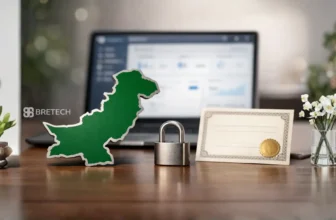
Verify a software license is genuine in Pakistan before you pay, because a cheap key or cracked installer can risk your PC, your files, and your work.
Many buyers trust random marketplace sellers or “instant keys,” then face failed activation, blocked updates, missing invoices, or no support when something breaks.
BreTech is an authorized reseller/partner in Pakistan for selected global software brands, offering PKR pricing, local payment options (bank transfer, JazzCash, Easypaisa), and digital email delivery on most orders within 1–72 hours, with activation guidance in Urdu or English when needed.
Buy from an authorized reseller or the official vendor store, request a proper invoice, and make sure the license is delivered by email with clear activation steps. If anything looks off, verify the details before paying, or contact BreTech for guidance.
Why Verification Matters for Pakistan Buyers
Genuine licenses keep your PC safer, more stable, and easier to manage during audits, tenders, or business purchases. Unlicensed or counterfeit keys can break after updates or bring unwanted extras.
Lahore example: A freelance designer bought a “text-file key” from a marketplace. Activation failed after an update. They repurchased from a verified seller and were active the same day with a proper invoice.
Verify a Software License Is Genuine in Pakistan (Step-by-Step)
- Check the seller’s About/Partners page for real vendor programs.
- Confirm the exact edition, seats, device type (Windows/Mac), and term.
- Ask for an invoice sample if you are buying for a business or school.
- Ensure the license is delivered by email, not screenshots or random text files.
- Save the invoice and license email for audits, renewals, and future transfers.
Need help choosing editions? Browse Security Software or reach us via Contact BreTech.
What Proof Should I Receive From a Genuine Seller?
You should receive:
- A proper invoice with business details
- A license email with the key or account-binding steps
- Basic activation instructions and where to download the installer
- A working support/contact path for follow-up
If the vendor requires an account, test sign-in and email binding before large purchases.
Quick 60-Second Checks
- The seller clearly shows brand partnerships or reseller status
- PKR pricing and local payment options are available
- Email delivery includes the key and activation steps
- Edition and seat count match your need
- Contact details are clear, and support replies if activation fails
Common Red Flags to Avoid
- “Instant keys” sent as images or text files
- No invoice, or refusal to share invoice format
- Vague edition, seats, or device limit details
- Broken or missing contact page
- Too-good-to-be-true bundles with unclear terms
If you spot these, compare with: Trusted Online Platforms for Software Licenses in Pakistan
What to Do If Activation Fails
- Re-check edition, device limit, and term
- Try sign out/in if the vendor uses account binding
- Reinstall using the official installer and run updates
- Contact the seller with your invoice and license email
- If needed, BreTech can help coordinate with the vendor for clarification
If a bad install damaged files, explore: Data Recovery Tools
Related Guides
- Avoid Counterfeit Software Licenses in Pakistan
- Process to Register a Genuine Software License in Pakistan
- Which Companies Sell Original Software Licenses Locally?
FAQs
Q: What proof shows a seller is official?
A: Look for vendor partnerships on the site, a clear invoice process, email delivery of keys, and a working contact page.
Q: Can I verify before paying?
A: Yes. Ask the seller to confirm edition, term, and seat count, and request a sample invoice format.
Q: Are marketplace instant keys safe?
A: Usually risky. Only buy if the seller is a verified partner and issues a proper invoice with email delivery.
Q: What if activation fails after an update?
A: Re-check edition and seat rules, reinstall from the official source, and contact support with your invoice and license email.
Q: Do I need an account with the brand to activate?
A: Some tools require one. If so, bind your email and test sign-in before large deployments.
Q: Can I move my license to a new PC later?
A: It depends on the edition. Review transfer rules and device limits before purchase.
Disclaimer: Please check the official vendor website for the latest features, editions, system requirements, and updates.
Further Reading
- Where to Buy Genuine Software in Pakistan
- Genuine Software for SMEs in Pakistan
- Trusted Online Platforms for Software Licenses in Pakistan
- Popular Software Licenses for Businesses in Pakistan
For step-by-step purchasing advice and license verification tips, explore our Software Help guides.