Abdul Basit
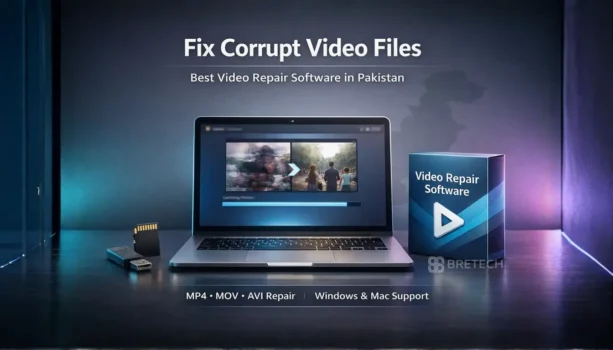
Video repair software price in Pakistan depends on the tool’s capabilities and the video formats it supports. Most users look for repair tools when MP4, MOV, AVI, or MKV files suddenly become unplayable.
Free tools may fix minor issues, but they are often limited by format support, file size limits, or failure when video corruption is severe.
Paid video repair software usually offers advanced repair features, wider format support, and the ability to repair multiple files. Many tools also support Windows and Mac, and some use a healthy reference video to improve repair results.
Video repair software price in Pakistan depends on the repair features, supported video formats, and whether the tool offers advanced repair for severely corrupted files.
Popular tools like Wondershare Repairit, Stellar Video Repair, and EaseUS Fixo Pro can repair MP4, MOV, AVI, and MKV files on Windows and Mac and help restore playback when a video file becomes damaged.
Best Video Repair Software At-a-Glance
| Tool Name | File Types Covered | Best For |
|---|---|---|
| Wondershare Repairit | MP4, MOV, MKV, AVI | Easy repair for common corrupt videos, good for creators |
| Stellar Repair for Video | MP4, MOV, MKV, AVI | Tough playback issues and broken video files that won’t open |
| EaseUS Fixo Pro | MP4, MOV, AVI, plus other corrupted files | Simple dashboard and quick fixes, good for mixed file repair needs |
You can explore these tools and other repair solutions on BreTech. Browse the full collection in File Repair & Recovery Software in Pakistan or view trusted brands like Wondershare, Stellar, and EaseUS to compare features and find the right video repair tool.
Video Repair Software Price in Pakistan: What You Get for Paid Software
Video repair software price in Pakistan usually depends on the repair features, supported video formats, and whether the tool can fix severely corrupted files. Many users look for a reliable repair tool when an MP4, MOV, or AVI video file suddenly becomes unplayable.
Free video repair software may fix small issues, but advanced problems often require professional video repair software. Paid tools usually support more file formats, repair multiple files, and offer advanced repair methods to restore damaged video files.
What Video Repair Software Does for a Corrupted Video File
A video repair tool is designed to repair a corrupted video file that cannot open or play properly in a video player. Video corruption often causes playback errors, missing frames, or a completely broken video file.
Video repair software scans the damaged file, detects video file errors, and rebuilds the file structure so the video can play again. Most tools support common video formats such as MP4, MOV, AVI, and MKV.
Common Reasons Videos Get Corrupt on Windows and Mac
Video corruption usually happens when a video file is interrupted during recording or file transfer. This can occur when copying files from digital cameras, memory cards, or external drives on Windows or Mac systems.
Other causes include storage problems, sudden system shutdowns, or damaged memory cards. These issues can create corrupted video files that require a video repair tool to fix playback and restore the video file.
Best Video Repair Software to Fix Corrupt Videos in Pakistan
When a video file becomes unplayable, choosing the right video repair software is important. The best tools can fix corrupt MP4, MOV, AVI, and MKV files, restore playback, and support multiple video formats on Windows and Mac, even when basic free video repair tools cannot repair severely corrupted videos.
1. Wondershare Repairit Video Repair Tool
Wondershare Repairit is one of the most popular tools to repair corrupt videos. The software works with many digital video formats and is capable of repairing MP4, MOV, MKV, and AVI files created by digital cameras, smartphones, and drones.
The tool provides both normal repair and advanced repair modes. In advanced repair, the software uses a healthy reference video from the same device to repair severely damaged files and restore the original video structure.
2. Stellar Video Repair Software
Stellar video repair software is designed to fix damaged and broken video files that fail to open in a video player. It supports common formats including MP4, MOV, AVI, and MKV and can repair multiple files in a single repair process.
The software scans the corrupted video file, rebuilds the video structure, and creates repaired video files that can play normally again. It is often used when videos become unplayable after file corruption or recording errors.
3. EaseUS Fixo Pro
EaseUS Fixo Pro is another easy to use video repair tool that can repair corrupted videos and recover video files that show playback errors. The software supports repairing MP4, MOV, AVI, and other digital video formats.
It can repair multiple files at the same time and helps restore damaged video files created by cameras, phones, or screen recordings. The software works on Windows and Mac and is designed to make the repair process simple for users.
Video Repair Tool Features That Matter Before You Buy
Before you buy video repair software, it is important to check what the repair tool can handle. A good video repair tool should support common video formats such as MP4, MOV, AVI, and MKV, and be able to repair corrupted video files without reducing video quality.
Some tools also include advanced repair for severely corrupted videos. This feature may use a healthy reference video from the same device to repair damaged files. Other useful features include the ability to repair multiple files, support for large file size, and an easy to use repair process.
How to Use a Video Repair Tool to Fix a Damaged Video File
Most video repair software follows a simple repair process to fix corrupted videos. The user first adds the damaged video file, then the software scans the file to detect video file errors and begins the repair process.
After the repair is complete, the software creates a repaired file that can play normally in a video player. Many tools also allow users to preview the repaired video before saving the final file.
Windows and Mac Support: What to Check Before Choosing Software
When selecting video repair software, it is important to check whether the software works on Windows and Mac systems. Some tools support both platforms, while others may only work on Windows.
You should also confirm that the software supports the video formats created by your device. Cameras, smartphones, and screen recording tools may produce different types of video files, so compatibility with formats like MP4 or MOV is important.
Where to Buy Video Repair Software in Pakistan (Genuine License)
If you plan to buy video repair software in Pakistan, it is safer to choose a trusted seller that provides genuine software licenses. This helps avoid problems such as invalid activation keys, unsafe downloads, or limited software functionality.
Buying a genuine video repair tool also ensures proper activation, software updates, and reliable performance when you need to repair corrupted video files or restore damaged recordings.
Conclusion: Choosing the Right Video Repair Software in Pakistan
Video repair software price in Pakistan usually reflects the repair features, supported video formats, and how well the software can handle corrupted or damaged video files. When a video file becomes unplayable because of file corruption, recording errors, or interrupted file transfer, a reliable video repair tool can often restore normal playback.
Tools like Wondershare Repairit, Stellar Video Repair, and EaseUS Fixo Pro are designed to repair MP4, MOV, AVI, and MKV files on Windows and Mac. Choosing a genuine video repair software helps ensure better repair results, stable performance, and the ability to fix corrupted videos when basic free tools cannot handle the repair process.
Explore more tools in File Repair & Recovery and compare trusted brands like Wondershare, Stellar, and EaseUS.
FAQs
Q: How can I repair video files that will not play?
A: When a video becomes unplayable, a video file repair tool scans the damaged file and rebuilds its structure. Good video software can often repair broken files and restore playback so the repaired file works again in a normal video player.
Q: Can video repair software fix MP4 video files?
A: Yes. Most modern repair video software supports common formats such as MP4 video, MOV, MKV, and AVI. These tools can repair damaged MP4 files and restore playback when the video becomes corrupted after recording or transfer.
Q: Does video repair software support AVI digital video files?
A: Many video repair tools support AVI and other digital video formats. If an AVI recording becomes damaged or unplayable, a file repair tool can often repair the video and recover the original file structure.
Q: Does video repair software work on Windows or Mac?
A: Most professional video repair software works on Windows or Mac systems. Some tools support both platforms, allowing users to repair video files from cameras, phones, or screen recordings on different devices.
Q: Can video repair tools recover severely damaged videos?
A: In many cases, a recovery software tool can help repair broken or corrupted video files. Some tools also use a sample file from the same camera or device to help repair severely damaged recordings.
Q: Is there a free demo before buying video repair software?
A: Many file repair software tools provide a free demo that lets users scan the damaged video and preview the repaired result. This helps confirm whether the software is able to fix the problem before purchasing the full version.
Q: Can video repair software fix multiple files at once?
A: Some advanced video software allows batch processing to easily repair multiple damaged video files in one repair process. This is useful when several recordings become corrupted at the same time.
Further Reading
If you want more help with file repair and recovery, these related guides are worth reading.
- Best Data Extraction Software in Pakistan
- Best File Repair Software for Windows in Pakistan
- Best Data Recovery Software in Pakistan
- Best Photo Recovery Software in Pakistan
For more helpful guides, browse our File Management posts.