Abdul Basit
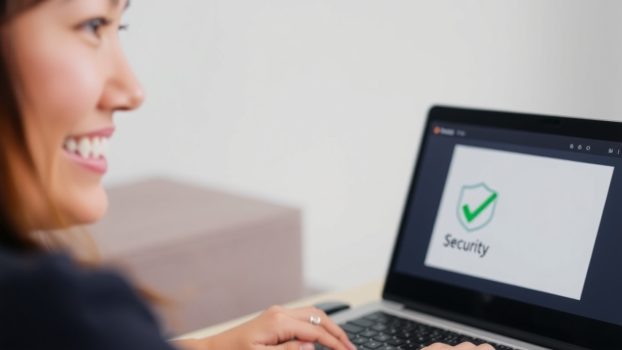
Why antivirus software is important in Pakistan is clear once you see how common phishing links, fake “update” popups, unsafe downloads, and ransomware have become. These threats do not only hit careless people. Even cautious users can be exposed through infected attachments, compromised websites, or social engineering messages.
Reliable antivirus software helps by monitoring in real time across files, apps, and web traffic, blocking suspicious activity before it turns into data loss, account theft, or expensive recovery work.
For students, freelancers, families, and SMEs, antivirus is still a basic layer that supports safer browsing and safer payments in 2026, especially on shared Wi-Fi and everyday devices.
Antivirus software is important in Pakistan because phishing links, fake update popups, unsafe downloads, and ransomware are common. A good antivirus blocks threats with real-time protection and reduces the risk of account theft and file loss.
For most users, a genuine license matters because updates and support stay active.
Understanding Why Antivirus Software Is Important in Pakistan
Antivirus software is a core defense layer. It shields your phone and PC from malicious software like viruses, trojans, ransomware, and spyware.
Buying security software with genuine licensing helps you stay updated and supported, which matters because modern threats change quickly.
What is Antivirus Software?
Essentially, antivirus software is a malware-prevention tool. A modern antivirus is designed to detect and remove viruses, worms, trojans, ransomware, and spyware.
It provides real-time protection by constantly monitoring your system for suspicious activity and blocking known and suspicious threats.
Explore options: Security Suites | Security Software
How Does Antivirus Software Work?
Antivirus uses multiple layers: signature detection for known threats, behavior and heuristic checks for suspicious activity, plus web and email filtering in many suites. Together, these layers help reduce risk on each device.
Types of Antivirus Programs
There are antivirus options for different needs and budgets, including:
- Free antivirus tools that provide basic protection
- Paid security suites that may add firewall controls, web protection, parental controls, and other security features
Microsoft Defender Antivirus can be a reasonable baseline for many Windows users. The right choice depends on what you do online and how much risk you can tolerate.
The Need for Antivirus Software in Pakistan
Why You Need Antivirus Software
In Pakistan’s growing digital environment, the need for antivirus software is high for both personal and business users. Risk increases when people reuse passwords, click shortened links, install unknown apps, or rely on pirated software.
Using genuine licenses matters because it helps ensure you receive security updates and vendor support. For professionals and SMEs, this also supports smoother operations and fewer disruptions.
See trusted brands: AVG | Avast | Norton
Antivirus Protection Against Cyber Threats
Antivirus protection helps detect, quarantine, and remove harmful software before it can damage your system.
With real-time protection enabled, you reduce the chance of common issues like phishing-based account theft, infected downloads, and ransomware-related file loss.
Get protected now: Compare Security Suites
What We Commonly See in Pakistan (real-world threat patterns)
Instead of relying on hard numbers, here are the threat patterns users most often report:
- Phishing messages pretending to be banks, delivery services, or support teams
- Fake “update” prompts that install unwanted apps or malware
- Unsafe cracked installers that bundle adware or spyware
- Ransomware-style attacks that block access to files and demand payment
This is why a modern suite with strong web filtering and behavior monitoring is often more practical than “scan-only” tools.
Benefits of Using Antivirus Software
How Antivirus Software Protects Your Data
Antivirus protects data through layered detection. Signature-based detection blocks known malware, while behavior analysis helps spot suspicious actions that may indicate new threats.
When you install antivirus software, you add a protective barrier around files, browsers, email apps, and downloads.
Antivirus Software Benefits for Personal Users
For personal users, antivirus helps protect photos, documents, and accounts. It can also reduce exposure to phishing sites and scam pages by warning or blocking risky URLs (depending on the suite).
Free tools may cover basics, while paid suites often add stronger web protection and support features.
Antivirus Software Benefits for Businesses
For businesses, antivirus protection helps reduce downtime and protect customer data, finance records, and internal documents.
For SMEs, the biggest benefit is fewer disruptions. Even one infected PC can impact billing, documents, and daily work.
For teams: Compare Security Suites
Choosing the Right Antivirus Software
Factors to Consider When Selecting Antivirus Software
Selecting the right antivirus software usually comes down to:
- Compatibility with your operating system and hardware
- Protection depth (real-time shields, web filtering, ransomware protection)
- Update reliability (frequent updates matter)
- Management needs (family controls or business console)
- Cost vs features (match budget to risk)
Always choose a trusted vendor and ensure the license is genuine.
Free Antivirus vs. Paid Antivirus Programs
Free antivirus can help with basic threats, but it may not include stronger web protection, advanced ransomware controls, or support options.
Paid suites typically add better web filtering, additional layers, and easier support when something goes wrong. The right choice depends on your risk level and usage.
Browse choices: Security Software | AVG | Avast
Recommendations for the Right Antivirus Software
Look for modern solutions that combine signatures with behavior monitoring and web protection. Prioritize tools with:
- Real-time protection
- Automatic updates
- Clear alerts and easy settings
- Good support and genuine licensing
Getting Started with Antivirus Software
How to Get Antivirus Software
Getting reliable antivirus software in Pakistan is straightforward. BreTech provides genuine licenses with PKR pricing, fast digital email delivery on most orders (typically 1–72 business hours), and local support for licensing and activation guidance.
Start here: Security Suites | Security Software
Setting Up and Using Antivirus Software Effectively
After you install antivirus software:
- Run a full system scan to detect any existing malware
- Enable real-time protection
- Turn on automatic updates
Use scheduled scans and web protection features if your suite includes them.
Regular Updates and Maintenance of Your Antivirus Program
Keep your antivirus program updated:
- Enable automatic updates
- Run periodic full scans
Updates matter because threat detection changes frequently, and older definitions miss newer risks.
Conclusion
Cyber threats in Pakistan keep evolving, from phishing and fake “support” messages to malware hidden inside unsafe downloads. A genuine antivirus adds real-time protection that works alongside safe browsing habits and regular backups.
Whether you’re a student, freelancer, or SME, licensed security with updates is a safer long-term choice. Explore options in Security Software in Pakistan and, for offices, compare plans in Security Suites.
Want verified antivirus deals too? Browse our Antivirus coupon collections and Antivirus & Security coupon collections.
Additional Resources
- Best Kaspersky Antivirus Alternatives in Pakistan
- Why Cybersecurity is Important in Pakistan
- AVG Antivirus Price in Pakistan (2026): Plans, Cost Guide
- Best privacy tools in Pakistan for data privacy and online security
- Best security software in Pakistan
FAQs
Q: Why do you need antivirus software?
A: Antivirus helps protect your device and data from malware, phishing pages, and other threats by scanning and blocking suspicious activity.
Q: How does antivirus software work?
A: It compares files to known malware signatures and uses behavior checks to flag suspicious actions. Many suites also add web and email filtering.
Q: What are the benefits of antivirus software?
A: You get real-time protection against common threats, plus updates that improve detection over time. Some suites also include extra security tools.
Q: What types of antivirus software are available?
A: Options include free antivirus tools, paid antivirus products, and broader security suites. Suites usually add more protection layers and support.
Q: Do I need an antivirus program if I have a firewall?
A: Yes. A firewall helps control network access, but antivirus focuses on detecting and removing malware and blocking malicious files and links.
Q: How often should I update my antivirus software?
A: Keep it updated all the time. Automatic updates are the simplest way to stay protected.
Q: What features should I look for in an antivirus?
A: Real-time protection, automatic updates, strong web protection, and simple alerts. For families or SMEs, look for easier management controls too.
Q: Can free antivirus solutions provide adequate protection?
A: Free tools can cover basics, but they may lack stronger web filtering, advanced protection layers, or support. If you handle sensitive data, a paid suite is often safer.