Abdul Basit
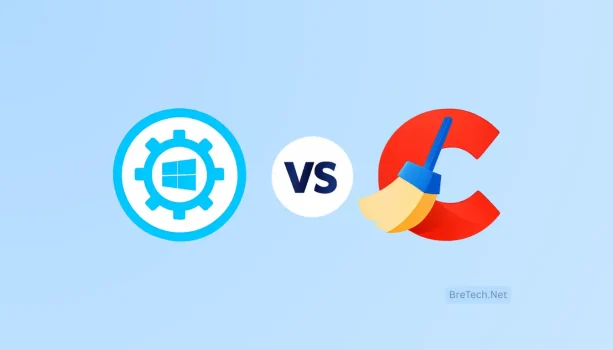
Ashampoo WinOptimizer vs CCleaner for Pakistan users is a real decision when a PC feels slow, storage keeps filling up, and games stutter on Windows 10/11.
The risk is installing random “cleaner” apps or cracked tools. That can bring ads, unwanted background services, and settings changes that are hard to undo.
A common mistake is running aggressive registry fixes without a restore point, or turning on every “boost” option and then blaming Windows when something breaks.
This guide compares Ashampoo WinOptimizer and CCleaner using what matters most: safe cleaning, privacy, real-time monitoring, and value for Pakistani users.
If you want an all-in-one tuning suite with more built-in modules and automation, WinOptimizer is usually the better fit. If you want simple cleanup and privacy-focused maintenance, CCleaner is often the easier choice.
Both WinOptimizer and CCleaner are available in Pakistan. We focus on what matters most: Windows 10/11 compatibility, ease of use, and getting genuine software with support when needed.
Quick comparison: Ashampoo WinOptimizer vs CCleaner

This comparison of WinOptimizer and CCleaner explains how each tool fits Pakistani users. Read this short breakdown before the deeper feature sections.
Core Focus and Use Cases in Pakistan
Ashampoo WinOptimizer from Ashampoo targets all-in-one maintenance with extra tuning modules. It includes tools like Game Booster, SSD Optimizer, Internet Optimizer, and system monitoring to help free CPU and RAM when your PC is under load. Gamers and power users who want a single suite for tuning and monitoring often pick this route.
CCleaner focuses on cleaning and privacy basics. It offers junk removal, browser cleaning, startup manager, and tools that help reduce background clutter. Paid plans add automation, real-time monitoring, and (in some bundles) extra utilities. Students and office users often prefer CCleaner for straightforward cleanup.
Performance and Gaming Optimization
WinOptimizer’s gaming tools aim to reduce background load and keep the system stable during play. If you want game-focused options inside one suite, Ashampoo WinOptimizer usually feels more “complete” than CCleaner.
CCleaner improves general responsiveness by removing junk and trimming startup apps. That can help boot times and stability, and can indirectly make game loading feel smoother on older PCs.
A simple approach many users follow: use CCleaner for regular cleanup, then use WinOptimizer’s game mode only when needed.
Privacy, Monitoring, and Real-Time Tools
CCleaner is popular for quick browser cleaning, cookie removal, and basic privacy tidy-up. Its paid monitoring features are useful if you want automatic reminders and background checks.
WinOptimizer leans more toward system control panels, live monitoring, and “one place” maintenance. It is not a security tool, so users worried about malware should still use a proper antivirus or anti-malware product.
Ease of Use, Value, and Device Compatibility
CCleaner is known for a simple interface and fast cleanup. A free version exists, and paid tiers add automation and monitoring. This makes it a practical option for many users who only want basic maintenance.
WinOptimizer includes more modules aimed at advanced tuning and gaming. It can be worth it if you will actually use those extras. Both tools support Windows 10 and Windows 11.
- Use case: If you want targeted cleanup and privacy basics, CCleaner is a practical fit.
- Use case: If gaming and deeper tuning are priorities, WinOptimizer is usually the better match.
Feature-by-Feature Comparison for Pakistani Users
This guide helps Pakistani users choose the right tool for daily needs. We compare WinOptimizer and CCleaner in cleaning, gaming, storage, and browsing experience. Each section explains where each tool fits your setup.
Cleaning and Maintenance: Junk, Registry, and Startup Optimization
CCleaner is strong for basic cleaning and maintenance. It removes temporary files, caches, and browser leftovers. It also has a startup manager to help speed up boot time.
WinOptimizer offers one-click maintenance plus extra system modules. It is built for users who prefer scheduled cleanup, automated routines, and deeper Windows maintenance options in one dashboard.
For study or office PCs in Pakistan, CCleaner’s regular cleanup is often enough. If you use registry cleaning, keep it light and always create a restore point first.
Gaming Enhancements: Game Booster vs General System Cleanup
Ashampoo WinOptimizer’s Game Booster is designed to reduce background load during gaming. It can help on mid-range or older systems where many background apps are running.
CCleaner can reduce clutter and improve general responsiveness, but it does not focus on gaming modes the same way. If gaming is the main goal, WinOptimizer usually has the clearer advantage inside this comparison.
Storage and Disk Health: SSD Optimization, Drive Care, and Analysis
Ashampoo WinOptimizer includes SSD-focused options that aim to keep drives running smoothly. This can help reduce slowdowns caused by messy background tasks and unnecessary disk load.
CCleaner is useful for freeing space by removing junk files. If you want deeper disk tools (like defrag utilities), those are usually part of separate tools or bundles, and defrag is mainly for HDDs, not SSDs.
Pakistani users with SSDs should avoid frequent defragging and focus on safe cleanup, enough free space, and normal Windows drive optimization.
Internet Optimization and Online Experience
Ashampoo WinOptimizer includes network-related tuning options that may help on some setups, especially when Windows, drivers, and startup programs are already under control. It cannot fix weak routing or ISP congestion, but it can help remove avoidable system-side slowdowns.
CCleaner helps browsing feel lighter by clearing browser cache and reducing background clutter. If your browser is slow mainly due to extensions, heavy tabs, or low RAM, cleanup plus trimming startup apps can help more than “internet boost” toggles.
If online gaming feels laggy, focus first on drivers, Wi-Fi stability, and background downloads. Optimizer tools can help reduce PC-side load, but they cannot replace a stable connection.
| Feature | WinOptimizer | CCleaner | Best for Pakistani Users |
|---|---|---|---|
| Junk & Cache Cleaning | More automation and extra modules | Fast, straightforward cleanup | Regular users who want simple maintenance |
| Registry Tools | Includes repair/tuning modules | Light cleaning options | Use carefully, always with restore point |
| Startup Management | More controls and tuning panels | Easy startup disabling | Office and student machines aiming for faster boot |
| Gaming Enhancements | Game Booster and monitoring | General cleanup only | Gamers seeking PC-side load reduction |
| SSD Focus | SSD options included | Cleanup helps free space | SSD owners who want a suite approach |
| Disk Tools | Suite-style maintenance tools | Cleanup plus bundled utilities in some editions | HDD users benefit most from defrag tools |
| Browser Performance | Suite options plus maintenance | Browser cleaning is a main strength | Users who want quick privacy and browsing cleanup |
| Best Combined Approach | Use for tuning and gaming sessions | Use for regular cleanup | Many users do both (not at the same time) |
Conclusion
For Pakistani users, the choice between WinOptimizer and CCleaner depends on what you actually need.
If gaming and deeper tuning are your priorities, WinOptimizer is usually the better pick because it offers suite-level tools like game mode and monitoring in one place.
If you want simple cleanup, lighter browsing, and easy maintenance on a student or office PC, CCleaner is often enough and easier to use.
You can also use both safely if you keep it simple: CCleaner for regular cleanup, and WinOptimizer only when you want extra tuning. Do not run them at the same time, and always create a restore point before major changes.
Explore & Buy Desktop Optimizers (BreTech)
Looking for genuine licenses with PKR pricing and local support? Browse these BreTech pages:
- System Optimization: Cleanup, startup control, privacy tools, and Windows tune-up utilities.
- Utilities & Optimization: All-in-one utility suites and performance tools.
- Brand pages: Ashampoo and CCleaner
FAQs
Q: Which is better for gamers in Pakistan, WinOptimizer or CCleaner?
A: WinOptimizer is usually better for gamers because it includes game-focused tuning and monitoring tools. CCleaner helps general cleanup, but it is not built around gaming modes.
Q: Can CCleaner and WinOptimizer both be used safely together on the same PC?
A: Yes, many users do that. Use CCleaner for regular cleanup, and use WinOptimizer only when you want extra tuning. Avoid running both at the same time, and create a restore point before big changes.
Q: Do these tools support Windows 10 and Windows 11 commonly used in Pakistan?
A: Yes, both tools support Windows 10 and Windows 11.
Q: Will using Ashampoo WinOptimizer or CCleaner improve FPS and loading times?
A: They can help if your PC is slowed down by background apps, junk files, or heavy startup programs. WinOptimizer’s game tools may help more for gaming sessions, while CCleaner helps general responsiveness.
Q: Which tool is better for SSD maintenance and reducing game load screens?
A: Ashampoo WinOptimizer is usually the better fit for SSD-focused tuning inside a suite. CCleaner helps by freeing space and reducing clutter, which also matters on SSD PCs.
Q: How do privacy and security features compare between the two?
A: CCleaner is more focused on browser cleaning and privacy tidy-up. WinOptimizer is more focused on performance and system tools. Neither replaces antivirus or anti-malware protection.
Q: Is there a free version of these tools for budget-conscious users in Pakistan?
A: CCleaner has a free version for basic cleanup. WinOptimizer usually offers a trial, and paid licenses unlock the full suite features.
Q: For a student or office PC in Pakistan, which is the recommended choice?
A: CCleaner is often the better starting point for students and office users because it is simple, fast, and focused on cleanup and startup control.
Q: Can these tools fix slow internet or high ping on online games?
A: They can only help on the PC side by reducing background load and cleaning up startup programs. They cannot fix ISP congestion, weak routing, or unstable Wi-Fi.
Q: What practical steps should Pakistani users take before trying these optimizers?
A: Decide your goal first (gaming or general maintenance), check whether you use SSD or HDD, uninstall unused apps, and create a restore point before deeper changes.
Q: Are there better alternatives to CCleaner and WinOptimizer available in Pakistan?
A: Some users prefer other optimization suites depending on features and budget. The best choice is the one you will actually use safely and consistently.
Q: How often should I run maintenance tools on my PC?
A: For most users, monthly cleanup is enough. Gamers might do a quick cleanup before a long session. Avoid aggressive “deep cleaning” every day.
Q: Does CCleaner’s registry cleaner actually help performance, and is it safe?
A: Registry cleaning rarely gives big speed gains. If you use it, keep it minimal and always create a restore point first. Avoid aggressive cleaning on important systems.
Q: Where can Pakistani users buy or get local support for premium licenses?
A: The safest option is to buy genuine licenses from an authorized reseller like BreTech so you can get the right edition and support when needed.
Additional Resources
- PC Optimizer Made My PC Slow?
- Mac Cleaner Software Price in Pakistan 2026
- Windows Cleanup vs PC Optimizers in 2026
- Best Game Booster for PC Gaming in Pakistan
- Boost Gaming Performance on Low-End PCs in Pakistan
- How to Optimize Gaming PC for Competitive Gaming in Pakistan
- Best PC Optimizer for Gaming in Pakistan