Abdul Basit
WinRAR price in Pakistan is one of the first things users check when large folders fail to upload or email because the file size is too big. Many people then install unofficial versions, and later face activation errors or update problems.
Some users only need basic compression for home use, while offices may require multi-user licensing. Choosing the correct genuine license from the beginning avoids unstable activation and registration issues later.
At BreTech, WinRAR licenses are available in Pakistan with PKR pricing, local payments, and fast digital email delivery on most orders (often within 1–24 hours) as an authorized reseller partner.
WinRAR price in Pakistan mainly depends on whether you need a lifetime single-user license or volume licensing for teams.
Quick At-a-Glance: Which WinRAR License Should You Buy?
| License Type | Best For in Pakistan | Pricing Model |
|---|---|---|
| WinRAR Single User License | Students, freelancers, home users | One-time lifetime purchase |
| Multi-User / Volume License | Businesses, NGOs, IT teams | Quote based on seat count |
To check the current PKR price and order safely, visit: WinRAR License on BreTech
WinRAR Price Structure in Pakistan (2026)
In Pakistan, most buyers prefer lifetime software instead of subscription-based tools. WinRAR follows a one-time purchase model for individual licenses.
Pricing depends on:
- Single-user vs multi-user license
- Number of seats for teams
- Business deployment requirements
For accurate pricing, always rely on the live PKR listing shown on the product page.
Organizations that require multiple installations should request a proper volume quote instead of buying separate single licenses.
Who Should Buy WinRAR?
WinRAR is widely used in Pakistan beyond simple file compression. It becomes practical when working with limited internet speeds, large project folders, or password-protected archives.
Students & Home Users
Students use WinRAR to compress assignments, reduce upload sizes, and email large folders. Password protection helps when sharing personal documents.
Freelancers & Small Businesses
Designers often split large client projects into smaller parts for easier upload. Small offices package reports, catalogs, and backups neatly using compressed archives.
IT Teams & Organizations
IT departments use WinRAR to package files securely for controlled sharing. Encryption helps when sensitive folders must be transferred with password protection.
You can also explore the brand hub here: WinRAR on BreTech
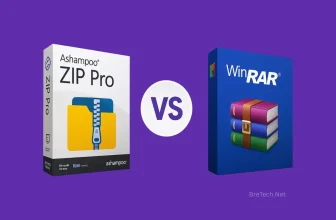
WinRAR vs Ashampoo ZIP Pro
When choosing a compression tool in Pakistan, most buyers compare WinRAR with a more feature-rich suite option like Ashampoo ZIP Pro.
WinRAR is known for RAR archive creation, file splitting, and built-in repair tools. Ashampoo ZIP Pro offers a broader toolset designed for users who need extended archive management features.
Ashampoo ZIP Pro
Ashampoo ZIP Pro is suitable for users who want more than standard compression. It includes wide format support and additional archive utilities that some office users prefer.
It can be useful in business environments where file packaging and workflow flexibility are important.
| Feature | WinRAR | Ashampoo ZIP Pro |
|---|---|---|
| Format Support | RAR, ZIP + many extract formats | Wide multi-format support |
| AES-256 Encryption | Yes | Yes |
| Archive Repair | Built-in repair tools | Available (feature dependent) |
| Licensing Model | Lifetime single-user + volume | Commercial license options |
| Local Support | Via BreTech | Via BreTech |
How to Buy WinRAR Safely in Pakistan
Buying genuine software ensures stable activation and long-term usability.
Ordering Process via BreTech
- Choose the correct license (single-user or volume)
- Place your order and provide your email
- Receive your license file after payment confirmation
Payment Methods
BreTech supports local payment options such as bank transfer and other available local methods depending on the order.
License Activation
WinRAR activation is typically done using a license file (commonly named rarreg.key).
- Download WinRAR from the official publisher site
- Save the license file received via email
- Place it inside the WinRAR installation folder
- Re-open WinRAR to confirm registration
Keep the license file safe for future reinstallation.
Security & Technical Notes
WinRAR supports AES-256 encryption for password-protected archives. Always use a strong and unique password for sensitive files.
WinRAR also includes archive repair features. Repair success depends on damage level, so important data should always be backed up separately.
Bulk Licensing & Special Pricing
For companies, schools, and NGOs, multi-seat licensing is usually handled through a quote based on seat count and deployment size.
If you need licensing for a team, request a tailored quote through BreTech instead of purchasing multiple single-user licenses separately.
Conclusion
WinRAR price in Pakistan depends on whether you need a lifetime single-user license or multi-seat business licensing. The safest way to confirm pricing is to check the live PKR listing on BreTech and avoid unofficial keys that may fail later.
To compare compression tools, explore the full category here: Archive & Compression Tools
FAQs
Q: What is the current WinRAR price in Pakistan in 2026?
A: Pricing may change, so always check the live PKR rate on the BreTech WinRAR product page.
Q: Is WinRAR a lifetime license?
A: Yes. The standard single-user license is typically a one-time lifetime purchase.
Q: Do you offer WinRAR for offices?
A: Yes. Multi-seat licensing is handled via quote based on how many PCs or users you need.
Q: What payment methods are supported?
A: BreTech supports bank transfer and other available local payment options depending on the order.
Q: How do I activate WinRAR?
A: Activation is done using a license file placed inside the WinRAR installation folder.