
PDF Editor price in Pakistan with official license options to edit, convert, sign, OCR, and manage PDFs with PKR pricing, fast email delivery, and support.
Showing 1–12 of 15 results
PDF Editor Software in Pakistan: Edit, Convert, Sign, OCR, and Manage PDFs
PDF editor software helps you fix and prepare PDF files when you need to change text, update forms, organise pages, or send clean documents for work, study, or business in Pakistan.
Unsafe copies and the wrong tools can break your files or waste time. Some tools fail on scanned PDFs, fonts, or large files. Cracked versions can add security risk and may not update properly.
BreTech is an authorised reseller with price in Pakistan in PKR, fast email delivery on most orders, local payment options, and local support. You get a genuine official license and activation key, plus setup and activation help. Trials can help you test features, but they may have watermarks, time limits, or locked tools.
Browse PDF Editor by Type
- PDF editing: Change text, images, headers, footers, and basic layout where supported.
- PDF conversion: Convert PDF to Word, Excel, PowerPoint, or images, and back to PDF.
- OCR for scanned PDFs: Make scanned pages searchable and copyable using OCR.
- PDF combine and split: Merge multiple PDFs, split big PDFs, and reorder pages.
- PDF signing and forms: Add e-signatures, fill forms, and create simple form fields.
- PDF compression: Reduce file size for email and uploads while keeping readability.
- PDF protection: Add passwords and permission controls for sharing.
Match Your Problem to the Right Solution
| Problem / Need | Best Type to Look For | Why It Helps |
|---|---|---|
| I need to correct a PDF before sending | PDF editing | Updates text and content without re-creating the file |
| I must send an editable Word file | PDF conversion | Makes documents easier to edit and reuse |
| My PDF is a scan and I cannot select text | OCR for scanned PDFs | Turns scans into searchable, selectable text |
| I have many PDFs to submit as one | Combine and split | Merges files and organises pages quickly |
| I need to sign and share documents | Signing and forms | Adds signatures and handles form filling |
| My PDF is too large for email | Compression | Shrinks size for sharing and uploading |
| I want to limit edits or printing | Protection | Adds password and permission control |
Compare PDF Editor Options in Pakistan
Before you buy, compare what you really need:
- Feature focus: Editing vs converting vs OCR vs signing
- Scan support: OCR quality matters for scanned documents
- Output quality: Formatting, fonts, and tables after conversion
- Workflow fit: Single file edits vs bulk tasks and batch conversion
- Updates and support: Genuine software, clean activation, and renewals or upgrades where relevant
How to Choose the Right PDF Editor
- Students: Convert notes and assignments, compress files, and submit clean PDFs.
- Freelancers: Edit client documents, convert files, and manage signatures fast.
- SMEs: Combine invoices, protect files, and standardise PDFs for sharing.
- IT and support teams: Prefer stable licensing and tools that work across many PCs.
- Accounts and admin teams: Focus on forms, signing, page organisation, and secure sharing.
PDF Editor Options Available at BreTech
Use these simple scenarios to decide what to shop for:
- Office PDFs: Edit text, reorder pages, then export a final PDF for sharing.
- Scanned paperwork: Use OCR first, then edit, search, and copy text as needed.
- Business sharing: Combine PDFs, compress for email, and add protection when required.
- Form handling: Fill forms, add signatures, and keep a clean record for your files.
- Frequent conversion work: Choose a tool that keeps formatting stable after export.
Why Buy from BreTech
- Official licenses: Genuine activation keys with clearer licensing
- Genuine software: Safer updates and fewer activation issues
- PKR pricing: Easier to compare and budget in Pakistan
- Fast email delivery: On most orders
- Local support: Help with choosing, setup, and activation
- Bulk and invoice guidance: When you need multiple licenses
“BreTech guided me to the right PDF tool, and my license arrived by email. Activation was smooth and I finished my work on time.”
Our Featured PDF Editor Tools
Shop Top Editor brands: Wondershare, Ashampoo, Movavi, EaseUS, Foxit. Open a product to view details.
- Foxit PDF Editor: Reliable editing, annotation, and collaboration.
- Foxit PDF Editor Plus: Form creation and document protection.
- Wondershare PDFelement: Intuitive all-in-one editor for business and students.
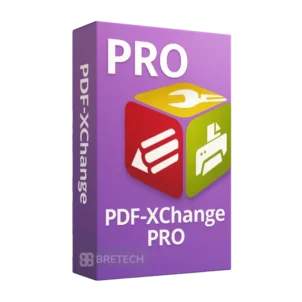
- PDF-XChange PRO: Full suite for editing, OCR, and conversion.
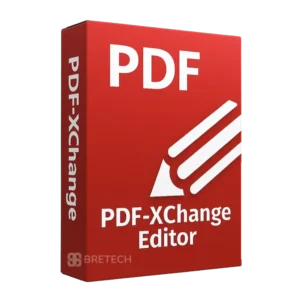
- PDF-XChange Editor: Lightweight, fast editor with advanced markup.
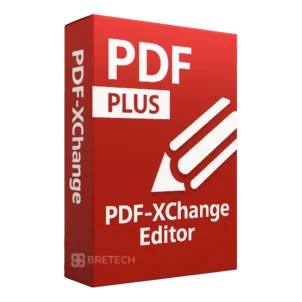
- PDF-XChange Editor Plus: Includes form creation and extra pro features.
- PDFChef by Movavi: Simple editing, merging, and converting.
- SwifDoo PDF: Compact editor with collaboration and security tools.
- Foxit eSign Essentials: Easy and affordable e-signing for small offices.
- Foxit eSign Business: Secure e-signatures and workflow automation for teams.
Learn More
Learn more about PDF tools:
- Best PDF Editing Software for Pakistani Users
- Where to Buy Genuine Software in Pakistan
- How to Secure and Protect Your PDF Files in Pakistan
- Guide to PDF Editor with Digital Signature Support
- Top-Rated Simple PDF Editors for Mac Users in Pakistan
Recommended Next Tools
Explorer more tools on Office Productivity
Frequently Asked Questions (FAQs)
Can I convert scanned PDFs into editable text?
Yes. With OCR-enabled tools like PDFelement or Ashampoo PDF Pro, you can convert scanned pages into editable text and then make changes.
Do these editors maintain the original file layout?
Good editors preserve fonts, spacing, and tables during conversion. Small formatting fixes may still be needed for complex documents.
Can I use e-signatures in these editors?
Yes. Most PDF editors let you add e-signatures or digital signatures and then share the signed file securely.
Is Foxit better for businesses?
Often, yes. Foxit is strong for teams because it supports collaboration, cloud sharing, and workflow features used in offices.
Do these tools work on Mac as well?
Some do. PDFelement and Foxit have Windows and macOS editions. Movavi also supports macOS for many of its apps, depending on the product.
How secure is PDF redaction?
Redaction is secure only when the tool permanently removes the data. A simple black box overlay can sometimes be uncovered, so use proper redaction tools.
Can I try before buying?
Most brands offer a trial version, but trials can have limits. BreTech provides verified full licenses for the paid editions.
How fast will I receive my license?
Delivery is digital. After payment, you receive the license by email, and you can ask for local activation guidance if needed.
Start Buying PDF Editor in Pakistan
Pick the main task first (edit, convert, OCR, sign, or manage pages), then buy a licensed PDF editor with PKR pricing and local support.
Disclaimer
Features, editions, and pricing can change. Please confirm the latest details on the product page before ordering.