
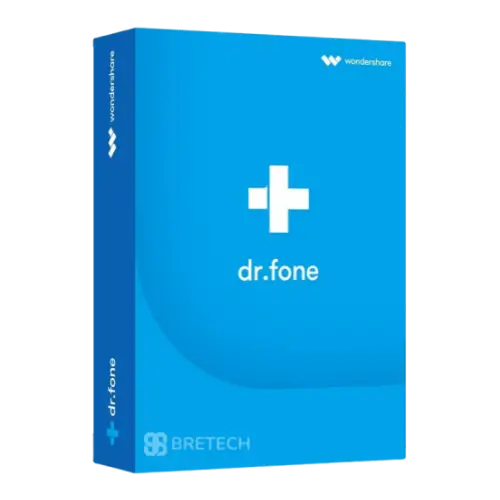
Dr.Fone License in Pakistan
Wondershare Dr.Fone is an all-in-one mobile toolkit for supported Android and iOS devices. It helps with data recovery, phone transfer, backup, system repair, screen unlocking, WhatsApp transfer, and mobile data management.
- Individual, business, technician, and education plans
- Data recovery, transfer, backup, and system repair
- Screen unlock for supported Android and iOS devices
- Annual and perpetual license options may be available
- Windows and Mac licenses available separately
Wondershare Dr.Fone License in Pakistan
Wondershare Dr.Fone is an all-in-one mobile software solution for managing, transferring, recovering, repairing, and protecting data on supported Android and iOS devices.
The Wondershare Dr.Fone price in Pakistan depends on the selected license type, platform, license period, number of mobile devices, and number of users or computers.
Dr.Fone is available for different types of customers, including:
- Individual and family users
- Mobile phone technicians
- Mobile repair shops
- IT support teams
- Companies and organizations
- Students
- Schools, colleges, and universities
Customers should select the correct license based on how the software will be used. Individual plans are mainly intended for personal devices, while technicians and businesses should choose a suitable Team and Business license.
What Can Wondershare Dr.Fone Do?
Dr.Fone combines several mobile tools in one software package. Available features may include:
- Mobile data recovery
- Phone-to-phone data transfer
- Android and iOS system repair
- WhatsApp backup and transfer
- Screen unlocking
- Phone backup and restore
- Data erasing
- Mobile device management
- Virtual location
- Password management
- Screen mirroring
The exact features depend on the selected Dr.Fone edition, operating system, mobile device model, and software version.
Dr.Fone for Individual and Family Use
The individual Dr.Fone license is suitable for customers who want to manage their own phones or family devices.
It may be useful when you need to:
- Move data to a new mobile phone
- Back up photos, contacts, and messages
- Restore supported mobile data
- Transfer WhatsApp data
- Repair common Android or iOS system problems
- Unlock a supported personal device
- Manage mobile files from a computer
Some individual plans may support up to five mobile devices. The number of supported Windows PCs or Mac computers depends on the selected license.
A five-device license means the software can be used with up to five supported mobile phones or tablets. It does not mean unlimited use on different customer devices.
Dr.Fone for Mobile Technicians and Repair Shops
Mobile technicians and repair businesses should normally choose a Team and Business license.
This license type is more suitable for:
- Mobile repair shops
- Phone unlocking technicians
- Data recovery service providers
- IT support companies
- Businesses working on customer devices
- Teams using Dr.Fone on multiple devices
Business licenses may be available for different device ranges and user quantities.
Before requesting a quotation, please confirm:
- Your main application
- Number of mobile devices
- Number of computers
- Number of technicians or users
- Windows or Mac requirement
- Required license period
BreTech can then check the suitable Dr.Fone business license for your requirements.
Dr.Fone for Business and Organizations
Companies can use Dr.Fone for supported mobile management and support tasks.
Common business applications may include:
- Transferring data between company phones
- Backing up supported mobile data
- Managing employee devices
- Repairing supported system problems
- Securely erasing company data
- Supporting mobile users
- Moving WhatsApp data between approved devices
The correct business license depends on the number of devices, computers, and users.
Dr.Fone for Students
Eligible students may qualify for special education pricing.
A student license may include access to selected Dr.Fone tools for a limited number of mobile devices and computers.
Student verification may be required before the license can be issued. The customer may need to provide valid student information or complete the vendor’s verification process.
Student pricing, included features, and device limits should be confirmed before purchase.
Dr.Fone for Schools and Educational Institutions
Schools, colleges, universities, training centers, laboratories, and educators can request a customized education quotation.
Education pricing may depend on:
- Institution name
- Official education email address
- Number of students or users
- Number of computers
- Number of mobile devices
- Required Dr.Fone tools
- Windows or Mac platform
- Intended use
Education licenses are usually handled through a quotation instead of a standard personal purchase.
Key Dr.Fone Features
Data Recovery
Dr.Fone Data Recovery helps recover supported deleted or inaccessible data from Android and iOS devices.
Supported data may include:
- Photos
- Videos
- Contacts
- Messages
- Call history
- Documents
- App data
- Data from supported backups
Recovery results depend on the device model, operating system, storage condition, and whether deleted data has been overwritten.
Successful recovery cannot be guaranteed for every device.
Phone Transfer
Dr.Fone Phone Transfer helps move supported data between mobile devices.
It may support transfers between:
- Android to Android
- iPhone to iPhone
- Android to iPhone
- iPhone to Android
Supported data may include contacts, photos, messages, videos, music, and other files.
WhatsApp Transfer
Dr.Fone WhatsApp Transfer helps back up, restore, and transfer supported WhatsApp data.
It may be used for:
- Moving WhatsApp chats to a new phone
- Transferring WhatsApp between Android and iPhone
- Creating WhatsApp backups
- Restoring supported WhatsApp data
- Transferring chat attachments
Compatibility depends on the device and current WhatsApp version.
System Repair
Dr.Fone System Repair helps fix supported Android and iOS system problems.
It may help with:
- Devices stuck on the logo
- Boot loops
- Black screens
- Frozen phones
- Recovery mode problems
- Update errors
- Other supported system faults
Some repair methods may erase device data. Customers should review the repair option carefully before starting.
Screen Unlock
Dr.Fone Screen Unlock may help remove supported screen locks from Android and iOS devices.
Supported lock types may include:
- PIN
- Password
- Pattern
- Face lock
- Fingerprint lock
- Apple ID-related locks on supported devices
Use screen unlocking tools only on devices you own or are legally authorized to service.
Some unlocking procedures may erase device data.
Phone Backup and Restore
Dr.Fone can help back up supported mobile data to a computer.
Customers may be able to:
- Back up photos and videos
- Save contacts and messages
- Restore supported backup data
- Select specific data to restore
- Manage backups from a computer
Data Eraser
Dr.Fone Data Eraser helps permanently remove supported data from a mobile device.
It may be useful before:
- Selling a phone
- Giving a phone to another person
- Returning a company device
- Reusing an old device
- Disposing of a mobile phone
Customers should create a backup before erasing data because deleted information may not be recoverable.
Virtual Location
Dr.Fone Virtual Location can change or simulate GPS location on supported Android and iOS devices.
Compatibility depends on the phone model, operating system, and software version.
Customers should use this feature according to applicable app terms and local rules.
Mobile Device Management
Dr.Fone Basic may include tools for managing mobile data from a computer.
Available functions may include:
- File transfer
- Phone backup
- Data restore
- Screen mirroring
- Photo management
- Contact management
- Message management
Annual and Perpetual License Options
Dr.Fone may be available with annual and perpetual license options.
An annual license is valid for one year and may include software updates during the active subscription period.
A perpetual license is a one-time purchase for the purchased software version. It does not normally require yearly renewal.
However, a perpetual license may not include every future major version. A new major upgrade may require an additional purchase.
The exact terms should be confirmed before ordering.
Windows and Mac Licenses
Dr.Fone licenses are normally platform-specific.
A Windows license is intended for supported Windows computers.
A Mac license is intended for supported Apple Mac computers.
A Windows license should not be assumed to work on Mac, and a Mac license should not be assumed to work on Windows.
Feature availability and computer limits may also differ between Windows and Mac versions.
Device and Computer Limits
Dr.Fone licenses may include separate limits for:
- Mobile devices
- Windows PCs
- Mac computers
- Users
- Technicians
A mobile-device limit refers to the number of phones or tablets supported by the license.
A computer limit refers to the number of Windows PCs or Mac computers on which the software can be activated.
Customers should confirm both limits before purchasing.
Important Usage Information
- Use Dr.Fone only on devices you own or are authorized to service.
- Individual plans are mainly intended for personal use.
- Technicians should choose a suitable business license.
- Device support varies by model and operating system.
- Some repair or unlocking tasks may erase data.
- Data recovery is not guaranteed for every device.
- Windows and Mac licenses are normally separate.
- Student licenses may require verification.
- Education plans may require a custom quotation.
Why Buy Wondershare Dr.Fone from BreTech?
- Genuine Wondershare software license
- PKR pricing
- Local payment guidance
- Digital license delivery
- Installation and activation guidance
- Help choosing the correct license type
- Business and bulk quotation support
- Invoice support where required
- After-sale assistance for standard activation issues
Availability and delivery time should be confirmed before payment because some Dr.Fone licenses may need to be arranged after the order is confirmed.
Frequently Asked Questions
Q: What is Wondershare Dr.Fone used for?
A: Dr.Fone is used for supported mobile tasks such as data recovery, phone transfer, backup, system repair, screen unlocking, WhatsApp transfer, and device management.
Q: Which Dr.Fone license is suitable for technicians?
A: Mobile technicians and repair shops should normally choose a Team and Business license because individual plans are mainly intended for personal devices.
Q: What does “up to 5 devices” mean?
A: It means the license can be used with up to five supported mobile phones or tablets. It does not mean unlimited use on different customer devices.
Q: Is Dr.Fone available as an annual and perpetual license?
A: Both options may be available. The annual plan is valid for one year, while the perpetual plan is a one-time purchase for the purchased software version.
Q: Are student and education licenses available?
A: Eligible students may receive special pricing after verification. Schools, colleges, universities, and educators can request a customized education quotation.
Request a Dr.Fone Quotation
Before ordering, please provide:
- Your required application
- Personal, business, technician, student, or education use
- Number of mobile devices
- Number of computers
- Number of users or technicians
- Windows or Mac
- Annual or perpetual license preference
BreTech will check the suitable Dr.Fone license, current availability, and PKR price for your requirements.
Important Note
Dr.Fone features, supported devices, license limits, pricing, education eligibility, and system requirements can change.
Please confirm the exact license terms and device compatibility with BreTech before payment.
Updated: July 2026.
Specification: Dr.Fone License in Pakistan
|



There are no reviews yet.