Abdul Basit
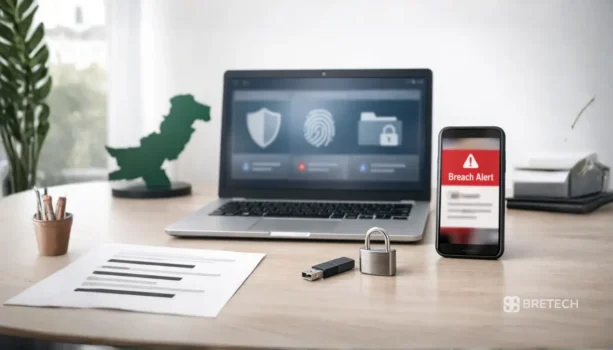
Best data privacy software for Windows in Pakistan matters in 2026 because phishing, account leaks, tracking, and exposed files can hit students, freelancers, and SMEs.
Many people think antivirus alone is enough. Antivirus helps against malware, but it does not cover breach alerts, browser tracking, webcam access, or private folders that stay open on a shared PC.
This complete guide explains how privacy software for Windows works, which tools fit different risks, and how to build a simple setup that protects personal data without overcomplicating your system.
Available in Pakistan with PKR pricing, local payments, and 1–72 business hour digital email delivery from BreTech, an authorized software reseller.
The best data privacy software for Windows in Pakistan combines breach monitoring, anti-tracking, and file or password protection. Start with breach monitoring first, then add a file lock or anti-tracking tool based on what worries you most.
Quick Overview: Data Privacy Tools for Windows in Pakistan
In 2026, most Windows users need privacy tools that protect both online privacy and local files. Use this quick table to pick the right tool by your biggest privacy risk.
| Tool | Best For | What It Helps With |
|---|---|---|
| AVG BreachGuard | Home users and freelancers | Monitors known data leaks and guides safer account cleanup. |
| Avast BreachGuard | Everyday account safety | Checks for leaked account details and suggests cleanup actions. |
| AVG AntiTrack | Private browsing on Windows | Reduces tracking, fingerprinting, and hidden data collection. |
| Avast AntiTrack Premium | Stronger anti-tracking layer | Hides your digital fingerprint and blocks tracking scripts. |
| Ashampoo Privacy Inspector | Cleaning privacy traces | Finds and removes sensitive logs and Windows activity traces. |
| Ashampoo WebCam Guard | Webcam privacy | Blocks webcam spying and manages app access safely. |
| EaseUS LockMyFile | File and folder locking | Locks, hides, encrypts, and protects folders on Windows. |
| IObit Protected Folder | Simple folder protection | Blocks unauthorized access to selected folders. |
| NordPass Business | Teams and SMEs | Password management, sharing, and safer logins. |
| NordPass Enterprise | Bigger teams | Advanced password policies and security controls. |
| Wondershare FamiSafe | Parents in Pakistan | Helps manage screen time and safer app/web use. |
View the full Privacy & Password software in Pakistan collection with PKR pricing, local payments, and 1–72h email delivery.
Best Data Privacy Software for Windows: 4 Layers That Work
1. Breach Monitoring Software for Windows in Pakistan
Breach monitoring watches for leaks of personal data and sensitive information across the web. It helps companies and users detect exposures fast and improve data protection and compliance with GDPR and other privacy regulations.
This privacy tool lets teams automate alerts and start incident response early. It ties into data governance and audit trails so enterprises can meet privacy compliance and protect user consent and sensitive data.
2. Anti-Tracking Software for Windows Browsing
Anti-tracking software blocks trackers and reduces browser fingerprinting to protect user privacy. It improves data privacy while you use banking sites, client dashboards, or social tools and supports privacy and security goals.
This privacy management tool helps enforce access controls and data masking when needed. It works as part of a management platform to keep browsing data secure and aligned with global privacy and data protection regulations.
3. File Locking and Encryption for Sensitive Data
File locking and encryption secure files stored on Windows so sensitive data stays protected. This privacy software prevents leaks of invoices, ID scans, or client files and supports encryption, redact, and data masking features.
Enterprises use this as part of data security and data management best practices. A customizable management platform can automate encryption, audit access controls, and help meet GDPR, HIPAA, and other protection regulations.
4. Password Management and Safe Sharing for Teams
Password managers help create strong credentials and avoid reused passwords that cause breaches. They store logins securely and can integrate with a data catalog or dashboard to support privacy and security workflows across teams.
Safe sharing features support consent management and access controls for enterprise users. These privacy and management software tools help automate secure sharing, enable audits, and boost compliance with GDPR, CCPA, and global privacy rules.
Privacy & Password Tools in Pakistan: Top 11 BreTech Picks
These tools are available from BreTech with PKR pricing, local payments, and fast digital email delivery on most orders (usually within 1–72 business hours).
Tip: Trials can help you test the interface, but they may have time limits or locked features.
1. AVG BreachGuard: Breach Alerts and Guidance
AVG BreachGuard helps you spot exposure early when your email, passwords, or personal details appear in known data leaks.
Instead of guessing what to do, it gives clear steps like changing risky passwords, checking weak accounts, and tightening privacy settings after an alert.
- Breach monitoring alerts for emails you care about
- Privacy tips to reduce risky account exposure
- Simple dashboard to track what you fixed
- Good first step for shared family emails
Ideal for: People who reuse emails across banking, shopping, and social accounts.
2. Avast BreachGuard: Everyday Leak Monitoring
Avast BreachGuard is a straightforward option for users who want simple breach checks and easy guidance.
It is useful when you want to reduce account risk without setting up complicated monitoring or security dashboards.
- Checks for leaked accounts linked to your email
- Offers quick cleanup steps after an alert
- Helps spot weak password habits
- Simple setup for personal users
Ideal for: Windows users who want privacy alerts without extra complexity.
3. AVG AntiTrack: Cleaner, More Private Browsing
AVG AntiTrack focuses on blocking tracking and reducing your browser fingerprint. This is helpful when you are tired of being followed across sites or seeing too many targeted ads after one search.
- Reduces browser fingerprint tracking
- Helps block tracking scripts
- Improves privacy on common browsing sessions
- Built for everyday Windows users
Ideal for: Students, freelancers, and home users who want more privacy while browsing.
4. Avast AntiTrack Premium: Strong Anti-Tracking Layer
Avast AntiTrack Premium adds more control against tracking and fingerprinting, aimed at users who want stricter privacy. It is a good fit if you often log into accounts on shared networks or use many web services daily.
- Blocks tracking and fingerprint signals
- Helps reduce targeted profiling
- Strong privacy layer for browsers
- Works well as a browsing add-on tool
Ideal for: Users who want extra privacy while using online accounts.
5. Ashampoo Privacy Inspector: Find and Clean Privacy Traces
Ashampoo Privacy Inspector scans Windows for traces that can expose your activity, like logs, browser data, and app usage history. This helps when you want to clean privacy traces on a shared PC or simply reduce stored data over time.
- Finds sensitive traces across Windows and browsers
- Helps clean activity logs and private data
- Simple reports for what was found
- Useful for older PCs and shared systems
Ideal for: Users who share PCs at home, office, or small labs.
6. Ashampoo WebCam Guard: Stop Webcam Access Mistakes
Ashampoo WebCam Guard helps protect webcam privacy by blocking unauthorized access. This matters when you use Zoom, Meet, or WhatsApp calls and want to avoid silent webcam access by unknown apps.
- Blocks webcam access when you want privacy
- Simple controls to allow or deny apps
- Helps reduce webcam spying risk
- Good for laptops used in meetings
Ideal for: Students, office staff, and remote workers using a laptop camera daily.
7. EaseUS LockMyFile: Lock, Hide, and Encrypt Private Folders
EaseUS LockMyFile is one of the most practical privacy tools for Windows because it protects local folders. It helps when you store invoices, contracts, family photos, or client data and want extra access control.
- Locks folders with password protection
- Hides files and folders from casual access
- Encrypts data for safer storage
- Blocks copying or opening sensitive files
Ideal for: Freelancers, service centers, and SMEs storing client files on Windows PCs.
8. IObit Protected Folder: Simple Folder Protection
IObit Protected Folder focuses on protecting selected folders from unauthorized access. This is useful for users who want a simple folder lock without complex encryption settings.
- Protects folders from access or edits
- Helps stop accidental deletion
- Easy setup for basic privacy needs
- Suitable for shared Windows PCs
Ideal for: Home users and office PCs with shared access.
9. NordPass Business: Password Manager for Teams
NordPass Business helps teams store strong passwords, manage access, and share logins safely. It reduces password reuse and helps SMEs avoid problems caused by one shared weak password.
- Business password vault for teams
- Safer password sharing and access control
- Helps teams use strong, unique passwords
- Useful for shared admin and billing logins
Ideal for: SMEs, agencies, and teams sharing online accounts.
10. NordPass Enterprise: Advanced Password Controls
NordPass Enterprise is designed for bigger teams that need stronger control, policies, and oversight. It helps when you have multiple staff members, multiple roles, and a need for consistent password rules.
- Advanced access controls for larger teams
- Strong password policies and management
- Better control for shared systems
- Supports structured password workflows
Ideal for: Growing businesses that need tighter access rules.
11. Wondershare FamiSafe: Family Privacy and Screen Time Safety
Wondershare FamiSafe helps parents manage screen time and safer online behavior across devices. While not a classic Windows privacy tool, it supports privacy and safety for families in Pakistan who want control and visibility.
- Screen time and app usage controls
- Web and content safety options
- Useful for families with shared devices
- Helps build healthier device habits
Ideal for: Parents who want safer digital habits for children.
How to Choose the Right Privacy Software for Windows in Pakistan
Start by naming your biggest privacy risk, not by choosing the longest feature list. If your risk is account leaks, start with breach monitoring. If your risk is tracking, choose an anti-tracking tool.
If your risk is exposed files, choose folder locking or encryption first. A simple selection works better than installing many tools and not using them properly.
What to Avoid When Buying Privacy Tools in Pakistan
Avoid random free tools that are not from known vendors, especially for password and file protection. Avoid sharing one password across many accounts.
It increases risk and makes recovery harder after a breach. Avoid storing sensitive documents in open folders on shared PCs, even if the PC is protected by a Windows login.
Best Simple Privacy Setup for Home Users and SMEs
Use the best data privacy software for Windows: start with breach monitoring and data discovery to detect leaks, add anti-tracking and file locking with encryption, and centralize privacy management and consent records.
For Home Users
Use breach alerts and account monitoring to find compromised data and meet basic privacy compliance. This privacy tool helps protect user data and supports simple encryption and access controls for family PCs.
Layer in anti-tracking and file locking to protect browsing and personal files across devices. These privacy management features help safeguard sensitive information and make it easier to comply with global privacy regulations like gdpr.
For Freelancers and Service Work
Consider each client file as sensitive data and use a privacy management solution to label and redact personal data. A privacy and security workflow will help freelancers meet gdpr compliance and ccpa expectations.
Combine file locking with breach monitoring and encryption for stronger protection of client work. A lightweight privacy software or management platform can automate consent management and audit trails for user consent data.
For SMEs and Small Offices
Focus on shared logins, billing systems, and access controls to protect customer data and internal records. Use management software that centralizes data governance, a dashboard for audits, and tools to encrypt sensitive information.
Adopt a password manager for teams, data masking, and file protection to reduce risk. A privacy management platform can automate workflows, support compliance with data protection regulations, and protect personal data across systems.
Why Privacy & Password Tools Matter More in Pakistan
Pakistani users often rely on shared devices, shared Wi-Fi, and repeated passwords, especially in small offices and families. That makes privacy issues more likely, not because users are careless, but because daily setups are simple and practical.
Good privacy tools help you protect your data without needing a full IT team.
Data Privacy Compliance and Consent Management: What This Guide Does Not Cover
This comprehensive guide focuses on the best data privacy software for Windows, highlighting top tools, key features, setup tips, and practical steps to encrypt files, control permissions, manage backups, and protect your online privacy.
It does not cover:
- Consent management platforms for websites
- GDPR or CCPA enterprise compliance programs
- Complex data governance or GRC systems
Those are website-level or enterprise privacy management solutions, not individual Windows privacy software. For the best data privacy software for Windows, choose tools specifically built for endpoints and OS-level protection.
Shop Privacy Tools on BreTech
If you want a quick way to choose, start with the category page where all matching tools are grouped together: Privacy & Password tools.
Use Shop to search by tool name, plan, or license type, or browse trusted vendors from the Brands page to stay consistent with one ecosystem.
For a wider browse across BreTech, use All Categories to jump to related areas like security, recovery, and utilities.
Popular brands in this guide: AVG, Avast, Ashampoo, IObit, Wondershare, NordPass.
Conclusion: Best Privacy Setup for Windows Pakistan (2026)
A strong privacy strategy focuses on selecting the best data privacy tools for Windows in Pakistan to protect sensitive files and limit unwanted access.
Start with breach monitoring, then add encryption or anti-tracking tools based on assessed risk levels to strengthen data defenses while maintaining usability and performance.
Combine automated tools with clear policies, regular audits, and user training to ensure long-term protection and compliance across Windows systems in Pakistan and updates.
FAQs
Q: Which tool should I start with for privacy management on Windows in Pakistan?
A: Start with your biggest risk. If you worry about leaked accounts, begin with AVG BreachGuard or Avast BreachGuard. If your bigger risk is shared PC access, start with EaseUS LockMyFile or IObit Protected Folder to control data access.
Q: What is the best anti-tracking choice for Windows browsing?
A: For anti-tracking and fingerprint protection, use AVG AntiTrack or Avast AntiTrack Premium. These tools support privacy processes by reducing hidden tracking while you browse, shop, or use online banking.
Q: How can I protect sensitive data in folders on a shared laptop or office PC?
A: Use EaseUS LockMyFile for stronger folder protection options (locking and encryption features) or IObit Protected Folder for simple, easy access controls. This helps safeguard sensitive data like IDs, invoices, and client files.
Q: Which tool helps clean privacy traces and activity history in Windows?
A: Ashampoo Privacy Inspector 3 is designed to find and clean privacy traces on a Windows PC. It helps reduce privacy impact by removing leftover history and activity records you may not want stored.
Q: How do I stop apps from using my webcam without permission?
A: Ashampoo WebCam Guard helps block unwanted webcam access and makes it easier to control which apps can use the camera. This is a practical privacy management step for remote work, students, and home PCs.
Q: What is the best password manager option for businesses and teams?
A: NordPass Business fits most small teams, while NordPass Enterprise suits larger teams that need stronger compliance management controls and tighter access rules. Both help reduce password reuse and improve risk management for shared accounts.
Q: Which tool is best for parents who want privacy and safer device use for kids?
A: Wondershare FamiSafe is the best fit for families who want safer browsing habits, screen-time control, and better visibility into risky app use. It supports everyday privacy processes without making the PC setup complicated.
Further Reading
- Nord Security Business Products in Pakistan
- Best Security Software in Pakistan (Buying Guide)
- Remote Work Cybersecurity in Pakistan
- Verify a Software License Is Genuine in Pakistan
- Is Windows Defender Enough for Your Security Needs?
Explore more security guides: Security Blog Posts on BreTech.