Abdul Basit

Choosing the best email client for Windows in Pakistan can be confusing because many users compare free webmail, Microsoft Outlook, Thunderbird, Mailbird, and paid desktop email apps.
For normal users, freelancers, and businesses, the right choice should not only look modern. It should help manage multiple email accounts, calendar, contacts, tasks, offline access, backup, and daily communication more safely.
This guide focuses on eM Client for Windows users in Pakistan. It explains who should use it, which licence to choose, how it compares with other email clients, and where to buy a genuine licence with PKR pricing and local support.
Quick Overview: Is eM Client Right For You?
| Buyer Need | Best Choice | Why |
|---|---|---|
| One person using email on personal devices | eM Client Personal | Suitable for individual users |
| Company, office, school, NGO, or team | eM Client Business | Correct licence for commercial and organisational use |
| Users comparing Outlook alternatives | eM Client | Easier desktop email workflow for many users |
| Users moving from free email clients | eM Client | More polished interface and paid support path |
| Business users needing invoice support | Buy genuine licence from BreTech | PKR pricing, local payment, digital delivery, and activation help |
Why Windows Users In Pakistan Consider eM Client
Many users in Pakistan manage more than one email account. A business owner may use Gmail, Microsoft 365, domain email, and personal email at the same time.
A desktop email client helps bring these accounts into one place. This can reduce browser switching and make daily communication easier.
eM Client is useful because it combines:
- Calendar
- Contacts
- Tasks
- Notes
- Chat
- Search
- Rules and filters
- Signatures
- Templates
- Backup options
For users who want more than basic webmail, eM Client is a practical Windows email client.
You can also browse more Email Management software in Pakistan if you want to compare related tools.
What Is eM Client?
eM Client is a desktop email client for Windows and macOS, with mobile apps also available for Android and iOS.
For this guide, the focus is Windows users in Pakistan.
It supports common services such as Gmail, Google Workspace, Microsoft 365, Outlook.com, Exchange, IMAP, and POP3 accounts. This makes it useful for home users, freelancers, small businesses, and office teams.
At the time of this update, eM Client 10.4 is the current stable version line listed in the official release history. Buyers should still check the latest version before ordering or installing.
eM Client Personal vs Business: Which Licence Should You Buy?
The most important buying decision is not only the software name. It is the licence type.
eM Client now uses Personal and Business licence options for new buyers.
| Licence | Best For | Main Use |
|---|---|---|
| eM Client Personal | Individuals, freelancers, consultants, sole proprietors | Personal or individual professional use |
| eM Client Business | Companies, offices, schools, NGOs, agencies, teams | Commercial and organisational use |
If you are confused between both options, read the full guide: eM Client Business vs Personal in Pakistan.
eM Client Personal Price In Pakistan
eM Client Personal is suitable for individuals who need a paid desktop email client for their own use.
It is a good fit for:
- Home users
- Freelancers
- Consultants
- Sole proprietors
- Students or professionals managing personal email accounts
Check the latest PKR price here: eM Client Personal licence in Pakistan.
eM Client Business Price In Pakistan
eM Client Business is the better choice for organisations and commercial use.
It is suitable for:
- Offices
- Schools
- NGOs
- Agencies
- Shops
- Companies
- Teams with multiple users or devices
Check the latest PKR price here: eM Client Business licence in Pakistan.
Business buyers should choose the correct licence from the start because it helps with compliance, invoice records, and future support.
Key eM Client Features For Windows Users
Unified Inbox And Multiple Accounts
eM Client helps users manage multiple email accounts from one desktop app.
This is useful if you use Gmail, Microsoft 365, domain email, and personal email together.
For business users, it can reduce missed messages and make inbox checking faster.
Calendar, Contacts, Tasks, And Notes
eM Client is not only an inbox.
It also includes calendar, contacts, tasks, and notes. This makes it useful for people who want one app for daily communication and planning.
Office users can manage meetings, follow-ups, client contacts, and reminders more easily.
Rules, Filters, And Email Organisation
Rules and filters help move, sort, tag, or manage emails automatically.
This is useful for busy inboxes where messages come from customers, suppliers, payment platforms, support forms, and team members.
Backup And Restore
Backup matters before moving to a new PC, reinstalling Windows, or changing systems.
eM Client has backup and restore options that can help protect mail data, settings, contacts, and account configuration.
Before reinstalling or moving data, read how to back up and restore your email data in eM Client.
Offline Access
Offline access is useful in Pakistan where internet problems can affect work.
With a desktop email client, users can still read already synced emails and prepare replies while offline. Messages can sync when the internet returns.
This is helpful for offices, freelancers, and remote workers.
Security And Encryption
eM Client supports standards-based email security options such as S/MIME and PGP/OpenPGP.
This can help users who need encrypted or digitally signed email communication.
Security still depends on proper setup, certificate use, account security, and safe email habits. Users should also protect their email accounts with strong passwords and account-level security.
eM Client vs Outlook, Thunderbird, And Mailbird
Different users compare eM Client with different tools.
| Comparison | Better For |
|---|---|
| eM Client vs Outlook | Users who want an Outlook alternative with strong desktop email features |
| eM Client vs Thunderbird | Users comparing free vs paid email clients |
| eM Client vs Mailbird | Users comparing modern email apps for personal and office use |
If you are comparing Microsoft tools, read eM Client vs Outlook in Pakistan.
If you want to compare free and paid email clients, read eM Client vs Thunderbird in Pakistan.
If you are comparing modern email apps, read eM Client vs Mailbird in Pakistan.
Is eM Client Good For Businesses In Pakistan?
Yes, eM Client can be a good choice for businesses that want a paid desktop email client with proper licence records.
It is especially useful for:
- Small offices
- Sales teams
- Admin teams
- Customer support staff
- Agencies
- Schools and NGOs
- Business owners using multiple email accounts
Business buyers should use the Business licence, not a personal licence, for company or team use.
For a wider comparison, read Best Email Client for Businesses in Pakistan.
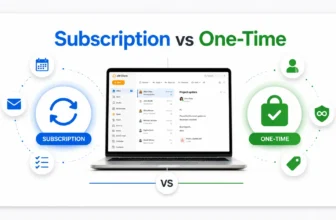
eM Client Subscription vs One-Time Licence
eM Client offers subscription and one-time payment options.
A subscription is usually easier for users who want current access while the subscription is active.
A one-time licence can be better for users who prefer a one-off purchase. If you choose a one-time licence, check whether you need Lifetime Upgrades for future major versions.
This matters because one-time licences without Lifetime Upgrades may not include every future major version.
Where To Buy Genuine eM Client In Pakistan
You can buy genuine eM Client licences in Pakistan from BreTech with:
- PKR pricing
- Local payment options
- Digital delivery
- Activation guidance
- Invoice support
- Buyer guidance before ordering
Start here: Explore eM Client licences in Pakistan.
Before buying any software key, it is also useful to read how to verify a software licence is genuine in Pakistan.
Who Should Choose eM Client?
Choose eM Client if you want:
- A desktop email client for Windows
- Multiple email accounts in one app
- Better email organisation
- Calendar and task management
- Offline access
- Rules and filters
- Backup options
- A genuine paid licence with support path
Do not choose eM Client only because it looks modern. Choose it because it fits your daily email workflow and licence needs.
FAQs
Q: Is eM Client good for Windows users in Pakistan?
A: Yes. eM Client is a good option for Windows users who want a paid desktop email client with email, calendar, contacts, tasks, notes, chat, offline access, and strong organisation features.
Q: Which eM Client licence should I buy?
A: Choose eM Client Personal if you are buying for yourself. Choose eM Client Business if you are buying for a company, office, school, NGO, agency, shop, or team.
Q: Is eM Client better than Thunderbird?
A: Thunderbird is free and useful for basic email. eM Client is better for users who want a more polished interface, easier built-in productivity features, a paid support path, and business-friendly workflow.
Q: Is eM Client better than Outlook?
A: Outlook is strong for Microsoft 365-heavy organisations. eM Client can be a better fit for users who want a simpler desktop email client with flexible account support and easier daily inbox handling.
Q: Does eM Client support Gmail and Microsoft 365?
A: Yes. eM Client supports common email services including Gmail, Google Workspace, Microsoft 365, Outlook.com, Exchange, IMAP, and POP3 accounts.
Q: Can I buy eM Client in PKR from Pakistan?
A: Yes. BreTech provides eM Client licences in Pakistan with PKR pricing, local payment options, digital delivery, activation help, and invoice support.
Final Verdict
eM Client is a strong email client for Windows users in Pakistan who want more control than basic webmail.
It is useful for personal users, freelancers, business owners, offices, schools, NGOs, and teams that need better email organisation, calendar tools, backup options, and a genuine paid licence.
Choose eM Client Personal for individual use.
Choose eM Client Business for company, office, school, NGO, agency, shop, or team use.