Abdul Basit

File compression software in Pakistan in 2026 matters when you need to send big archives over WhatsApp or email on slow internet, or when a power cut hits in the middle of a transfer.
Many users grab cracked tools or pick the wrong format settings, then end up with failed extracts, corrupt ZIP/RAR files, or weak passwords on shared office PCs.
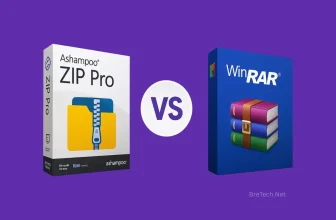
This guide compares WinRAR and Ashampoo ZIP Pro for everyday compression, encryption, and Windows use, and it helps you choose the right option for your work or studies.
If you want the simplest choice for ZIP and RAR tasks, WinRAR is usually enough. If you want broader format support and more built-in tools for daily Windows work, Ashampoo ZIP Pro can be a better fit.
Quick Overview: File Compression Tools at a Glance
| Tool | Best For | Key Highlights |
|---|---|---|
| WinRAR | Everyday ZIP/RAR work | Strong RAR/ZIP handling, password protection, solid performance |
| Ashampoo ZIP Pro | Users who want more features | Wide format support, Windows integration, extra tools, encryption options |
Browse genuine options on BreTech: Archive & Compression tools. You can also explore WinRAR and Ashampoo licenses.
What Is File Compression Software?
File compression software reduces the size of files by identifying and removing duplicate patterns. It packages files together, making them easier to store and send across Pakistani networks.
You may compress photos, PDFs, code, backups, or work folders. Modern tools let you control compression level, balancing speed vs smaller size, which helps when internet is limited or mobile data is expensive.
Why Do We Use File Compression Tools?
Compressing files makes them smaller, so uploads to WhatsApp, email, and cloud storage are quicker. It also bundles several items into one archive, reducing mistakes when moving files.
Compression tools can also protect files with encryption, which is useful for reports, student records, and office documents.
BreTech suggests picking a compression tool that supports the file types you use most and lets you choose the compression level based on your goal: faster sharing, saving data, or long-term storage.
Common Zip File Formats in 2026 (ZIP, RAR, and More)
ZIP is fast and universal on Windows/Android. RAR is popular for strong compression and repair. 7Z (LZMA2) targets high compression on mixed data. TAR.GZ/TAR.BZ2 remain common on Linux and servers.
Tip: Recent Windows 11 versions can extract RAR/7Z in File Explorer. You still need tools like WinRAR or Ashampoo to create archives, encrypt, make SFX, and repair damaged files.
| Format | Typical Use | Compression Levels | Notable Compression Capabilities | Best For File Sharing |
|---|---|---|---|---|
| ZIP | Fast, universal on Windows, macOS, Android | Store to Ultra | Balanced speed and size; wide support for many file types | Yes, opens on most devices |
| RAR | WinRAR archives with repair and solid mode | Normal to Best | Strong compression ratio; recovery records for damaged archives | Yes, common for desktop sharing |
| 7Z | High-efficiency personal and dev projects | Fastest to Ultra | Advanced compression (LZMA2) for high compression on mixed data | Yes, with compatible apps |
| TAR.GZ / TAR.BZ2 | Linux/Unix backups and packaging | Depends on codec | Great for logs and source trees; preserves structure | Yes, common on servers |
Best File Compression Software in Pakistan (2026)
If you’re low on storage or keep sharing large folders, you need reliable file compression software. In Pakistan, WinRAR and Ashampoo ZIP Pro are two strong options for Windows users.
BreTech sells genuine licenses and can help you choose the right edition for school, office work, or safe file sharing.
WinRAR: Reliable File Compression for Windows
WinRAR creates RAR and ZIP archives and extracts many others (7Z, ISO, TAR, and more). Right-click menus in File Explorer make packing folders, splitting volumes, and testing archives quick.
It also offers AES-256 encryption and can encrypt file names for extra privacy. If a RAR archive gets damaged, Recovery Record and Repair archive can help in many cases.
Ashampoo ZIP Pro: Modern Alternative With Extra Tools
Ashampoo ZIP Pro 4 supports 60+ formats, includes a 64-bit engine, and integrates well with Windows 11. You can create self-extracting archives, use portable mode on a USB drive, and connect to cloud storage tools for quicker sharing.
Security features may include AES-256 options and OpenPGP tools depending on edition/version. For the latest features and system requirements, check the official vendor website.
| Software | Core Strength | Speed & Engine | Format Support | Integration | Security | Licensing |
|---|---|---|---|---|---|---|
| WinRAR | Dependable RAR/ZIP with repair tools | Fast for everyday archives | Creates RAR/ZIP; extracts many formats | File Explorer right-click menus | AES-256; optional file-name encryption | Paid license; trial available |
| Ashampoo ZIP Pro | Feature-rich suite with extra tools | 64-bit engine; adjustable presets | 60+ formats (varies by version) | Windows 11 integration | Encryption options; OpenPGP tools (varies) | Paid license; free variants may exist |
WinRAR vs. Ashampoo ZIP Pro: Which to Choose in 2026?
Both tools compress quickly. Real speed depends on your CPU, file type, and the settings you choose.
Compression Speed and File Size
WinRAR balances speed with a strong compression ratio for everyday RAR/ZIP work.
Ashampoo ZIP Pro offers presets from faster compression to tighter compression. Results vary based on your real files.
Supported File Formats and Tools
WinRAR creates RAR/ZIP and extracts 7Z, ISO, TAR, GZ, and more. Useful extras include split archives, SFX, and repair.
Ashampoo ZIP Pro supports a wide range of formats and often includes cloud connectors, SFX tools, portable mode, and Office/PDF integration.
Note: Windows 11 can extract some archive types, but third-party tools are still useful for creating RAR archives, stronger encryption, repairs, and automation.
Security and Encryption Options
Both tools support AES-256 encryption. WinRAR can encrypt file names and offers Recovery Record options.
Ashampoo ZIP Pro may include OpenPGP and extra encryption workflows depending on edition/version.
Ease of Use for Pakistani Users
WinRAR is familiar, light, and quick for daily ZIP/RAR tasks. Ashampoo ZIP Pro suits users who want a more modern UI and extra tools around archiving and sharing.
Explore more file compression and file management tools here: File Management tools
How to Choose the Best File Compression Tool in Pakistan (2026)
Start with your workflow: which formats you use, whether you need encryption, and how often you share big files. In Pakistan, slow internet and power cuts make stable, testable archives important.
When to Use WinRAR
Choose WinRAR if you mainly work with ZIP and RAR, want simple right-click compression, and need repair tools for damaged archives.
It’s a strong fit for everyday use when you want speed and dependable results.
When to Use Ashampoo ZIP Pro
Choose Ashampoo ZIP Pro if you need broad format support, extra archiving tools, and a more feature-packed workflow for Windows.
It’s often a better fit for mixed office files and users who prefer more built-in options beyond basic ZIP/RAR work.
How to Use File Compression Software Safely
Good habits matter more than “Ultra” settings. Keep originals safe, avoid unknown installers, and test archives before you delete the source files.
Steps to Compress a File With WinRAR
- Find the file or folder in Windows File Explorer.
- Right-click and select “Add to archive…”.
- Choose RAR or ZIP and set the compression level.
- If needed, add a password and select AES-256 encryption.
- Click OK to create the archive.
- Test the archive after creation. If a RAR is damaged, try WinRAR’s repair tools.
Avoiding Malicious Files and Fake Installers
- Download tools from official sources or from BreTech’s verified listings.
- Keep Windows updated to reduce file-handling bugs.
- If power cuts are common, use a UPS for large archives.
- Scan downloads before extracting.
- Remove USB drives safely to avoid corruption.
- Facing CRC errors? Try GetData Zip Repair Pro or Stellar Toolkit for File Repair.
Final Verdict: Choosing the Best Compression Tools
In 2026, WinRAR and Ashampoo ZIP Pro remain strong picks for compression in Pakistan.
WinRAR is ideal for simple, fast ZIP/RAR work and repair features. Ashampoo ZIP Pro is better when you want broader format support and extra tools for a more feature-rich workflow.
BreTech can help you choose the right license and avoid risky, outdated, or fake installers.
FAQs
Q: What is file compression software?
A: File compression software reduces the size of files or groups of files so they are easier to store and share. It uses formats like ZIP, RAR, and 7Z to package data.
Q: How does file compression work?
A: Compression algorithms remove repeated patterns in data to reduce file size. Different formats and settings affect the final size and speed.
Q: What are the benefits of using file compression software?
A: You save storage space, speed up file transfers, and manage folders more easily. Many tools also support encryption for safer sharing.
Q: What file types can be compressed?
A: Most file types can be compressed, including documents, images, videos, and software files. ZIP and RAR are common across Windows and Android.
Q: Can I use free file compression tools effectively?
A: Yes. Free tools can work well for basic needs, but paid versions often add repair tools, stronger features, and better workflow options.
Q: How do I choose the best file compressor?
A: Pick based on your formats, speed needs, encryption requirements, and how often you share large files. Testing with your real folders is the best way to decide.
Further Reading
- WinRAR Pricing in Pakistan
- Is WinRAR Safe to Use in Pakistan
- Ashampoo ZIP Pro vs WinRAR in Pakistan
- WinRAR Free vs Paid in Pakistan
For more help with ZIP, RAR, and other compressed files, explore our Archive & Compression guides.