Abdul Basit
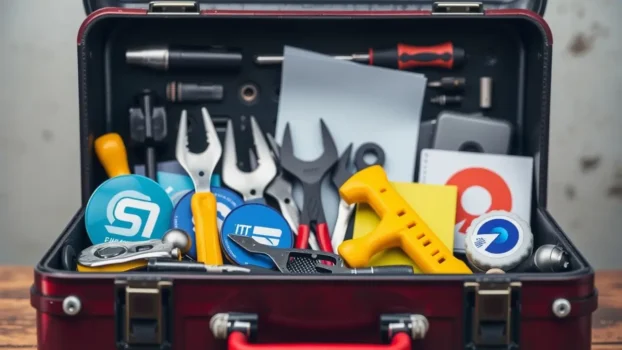
Best file repair software in Pakistan helps fix Word, Excel, photo, video, and Outlook files when they stop opening or show errors. The right tool can often repair corrupted files and recover usable content.
In Pakistan, file problems often happen after load-shedding, sudden shutdowns, software crashes, or drive issues. Many users waste time on random repair tools that fail or make the damage worse.
This 2026 guide compares trusted tools for documents, photos, videos, Outlook data, and other damaged files, so you can choose the right software without guesswork.
BreTech is an authorized software reseller in Pakistan offering genuine software licenses, PKR pricing, local payment options, and 1–72 hour digital email delivery on most orders.
The best file repair software depends on the file type you need to fix. EaseUS Fixo Pro is a good choice for mixed repairs like documents, photos, and videos, while Stellar repair tools are better for specific file types such as Excel, Outlook PST, QuickBooks, photos, and videos.
Quick Overview: Top File Repair Tools in Pakistan
| Tool | File Types Repaired | Best For |
|---|---|---|
| EaseUS Fixo Pro | Documents (Word, Excel, PowerPoint, PDF), Images, Videos | All-in-one corrupt file repair solution |
| Stellar Repair for Video | MP4, MOV, AVI, and other video formats | Fixing choppy, unplayable, or broken videos |
| Stellar Repair for Photo | JPEG, TIFF, popular camera RAW formats | Repairing severely corrupted photos and images |
| Stellar Toolkit for File Repair | Word, Excel, PowerPoint, PDF, ZIP | Comprehensive Office file and archive repair |
| Stellar Repair for Excel | Excel (XLSX, XLS) | Recovering financial reports and spreadsheets |
| Stellar Repair for Outlook | Outlook (PST) | Restoring emails, contacts, and mailboxes |
| Stellar Repair for QuickBooks Software | QuickBooks (QBW) | Repairing accounting and financial data files |
Start with File Repair & Recovery, or explore Stellar and EaseUS tools on BreTech with PKR pricing and fast digital email delivery.
File Repair Software for Corrupted Files
File repair software is designed to rebuild damaged or unreadable files when normal programs cannot open them. Many users search for software to fix corrupted files when Word documents, Excel sheets, photos, or videos suddenly stop working.
The best corrupt file repair software scans the internal structure of the file, detects broken headers or data blocks, and rebuilds a usable version. Tools like EaseUS Fixo Pro and Stellar repair utilities are designed specifically for this purpose.
Choosing reliable file repair software is important because random free tools may damage files further or install unsafe programs. Using trusted repair tools ensures the repair process is safe and gives you the highest chance of recovering important data.
Understanding File Corruption and Repair
Why Do Files Get Corrupted?
File corruption is more common than many people realise. In Pakistan, it often results from power outages or bad shutdowns during saving.
Malware, unsafe USB removal, or a software crash can also damage files while they are being written to disk. These issues can lead to unexpected errors and serious data loss.
How Do File Repair Tools Help?
When files do not open or show strange errors, dedicated file repair software scans the file structure, identifies damaged parts, and tries to rebuild a clean version while keeping the original file safe.
These tools work like a repair shop for damaged documents, photos, and videos. A reliable tool can repair your file quickly and safely so you can recover important work and memories.
Why File Repair Tools Are Essential in Pakistan
File repair tools matter in Pakistan for several reasons:
- Growing digital dependence: More students, freelancers, and SMEs work fully in digital files, so the damage risk is higher.
- Infrastructure challenges: Load-shedding and unstable power increase the chance of file corruption during saves.
- Limited local IT support: Not every user has an in-house IT team, so self-service file repair tools are a must.
- Privacy concerns: Using trusted desktop tools from an official local reseller keeps your data under your control.
Now, let us look at the top tools for fixing corrupted files in Pakistan.
Compare Best File Repair Software and Tools in Pakistan
1. EaseUS Fixo Pro: All-in-One Repair
EaseUS Fixo Pro is the go-to option for repairing Office documents, photos, and videos in one simple dashboard. It supports Word, Excel, PowerPoint, and PDF files, plus common image and video formats on both Windows and macOS.
Key Features:
- Repairs corrupted Word, Excel, PowerPoint, and PDF documents
- Fixes common issues in video files, such as blurry, frozen, or unplayable clips
- Restores damaged image files from phones and cameras
- AI-assisted optimisation for photo repair in newer builds
- Supports Windows and macOS with a simple, modern interface
Best For: Students, freelancers, teachers, and office staff needing quick repairs of mixed file types on the same PC or laptop.
User Review:
“I recovered my thesis PowerPoint and dozens of wedding photos with Fixo. BreTech’s guidance made the setup and activation easy.” Sara, Student, Lahore
2. Stellar Repair for Video: Video Repair Tool
Stellar Repair for Video is trusted for fixing broken or unplayable video files like MP4, MOV, AVI, and more. It is ideal when recordings from DSLRs, mobiles, drones, or CCTV refuse to play or freeze halfway through.
Key Features:
- Repairs broken or unplayable video files, including MP4, MOV, and AVI
- Batch repair for multiple videos at once
- Handles issues like sound-video out of sync, choppy playback, and black frames
- Works with footage from DSLRs, mobiles, action cameras, and CCTV systems
- Available for both Windows and macOS
Best For: Photographers, vloggers, event videographers, and families who need to restore valuable video memories.
User Review:
“Restored my daughter’s birthday video after a card error. Fast and simple, and saved our family memories.” Rizwan, Photographer, Islamabad
3. Stellar Repair for Photo: Photo Repair Solution
Stellar Repair for Photo is built for restoring damaged, blurry, or unreadable photos from cameras, mobiles, or memory cards. It supports JPEG, TIFF, and popular RAW camera formats for fast, reliable image repair.
Key Features:
- Recovers damaged or unreadable photos, including JPEG, TIFF, and popular RAW formats
- Batch repair for large photo collections from SD cards or USB drives
- Simple step-by-step workflow, no technical skills required
- Restores both structure and visual clarity wherever possible
- Runs on Windows and macOS
Best For: Mobile photographers, families, and professionals handling wedding shoots, studio sessions, or travel photos.
User Review:
“Fixed a whole SD card of wedding photos for my client. Saved both my project and my reputation.” Ayesha, Photographer, Karachi
4. Stellar Toolkit for File Repair: Office and Archive Suite
Stellar Toolkit for File Repair is an all-in-one suite with dedicated modules for Word, Excel, PowerPoint, PDF, and ZIP repair. It is ideal when an entire folder of Office files is corrupted after a crash or ransomware incident.
Key Features:
- Repairs Word, Excel, PowerPoint, PDF, and ZIP files with separate modules
- Batch repair for multiple files and folders at once
- Previews recoverable content before saving the fixed file
- Designed for IT teams, offices, and schools handling critical documents
- Windows-based toolkit with a single license interface
Best For: Schools, businesses, and offices needing a reliable, all-in-one Office and archive repair suite.
Which Edition to Choose: Standard vs Technician
If you mainly need to repair your own Office files and ZIPs on one PC, the Standard edition is usually enough for home users, students, and small offices.
If you handle file repair for others (clients, departments, multiple PCs) or you want a “workshop-style” setup for repeat cases, the Technician edition is a better fit for professional use.
- Standard: Best for single-user needs and normal Office file repair
- Technician: Best for IT teams, technicians, and multi-case repair work
Compare and buy the right edition here: Stellar Toolkit for File Repair (Standard) or Stellar Toolkit for File Repair Technician.
User Review:
“Restored our core office documents after a ransomware attack. The toolkit paid for itself in a single incident.” Bilal, Office Admin, Faisalabad
5. Stellar Repair for Excel: Excel File Repair
Stellar Repair for Excel is a dedicated tool for fixing corrupted Excel XLSX and XLS files. It can rebuild tables, charts, formulas, and filters, which is critical for finance reports and dashboards.
Key Features:
- Repairs corrupted Excel XLSX and XLS files from all recent versions
- Restores worksheets, charts, formulas, filters, and cell formatting
- Previews repaired data before saving to a clean file
- Works even with heavily corrupted workbooks in many cases
- Simple, wizard-based repair steps suitable for non-technical users
Best For: Accountants, data analysts, finance professionals, and students managing important spreadsheets.
User Review:
“My crucial financial report got corrupted, but Stellar Repair for Excel rebuilt it and saved hours of manual rework.” Zahra, Accountant, Rawalpindi
6. Stellar Repair for Outlook: Outlook PST Repair
Stellar Repair for Outlook focuses on corrupted or oversized PST files, recovering emails, contacts, calendar items, and attachments. It is a must-have for businesses that rely on Outlook every day.
Key Features:
- Repairs corrupted and oversized PST files without altering the original
- Recovers emails, contacts, calendars, tasks, and notes
- Previews mailbox items before exporting to a new PST
- Exports to multiple formats such as PST, MSG, and EML
- Supports all recent Outlook versions used in Pakistani offices
Best For: Business professionals, organisations, IT admins, and anyone relying on Outlook for critical communication.
User Review:
“My Outlook PST became inaccessible, but this tool recovered years of email and contacts. A serious relief for our small office.” Imran, IT Manager, Sialkot
7. Stellar Repair for QuickBooks Software: QuickBooks File Repair
Stellar Repair for QuickBooks Software is built for repairing corrupted QuickBooks QBW data files. It restores company, customer, vendor, and transaction records, which is vital for accountants and business owners.
Key Features:
- Repairs corrupted QuickBooks QBW files and often supports QBB backups
- Recovers company information, customer and vendor records, and transaction data
- Previews recoverable details before committing to save
- Supports Pro, Premier, and Enterprise editions in many common scenarios
- Designed to preserve data integrity during the repair process
Best For: Small business owners, accountants, and bookkeepers using QuickBooks day to day.
User Review:
“Our QuickBooks file suddenly corrupted, risking a full month of records. This software brought the data back and let us close the books on time.” Fatima, Business Owner, Peshawar
Comparison Table: Key Features of Top File Repair Software
| Tool Name | Supported File Types | Batch Repair | User Level | Free Trial Available* |
|---|---|---|---|---|
| EaseUS Fixo Pro | Word, Excel, PowerPoint, PDF, Images, Videos | Fully supported | Beginner–Advanced | Yes |
| Stellar Repair for Video | MP4, MOV, AVI, other video formats | Fully supported | Beginner–Intermediate | Yes |
| Stellar Repair for Photo | JPEG, TIFF, popular RAW formats | Fully supported | Beginner–Advanced | Yes |
| Stellar Toolkit for File Repair | Word, Excel, PowerPoint, PDF, ZIP | Fully supported | Intermediate–Advanced | Yes |
| Stellar Repair for Excel | Excel (XLSX, XLS) | Fully supported | Beginner–Advanced | Yes |
| Stellar Repair for Outlook | Outlook (PST) | Fully supported | Beginner–Professional | Yes |
| Stellar Repair for QuickBooks Software | QuickBooks (QBW) | Not supported | Intermediate–Professional | Yes |
*Free trials usually let you scan and preview recoverable content. Saving the fully repaired file typically requires a paid license.
How to Pick the Right File Repair Tool in Pakistan
Not sure which tool to buy first? Use this quick guide.
- For general repairs: Choose EaseUS Fixo Pro if you need to fix a mix of documents, images, and videos on the same PC.
- For video problems: Pick Stellar Repair for Video when MP4, MOV, or AVI files will not play, freeze, or show glitches.
- For unreadable photos: Go for Stellar Repair for Photo to restore JPEG, TIFF, and RAW images from cameras and mobiles.
- For bulk Office repairs: Choose Stellar Toolkit for File Repair when multiple Word, Excel, PowerPoint, PDF, or ZIP files are damaged.
- For damaged Excel files: Use Stellar Repair for Excel. It’s a strong choice for deep previews and complex workbooks, especially when the file has heavy formatting, formulas, or multiple sheets.
- For Outlook email issues: Stellar Repair for Outlook is built to recover emails, contacts, and mailboxes from corrupted PST files.
- For QuickBooks accounting data: Stellar Repair for QuickBooks Software restores corrupted QBW data for business owners and accounting teams.
Still unsure? Contact BreTech support with your file type and problem, and our team can suggest the right tool based on your case.
Tips for Preventing File Corruption in Pakistan
Backup Files Regularly: Protect Your Data
Make extra copies of your important files on external drives, cloud storage, or both. Regular backups are the easiest way to recover your data if something goes wrong and reduce how often you even need file repair software.
Protect Devices with a UPS: Avoid Power Damage
Power cuts and voltage problems are common in Pakistan. Use a UPS (Uninterruptible Power Supply) to keep your devices running long enough to save work and shut down safely.
Keep Software Updated: Prevent Bugs
Outdated operating systems and apps can crash or save files incorrectly. Turn on regular updates so your system and Office tools stay more stable and secure.
Use Antivirus Protection: Stop Malware
Viruses and other malware can corrupt files or encrypt them. Install trusted antivirus software and scan your computer regularly to reduce these risks.
Safely Remove External Drives: Prevent File Errors
Removing USB drives or external disks without using “Safely Remove Hardware” can corrupt open files. Always eject storage first, then unplug.
Common File Repair Mistakes to Avoid
- Re-opening a corrupted file again and again instead of working on a copy
- Downloading unverified file repair programs that can add malware or make damage worse
- Ignoring disk-health issues and bad sectors that keep causing new corruption
- Skipping backups and depending only on repair tools for critical data
- Rushing through the repair wizard instead of reading prompts carefully
Glossary of Key Terms
- Batch Repair: The ability to repair multiple damaged or broken files in one run.
- File Corruption: Errors or damage inside a file that stop it from opening or displaying content correctly.
- PST File: Outlook’s data file that stores emails, contacts, calendar items, and more.
- QBW File: The main QuickBooks company file that holds accounts, customers, and transactions.
Conclusion: Your Guide to File Repair in Pakistan
As Pakistan’s digital world grows, finding reliable ways to fix corrupt or damaged files is essential. The best file repair software and tools in Pakistan for 2026 give you powerful yet easy-to-use options for documents, spreadsheets, emails, photos, videos, and ZIP archives.
Whether you need to repair office files, restore family photos, or rescue accounting data, choosing the right tool from BreTech’s File Repair & Recovery collection can save both time and money. Combined with smart backups and safe usage habits, these tools help you stay ready for any file emergency.
Prevention always costs less than recovery. Set up backups, use a UPS, and keep your security software active to avoid many file problems before they start.
Stay updated with the latest file repair software and file recovery tools so your digital life stays protected.
Explore More File Tools in Pakistan
- File Repair & Recovery – Repair corrupted documents, photos, videos, and email files.
- File Format Recovery – Recover specific file types when they won’t open or go missing.
- File Management – Manage, organise, and clean files on Windows safely.
- File & Folder Backup – Set up backups to prevent repeat file loss.
Frequently Asked Questions
Q: What is file repair software and how is it different from data recovery?
A: File repair software fixes files that exist but are corrupted or will not open properly. Data recovery software focuses on bringing back deleted or lost files from drives or partitions. In many cases, you use recovery first, then repair if the recovered files are damaged.
Q: Which is the best general file repair tool for most users in Pakistan?
A: For mixed problems with documents, photos, and videos on the same PC, EaseUS Fixo Pro is usually the most flexible starting point. It covers common Office formats plus media files in one interface.
Q: What is the best way to repair corrupted video files?
A: If your main issue is video playback errors, Stellar Repair for Video is the first choice. For simpler cases where you also have damaged photos or documents, EaseUS Fixo Pro can be enough.
Q: Which tools are recommended for corrupted Excel spreadsheets?
A: For serious spreadsheet damage, Stellar Repair for Excel offers deep previews and advanced repair options, especially for complex workbooks with heavy formatting, formulas, or multiple sheets.
Q: How can I repair a corrupted Outlook PST file?
A: Use Stellar Repair for Outlook to scan and repair your PST. It can rebuild mailbox folders and export the fixed data into a new PST so you can re-attach it in Outlook.
Q: What should I use to fix a corrupted QuickBooks (QBW) company file?
A: For QuickBooks data, Stellar Repair for QuickBooks Software is designed specifically for QBW files and often recovers company, customer, vendor, and transaction information.
Q: Do these file repair tools work on Windows 10 and Windows 11?
A: Yes. The editions sold via BreTech are designed for modern Windows versions, including Windows 10 and 11. Some tools, like EaseUS Fixo Pro and several Stellar products, also offer macOS editions.
Q: Is there a completely free way to repair corrupted files?
A: Most professional tools provide a free trial that lets you scan and preview what can be repaired. To actually save the fixed file, you typically need a paid license, especially for business use.
Q: Can file repair software fix every corrupted file?
A: No tool can guarantee a one hundred percent success rate. Results depend on how badly the file is damaged and whether core data is still present. However, using trusted repair tools gives you the best chance of recovery.
Q: If I use file repair software, do I still need backups?
A: Yes. File repair tools are a safety net, not a replacement for backups. A simple backup routine with an external drive and cloud storage is still the best protection against corruption, hardware failures, and ransomware.
Further Reading
Want to learn more about protecting, recovering, and managing your important files? Check out these helpful guides tailored for Pakistani users:
- Best Data Recovery Software in Pakistan
- Affordable Data Recovery Software in Pakistan
- EaseUS Data Recovery Wizard in Pakistan
- Best Bad Sector Repair Software in Pakistan
- Video Repair Software Price in Pakistan
For more helpful guides, visit our Data Recovery blog category.