Abdul Basit
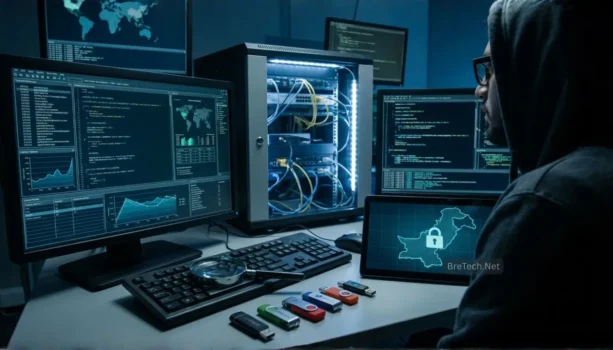
Digital forensics tools are now essential in Pakistan because one breach, insider leak, or ransomware case can turn into a legal and compliance problem overnight.
A common mistake is using random “free” tools or cracked suites, then discovering the evidence is not reliable, the timeline is incomplete, or the data is altered.
This guide helps you choose a small, practical toolkit you can actually use for acquisition, analysis, and reporting, using trusted software available via BreTech.
Digital forensics tools for Pakistan usually come down to five needs: forensics imaging, disk analysis, password and encryption access, email forensics, and mobile data extraction.
Start with clean acquisition (imaging), then analyze from images, and only then attempt decryption or password recovery if needed.
BreTech provides genuine software licenses in Pakistan with PKR pricing, fast digital email delivery on most orders, and local support as an authorized reseller.
Essential categories of digital forensics tools in Pakistan
1. Evidence acquisition and disk imaging
Acquisition is where many investigations fail. If the original drive is changed even once, the whole case can become questionable.
For a clean workflow, focus on imaging tools and image mounting tools:
- For acquisition and imaging, explore forensics and imaging tools: Browse Forensics & Imaging tools
- If you also need sector-by-sector cloning for lab workflows, check: Explore Disk & System Imaging tools
BreTech tools that fit this stage (brand hubs):
Practical Pakistan tip (BreTech support insight): for office cases in Pakistan, we usually see delays because teams start analysis before making a clean image, then later they cannot reproduce results.
2. Disk and file analysis
After you have an image, you need a proper analysis tool to search, carve deleted data, and build a timeline.
If you are doing investigations that include deletion, partition damage, or formatted drives, it helps to also keep recovery tools ready:
BreTech tool families commonly used here (brand hubs):
3. Password recovery and decryption access
In real cases, the “evidence” is often locked behind Windows logins, Office files, archives, or full-disk encryption. You need lawful access tools to extract what you are permitted to access.
Use these two hubs when your case includes locked files or encrypted containers:
When this matters most in Pakistan: internal HR cases, finance PCs, and email leak cases where key files are protected and deadlines are short.
4. Email forensics and mailbox evidence
Email is still one of the biggest evidence sources for fraud, harassment, leaks, and internal policy violations. You need tools that can open, search, and export mailbox files safely.
Start here:
BreTech support insight: PST and mailbox corruption is common after power cuts, sudden shutdowns, or oversized mailboxes in SMBs. Always copy evidence first, then analyze the copy.
5. Mobile and cloud evidence workflows
Many investigations now depend on phones, backups, and synced accounts. Mobile workflows also need stronger process discipline, because one wrong step can overwrite or lock data.
Use these hubs for the mobile side:
Important caution: consumer “data recovery” apps are not a replacement for forensic acquisition. Use proper forensic tools and documentation when evidence may go to legal or HR review.
Top digital forensics software choices to cover most cases
This list is written for working professionals in Pakistan who need tools that match real incident types (office PCs, encrypted drives, mailboxes, and phones).
1. Elcomsoft: Password Recovery and Encrypted Evidence Access
Best when your evidence includes BitLocker, protected documents, encrypted backups, or locked mobile data.
- Browse here: Explore Elcomsoft tools
- Related category: Password Recovery tools
2. Stellar: Email-focused Evidence Handling
Useful when the case is driven by mailbox files, exported emails, or message archives that must be searched and exported safely.
- Browse here: Explore Stellar tools
- Related category: Email Recovery tools
3. Easeus: Practical Disk Copy and Recovery Support for Investigations
Helpful for fast acquisition support, cloning, and recovery steps in IT-led cases, especially when a drive is failing.
- Browse here: Explore EaseUS tools
- Related category: Data Recovery tools
4. AOMEI: Sector-By-Sector Cloning for Controlled Lab Workflows
Good for controlled cloning workflows where you need a bit-by-bit copy and a predictable process.
- Browse here: Explore AOMEI tools
- Related category: Disk & System Imaging tools
What beginners in Pakistan should avoid
Don’t analyze the original drive
Always create a clean image first, then work on the image.
Don’t use cracked forensic tools
Cracked tools can invalidate evidence, introduce malware, and break your reporting chain.
Don’t skip documentation
Keep a simple chain-of-custody log: who handled the device, when, what tool was used, and what was exported.
Don’t treat “recovered files” as the full story
Metadata, event logs, browser artifacts, and timelines often prove the real sequence of actions.
Secure your investigation workflow with BreTech
If you want a clean, court-safe workflow, start with imaging, then analysis, then lawful access (password/decryption), and finally reporting.
Start with acquisition: Browse Forensics & Imaging tools
Cover investigations end-to-end: Explore Security software
For encrypted evidence: Explore Password Recovery tools
Disclaimer: Always check the official vendor website for the latest features, editions, system requirements, and updates.