Abdul Basit
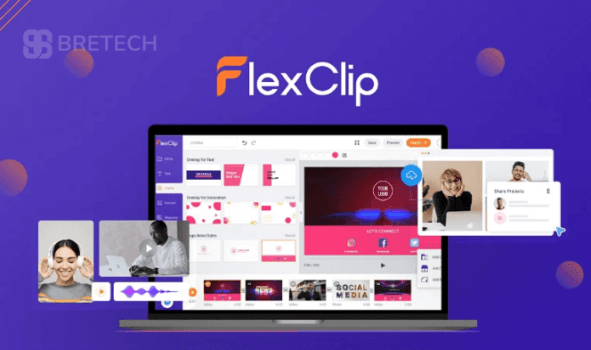
FlexClip price in Pakistan is one of the first things creators check before choosing this browser-based video editor for YouTube videos, ads, and social media content.
Many beginners start with the free version or buy from unofficial sellers and later face watermarks, missing features, or account access problems. Others choose the wrong plan and discover the limits only after they start editing.
This guide explains FlexClip pricing, which plan to buy, and how to activate your subscription safely. BreTech provides FlexClip plans with PKR pricing, local payments, and digital email delivery on most orders within 1 to 72 business hours, along with local support from an authorized reseller in Pakistan.
FlexClip pricing usually depends on the plan tier and usage needs. Most buyers choose either the Plus plan for solo creators or the Business plan for teams and higher usage.
Quick Overview: FlexClip Plans Available on BreTech
| Plan | File Types Covered | Best For |
|---|---|---|
| FlexClip Plus Plan | MP4 export, common image/audio imports | Students and solo creators creating regular social videos |
| FlexClip Business Plan | MP4 export, common image/audio imports | SMEs and teams producing marketing videos |
Ready to explore more options? See the full FlexClip range on BreTech or browse more video editing tools available in Pakistan.
Step 1: Choose Your FlexClip Plan
FlexClip currently offers two main plans on BreTech.
- FlexClip Plus plan on BreTech for individuals and solo creators
- FlexClip Business plan on BreTech for teams, agencies, and SMEs
What to do
- Add your plan to cart on BreTech
- Complete checkout using available payment options
- BreTech sends your activation code by email
Most orders are delivered digitally within 1 to 72 business hours.
FlexClip Plus vs Business: Which Plan Should You Choose?
Choosing the right plan depends on how often you create videos and whether you work alone or as part of a team.
- Plus Plan: Best for students, freelancers, and solo creators who publish social media videos regularly.
- Business Plan: Best for agencies, marketing teams, and SMEs producing frequent marketing content.
If your workflow includes regular promotional videos, client work, or business content, the Business plan usually offers better long-term value. If you mainly create content for your own channel or personal brand, the Plus plan is often the better fit.
What You Get With a FlexClip Subscription
FlexClip runs in the browser and is designed for fast video creation without installing heavy desktop software.
Depending on the plan, users typically choose FlexClip for template-based editing, simple timeline work, social media video creation, and quick export workflows. This makes it useful for beginners, small businesses, marketers, and creators who want a lighter editing setup.
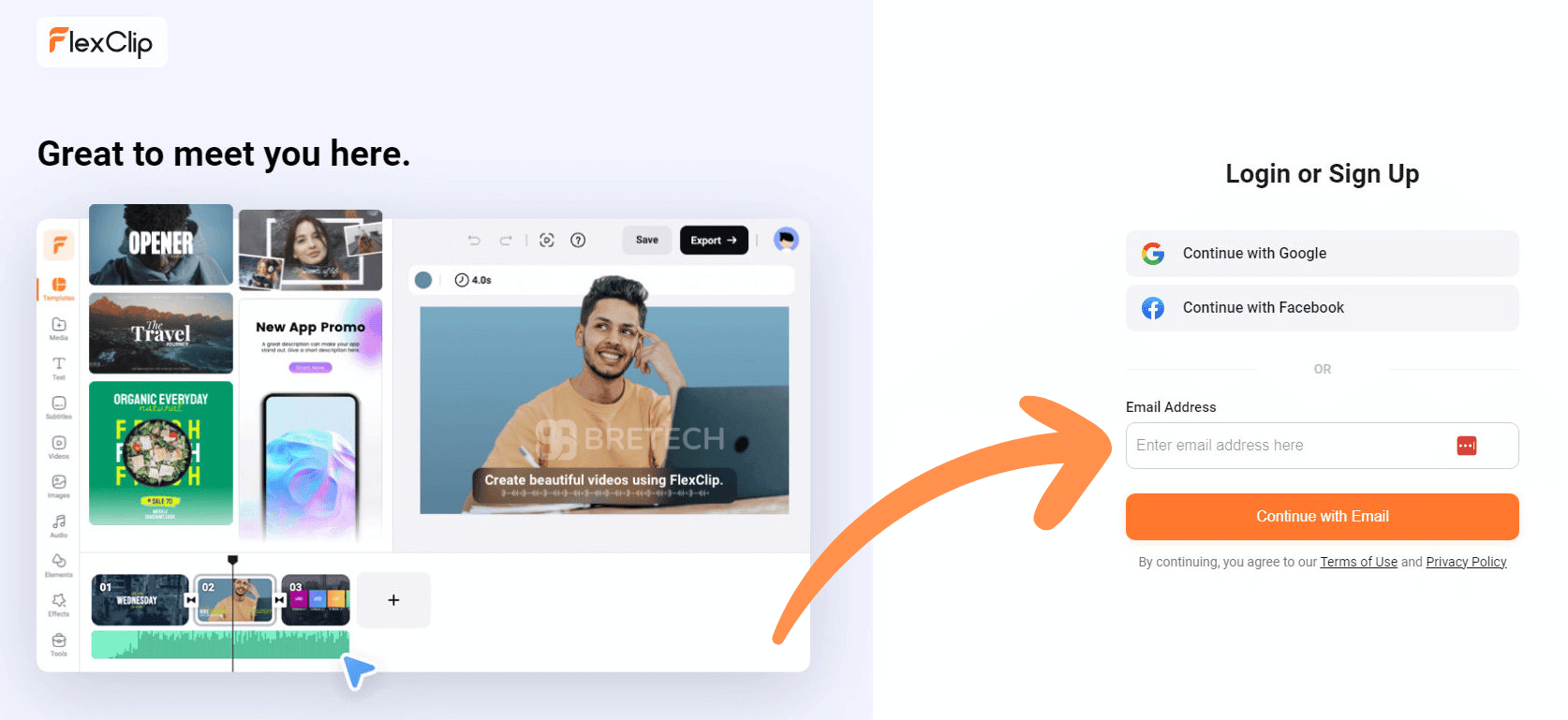
Step 2: Create or Log In to Your FlexClip Account
Sign in to your FlexClip account or create one if you are new.
Always use the same email address you used when purchasing on BreTech, because using different emails is the most common reason activation fails.
Step 3: Redeem Your FlexClip Code
After receiving your code from BreTech:
- Open the FlexClip code redemption page
- Paste the activation code into the code field
- Confirm redemption
- Refresh your account page
Your account should now display the upgraded plan.
If Your FlexClip Code Does Not Work
Try these quick checks first:
- Confirm you are logged in to the correct FlexClip account
- Copy and paste the code instead of typing it manually
- Check if the code has already been redeemed
- Try another browser if the page is not loading correctly
If the issue continues, contact BreTech support with your order details so the code can be verified.
Start Editing in Your Browser
FlexClip runs completely inside your browser.
After activation you can:
- Choose a template
- Upload media files
- Edit your video
- Export the finished project
BreTech support insight: Many users in Pakistan have slower internet connections. Keeping project files smaller and compressing media before uploading can improve editing speed.
Important Notes Before Buying
- BreTech offers Plus and Business plans for FlexClip
- Delivery is digital via email within 1 to 72 business hours on most orders
- Support includes billing assistance, code delivery, and activation help
- Vendor features or limits may change over time
For the latest features, editions, system requirements, and updates, always check the official vendor website before purchase.
Why Buy FlexClip From BreTech?
Buying from BreTech gives Pakistani users a simpler way to get FlexClip with local payment support and PKR pricing.
It also helps when you need activation guidance, billing help, or a more reliable buying path than unofficial sellers or unknown marketplaces.
Ready to Buy FlexClip in Pakistan?
Browse options in our Video Editing Software price in Pakistan category or explore all current offers on the FlexClip brand page on BreTech.
FAQs
Q: Is FlexClip available in Pakistan?
A: Yes. Pakistani users can buy eligible FlexClip plans through BreTech with local payment options and PKR pricing.
Q: Which FlexClip plan is better for beginners?
A: The Plus plan is usually the better starting point for beginners, students, and solo creators who need regular video editing without team features.
Q: What is the difference between FlexClip Plus and Business?
A: The main difference is the intended use. Plus is better for individual creators, while Business is a better fit for teams, agencies, and higher-volume commercial work.
Q: How long does FlexClip delivery take from BreTech?
A: Most orders are delivered digitally by email within 1 to 72 business hours.
Q: What should I do if my FlexClip activation code does not work?
A: First check that you are using the correct FlexClip account and pasted the code correctly. If the issue continues, contact BreTech support with your order details.
Conclusion
FlexClip price in Pakistan mainly depends on the plan you choose and how frequently you create videos. The Plus plan works well for individual creators, while the Business plan suits teams and higher production workloads.
Buying through BreTech ensures you receive a genuine subscription, PKR billing, and local support if activation help is needed.
Further Reading
- AI Video Creation Tools With Urdu Voiceover in Pakistan
- Best video editing software in Pakistan
- Best business video editing tools in Pakistan
- Best video editing software for vlogging in Pakistan
- FlexClip Business vs Filmora Business in Pakistan
Explore more step-by-step guides in our Video Editing Guides.