Abdul Basit
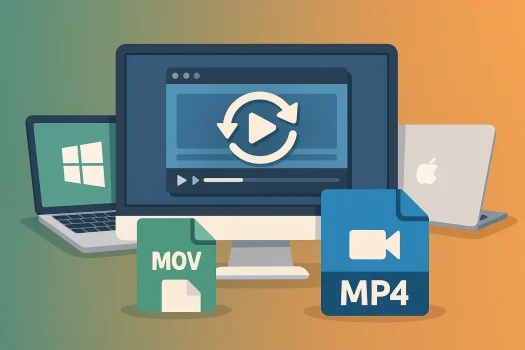
Choosing the best video converter software in Pakistan is easier when you know what you need. If you only convert a small video once, a free online tool may be enough. But if you convert videos often, a proper paid converter is usually faster, safer, and more reliable.
Good video converter software should support common formats like MP4, MOV, AVI, MKV, and MP3. It should also help with large files, video compression, batch conversion, and basic settings for phones, YouTube, office work, or study. Pakistani users should also check for genuine licence options, PKR pricing, digital delivery, and activation support before buying.
Quick Overview: Top Video Converters in Pakistan
| Software | OS Support | Best For | Key Features |
|---|---|---|---|
| Movavi Video Converter | Windows, Mac | Most users, creators, everyday conversion | Format conversion, compression, batch conversion, basic editing |
| Movavi Video Converter Business | Windows, Mac | Offices, schools, agencies, commercial users | Business-use licence, fast conversion, team use |
| EaseUS Video Converter | Windows | Users who need wide format support and speed | Batch processing, audio conversion, GPU acceleration |
| WonderFox DVD Video Converter | Windows | DVD users and mixed video sources | DVD conversion, video conversion, format presets |
| HD Video Converter Factory Pro | Windows | HD, 4K, and offline video conversion | Output presets, compression, HD and 4K support |
| WonderFox DVD Ripper Pro | Windows | DVD to digital video conversion | DVD ripping, MP4 output, device presets |
| Ashampoo Video Converter | Windows | Beginners and simple conversion | Easy interface, common formats, quick use |
| Movavi Video Suite | Windows, Mac | Users who need conversion, editing, and recording | Video editing, file conversion, screen recording |
| Movavi Unlimited | Windows, Mac | Creators and users needing multiple Movavi tools | Wider Movavi toolkit, editing, conversion, effects |
For the full product list, visit the Video Converter & Burning category. You can also compare related brands such as Movavi, EaseUS, WonderFox, and Ashampoo.
Why Video Converter Software Still Matters
A video file does not always work on every device, app, or platform. A file that plays on your laptop may not open properly on a phone, smart TV, editing app, office PC, or client system.
A video converter helps you change the video format, reduce file size, extract audio, or prepare videos for WhatsApp, YouTube, Facebook, presentations, training, and client delivery.
For Pakistan users, offline desktop video converter software is often more reliable than online converters. It avoids upload limits, slow internet, privacy concerns, and repeated mobile data usage.
For social sharing, you can also read our guide on the best video format for WhatsApp and YouTube.
How to Choose the Best Video Converter
Format Support
Choose a video converter that supports common formats such as MP4, MOV, AVI, MKV, WMV, WebM, MP3, and AAC.
If you work with camera files, client videos, YouTube files, DVD media, or old video formats, wider format support becomes more important.
Conversion Speed
Conversion speed matters when you handle large video files or convert many files at once.
Look for batch conversion, GPU acceleration, and ready-made presets for phones, PCs, YouTube, WhatsApp, or business presentations.
Video Compression
Video compression helps reduce file size while keeping acceptable video quality.
This is useful for WhatsApp sharing, online uploads, school work, office presentations, cloud storage, and client delivery.
Audio and Video Conversion
Many users need to convert video to audio for lectures, podcasts, interviews, voice notes, or music files.
For this need, see our guide to the best video to audio converter for PC.
Ease of Use
A good converter should be easy to use, even for beginners.
Drag-and-drop tools, simple presets, and clear output settings save time and reduce mistakes during the video conversion process.
Business Licence Need
Home users can usually choose a personal licence for private use.
Offices, agencies, schools, studios, and commercial users should choose the correct business licence where required.
Best Video Converter for PC and Windows Users
For Windows 10 and Windows 11 users, the best video converter should support common formats, large video files, batch conversion, compression, offline conversion, and HD or 4K output.
Movavi Video Converter is a good choice for everyday Windows users who want simple conversion, compression, and fast output. EaseUS Video Converter is better if you need wider format support, GPU acceleration, and regular batch conversion.
For HD and 4K video files, HD Video Converter Factory Pro is also a strong Windows option. It gives more control over resolution, output size, quality, and device presets.
If you mainly convert downloaded videos, old files, or large media files, an offline desktop converter is usually better than uploading everything to an online tool.
Best Video Converter for Mac Users
Mac users should choose a video converter that supports common formats such as MP4, MOV, MKV, AVI, WebM, MP3, and AAC without making the process complicated.
Movavi Video Converter is a practical option for Mac users who need fast video conversion, file compression, and simple editing tools.
If you also need video editing, screen recording, and creative tools, Movavi Video Suite is a better all-in-one choice.
For users who only need simple format conversion, Movavi Video Converter is usually enough. For creators, trainers, YouTubers, and business users who need more than conversion, Movavi Video Suite is the better fit.
Which Video Converter Should You Buy in Pakistan?
| Need | Best Choice | Why |
|---|---|---|
| Simple PC or Mac conversion | Movavi Video Converter | Easy, balanced, and suitable for most users |
| Business or office use | Movavi Video Converter Business | Better licence fit for commercial use |
| Wide format support | EaseUS Video Converter | Strong for batch conversion and many formats |
| DVD conversion | WonderFox DVD Video Converter | Better for DVD sources and mixed media |
| DVD to digital files | WonderFox DVD Ripper Pro | Focused on converting DVDs to video files |
| HD and 4K video files | HD Video Converter Factory Pro | Better control over size, resolution, and presets |
| Simple beginner use | Ashampoo Video Converter | Easy option for basic video conversion |
| Editing plus conversion | Movavi Video Suite | Better if you need more than conversion |
Top Video Converters for PC and Mac
Movavi Video Converter
Movavi Video Converter is a balanced option for everyday users who want fast conversion, compression, and a clean interface.
Choose it if you want a simple converter for personal use, content work, social media files, office videos, and common PC or Mac video tasks.
Movavi Video Converter Business
Movavi Video Converter Business is the better option when the software will be used for office, school, agency, studio, or commercial work.
Choose this option if you need a video converter licence for business use instead of a personal-use licence.
EaseUS Video Converter
EaseUS Video Converter is suitable for users who need fast batch conversion, audio conversion, and wide format support.
Choose it if you convert many files, extract audio, or prepare videos for different devices and platforms.
WonderFox DVD Video Converter
WonderFox DVD Video Converter is useful if you need both DVD-related tools and video conversion features.
It is more suitable for users who still work with DVD media, older video files, or mixed video sources.
HD Video Converter Factory Pro
HD Video Converter Factory Pro is a good option for Windows users who want offline conversion, HD video support, 4K video support, and many output presets.
Choose it for HD video conversion, 4K video work, large video files, and cases where file size control is important.
WonderFox DVD Ripper Pro
WonderFox DVD Ripper Pro is focused on converting DVDs into digital video formats.
Choose it only if your main need is DVD to digital conversion. For normal MP4, MOV, AVI, or MKV file conversion, Movavi, EaseUS, or HD Video Converter Factory Pro are usually better choices.
Ashampoo Video Converter
Ashampoo Video Converter is a simple option for users who want basic video conversion without a complicated interface.
It is best for users who mainly convert standard files for mobile devices, sharing, simple playback, or everyday personal use.
All-in-One Video Converter Suites
Movavi Video Suite
Movavi Video Suite is better if you need more than video conversion.
It combines video editing, file conversion, screen recording, and creative tools in one package. If your main need is editing instead of conversion, compare related options in our guide to the best video editing software in Pakistan.
Movavi Unlimited
Movavi Unlimited is suitable for users who want access to a wider Movavi software collection.
It is better for creators, studios, agencies, and advanced users who need several media tools instead of buying one converter only. For users comparing Movavi with another popular editing tool, our Filmora vs Movavi comparison can help before buying.
Which Video Converter Should You Choose?
For Home Users
Choose Movavi Video Converter or Ashampoo Video Converter for simple home use.
These are easier for common tasks like converting videos for phones, WhatsApp, YouTube, family use, and simple sharing.
For Content Creators
Choose Movavi Video Converter, EaseUS Video Converter, or Movavi Video Suite if you create videos regularly.
These options are better for batch work, compression, editing support, and platform-ready files. If your video footage needs quality improvement before publishing, see our guide to the best video enhancer software in Pakistan.
For Business Users
Choose Movavi Video Converter Business if the main need is business video conversion.
Choose Movavi Video Suite if the business also needs editing, screen recording, training videos, and presentation content. If your team records tutorials or training videos, our best screen recording software guide may also help.
For DVD Users
Choose WonderFox DVD Video Converter or WonderFox DVD Ripper Pro for DVD-related tasks.
These are better for DVD sources than normal video converters. Use DVD conversion tools only for discs or media you are legally allowed to convert.
For HD and 4K Video
Choose HD Video Converter Factory Pro or EaseUS Video Converter for HD video, 4K video, and large video files.
These tools are better when you need more control over resolution, output size, quality, and device compatibility.
For Downloaded Videos
If your main issue is downloading videos first and then converting them, choose the right downloader before choosing a converter.
You can compare safe options in our guide to the best video downloader for PC.
Free Video Converter vs Paid Video Converter
A free video converter can be useful for simple one-time tasks.
However, a free version may have limits such as watermarks, slow speed, fewer formats, file size limits, ads, or reduced output control.
If the video is for office work, client delivery, YouTube work, school projects, or business presentations, a genuine paid licence is safer than using cracked or unclear download sources.
Paid video converter software is better when you need reliable results, regular use, batch conversion, better conversion speed, cleaner output video, business use, or safer activation.
For Pakistan buyers, a genuine licence also reduces the risk of fake keys, cracked installers, malware, failed activation, poor updates, and licence problems.
Common Video Converter Problems
Video conversion can fail when the source file is damaged, the video format is not supported, or the output settings are too heavy for your system.
Large video files can also take more time on older PCs, especially when converting to HD or 4K output.
Some users also face laggy screen recordings, broken audio, wrong output size, or files that do not play on phones and smart TVs.
If your screen recording videos lag, drop FPS, or become difficult to convert, read our guide on how to fix screen recorder lag and FPS drops.
Why Buy Genuine Video Converter Software from BreTech?
BreTech is an authorised software reseller in Pakistan and helps buyers choose genuine video converter licences for personal, creator, office, and business use.
You can buy with PKR pricing, local payment support, digital email delivery, activation guidance, and invoice support where available.
This is safer than using cracked installers, fake keys, or unclear online sellers that may cause malware risk, failed activation, poor updates, or licence problems.
BreTech also helps you compare the right option before buying, whether you need Movavi Video Converter, Movavi Video Converter Business, EaseUS Video Converter, WonderFox tools, Ashampoo Video Converter, or an all-in-one video suite.
FAQs
How Do I Convert Video to Another Format?
Choose your video file, select the desired output format, adjust quality or file size settings, and start conversion.
A desktop video converter is better for large files because it avoids upload limits, slow internet, and privacy concerns.
Which Video Converter Is Best for Windows 10 and Windows 11?
For Windows users, Movavi Video Converter, EaseUS Video Converter, HD Video Converter Factory Pro, WonderFox DVD Video Converter, and Ashampoo Video Converter are useful options.
The right choice depends on your need. Choose Movavi for simple use, EaseUS for wide format support, and HD Video Converter Factory Pro for HD or 4K files.
Can a Video Converter Reduce File Size Without Losing Quality?
Yes, a good video converter can reduce file size while keeping acceptable video quality.
The final result depends on the original video, resolution, bitrate, codec, and output settings.
Is a Free Video Converter Enough?
A free video converter may be enough for simple one-time use.
Paid software is better for regular use, batch conversion, faster speed, cleaner output, business use, and safer activation.
Can I Convert Any Video Format With One Tool?
Most good video converters support common formats like MP4, MOV, AVI, MKV, WebM, MP3, and AAC.
Very old, damaged, or uncommon formats may need a converter with wider format support or a more specialised tool.
What Is the Difference Between a Video Converter and Video Editing Software?
A video converter changes the format, file size, resolution, or output type of a video.
Video editing software is used to cut, join, add effects, adjust colour, add text, and create finished videos.
Which Video Converter Suits Business Users?
Movavi Video Converter Business is better for offices, agencies, schools, studios, and commercial users.
It is a better fit when you need a proper business-use licence, genuine activation, and invoice support in Pakistan.
Conclusion: Choose the Best Video Converter in Pakistan
The best video converter software in Pakistan depends on your use case.
Movavi Video Converter is a strong all-round choice for everyday PC and Mac users. EaseUS Video Converter is better for wide format support and fast batch conversion.
WonderFox tools are useful for DVD, HD video, and 4K video needs. Ashampoo Video Converter is suitable for simple basic conversion.
For offices and commercial users, Movavi Video Converter Business is the better choice because it matches business-use licence needs more clearly.
Further Reading
- Best Video Editing Software for Vlogging in Pakistan
- Best AI Video Editors in Pakistan
- Best Slideshow Makers in Pakistan
- Best Audio Editing Software in Pakistan
- Best Video Format for WhatsApp and YouTube
For more help, visit our Video Download & Conversion page to explore related converter, downloader, format, and video tool articles.