Abdul Basit
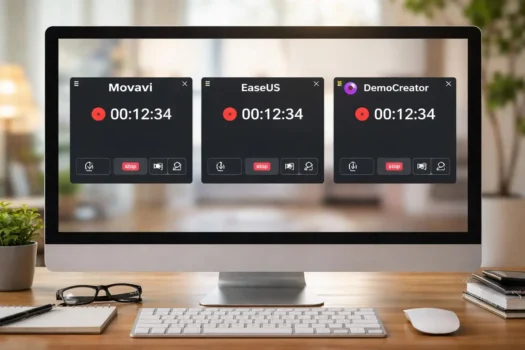
Movavi Screen Recorder, EaseUS RecExperts, and Wondershare DemoCreator can all capture your screen, webcam, microphone, and system audio. However, each program is designed for a different type of user.
Movavi Screen Recorder focuses on simple recording. EaseUS RecExperts provides more control over recording modes and automation. Wondershare DemoCreator combines recording with a more complete video-editing workspace.
This comparison will help students, teachers, trainers, YouTubers, office users, and businesses choose suitable screen recording software in Pakistan.
Key Takeaways
- Choose Movavi Screen Recorder for simple and quick everyday recording.
- Choose EaseUS RecExperts for flexible capture modes, scheduling, and automatic recording controls.
- Choose DemoCreator when screen recording and detailed video editing are both important.
- Check the operating system, number of devices, license period, and permitted use before purchasing.
The main difference: Movavi focuses on easy recording, EaseUS focuses on recording control, and DemoCreator focuses on recording plus video production.
Movavi vs EaseUS RecExperts vs DemoCreator: Quick Overview
All three programs can record your screen, webcam, microphone, and computer audio. The main difference is what happens before and after recording.
Movavi is the easiest to use. EaseUS RecExperts gives you more control over recording. DemoCreator offers stronger video-editing tools.
Movavi Screen Recorder
Movavi Screen Recorder is made for users who want a simple and quick way to record their screen.
It can record the full screen or a selected area. You can also capture webcam video, microphone sound, and computer audio. Its basic drawing, cursor, scheduling, and trimming tools are useful for everyday recording.
Movavi works well for:
- Software tutorials
- Online lessons and presentations
- Meetings and webinars
- Product demonstrations
- General office recording
Its main strength is ease of use. You can start recording without learning a complex workspace. However, it is not the best choice for detailed video editing or projects with many tracks and effects.
You can explore more Movavi software for video editing and other multimedia tasks.
EaseUS RecExperts
EaseUS RecExperts is a flexible recorder for users who need more control over their recordings.
It can capture the full screen, a selected area, an application window, webcam video, microphone sound, and system audio. It also offers scheduled recording, automatic stopping, and file-splitting tools.
EaseUS RecExperts is useful for:
- Scheduled classes and webinars
- Long recording sessions
- Webcam and picture-in-picture videos
- Audio recording
- Users who need more capture settings
Its main strength is recording flexibility. It offers more controls than Movavi while remaining fairly easy to use. New users may need some time to understand all the available settings.
You can browse more EaseUS software for backup, data recovery, partition management, and other computer tasks.
Wondershare DemoCreator
Wondershare DemoCreator combines screen recording and video editing in one program.
It can record the screen, webcam, microphone, computer audio, presentations, and supported gameplay. After recording, you can edit the video on a timeline and add captions, titles, transitions, annotations, cursor effects, and other visual elements.
DemoCreator is a good fit for:
- YouTube and social media videos
- Online courses and lessons
- Product demonstrations
- Staff training and business presentations
- Videos that need detailed editing
Its main strength is video creation after recording. You can record and edit the complete project in one place. However, it takes longer to learn and may need a stronger computer than a simple screen recorder.
You can explore more Wondershare software for video, PDF, mobile, and creative work.
Movavi, EaseUS RecExperts, and DemoCreator Comparison
| Feature | Movavi Screen Recorder | EaseUS RecExperts | DemoCreator |
|---|---|---|---|
| Main purpose | Simple screen recording | Flexible and automated recording | Recording and video editing |
| Full-screen capture | Yes | Yes | Yes |
| Selected-area capture | Yes | Yes | Yes |
| Webcam recording | Yes | Yes | Yes |
| System and microphone audio | Yes | Yes | Yes |
| Scheduled recording | Yes | Strong scheduling tools | Available in supported versions |
| Automatic stop and splitting | Basic controls | Strong automation controls | Depends on recording mode |
| Live annotations | Yes | Yes | Yes |
| Post-recording editing | Basic trimming | Basic editing tools | Complete timeline editor |
| Captions and visual effects | Limited | Limited | Strong |
| Learning level | Easy | Easy to moderate | Moderate |
| Best suited to | Quick daily recording | Controlled and scheduled capture | Polished video production |
Features can differ by software version, plan, and operating system. Confirm any essential requirement before placing an order.
Screen Recording Features Compared
Full-Screen, Window, and Selected-Area Recording
All three programs can record the complete display or a selected part of the screen. This makes them suitable for tutorials, presentations, software demonstrations, online lessons, and general computer recording.
Movavi keeps the process straightforward. Users select the recording area, choose the required audio sources, and begin recording.
EaseUS RecExperts provides additional control over what is captured. It is useful when you need to record a specific application, selected region, webcam, audio source, or planned online event.
DemoCreator also provides different recording modes. Its main advantage is that captured media can move directly into a larger editing workspace.
For short tutorials or office demonstrations, the differences may be small. They become more important when you need scheduling, separate media tracks, or detailed post-production.
Webcam Recording
A webcam overlay allows teachers, trainers, presenters, and content creators to appear alongside the screen recording.
Movavi lets users record their screen and webcam together through a simple recording interface. It works well for quick lessons, presentations, and explanation videos.
EaseUS RecExperts combines webcam recording with flexible screen and audio controls. This is helpful for tutorials, classes, interviews, and picture-in-picture videos.
DemoCreator provides more control after recording. Users can adjust the size, position, timing, and appearance of webcam footage while editing the project.
Practical difference: Movavi is suitable for a quick webcam overlay, while DemoCreator provides more control during post-production.
Microphone and System Audio
All three products can record microphone input and computer audio in supported recording modes.
Movavi is suitable for straightforward narration, online lessons, presentations, and system-sound recording.
EaseUS RecExperts provides separate controls for microphone and system audio. This is useful when recording classes, meetings, webinars, interviews, or narrated tutorials.
DemoCreator treats audio as part of a larger editing project. Users can arrange, cut, and adjust the recorded audio while preparing the final video.
If you want to change your microphone voice in real time rather than simply record it, see our best real-time voice changer software for PC guide for gaming, Discord, streaming, and live voice effects.
Scheduled and Automated Recording
Scheduled recording is useful when a webinar, class, meeting, or online event begins at a fixed time.
Movavi provides scheduling controls for starting a recording at a selected time or capturing content for a set duration. It is suitable for users who need simple planned recording without many automation settings.
EaseUS RecExperts provides more detailed options for scheduled tasks, automatic stopping, and file splitting. These controls can help with long or unattended recording sessions.
DemoCreator also provides planned recording options in supported versions and recording modes.
EaseUS RecExperts provides particularly useful controls for scheduled and unattended recording. Movavi is suitable for straightforward scheduling, while DemoCreator is more valuable when the recorded material will also require detailed editing.
Video Editing and Annotation Tools
Editing in Movavi Screen Recorder
Movavi Screen Recorder includes simple tools for cutting unwanted parts from a recording before saving or sharing it.
These tools are useful when you need to remove a mistake, shorten the beginning or end, or prepare a cleaner final recording.
Movavi is not designed to replace a complete video editor. Users who require layered media, advanced transitions, detailed captions, or creative effects may need separate editing software.
Editing in EaseUS RecExperts
EaseUS RecExperts provides basic tools for reviewing and adjusting recorded content.
Its editing functions are suitable for minor corrections, trimming, and preparing recordings for sharing. However, it does not offer the same creative timeline environment as DemoCreator.
EaseUS therefore sits between Movavi and DemoCreator. It provides more recording control than Movavi but less advanced post-production than DemoCreator.
Editing in Wondershare DemoCreator
DemoCreator provides the most complete editing environment in this comparison.
Depending on the selected version and plan, its editing tools may include:
- Cutting, trimming, splitting, and merging
- Multiple video and audio tracks
- Text, captions, and titles
- Transitions and annotations
- Cursor effects and visual elements
- Audio and video adjustments
- Templates and presentation assets
This makes DemoCreator a suitable choice for users who want to turn basic screen captures into polished lessons, courses, presentations, or social media videos.
Users comparing DemoCreator with other creative programs can also explore BreTech’s video editing software collection.
Annotation and Presentation Features
Annotations make tutorials easier to follow by drawing attention to buttons, menus, text, or other important areas.
Movavi provides drawing, cursor, and highlighting tools for software demonstrations and step-by-step guides.
EaseUS RecExperts offers live annotation features that can help teachers and trainers explain important information while recording.
DemoCreator includes live drawing and post-recording annotations, captions, shapes, arrows, animations, and other presentation elements.
For quick highlighting, Movavi and EaseUS should meet most normal requirements. For videos that need more detailed presentation design, DemoCreator provides more creative options.
Ease of Use
Movavi Screen Recorder
Movavi may be the easiest option for beginners who want a simple recording workflow.
Its main controls are easy to locate, and users do not need video-editing experience before starting. This makes it practical for students, teachers, office users, and people who only record occasionally.
The simpler interface also reduces the chance of selecting unnecessary settings before a quick recording.
EaseUS RecExperts
EaseUS RecExperts remains easy to use, but its larger selection of recording and automation options requires more attention.
This additional control is useful when users regularly switch between:
- Screen and webcam recording
- Audio-only recording
- Full-screen and selected-area capture
- Manual and scheduled recording
- Short and long recording sessions
It provides a good balance for users who want more recording flexibility without learning a complete video editor.
Wondershare DemoCreator
DemoCreator is straightforward for basic recording, but its editing workspace takes longer to learn.
New users need to understand the media library, preview window, timeline, tracks, effects, and export settings. The extra learning time can be worthwhile for people producing detailed video content.
Users who only need occasional screen capture may find DemoCreator more complex than necessary.
Recording Quality, Export Options, and Performance
Recording Quality
All three tools can create clear recordings when suitable settings and computer hardware are used.
Movavi is suitable for normal tutorials, presentations, meetings, and software demonstrations.
EaseUS RecExperts provides adjustable recording and output settings for different capture tasks.
DemoCreator is designed for projects that will be edited, improved, and prepared for publishing after recording.
Exact formats, resolutions, and frame rates can differ by version and operating system. Confirm these details before purchasing when a specific technical setting is important.
Computer Performance
Screen recording performance depends on several factors:
- Processor and graphics performance
- Available memory
- Recording resolution and frame rate
- Number of active displays
- Webcam and audio sources
- Programs running in the background
- Available storage space
Movavi generally suits users who want a lighter, recording-focused workflow.
EaseUS RecExperts adds more recording controls while remaining focused mainly on capture.
DemoCreator may require more system resources because it combines recording with timeline editing, effects, media processing, and export tools.
Recording at a higher resolution or frame rate normally requires stronger hardware, regardless of which program you choose.
Windows and Mac Support
All three products provide Windows and Mac versions, but the features may not be identical on both operating systems.
Before purchasing, confirm:
- Your operating-system version
- Available memory and storage
- Processor requirements
- Supported output formats
- Features included on your platform
License Options and Use in Pakistan
Personal and Commercial Use
The correct license depends on who will use the software and why.
Movavi provides different licensing options for personal and commercial use. Companies, trainers, offices, and organizations can consider Movavi Screen Recorder Business when workplace or commercial use is required.
EaseUS RecExperts license options may differ by platform, duration, number of devices, and intended use.
DemoCreator may be available through individual, educational, team, and business plans. Companies and organizations should confirm the appropriate plan before ordering.
License reminder: Software that works technically in an office may still require a business license for legal commercial use.
Subscription and Perpetual Options
Depending on the product and selected plan, available choices may include monthly subscriptions, annual subscriptions, perpetual licenses, educational plans, and business or team licenses.
A perpetual license normally allows continued use of the purchased version. It does not always include every future major upgrade.
An active subscription normally provides access to the software and eligible updates during the subscription period. Review the selected plan carefully before payment.
Advantages and Limitations
Movavi Screen Recorder
Movavi Screen Recorder is a practical option for beginners and users who need to begin recording quickly. Its interface keeps attention on the essential controls instead of presenting a large editing workspace.
Its main benefits include:
- Simple screen, webcam, and audio capture
- Real-time drawing and cursor tools
- Scheduled recording
- Basic trimming after capture
- Separate licensing for business use
Its main limitation is video editing. Movavi handles quick corrections well, but it is less suitable for projects requiring detailed timelines, layered media, advanced transitions, or extensive effects.
EaseUS RecExperts
EaseUS RecExperts offers a strong balance between usability and recording control. It is especially useful when a recording must begin automatically, stop after a set period, or be divided into smaller files.
Its main strengths include:
- Flexible capture modes
- Detailed scheduling controls
- Automatic stop and file splitting
- Webcam and audio capture
- Useful live annotation tools
The larger number of settings means beginners may need more time than they would with Movavi. Its editing tools are also more suitable for basic corrections than complete video production.
Wondershare DemoCreator
DemoCreator provides the broadest creative toolset in this comparison. Users can record footage and continue working on the project without moving to separate editing software.
Its main strengths include:
- Screen recording and video editing together
- Multi-track timeline editing
- Captions, transitions, and visual effects
- Annotations and presentation tools
- Options for education, teams, and businesses
The main trade-off is complexity. DemoCreator takes longer to learn and may use more computer resources. Users who only need quick recordings may not benefit from its larger editing workspace.
Which Screen Recorder Should You Choose?
Choose Movavi Screen Recorder for Simple Recording
Choose Movavi when you want an uncomplicated way to record tutorials, meetings, presentations, or software instructions.
It is a strong choice when you need a simple interface, fast setup, webcam and audio capture, scheduled recording, and only basic trimming afterward.
Movavi is less suitable when your work requires detailed video editing or a multi-track timeline.
Choose EaseUS RecExperts for Flexible Recording
Choose EaseUS RecExperts when controlling how and when the recording happens is more important than advanced editing.
It is particularly useful for scheduled recording, automatic stopping, file splitting, different audio sources, picture-in-picture capture, and live annotations.
EaseUS is well suited to teachers, trainers, webinar users, and professionals who regularly record planned content.
Choose DemoCreator for Recording and Editing
Choose DemoCreator when the finished video needs more than simple trimming.
It is the better fit when you need a complete editing timeline, titles, captions, transitions, visual effects, annotations, or polished training and business videos.
DemoCreator provides the most creative control, but it may be unnecessary for users who only record short and simple videos.
FAQs
Q: Which is the best screen recorder for beginners?
A: Movavi Screen Recorder may suit beginners who want a simple way to record the screen, webcam, microphone, and system audio without learning a full video-editing workspace or complex controls.
Q: Which software is best for screen recording and video editing?
A: DemoCreator is the strongest choice for users who want screen recording and video editing in one tool. It includes a multi-track timeline, captions, effects, transitions, and annotation tools.
Q: Which screen recorder is better for scheduled recording?
A: EaseUS RecExperts is a strong option for scheduled recording. It supports planned tasks, auto-stop, and file splitting, while Movavi and DemoCreator also include scheduling features.
Q: Can these tools record the webcam and system audio together?
A: Yes. All three tools can record webcam video, microphone input, and system audio in supported modes. This is useful for lessons, tutorials, meetings, product demos, and presentations.
Q: Can I save recordings as MP4, MOV, or AVI files?
A: These tools support common formats such as MP4, while MOV or AVI support may depend on the product, version, and operating system. Check current export options before making your choice.
Q: Which screen recorder provides the best video quality?
A: All three can produce clear HD video with suitable settings and hardware. Final quality also depends on resolution, frame rate, webcam quality, storage speed, and system performance.
Q: Do Movavi, EaseUS RecExperts, and DemoCreator offer a free trial?
A: Trial versions may be available, but limits can apply to recording time, exports, watermarks, or advanced features. Check the current trial terms before installing or purchasing the software.
Final Recommendation
There is no single winner for every buyer.
Movavi Screen Recorder is the best fit for simplicity. It provides the essential tools required for everyday screen, webcam, and audio recording without a complex workflow.
EaseUS RecExperts is the best fit for recording flexibility. Its scheduling, automatic stopping, file splitting, and capture controls are useful for regular and automated recording.
Wondershare DemoCreator is the best fit for complete video creation. Its timeline, captions, effects, annotations, and editing tools make it suitable for users who need polished results.
Choose according to your workflow: Movavi for fast recording, EaseUS for controlled recording, or DemoCreator for recording and editing together.
Where to Buy Screen Recording Software in Pakistan
BreTech provides genuine software licenses with local payment options, digital delivery, invoice availability, and activation assistance.
Exact prices are not included because they can change with vendor pricing, exchange rates, product editions, and promotions.
Before ordering, confirm your operating system, number of users, number of devices, license period, and whether the software will be used personally, educationally, or commercially.
If you are unsure which product or license fits your needs, contact BreTech for guidance before ordering.
Buyers who are unsure about license authenticity can also learn how to verify a software license is genuine in Pakistan.
Further Reading
- Best Screen Recording Software in Pakistan
- How to Fix Screen Recorder No Sound in Windows 11
- How to Fix Screen Recorder Lag and Dropped Frames
For more tutorials, comparisons, and troubleshooting guides, explore our Screen Recording blog category.