Abdul Basit
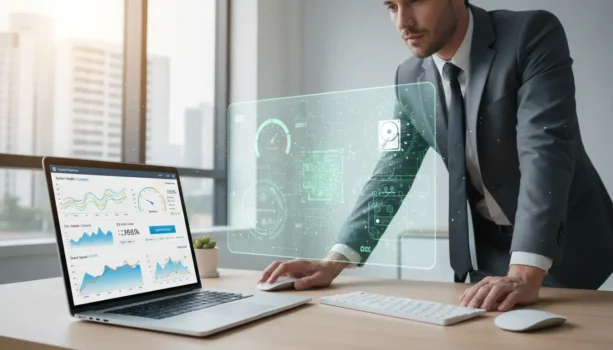
Ever thought that a tool meant to speed up your PC could actually slow it down? Many people find themselves in this confusing spot. They think a pc optimizer will fix their slow PC, but it ends up making it worse. With technology changing fast, old or bad apps can’t keep up, slowing down your system.
This article will help you fix these problems. We’ll show you how to make your Windows 10 and 11 PCs run faster and safer.
Key Takeaways
- Understand the dual-edged nature of pc optimizers.
- Recognize signs that indicate a slow PC.
- Learn essential steps to fix slow PC issues.
- Explore methods to enhance your system’s speed safely.
- Uncover the impact of system bloatware on performance.
Understanding the Impact of PC Optimizers on Performance

PC optimizers are key for those wanting a faster computer. They clean up files and tweak settings to make your PC run better. But, not all optimizers work as promised. Knowing how they work helps users pick the best one.
What is a PC Optimizer?
A PC optimizer is software that makes your computer run smoother. It gets rid of unnecessary files and controls startup programs. It aims to make your PC faster and more efficient.
How PC Optimizers Can Slow Down Your System
Some PC optimizers can actually slow down your computer. They might use too many resources or clash with other programs. Installing the wrong software can also introduce malware, making things worse.
Common Signs That Your PC is Running Slow
There are clear signs your PC might be slow. Look out for:
- Delayed boot times
- Lagging applications
- Extended loading periods
- An increase in background processes consuming system resources
Watching how your system behaves can help you catch problems early. Choosing the right software to speed up your PC is crucial for a smooth experience.
PC Optimizer Made My PC Slow: Steps to Fix It

If a PC optimizer has made your system slow, there are steps to fix it. You can make your PC fast and efficient again. Follow these tips to improve your PC’s performance.
Uninstalling Unnecessary Software and Bloatware
Bloatware can slow down your PC. Go to Programs & Features to find and remove it. This will make your system run better.
Limiting Startup Processes to Enhance Speed
Startup processes affect how fast your PC starts. Use the Task Manager to control what starts up. This will make your PC start faster.
Running Disk Cleanup for Improved Performance
The Disk Cleanup tool in Windows is key. It removes temporary files and internet caches. Regular use of this tool keeps your system running well.
Checking and Removing Malware
Malletware can slow down your PC. It’s important to scan for malware often. Use tools like Windows Defender or other trusted programs to keep your PC safe.
Conclusion
While a PC optimizer can boost performance, choosing the wrong one can slow your PC down. Many users end up frustrated because their PC becomes slow. It’s important to pick the best PC optimizer for your needs.
By uninstalling unused programs and running disk cleanup, you can make your PC faster. These steps help keep your system running smoothly. This way, you can keep your computer at its best.
Keeping an eye on your system’s health is key. Regular checks and updates help keep your PC running well. By following these tips, you can control your computer’s speed and avoid problems with bad software.
If you want a safer way to improve speed without breaking Windows settings, browse our trusted System Optimization tools.
FAQs
What are the best PC optimizers available?
Top PC optimizers include CCleaner, Advanced SystemCare, and Auslogics BoostSpeed. They clean up files, manage startup items, and tune settings.
Can a PC speed optimizer really improve my system’s performance?
Yes, a good optimizer can make your system faster. It removes clutter, manages resources, and optimizes settings. But, pick software with good reviews to avoid problems.
What should I do if my PC is still slow after using an optimizer?
If your PC is still slow, check for malware and remove unused software. Also, manage startup processes and run Windows’ Disk Cleanup tool.
How can I fix a slow PC without third-party software?
Speed up your PC by managing startup programs in Task Manager. Use the Disk Cleanup tool and scan for malware with Windows Defender.
Is it safe to use PC tune-up software?
Many tune-up software options are safe. But, use well-known brands to avoid problems like bloatware or malware.
How often should I run a PC performance optimizer?
Run a PC optimizer every few months or when performance drops. Regularly check how your system is doing.
What are some common signs that my PC is running slowly?
Signs include long boot times, slow apps, and delayed responses. These often mean your system is using too many resources or is cluttered.
Further Reading
Further Reading
If your PC became slower after using cleanup or optimizer tools, these related guides explain safer troubleshooting and Windows optimization.
- Windows Cleanup vs PC Optimizers: Which Is Best for You?
- Best PC Optimization Software in Pakistan 2026
- Common Mistakes When Using PC Optimizers in 2026
- Best Driver Updater Software for Windows in Pakistan 2026
- Is Updating Drivers Safe? Tips for Your Laptop in Pakistan
For more insights, explore our Utilities & Optimization blog category.