Abdul Basit
YouTube video downloader for Mac in Pakistan matters when your internet is slow, a class lecture is due, or you want to save a video for offline viewing on your Mac.
Many Macbook users try random online websites or “free” apps to download videos and music, then face pop-ups, broken downloads, low-quality files, or risky installers that can harm their system.
This guide shows a simple, safer method using EaseUS Video Downloader for Mac, so you can download a YouTube video to your Mac without relying on unstable web tools.
Quick Answer: YouTube Video Downloader for Mac in Pakistan
EaseUS Video Downloader for Mac is a desktop app that can download YouTube videos and save them offline on your Mac (Youtube tools). It is often more reliable than online websites that stop working or push unsafe ads. Use it for personal offline viewing and avoid unknown download sites to keep your Mac secure.
Buy the Official Version in Pakistan: EaseUS Video Downloader
Why Downloading YouTube Videos on Mac Is So Frustrating
Downloading YouTube videos on a Mac is not as simple as it sounds. Most browsers, including Safari and Chrome, do not allow direct video downloads from YouTube.
Many online websites claim to download videos easily, but they often stop working, add heavy ads, or fail on longer videos. Some websites also redirect users to unrelated pages, which creates confusion and security concerns.
Mac users also face issues with random apps that ask for full system access or fail to install correctly on newer macOS versions. These problems make downloading videos unreliable unless you use a stable desktop tool designed for macOS.
For Pakistani Mac users, online download sites can feel unreliable on slow or unstable internet. A desktop tool like EaseUS Video Downloader for Mac is often more consistent than a web-based downloader because it does not depend on an ad-heavy browser page staying open the whole time. If your connection drops, you may still need to retry, but desktop apps usually handle longer downloads more smoothly than random online tools.
What to Check Before You Download Videos
Before you download any YouTube video on your Mac, take a minute to check a few basics. This helps you avoid unsafe websites, broken downloads, and apps that cause problems later.
A simple rule is: use a trusted desktop app, make sure it supports your macOS version, and download only for personal offline viewing where allowed.
1) Avoid Unsafe Tools
Most “free online downloaders” are full of pop-ups, redirects, fake buttons, and risky add-ons. Some push malware or try to collect data, and many stop working without warning.
EaseUS tip: A desktop tool is usually safer than random web download sites because you install it once and avoid daily pop-up traps.
2) Check macOS Compatibility
Many Mac tools fail because they do not clearly support your macOS version. This is common for users running older macOS versions, where some apps refuse to install or crash.
EaseUS tip: Check the official system requirements before buying or installing. EaseUS Video Downloader for Mac supports macOS 10.13+ (confirm the latest requirements on the vendor site).
3) Watch Out for “Region” or Availability Issues
Sometimes a video may not play or be available in a certain country due to the uploader’s settings or platform restrictions. In that case, any downloader may also fail because the content itself is not accessible.
EaseUS tip: First confirm the video plays normally in your browser. If it does not play, the issue is the content’s availability, not the downloader.
4) Stick to Legal, Personal Offline Use
Download only for personal offline viewing and respect content rights. This is especially important for lectures, tutorials, and other educational clips. For the official platform rules, see YouTube’s Terms of Service.
BreTech note: If you are unsure, treat downloads as “personal reference only” and avoid re-uploading or sharing.
If you want, I can also rewrite the “EaseUS Fix” lines so they stay clean and safe (no strong claims like “no geo-blocks” or “doesn’t collect history”) while still sounding convincing.
EaseUS Video Downloader for Mac (What It Does)

EaseUS Video Downloader for Mac is a desktop app that helps you download YouTube videos and save them directly on your Mac for offline viewing. Instead of relying on an online website that may stop working, you use a tool installed on your system.
It is useful when you want to save a video before travel, keep a class lecture for later, or download media for reference when your internet is unstable. You simply copy the YouTube video link and let the app handle the download.
Because it is a Mac-focused app, it fits better with macOS security than random “free downloader” files found on the web. For most users, this is the safer and more consistent way to download videos on a Mac.
How to Download a YouTube Video on Mac Using EaseUS
First, download and install EaseUS Video Downloader on your Mac like a normal software app. Once installed, open it and make sure your internet connection is stable before starting.
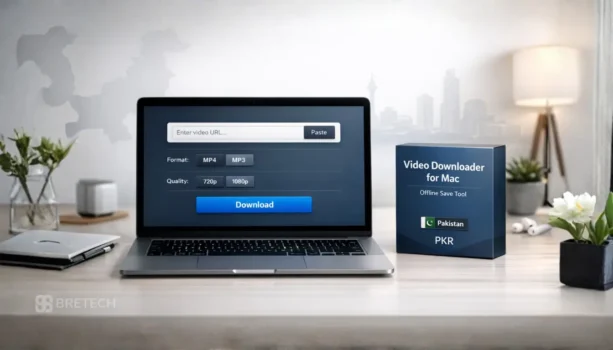
Next, open YouTube and paste the URL of the video you want to save. Paste the link into EaseUS and wait a moment for the video details to load with its highest quality available.
After that, choose your download option. Select MP4 if you want the full video, or choose audio (MP3) if you only need sound. You can also pick the resolution, such as 1080p or 4K, even 8K, depending on your storage and internet speed.
Finally, click the download button to start. When the process finishes, the video is saved on your Mac and can be watched later without internet access.
Online Websites vs Desktop Tools on Mac (What Works Better)
Online video downloader websites can look easy at first, but they often fail on Mac. Many of them stop working without warning, show too many ads, or struggle with longer videos and higher quality downloads.
A desktop tool is usually more stable because it runs on your Mac and does not depend on a single website staying active. It also feels clearer for beginners because you follow the same steps each time: copy the video URL, paste it, choose the download option, and save.
If your main goal is to download YouTube videos on a Mac without confusion, a proper desktop app is the safer choice compared to random online sites that can waste time or lead you to risky pages.
Common Problems on Mac and Easy Fixes
Sometimes a YouTube link does not start downloading right away, even when the steps are correct. In most cases, the issue is small and can be fixed quickly.
If the video URL is not detected, copy the link again from the address bar and paste it fresh. Make sure the link is the full YouTube URL, not a shortened or incomplete one.
If downloading is slow, check your internet connection and pause other heavy downloads on the same Wi-Fi. Large videos and higher quality downloads take more time, so a stable connection matters.
If you cannot find the saved file, open the app’s download list and use the “open folder” option to see where the video is saved on your Mac. This avoids searching across random folders.
If the app feels stuck or does not respond, close it and open it again once. A quick restart fixes many small loading issues on macOS.
Who This Is Useful For in Pakistan
This setup is useful for students who want to save class lectures and watch them later without depending on constant internet access. It also helps when a teacher shares a long video and your connection drops in the middle.
Creators and editors can save reference clips for learning or planning a tutorial, especially when they need the same video again and again for practice. Freelancers can also keep media clips ready for work when load-shedding or weak Wi-Fi makes streaming unreliable.
It is also a practical option for home users who want to keep important videos for offline viewing while travelling, or when they need to download a video once and watch later without buffering on a Mac.
Mac vs Phone: What This Guide Covers (and What It Does Not)
This guide is focused only on downloading YouTube videos on a Mac using a desktop tool. The steps, tips, and examples here are written for macOS users who want to save videos locally on their computer.
Downloading videos directly on a phone works differently and often depends on mobile apps or built-in platform features. Those methods can change often and may not offer the same control over video quality or file storage.
If your main need is to download and store videos safely on a Mac for offline viewing, this guide covers the right approach. Phone-based downloading is a separate topic and should be handled with tools designed specifically for mobile use.
Buy EaseUS Video Downloader for Mac in Pakistan
If you want a stable way to download YouTube videos on your Mac, it is better to use a licensed version instead of relying on random online websites. A paid license is also more suitable when you need regular downloading and do not want sudden limits or failed downloads.
BreTech can help you purchase EaseUS Video Downloader in Pakistan with PKR guidance, local payment options, and digital email delivery. If you are unsure which option fits your need, share your use case and we can guide you before you buy.
- Ready to download on Mac? View EaseUS Video Downloader
- Browse similar tools in Download Managers
- See more options on EaseUS Software in Pakistan
Why Buy EaseUS from BreTech (Pakistan):
✅ PKR Pricing & Local Payments (JazzCash/Easypaisa/Mobile Banking)
✅ Instant Official Activation (no waiting for international verification)
✅ Local WhatsApp Support (9 AM-10 PM PKT, 7 days a week)
✅ 30-Day Money-Back Guarantee (for Pakistani users only)
Conclusion: The Simple Mac Method That Works
Downloading YouTube videos on a Mac can feel confusing when online websites stop working, downloads fail, or random apps create risk. The safest approach is to use one reliable desktop tool and follow a straightforward process every time.
EaseUS Video Downloader for Mac gives you a clear way to copy a video URL, choose a download option, and save the video on your Mac for offline viewing. If you want fewer errors and less confusion, this method is the better long-term choice for Mac users in Pakistan.
FAQs
Q: Does EaseUS Video Downloader work on Mac?
A: Yes. EaseUS Video Downloader has a macOS app, so you can paste a YouTube video URL and save the file on your Mac for offline viewing, instead of relying on unstable online websites.
Q: Can I download YouTube videos in MP4 on Mac?
A: Yes. You can usually choose MP4 as the video format, which is easy to play on macOS. Copy the YouTube link, paste it in the app, pick MP4, then start the download.
Q: Can I download only audio (MP3) from a YouTube video?
A: Yes. If you only need sound, select an audio option and save as MP3. This is useful for lectures, talks, or voice content when you do not need the full video file.
Q: Can I choose video quality like 1080p or 4K?
A: In many cases, yes. The quality options you see depend on the original YouTube upload. Higher resolution files are larger, so you may need more storage and a stable internet connection.
Q: Where are downloaded videos saved on Mac?
A: Downloads appear in the app’s completed list, and you can open the saved folder from inside the app to find the exact location. This avoids searching through multiple Mac folders.
Q: Why do online downloader websites stop working on Mac?
A: Many online tools get blocked, change often, or break on longer videos. They may also show risky ads or redirects. A desktop tool is usually more consistent for repeat downloads.
Q: Is it legal to download YouTube videos?
A: It can be restricted by platform rules and copyright law. The safest approach is personal offline viewing and saving only content you have permission to download, especially for work or sharing.
Further Reading
- IDM Not Downloading YouTube Videos
- Best Video Downloader for PC in Pakistan
- Best Facebook Video Downloader in Pakistan
- Best YouTube Video Downloader for Pakistan
- IDM Cannot Download This Protected Stream
Learn practical workflows for PC users and small teams in Pakistan inside our Utilities & Optimization Guides.