
Video Editing Software Price in Pakistan: buy genuine editors with PKR pricing, local payments, and 1–72h email delivery plus BreTech support for YouTube reels.
Showing 1–12 of 20 results

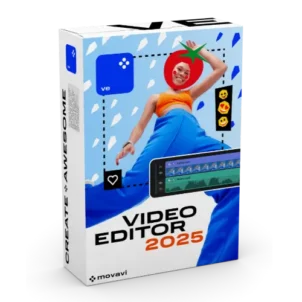
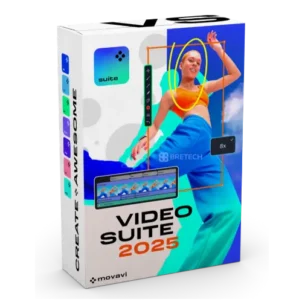

Video Editing Software in Pakistan – Price in PKR, Genuine License & Activation
Video editing software helps you create clean videos for YouTube, TikTok, courses, ads, and business work. You can cut clips, add titles, captions, transitions, and export in the right format for each platform.
Wrong apps and cracked editors can waste time and break projects. They may crash during export, add watermarks, or miss key features you need. Unsafe copies can also create privacy and malware risks.
BreTech is an authorized reseller with video editing software price in Pakistan (PKR), fast email delivery on most orders, local payment options, and local support. You get a genuine official license and activation key, plus setup and activation help. Trials can help you test the interface, but they may have watermarks, time limits, reminders, or locked features.
Match Your Problem to the Right Solution
| Your situation | Best match to look for |
|---|---|
| You need faster captions and quick social edits | AI-powered editor with auto captions and smart tools |
| You want full timeline control for longer videos | All-in-one editor with multi-track timeline tools |
| You create tutorials and training content | Editor with clear titles, callouts, and stable export |
| You work on a mid-range PC and want fewer crashes | Lightweight editor with smooth preview and simple workflow |
| You want to compare before you buy | PKR pricing, license terms, and feature fit on product pages |
Compare Video Editing Options in Pakistan
Before you buy video editing software in Pakistan, compare these points so you choose the right type and avoid the wrong tool.
- Editing style: template-first speed vs full timeline control
- Captions and subtitles: automatic captions vs manual editing tools
- Audio tools: noise removal, voice clarity, and simple mixing
- Effects and templates: transitions, titles, and social-ready presets
- Export needs: 1080p/4K options, format support, and platform presets
- Updates and support: genuine software with vendor updates and activation help
How to Choose the Right Video Editing Software
- Students: pick an easy editor for assignments, reels, and class projects with simple export.
- YouTubers: choose strong captions, audio cleanup, and stable exports for weekly uploads.
- Freelancers: prefer reliable exports, templates, and quick turnaround tools for clients.
- Small businesses: look for brand-friendly titles, intro templates, and repeatable workflows.
- Teams and agencies: choose suites that support repeat projects and consistent output settings.
Video Editing Options Available at BreTech
Use these scenarios to choose the right direction before you purchase.
- Shorts and Reels: AI captions + quick trimming helps you publish faster.
- Tutorials and screen-based videos: strong titles, callouts, and clean audio matter most.
- Client projects: stable export, clear licensing, and updates reduce delivery issues.
- Older PCs: lighter editors with simple effects often feel smoother than heavy suites.
- Multi-platform posting: look for easy resizing and platform export presets.
Why Buy from BreTech
- Official licenses: genuine, vendor-verified activation keys
- Price in Pakistan: PKR pricing so you can compare and budget
- Fast email delivery: on most orders
- Local support: help with choosing, setup, and activation
- Safer buying: avoid cracked tools and unstable copies
- For teams: bulk and invoice support when you need multiple licenses
“I compared the options in PKR and picked the right editor for my laptop. The key arrived by email and support helped me activate without confusion.”
Our Featured Video Editing Tools
AI Video Makers and Script-to-Video Tools
Best for fast content production, presenter-style videos, templates, and script-to-video workflows.
- Vidnoz AI Starter Plan: Create presenter-style videos from scripts using templates and simple AI workflows.
- Vidnoz AI Business Plan: Higher-capacity plan for teams producing videos more regularly.
- Wondershare Virbo: Script-to-video tool for presenter videos, training, and explainers with editable scenes.
- FlexClip Plus Plan: Online editor for quick Shorts, Reels, promos, and template-based videos.
- FlexClip Business Plan: Team plan for faster content output, shared projects, and brand workflows.
Desktop Video Editors
Best for timeline editing, long videos, tutorials, YouTube uploads, and stable exports.
- Wondershare Filmora: Full editor for YouTube and social content with a simple timeline and modern effects.
- Movavi Video Editor Plus: Easy timeline editor for clean cuts, titles, transitions, and quick exports.
- Movavi Video Editor Business: Business-ready edition for office and commercial video workflows.
- MiniTool MovieMaker Pro: Simple Windows editor for trimming, merging, titles, and offline MP4 export.
- Ashampoo Movie Studio Pro: Multi-track editor for longer projects and more control over timeline work.
- EaseUS Video Editor: Basic editor for simple cuts, merges, and everyday video tasks.
Video Suites and Bundles
Best for creators who want editing plus extra tools in one package.
- Movavi Video Suite: Suite that combines editing with extra tools for a complete workflow.
- Movavi Video Suite Plus: Expanded suite option for users who want more features in one setup.
- Movavi Video Suite Business: Business suite for teams and office use cases.
- Movavi Unlimited: Bundle-style access for creators who want a wider set of tools.
- Movavi Unlimited Business: Business bundle for repeat workflows and multi-user needs.
Subtitles, Audio Cleanup, and Finishing
- EaseUS VideoKit: Helper toolkit for subtitle work, audio cleanup, and preparing videos for upload.
Open a product to view features, OS support, and activation details.
Explore More Video Tools
- Video Converter & Burning: Fix formats, compress files, and handle tricky imports.
- Assets & Effects: Titles, LUTs, and visual packs for branding.
- Video Enhancer & Upscaler: Improve older footage and upscale when needed.
- Screen Recorder: Record tutorials, meetings, and online classes.
- Slideshow Makers: Turn photos into video stories fast.
- Video Watermark Tools: Protect your brand on shared clips.
Learn More
Read our Video Editing Guides before you buy.
- Best AI Video Editors in Pakistan
- Best Video Editing Software in Pakistan
- Best Business Video Editing Tools in Pakistan
- Best Video Editing Software for Vlogging in Pakistan
- Filmora vs Movavi in Pakistan: Best Choice for Beginners
For more helpful guides by topic, visit Design & Multimedia Guides.
FAQs
Which video editing software is best for beginners on PC in Pakistan?
For beginners, choose an editor with a simple timeline, built-in templates, and easy export presets. Filmora and Movavi Video Editor Plus are popular because they’re easier to learn and export reliably.
What is the difference between basic and professional video editing software?
Basic editors cover trimming, text, music, and simple effects. Professional tools add multi-track workflows, stronger colour controls, advanced audio tools, and keyframes/motion features.
Which editor is better for Shorts and Reels?
Pick a tool with templates, auto-captions, and 9:16 presets. Filmora and Movavi are strong choices for quick social exports and faster turnaround.
Can I add Urdu subtitles and captions?
Yes. Most editors support SRT import, custom fonts, and manual caption typing on the timeline, so you can create Urdu or bilingual subtitles.
Do video editor trials add a watermark?
Many trials export with a watermark or have limits (time, reminders, locked export settings). A genuine activated license usually removes watermarks and unlocks full export options.
Are free video editors enough, or do I need paid software?
Free editors can work, but they often need stronger PCs and more learning time. Paid editors are usually easier to set up, more stable for exports, and better for deadlines and client work.
Can a mid-range PC in Pakistan handle 4K video editing?
Yes for light 4K, but it may be slower. Use proxy media, lower preview quality, and keep effects simple. For smoother work, 16GB RAM helps.
Will these tools run on older laptops?
Many editors can run on 8GB RAM for 720p/1080p work if you avoid heavy effects and close background apps. For large projects, a stronger PC is better.
Can I import phone footage like HEVC or MOV?
Usually yes, but codec support depends on Windows and the editor. If footage won’t import, convert it to MP4 (H.264) first using Video Converter & Burning tools.
How fast is license delivery, and do you help with activation?
BreTech delivers by email on most orders within 1–72 business hours. If you need help, BreTech support can guide you with activation and first setup.
Is the license genuine and safe (not cracked)?
Yes—buying from an authorized reseller gives you a genuine official license key, safer installation, and proper updates. Avoid cracked tools due to crashes, watermarks, and malware risks.
How do I choose the right editor for my work?
Shorts/Reels: auto-captions + templates. YouTube & long videos: multi-track timeline + stable export. Tutorials/training: clear titles/callouts + clean audio. Older PCs: lightweight editor + simple effects.
Start Editing Today
Order your genuine license and create polished videos with trusted local support in Pakistan.
Disclaimer
Features, editions, and pricing can change. Please confirm the latest details on the product page before ordering. Check the official vendor website for the latest features, editions, system requirements, and updates.