
File & Drive Recovery Software in Pakistan helps you recover deleted or formatted data from HDD, SSD, USB, and memory cards, compare price in Pakistan, and buy an official license with PKR pricing and fast email delivery on most orders.
Showing 1–12 of 26 results
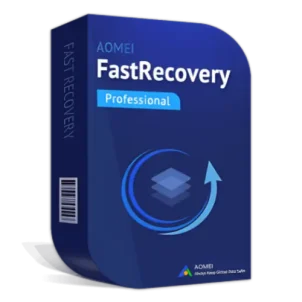
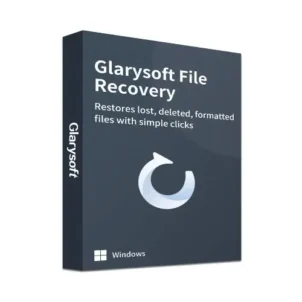
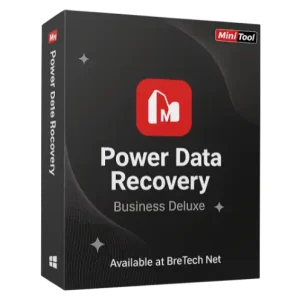
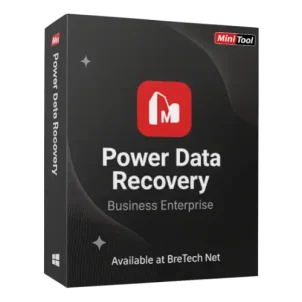
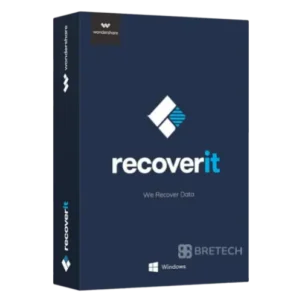
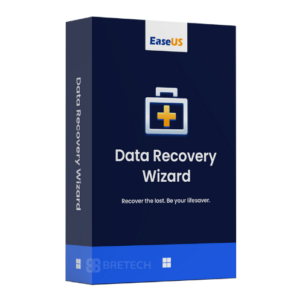
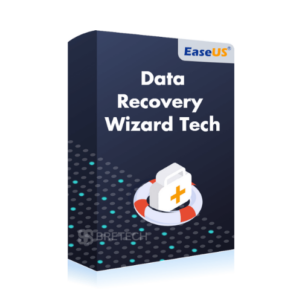
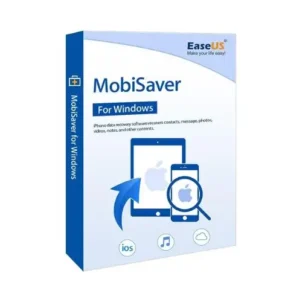
Compare File & Drive Recovery Software and Licences in Pakistan
When files disappear after deletion, formatting, or a partition problem, the safest approach is to use a recovery solution that can scan the drive properly without overwriting recoverable data. File and drive recovery software can help restore documents, photos, videos, and folders from HDDs, SSDs, USB drives, memory cards, and external drives when the device is still detectable by your system.
Many recovery attempts fail because people install random tools, keep using the same drive, or try risky fixes too early. Deep scans can take time, and the wrong method can reduce recovery chances by writing new data over the files you want back.
BreTech is an authorised reseller offering official licences with PKR pricing, fast digital delivery on most orders, local payment options, and help with activation. Trial editions can be useful for checking scan results, but many of them limit saving, lock key features, or restrict recovery based on the edition.
Browse Recovery Tools by Type
- Data Recovery: Visit the main hub to compare file, photo, email, database, and password recovery products.
- Windows Data Recovery: Recover deleted or formatted files from Windows PCs, internal drives, and external storage.
- Mac Data Recovery: Recover files from Mac systems after deletion, formatting, or drive-related issues.
- Mobile Data Recovery: Recover phone data where supported, including internal storage and memory card files, depending on compatibility.
Match Your Problem to the Right Solution
| Your situation | Best match to look for | Why it helps |
|---|---|---|
| Deleted a folder or emptied Recycle Bin | Deleted file recovery + deep scan | Finds recoverable data that is no longer visible in Windows |
| Drive shows RAW or asks to format | RAW drive scan + file copy-out | Helps recover files before any format or repair attempt |
| Lost partition or missing drive letter | Partition recovery + scan by volume | Can locate the old volume and recover folders |
| External drive is unreadable | Read-only scan + safe save-to-other-drive | Reduces mistakes and avoids overwriting recovered data |
| Disk is clicking or very slow | Disk image support + scan the image | Reduces stress on the failing drive during recovery |
Compare Recovery Tools and Licences in Pakistan
Before you buy, compare how each tool handles your exact problem and storage type.
- Scan modes: quick scan vs deep scan, and how long large drives may take
- File support: office files, photos, videos, and preview options
- Partition features: lost partition search, RAW detection, and volume scanning
- Safe workflow: saving recovered files to a different drive to avoid overwrite
- Licensing and support: official licence, activation, updates, and renewal choices
- Price in Pakistan: compare PKR pricing across brands before purchase
If you want to explore the full recovery hub and then move into the right subcategory, start here: Data Recovery.
You may also want to compare these related recovery categories:
- Email Recovery: Repair and export PST, OST, and EDB mailbox files.
- Photo Recovery: Recover JPEG, RAW, and camera card media after deletion or formatting.
- Password Recovery: Regain access to locked Office, PDF, ZIP, and Windows files.
- Database Recovery: Repair damaged SQL, Access, MySQL, and other business database files.
Choose the category that matches your file type first, then compare the tools or editions inside it. This helps you avoid paying for features you do not need and keeps recovery focused on the right problem.
How to Choose the Right Recovery Tool
- Students: choose an easy tool for USB folders, assignments, and laptop drives.
- Freelancers: prefer strong preview and deep scan features for project folders and client data.
- SMEs: choose a reliable solution with clear steps to reduce downtime.
- IT and helpdesk teams: look for disk imaging support and wider drive coverage.
- Studios and creators: focus on memory card recovery and support for RAW file formats.
Recovery Options Available at BreTech
For everyday PC users, a standard file recovery tool is usually enough for deleted folders and formatted USB drives.
For offices and small businesses, choose a product that can handle partitions and external drives, so you can recover data without risky quick fixes.
For advanced cases, use an option that supports disk imaging first and then scans the image. This is safer when a drive is unstable or very slow.
Why Buy from BreTech
Choose BreTech when you want a genuine licence, clear PKR pricing, and help if activation or renewal becomes confusing.
- Official licences and genuine activation keys
- PKR pricing for easier budgeting
- Fast digital email delivery on most orders
- Local guidance for setup and activation
- Help with renewals, updates, and upgrade choices
- Invoice or bulk support when your team needs multiple licences
If you are buying for a home PC, office team, or IT use, BreTech can help you choose the right edition and complete activation without guesswork.
“Recovered my work folders from a RAW external drive the same day. Support explained the safe steps and activation was smooth.” — Saad, Rawalpindi
Shop Recovery Brands
Use these brand hubs to compare recovery tools, then choose the licence that fits your case.
- Stellar: Recovery and repair tools for drives, email, and business files.
- EaseUS: Popular recovery tools for home users and office PCs.
- AOMEI: Backup and disk utilities that support safer recovery workflows.
- Ashampoo: Practical PC utilities for storage and file management.
- Wondershare: Recovery and repair tools for common data-loss situations.
Pick the brand that matches your case, then purchase the right edition for safe recovery and better results.
Learn More About Data Recovery Software
- Best Data Recovery Software in Pakistan
- Affordable Data Recovery Software in Pakistan
- EaseUS Data Recovery Wizard Price in Pakistan
- Best Data Recovery Software for Mac Pakistan
- Best Mobile Data Recovery Software Pakistan
Browse more step-by-step help in Data Recovery Guides before you choose a tool.
Buy File & Drive Recovery Software in Pakistan
Choose your case first — deleted files, RAW drive, lost partition, or formatted storage — then buy the right official licence for safer recovery and dependable results.
Disclaimer
Features, editions, pricing, and system requirements can change. Please confirm the latest details on the product page before ordering. For the newest compatibility information and updates, also check the official vendor website.