
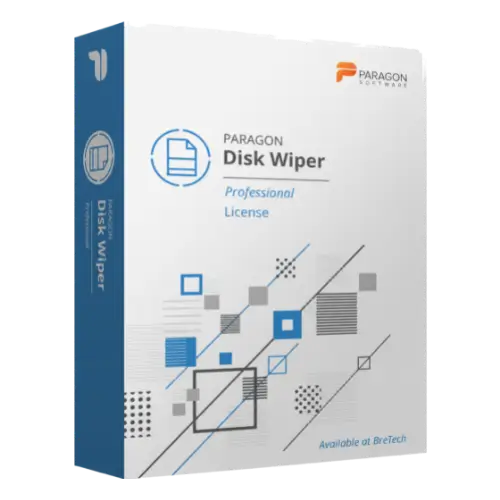
Paragon Disk Wiper
Buy Paragon Disk Wiper in Pakistan for secure data erasure, disk wiping, SSD wiping, and free-space cleaning on supported storage devices.
- Genuine Paragon licence
- For business disk wiping
- Helps erase drives, partitions, and free space where supported
- PKR pricing and local payments
- Digital delivery, activation help, and invoice support
Paragon Disk Wiper License in Pakistan
Need to erase sensitive business data before selling, reusing, repairing, or disposing of old drives? Paragon Disk Wiper helps businesses securely wipe supported storage devices, partitions, and free space where the selected option supports it.
It is useful for IT teams, repair centers, offices, and organizations that handle business data on HDDs, SSDs, NVMe drives, partitions, or external storage.
BreTech helps Pakistan buyers buy a genuine Paragon software license with PKR pricing, local payment options, digital delivery, activation help, and invoice support where needed.
Use this software only on drives, systems, and data you own, manage, or have proper permission to erase.
Need help choosing the right Paragon option? Browse all Paragon products or view related Disk & System Imaging Software.
How Paragon Disk Wiper Helps You
Normal deletion or formatting may leave recoverable data on a storage device. Paragon Disk Wiper helps businesses reduce that risk by wiping supported drives, partitions, or unused free space with selected wiping methods.
This can help when a company wants to reuse old office drives, assign devices to new staff, dispose of storage media, sell old hardware, or remove leftover deleted file traces from free space.
Because disk wiping is destructive, always check the selected drive carefully and keep a backup of any data you still need.
Key Features and Benefits
- Secure Data Erasure: Helps erase supported data from storage media before reuse, resale, reassignment, or disposal.
- HDD, SSD, and NVMe Support: Supports wiping tasks for different storage types where the selected option and hardware allow it.
- SSD Secure Erase: Helps erase supported SSDs and NVMe drives using methods designed for compatible solid-state storage.
- Free Space Cleaning: Helps remove remnants of previously deleted files from unused space where supported.
- Disk and Partition Wiping: Wipe selected partitions or full supported drives based on the task.
- Wiping Methods: Includes vendor-supported wiping methods, with options depending on the selected product version.
- Operation Logs: Keep wiping records for internal tracking and business documentation.
- Recovery Media Builder: Create bootable media for wiping tasks when normal Windows access is not enough.
- Power Shield Protection: Helps resume supported wiping operations after power interruption where available.
- Business Data Sanitization: Useful for offices, IT departments, repair centers, and organizations handling sensitive storage devices.
Safe Use and Wiping Guidance
Before buying or using Paragon Disk Wiper, check your selected license option, supported storage devices, operating system, and required wiping method.
Disk wiping can permanently remove selected data when used correctly. Before running a wipe task, your IT team should check:
- Correct drive or partition selection
- Backup of important files
- Storage type, such as HDD, SSD, or NVMe
- Supported wipe method
- Bootable media needs
- Internal documentation requirements
- Whether free space cleaning or full drive wiping is required
Important: SSD and NVMe behavior can depend on the drive model, firmware, controller, and supported secure erase method. Always verify compatibility before wiping important business storage.
Common Buyer Situations
Paragon Disk Wiper may be useful when:
- A business wants to erase old office drives before disposal.
- An IT team needs to wipe SSDs or NVMe drives before reassignment.
- A repair center wants to remove customer or company data safely.
- A company wants wiping records for internal documentation.
- A user wants to clean free space after deleting sensitive files.
Why Buy from BreTech
BreTech helps Pakistan buyers purchase genuine software licenses with local support before and after the order.
You can contact BreTech for:
- Genuine Paragon software license availability
- Current PKR price
- Local payment guidance
- Digital delivery details
- Basic activation help
- Business invoice support
- Edition and compatibility guidance before purchase
Learn Before You Buy
- Which Paragon Software Do You Need?
- Best Data Privacy Software for Windows Pakistan
- Disk Health Checker Tools in Pakistan
FAQs
Q: What is Paragon Disk Wiper used for?
A: It is used to securely wipe supported storage devices, partitions, and free space before reuse, resale, reassignment, or disposal.
Q: What is the Paragon Disk Wiper price in Pakistan?
A: The price depends on the selected license option and current availability. Contact BreTech for the latest PKR price.
Q: Does it wipe SSD and NVMe drives?
A: It supports SSD and NVMe wiping where compatible. Final support depends on the selected option, drive model, firmware, and system setup.
Q: Can it clean free space only?
A: Yes. It can clean free space and remove remnants of previously deleted files where the selected option and storage setup support it.
Q: Can BreTech help with activation?
A: Yes. BreTech can provide basic activation guidance after purchase. Wiping setup, boot media use, and data sanitization planning may require your IT administrator.
Check Price and Disk Wiper License Availability
Choose Paragon Disk Wiper from BreTech if your business needs a genuine disk wiping license for secure data erasure on supported storage devices.
For current PKR price, license availability, business use needs, invoice support, and compatibility guidance, contact BreTech before ordering.
Important Note
Features, editions, pricing, license terms, system requirements, supported storage devices, wiping methods, recovery media options, and wiping results can change. Always check the selected product option before purchase.

There are no reviews yet.