
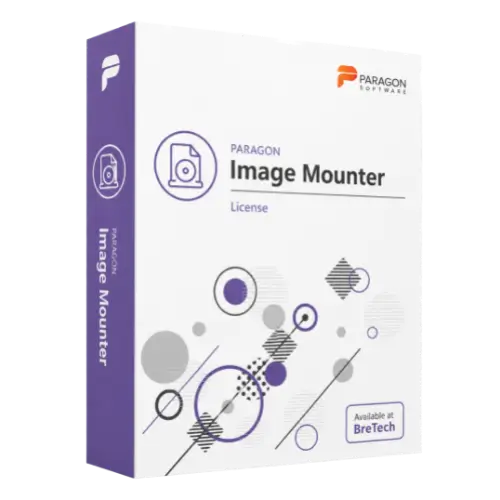
Paragon Image Mounter
Buy Paragon Image Mounter license in Pakistan for mounting RAW images and virtual disk images for IT, forensic, and technical data access tasks.
- Genuine Paragon license
- For image mounting and data review
- Helps mount RAW, VMDK, VDI, VHD, pVHD, and VHDX where supported
- PKR pricing and local payments
- Digital delivery, activation help, and invoice support
Paragon Image Mounter License in Pakistan
Need to open RAW disk images or virtual disk images without restoring the full image to a physical drive? Paragon Image Mounter helps IT professionals, technicians, and forensic users mount supported image files for data access, review, and controlled inspection.
It is useful when you need to browse partitions, check files, review backup images, inspect virtual disks, or access supported storage image content in a Windows-based workflow.
BreTech helps Pakistan buyers buy a genuine Paragon software license with PKR pricing, local payment options, digital delivery, activation help, and invoice support where needed.
Use this software only on image files, systems, and data you own, manage, or have proper permission to access.
Need help choosing the right Paragon option? Browse all Paragon products or view related Disk & System Imaging Software.
How Paragon Image Mounter Helps You
Paragon Image Mounter is useful when you need to access the content of a disk image without writing it back to a physical drive.
It helps technical users mount supported RAW images and virtual disk image formats, browse available partitions, and access data through a more familiar operating system workflow.
This can help with backup review, image inspection, file access, virtual disk checking, and authorized forensic or technical review.
Key Features and Benefits
- RAW Image Mounting: Mount supported RAW disk images for data review and technical inspection.
- Virtual Disk Image Support: Work with supported virtual disk formats such as VMDK, VDI, VHD, pVHD, and VHDX where available.
- Physical-Level Mounting: Mount disks at the physical level, including available partitions where supported.
- Automatic Partition Mounting: Automatically mount known partition formats where the operating system and drivers support them.
- Read-Only Mode: Mount images in read-only mode to help protect source data during review.
- Read-Write Mode: Use read-write access where supported and suitable for the task.
- Cross-Platform File System Access: Access supported Linux, HFS+, and APFS-formatted data in Windows workflows where required drivers and compatibility are available.
- Standard OS Access: Use familiar operating system tools to browse mounted disks in supported formats.
- Easy Unmounting: Unmount mounted images or partitions when the review task is complete.
- IT and Forensic Workflow Support: Useful for backup review, image inspection, file access, and authorized storage analysis.
Compatibility and Safe Use Guidance
Before buying, check the selected license option, supported operating system, image formats, file system support, and read-only or read-write requirements.
Paragon Image Mounter may be useful for technical and forensic workflows, but it should be used carefully. Your team should confirm:
- Image format support
- File system support
- Read-only or read-write mode needs
- Windows version compatibility
- Required Paragon file system drivers
- Source image handling process
- Chain-of-custody or internal documentation needs, if used for forensic work
For forensic or investigation-related work, use the software only with proper authorization and follow your organization’s evidence handling process.
Common Buyer Situations
Paragon Image Mounter may be useful when:
- A forensic user needs to mount a RAW disk image for authorized review.
- An IT technician wants to open a VHD, VHDX, VMDK, VDI, or pVHD image.
- A business needs to inspect backup or virtual disk images without full restoration.
- A technical team wants read-only access to help protect source image data.
- A user needs to access supported Linux, HFS+, or APFS-formatted data in a Windows-based workflow.
Why Buy from BreTech
BreTech helps Pakistan buyers purchase genuine software licenses with local support before and after the order.
You can contact BreTech for:
- Genuine Paragon software license availability
- Current PKR price
- Local payment guidance
- Digital delivery details
- Basic activation help
- Business invoice support
- Edition and compatibility guidance before purchase
Learn Before You Buy
- Which Paragon Software Do You Need?
- Digital Forensics Tools Pakistan
- File Backup vs System Image Backup in Pakistan
FAQs
Q: What is Paragon Image Mounter used for?
A: It is used to mount supported RAW images and virtual disk images so users can access, review, and inspect data without restoring the full image.
Q: What is the Paragon Image Mounter price in Pakistan?
A: The price depends on the selected license option and current availability. Contact BreTech for the latest PKR price.
Q: Which image formats does it support?
A: Supported formats may include RAW images and virtual disk formats such as VMDK, VDI, VHD, pVHD, and VHDX. Final support can vary by version.
Q: Can it mount images in read-only mode?
A: Yes, read-only mounting is supported where available. This is useful when source data should not be changed during review.
Q: Can BreTech help with activation?
A: Yes. BreTech can provide basic activation guidance after purchase. Advanced image analysis and forensic workflow setup may require a trained technician.
Check Price and Image Mounter License Availability
Choose Paragon Image Mounter from BreTech if you need a genuine image mounting license for supported RAW images, virtual disk images, authorized forensic review, and technical data access.
For current PKR price, license availability, image format needs, invoice support, and compatibility guidance, contact BreTech before ordering.
Important Note
Features, editions, pricing, license terms, system requirements, supported image formats, supported file systems, and operating system compatibility can change. Always check the selected product option before purchase.


There are no reviews yet.