
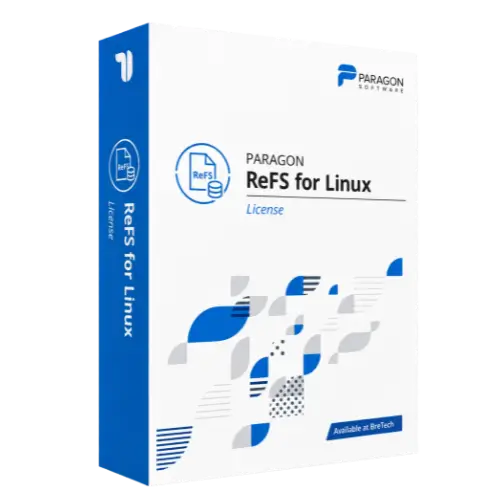
Paragon ReFS for Linux
Buy Paragon ReFS for Linux license in Pakistan for ReFS storage access on supported Linux systems.
- Genuine Paragon license
- For ReFS file system access on Linux
- Helps access supported ReFS volumes from Linux systems
- PKR pricing and local payments
- Digital delivery, activation help, and invoice support
Paragon APFS for Linux License in Pakistan
Need to access a Mac APFS-formatted drive from a Linux computer? Paragon APFS for Linux helps Linux users, technicians, IT teams, and technical users access supported APFS-formatted HDDs, SSDs, and flash drives from a compatible Linux system.
It is useful when you receive an APFS drive from a Mac system and need file access without reformatting the storage device.
BreTech is an official Paragon partner for corporate sales and helps Pakistan buyers buy genuine Paragon software licenses with PKR pricing, local payment options, digital delivery, activation help, and invoice support.
Use this software only on drives, systems, and files you own, manage, or have proper permission to access.
Need help choosing the right Paragon option? Browse all Paragon products or view related File & System Utilities Software.
How Paragon APFS for Linux Helps You
APFS is used by Apple devices, but Linux may not access APFS storage the way a user needs by default.
Paragon APFS for Linux helps mount supported APFS volumes in Linux. After mounting, users can work with files through the shell or a supported file manager.
This can help technicians, IT teams, and Linux users access APFS-formatted storage in a controlled workflow without reformatting the drive.
Key Features and Benefits
- APFS Read/Write Access: Read and write data from supported APFS-formatted storage in Linux.
- HDD, SSD, and Flash Support: Work with supported APFS-formatted hard drives, solid-state drives, and flash drives.
- Linux File Manager Access: Mount the APFS drive and use it through the shell or a supported file manager.
- Easy Install and Uninstall: Installation and uninstallation can be handled through supported setup scripts.
- Performance-Focused Driver: Designed for stable APFS access in compatible Linux environments.
- SMP Kernel Support: Supports SMP kernels where compatible.
- SAMBA Sharing: Share mounted APFS volumes over a network using SAMBA where configured correctly.
- APFS Subvolume Support: Supports APFS subvolumes on supported 64-bit systems.
- Encrypted Volume Access: May provide read-only access to supported encrypted APFS volumes.
- Snapshot Access: May provide read-only access to supported APFS snapshots.
Compatibility and Safe Use Guidance
Before buying, check the selected license option, supported Linux distribution, Linux kernel version, storage type, APFS volume type, and access needs.
Your technical team should confirm:
- Linux distribution and kernel compatibility
- 32-bit or 64-bit system support
- APFS read/write requirements
- Encrypted APFS volume support
- APFS snapshot support
- APFS subvolume support
- HDD, SSD, or flash storage support
- SAMBA sharing requirements
- Backup of important data before write access
Some APFS volume types and encrypted drives may need extra checking before purchase. Please confirm your setup with BreTech before ordering.
Common Buyer Situations
Paragon APFS for Linux may be useful when:
- A Linux user needs to access files from an APFS-formatted Mac drive.
- A technician receives an APFS SSD or flash drive for data access.
- A business works with Apple and Linux systems in the same workflow.
- A technical user needs controlled access to APFS storage.
- A team wants to share mounted APFS volumes over a network using SAMBA.
Why Buy from BreTech
BreTech helps Pakistan buyers purchase genuine software licenses with local support before and after the order.
You can contact BreTech for:
- Genuine Paragon software license availability
- Current PKR price
- Local payment guidance
- Digital delivery details
- Basic activation help
- Business invoice support
- Edition and compatibility guidance before purchase
Learn Before You Buy
- Which Paragon Software Do You Need?
- Digital Forensics Tools Pakistan
- Verify a Software License Is Genuine in Pakistan
FAQs
Q: What is Paragon APFS for Linux used for?
A: It is used to access supported APFS-formatted storage devices from a compatible Linux environment.
Q: What is the Paragon APFS for Linux price in Pakistan?
A: The price depends on the selected license option and current availability. Contact BreTech for the latest PKR price.
Q: Can it write to APFS-formatted disks?
A: Yes, it supports APFS read/write access where compatible. Always confirm your Linux setup and APFS volume type before purchase.
Q: Does it support encrypted APFS volumes and snapshots?
A: It may provide read-only access for supported encrypted APFS volumes and snapshots. Final support depends on the selected version and setup.
Q: Can BreTech help with activation?
A: Yes. BreTech can provide basic activation guidance after purchase. Linux setup, mounting, permissions, and storage handling may require a technical user.
Check Price and APFS for Linux License Availability
Choose Paragon APFS for Linux from BreTech if you need a genuine Linux driver for APFS read/write access on supported storage devices.
For current PKR price, license availability, Linux compatibility, invoice support, and activation guidance, contact BreTech before ordering.
Important Note
Features, editions, pricing, license terms, Linux compatibility, supported kernels, storage support, APFS feature support, and system requirements can change. Always check the selected product option before purchase.

There are no reviews yet.