Abdul Basit

Affordable data recovery software in Pakistan is what most people search right after a sudden delete, a formatted USB, or a laptop crash. In that panic moment, every minute matters because new saves can overwrite lost files.
A common mistake in Pakistan is installing random “free recovery” apps, or running recovery on the same drive. That can reduce your recovery chances and waste hours on messy results.
This guide compares inexpensive tools we actually sell and support, so you can pick a safe option for your case and your budget. You will see what each tool is best at, what preview/trial can confirm, and when software is not the right solution.
At BreTech, you can buy genuine recovery tools with PKR pricing, local payments, and fast email delivery, backed by local help as an authorized reseller in Pakistan.
Affordable data recovery software in Pakistan works best for deleted files, formatted drives, and simple file system issues when the drive is still healthy. Use scan and preview first, then restore files to a different drive to avoid overwriting. Trial versions may allow scanning and preview, but restore can be limited until you activate.
Quick Overview (At‑a‑Glance)
| Tool Name | File Types Recovered | Best For |
|---|---|---|
| Glarysoft File Recovery Pro | Deleted files from HDD/SSD, USB, SD cards (common docs, photos, videos) | Cheapest start for everyday deleted-file recovery on Windows |
| Ashampoo Undeleter | Recently deleted files from HDD/USB/SD (common file types) | Quick undelete when the file loss just happened |
| AOMEI FastRecovery Pro | Deleted + formatted recovery for HDD/SSD/USB/SD (docs, photos, videos, archives) | Best overall value when you need deeper scan + wider recovery cases |
Start here if you want to compare all options: All Data Recovery Tools in Pakistan.
If you already have a preferred vendor, browse by brand: Glarysoft, Ashampoo, AOMEI.
Why Data Recovery Software Matters for Pakistani Users
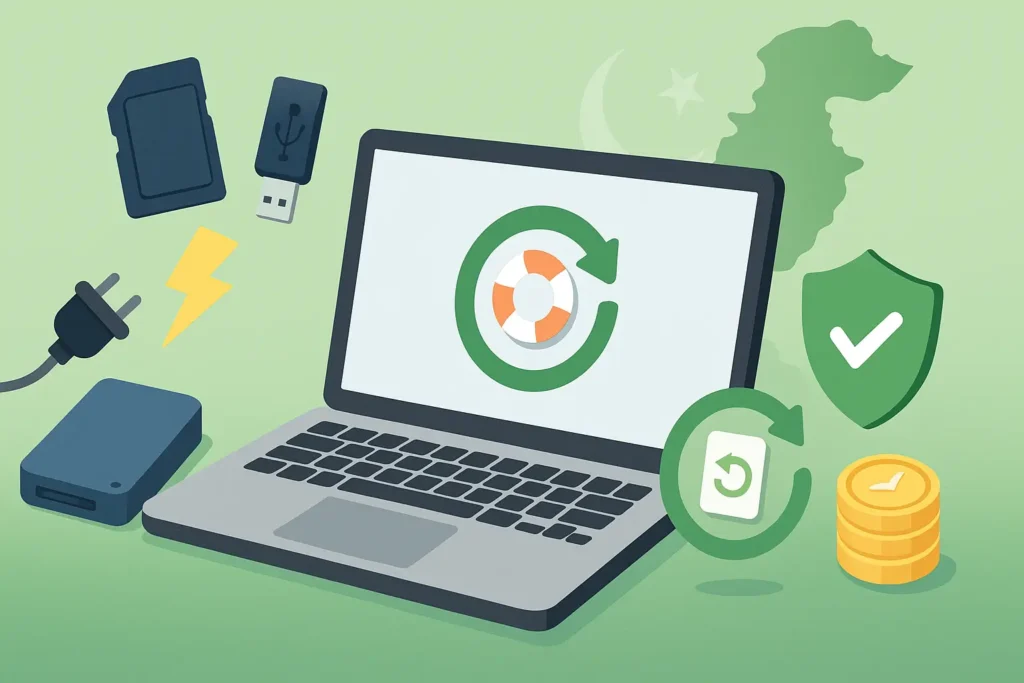
Digital data underpins work, study, and family life. Power outages, accidental deletion, malware, or device wear can strike at any time. A capable, affordable tool lets you attempt recovery immediately—before new writes overwrite your lost files.
Common Causes of Data Loss
- Accidental deletion or formatting
- Sudden shutdowns and power surges
- Failing HDD/SSD or bad sectors
- Malware and ransomware incidents
- File system or software corruption
Tip: Stop using the affected drive as soon as you notice loss. Install recovery software on a different disk to prevent overwriting.
Top Affordable Data Recovery Software (Tested for 2026)
1. Glarysoft File Recovery Pro: Cheapest Start for Windows
Glarysoft File Recovery Pro is a simple Windows recovery tool for deleted files on PC, USB, and SD cards. It scans fast, filters results well, and helps you find the right files without confusion.
Key Features:
- Supports NTFS and FAT drives
- Quick Scan for recent deletes
- Deep Scan for older traces
- Preview many file types
- Filters by type, size, and path
2. Ashampoo Undeleter: Low-Cost Undelete for Recent Files
Ashampoo Undeleter is best when you deleted something by mistake and want a quick undo on Windows. It stays lightweight, runs simple scans, and works well for USB and memory cards with common file systems.
Key Features:
- Fast undelete for recent loss
- Works on HDD, USB, and SD
- Supports NTFS and FAT volumes
- Simple interface for beginners
- Lightweight tool with quick setup
3. AOMEI FastRecovery Professional: Best Overall Features for Windows
AOMEI FastRecovery Professional is a strong value option for Windows recovery when you need more than basic undelete. It supports deeper scans, broad file types, and preview, so you can confirm results before restoring.
Key Features:
- Recovers deleted and formatted files
- Works on HDD, SSD, USB, and SD
- Quick Scan plus Deep Scan modes
- Preview before you restore files
- Supports docs, photos, videos, archives
Comparison Table: Budget Data Recovery Software
These best value data recovery options balance price and performance for Pakistan users.
| Software | Best For | Notable Strength | Trial/Preview |
|---|---|---|---|
| Glarysoft File Recovery Pro | Cheapest general recovery | Filters; quick + deep scan | Trial available |
| Ashampoo Undeleter | Recent deletions on Windows | Simple and fast | Trial available |
| AOMEI FastRecovery Pro | Full PC/laptop recovery | Quick+Deep scans, broad formats | Preview before restore |
Browse all Data Recovery Tools Data Recovery tools
How to Choose Affordable (Not Just “Cheap”) Data Recovery Software
Success potential
Match the tool to your loss type (deleted vs. formatted vs. lost partition) and act quickly to avoid overwriting. Use scan‑then‑preview to confirm that the files you need are recoverable before you pay, and always install the software on a different disk than the one you’re recovering.
Ease of use
Prefer tools with clear steps, sensible defaults, and strong filtering/preview so you can spot the right files fast. Simple, guided workflows reduce mistakes—especially if you’re not technical—and save time on larger scans.
Cost‑to‑feature value
Compare license type (one‑time vs. subscription), device count, update policy, and support. Aim for the best balance of coverage (file types, scan modes) and long‑term value rather than the lowest sticker price.
Conclusion: Choosing the Best Affordable Data Recovery Software
Data loss is stressful—but the right affordable data recovery software can help you restore critical files without premium costs. These reasonably priced, cost‑effective tools deliver strong results without compromising quality.
Start with a full scan and preview, then recover only what matters. For the most budget-friendly start, try Glarysoft; for recent deletions, Ashampoo Undeleter; for broader PC recovery, AOMEI FastRecovery.
Explore all Data Recovery Software in Pakistan | See discount data recovery deals & coupons
FAQs
Q: Which recovery tool works best for deleted files?
A: For Windows operating system users, Glarysoft File Recovery Pro is a solid recovery tool for deleted files on NTFS volumes, USB drives, and external hard disks. It offers quick and deep scans to improve your chances of a successful recovery without spending more than you need.
Q: How do I recover lost files from an SD card or memory card?
A: Stop writing new data to the card, then scan the SD card / memory card with Glarysoft or AOMEI. Both recovery programs can recover files and media files from common storage devices. Always recover data to a different disk to protect your recovery results.
Q: Which data loss scenarios are these tools designed to recover?
A: Typical data loss scenarios include accidental deletion, formatted drives, mild corrupt file systems, and some virus attack cases. These tools are cost-effective for data restoration on a hard disk, SSD, or USB drive—a good balance between cost and capability.
Q: What if my recovery needs involve more complex data?
A: For complex data loss (clicking drives, not detected, heavy corruption), consider professional data recovery. Software is designed to recover logical issues; labs handle mechanical faults. Use software first only if the device is healthy to recover your lost files and data without any hassle.
Q: Are there affordable options that are easy to use?
A: Yes—both Glarysoft and AOMEI provide affordable options with a clean interface that makes recovery straightforward. They provide powerful recovery features at an affordable price, helping you get your data back quickly when the situation is within software limits.
Further Reading
Want to learn more about affordable data recovery software? Check out these helpful posts:
- Best Data Recovery Software in Pakistan
- Best Photo Recovery Software in Pakistan
- Mac Data Recovery Software in Pakistan
- Best WhatsApp Data Recovery in Pakistan
- EaseUS Data Recovery Wizard Price in Pakistan
For more helpful guides, visit our Data Recovery blog category.