Abdul Basit

Best password recovery software in Pakistan matters when a locked Excel, PDF, or ZIP stops your work and you need access fast for a client, audit, or office handover. In that panic moment, the right password recovery software can save hours.
A common mistake is trying cracked “unlockers” or shady online sites that ask you to upload private files. This can leak data, damage the file, or waste time with fake results. Use licensed offline tools instead.
The safer path is simple: identify what’s locked (Office, PDF, ZIP/RAR/7Z, SQL, QuickBooks, Sage, or product keys), then pick the correct tool for that format. With BreTech, you can buy in PKR pricing with local payments and email delivery on most orders within 1–72 business hours.
Password recovery works best when the tool matches your exact file type and encryption. Most people should start with Office, PDF, or Archive recovery, and use key-finders for Windows or Office license keys. For business files like SQL, QuickBooks, and Sage, use the dedicated recovery tool made for that platform.
Ready to choose the right tool? Start here: Browse Password Recovery Tools
Quick Overview: Best Password Recovery Software in Pakistan (2026)
| Tool | Best for | Where it fits |
|---|---|---|
| Advanced Office Password Recovery | Word, Excel, PowerPoint, Outlook locks | Office documents |
| Advanced PDF Password Recovery | Open password and permission restrictions | PDF files |
| Advanced Archive Password Recovery | ZIP, RAR, 7Z passwords | Compressed archives |
| Advanced SQL Password Recovery | Regain SQL Server access | Databases |
| Advanced Intuit Password Recovery | QuickBooks and Quicken files | Accounting files |
| Advanced Sage Password Recovery | Sage Accounting file access | Accounts and finance |
| EaseUS Key Finder | Windows, Office, and app keys on one PC | Product keys |
| EaseUS Key Finder Business Technician | Keys across multiple PCs | IT and admin work |
Types of Password Recovery Software
File-Specific Tools
Unlock PDFs, ZIP/RAR archives, and Office documents when passwords are forgotten.
Device Unlocking Tools
Bypass iPhone/iPad passcodes or Apple ID locks in supported scenarios to regain access.
Database Recovery Tools
Reset or recover admin/user passwords for platforms like QuickBooks and Microsoft SQL Server.
Browser & Email Tools
Retrieve saved credentials from major browsers and email clients to restore account access.
Open-Source Recovery Tools
Command-line powerhouses (e.g., John the Ripper, Hashcat) with broad format and hash support—best for technical users.
How to Choose Password Recovery Software
- Compatibility: Match the tool to your file type and OS (Office/PDF/ZIP/SQL/iOS).
- Ease of Use: Prefer guided wizards if you’re not technical.
- Speed Features: Look for GPU acceleration, mask/dictionary/rainbow methods.
- Data Security: Use reputable vendors; avoid tools that upload private data.
- Support & Updates: Regular releases and responsive support matter.
- Expert Flexibility: For advanced cases, consider John the Ripper or Hashcat.
Top Password Recovery Tools for 2026 in Pakistan
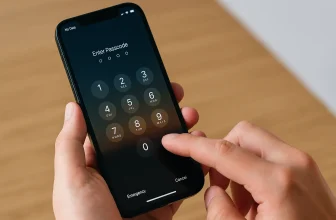
1. EaseUS MobiUnlock: Unlock iOS Devices Effortlessly
EaseUS MobiUnlock unlocks iPhone/iPad/iPod for forgotten passcodes, Face ID/Touch ID issues, or disabled screens.
Key Features:
- Bypass 4-/6-digit codes, Face ID/Touch ID, Screen Time; Apple ID removal in supported cases
- iOS 17 & iPhone 15 support
- Remove iTunes backup encryption (when password is lost)
- Export saved iOS passwords (Wi-Fi, apps, sites, email)
- Step-by-step interface; no expertise needed
“Helped me unlock my iPhone seamlessly. A lifesaver!” — Sara, Freelancer
2. Advanced Office Password Recovery: Home & Forensic
Unlock passwords for Word, Excel, Outlook, Access, and more.
Home Edition – For individuals/SMEs
- Office 95–2021 support
- Instant removal for older 97–2003 formats
- Dictionary/mask/brute-force options
- Opens/restrictions (edit/print/copy) support
“Accessed years of locked Excel sheets!” — Kamran, Small Business Owner
Forensic Edition – For IT, gov, LE
- Everything in Home + Thunder Tables®
- Multi-CPU/GPU acceleration
- Progress logs & reports; Office 365 files
“Seconds in GPU mode. Recommended!” — Bilal, IT Consultant
3. Advanced PDF Password Recovery: Standard / Pro / Enterprise
Tailored PDF unlocking for different needs.
Standard (personal use)
- Remove copy/print/edit restrictions
- Batch mode; quick results
Professional (office use)
- Handles newer Acrobat encryptions (AES-128/256)
- GPU acceleration; multi-core optimized; batch jobs
Enterprise (high-volume)
- Thunder Tables® for legacy RC4 40-bit
- Automation for large document sets
“Streamlined PDF workflows.” — Sarah, Manager
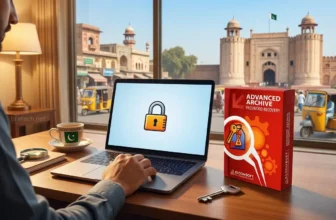
4. Advanced Archive Password Recovery: Standard / Pro
Recover ZIP/RAR/7-Zip/ACE passwords with flexible attacks.
Highlights: Multi-format support, GPU acceleration, dictionary/mask/brute-force, batch processing, Windows/macOS/Linux, regular updates.
“Recovered critical compressed files quickly.” — Omar, Engineer
5. Advanced Intuit Password Recovery (QuickBooks/Quicken)
Unlock Intuit files (2006–2024) with smart attacks and GPU boosts; auto-detects version/encryption; non-destructive.
“Essential for QuickBooks.” — Ali, Accountant
6. Advanced SQL Password Recovery (Microsoft SQL Server)
Reset/recover SQL Server passwords (2000–2019), including without SQL Server installed—working from master.mdf; no data loss.
“Restored DB access fast.” — Ayesha, DBA
7. ElcomSoft Internet Password Breaker (Standard)
Recover saved passwords from Chrome, Edge, Firefox, Opera; email creds from Outlook/Windows Mail; export in one click (use for audits/migrations).
“Recovered everything we needed.” — Bilal, IT Support
8. John the Ripper (Open-Source)
Multi-format, CLI-driven; highly customizable; Windows/Linux/macOS; strong community. Learn More
“Versatile for advanced recovery.” — Ahmed, Security Analyst
9. Hashcat (Open-Source)
GPU-accelerated, distributed cracking; 300+ hash algorithms; cross-platform. Learn More
“Unmatched speed for complex hashes.” — Maira, Cybersecurity
Tips to Maximize Password Recovery Success
Keep Software Updated
Latest builds add formats, fix bugs, and speed up recovery.
Back Up First
Create a backup before attempting recovery—especially for business files.
Match Tool to Task
Use a specialist (Office/PDF/ZIP/SQL/iOS) for accuracy and speed.
Use Speed Boosts
Enable GPU/multi-core; tune mask/dictionary settings for faster results.
Follow Security Best Practices
Use trusted vendors, offline processing where possible, and secure networks.
Get Expert Help When Needed
If stuck, contact vendor support for guidance on edge cases.
Legal & Ethical Use (Important)
Use password recovery tools only for files/devices you own or are authorized to access. Unauthorized access may be illegal. Follow your organization’s security and compliance policies.
Conclusion: Choose the Right Tool—Buy Locally with Confidence
For iPhone/iPad access, EaseUS MobiUnlock is the easiest start. For documents, go with ElcomSoft (Office/PDF/Archive/SQL/Intuit). Power users can try John the Ripper or Hashcat.
Buy from BreTech in Pakistan for PKR pricing, 1–72h email delivery, local bank payments, and local activation help. Note: prices cover license/activation only (no advanced training).
Want to pick a tool now? Start here: Explore All Password Recovery Tools.
If you are browsing broader options, you can also visit: Explore Data Protection Software.
Further Reading
- Elcomsoft ZIP Password Recovery Guide (AAPR) Pakistan
- Best Backup Software in Pakistan for Businesses and Individuals
- Unlock Tool Price in Pakistan (2026)
- Top Enterprise Data Recovery Software in Pakistan
- A Guide To Advanced PDF Password Recovery in Pakistan
FAQs
Q: What’s the best software to recover QuickBooks passwords in Pakistan?
A: ElcomSoft Advanced Intuit Password Recovery — fast, reliable, supports 2006–2024.
Q: Can I reset SQL Server passwords with ElcomSoft tools?
A: Yes. Use ElcomSoft Advanced SQL Password Recovery to reset or recover SQL logins.
Q: How do I recover passwords saved in web browsers?
A: Use ElcomSoft Internet Password Breaker to extract browser and email credentials.
Q: Which tool is best for ZIP/RAR/7z passwords?
A: ElcomSoft Advanced Archive Password Recovery supports major archive formats with GPU boosts.
Q: How can I unlock or edit protected PDFs?
A: ElcomSoft Advanced PDF Password Recovery removes restrictions and recovers passwords; choose the edition that matches your needs.
What about Microsoft Office document passwords?
A: ElcomSoft Advanced Office Password Recovery covers Word, Excel, Outlook, Access, and more.