Abdul Basit
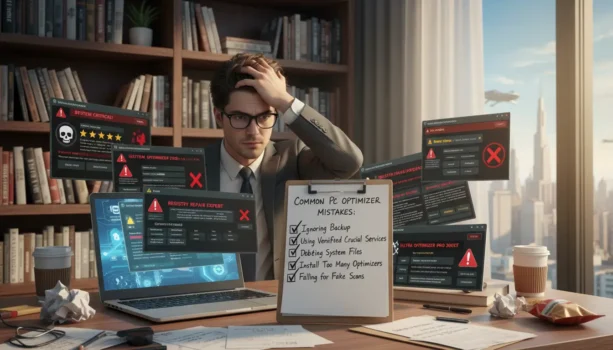
Have you ever thought about how choosing a PC optimizer affects your computer? In 2026, people in Pakistan are using software to fix computer problems. But, there are common mistakes that can make things worse. It’s important to know how to pick the right tools and avoid free software risks.
This guide will help you steer clear of these mistakes. It will make sure your computer works well. You’ll learn how to pick the best tools and avoid problems.
Key Takeaways
- Understand the importance of selecting trusted PC optimizer tools.
- Avoid the risks associated with free optimizer software.
- Learn how aggressive fixes can harm your system.
- Neglecting system compatibility can lead to unnecessary problems.
- Real-time monitoring features are vital for effective optimization.
- Startup optimization can significantly enhance system performance.
Understanding Common Mistakes When Using PC Optimizers

PC optimizers can make your system run better. But, people often make mistakes that can hurt their performance. Knowing these mistakes can help you use optimization tools better and enjoy your computer more.
Importance of Choosing Trusted Tools
Choosing well-known brands like Advanced SystemCare and CCleaner is key. These trusted apps optimize well and keep your system safe from harm. Always pick verified tools to avoid problems that come with untested programs.
Risks of Free Optimizer Software
Free optimizer software can hide risks that harm your system. Many include malware or give false warnings, making things worse. Be careful and watch out for offers that seem too good to be true, as they can harm your system and data.
Preventing Misuse of Aggressive Fixes
Using aggressive fixes can hide problems instead of fixing them. Issues like too many startup apps or temporary files need specific solutions. Regular maintenance and focusing on the real problems can improve your system’s health and avoid common mistakes.
Identifying PC Optimizer Errors and Issues

Many users struggle with pc optimizer errors that slow down their computers. These problems often come from picking the wrong optimizer or missing important features. Knowing these mistakes can help users avoid common issues and enjoy better computer performance.
Neglecting System Compatibility
It’s key to pick an optimizer that works with your operating system. Tools like AVG TuneUp and CCleaner need to match your OS version. If they don’t, you might face problems that stop you from optimizing your computer.
Overlooking Real-Time Monitoring Features
Top optimizers have real-time monitoring, helping you keep your system running smoothly. CCleaner Premium and Advanced SystemCare give you updates on your system’s health. Missing out on these features means you might miss chances to fix problems as they happen.
Ignoring Startup Optimization and Cleanup
Good startup management is crucial for fast boot times and efficient use of resources. Not optimizing startup apps can make your computer slow and frustrating. By focusing on startup optimization, you can make your PC faster and more efficient right from the start.
Conclusion
Understanding common mistakes with PC optimizers is key for users in Pakistan. It’s important to choose trusted tools. Using unverified or free software can cause more problems than it solves.
Knowing the risks of aggressive fixes is crucial. These can harm your PC’s performance. Look for software that optimizes well and keeps your system clean.
Making smart choices and keeping your tech up to date is vital. This approach will greatly improve your computing experience. It also helps avoid common PC optimization mistakes.
To avoid risky “over-cleaning” and use safer optimization tools, see our System Optimization collection.
FAQs
Q: What are the common mistakes when using PC optimizers?
A: Common mistakes include not choosing trusted tools. Also, using free software with hidden risks is a big mistake. Lastly, applying aggressive fixes without fixing the root cause is another error.
Q: How can I ensure I select a reliable PC optimizer?
A: Look for well-known brands like Advanced SystemCare PRO and CCleaner. They offer strong performance and security. Make sure these tools work with your operating system.
Q: What risks are associated with using free PC optimization software?
A: Free software often has hidden malware and fake alerts. It also doesn’t perform well. Using these tools can cause system instability and data risks.
Q: Why is real-time monitoring important in PC optimization?
A: Real-time monitoring helps manage system resources. It lets users fix performance issues right away. Tools like CCleaner Premium offer ongoing maintenance and quick optimization.
Q: What should I know about startup optimization?
A: Managing startup apps is key to faster boot times and less resource use. Not optimizing these settings can slow down your PC and make it frustrating to use.
Q: How often should I perform PC optimization?
A: Make optimization a regular part of your routine. Regular checks with reliable tools keep your PC running smoothly. It prevents unwanted files and apps from building up.
Q: Can aggressive fixes damage my computer?
A: Yes, aggressive fixes can hide serious problems instead of fixing them. This can lead to performance issues over time if not fixed right.
Further Reading
- Best PC Optimization Software in Pakistan
- Windows Cleanup vs PC Optimizers
- AVG TuneUp Price in Pakistan: Plans, Devices, and Buying Guide
- Mac Cleaner Software Price in Pakistan
- PC Optimizer Made My PC Slow?
For more insights, explore our Utilities & Optimization blog category.