Abdul Basit
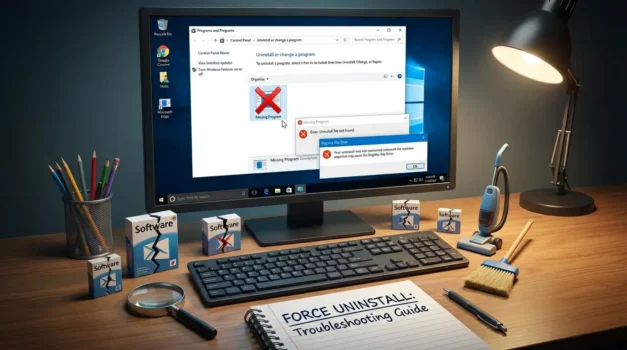
Force uninstall programs not showing in Control Panel is a common Windows problem in 2026. Broken installs, interrupted updates, or damaged uninstall entries can leave software stuck on a PC even though Windows cannot find it in the uninstall list.
Many users try random cleanup tools or delete program folders manually. This can leave registry traces behind, cause startup errors, or break other programs.
This guide explains safe ways to force uninstall stubborn software using built-in Windows tools first, then trusted uninstall utilities when the uninstall entry is missing or damaged.
Available in Pakistan with PKR pricing, local payment options, and fast 1–72 hour digital email delivery from BreTech, an authorized software reseller.
Force uninstall programs not showing in Control Panel can usually be fixed using Windows Settings, Safe Mode, or a trusted third-party uninstaller. If the uninstall entry is missing or broken, specialized uninstall tools can remove the program files and leftover registry traces safely.
Quick Overview: Ways to Force Uninstall Programs
| Method | Difficulty | Best For |
|---|---|---|
| Windows Settings | Easy | Programs still listed in installed apps |
| Control Panel | Easy | Standard uninstall method |
| Task Manager + Restart | Easy | Programs blocking uninstall |
| Safe Mode Uninstall | Medium | Stubborn apps that keep running |
| Third-Party Uninstaller | Easy | Missing uninstall entry |
| Registry Editor | Advanced | Broken uninstall registry keys |
Why Programs Sometimes Do Not Appear in Control Panel
Sometimes Windows cannot find the uninstall entry even though the program is still installed. This happens when installation files are damaged or the uninstall registry key is missing.
Common reasons include:
- Interrupted software installation
- Broken uninstall registry entry
- Leftover files from trial software
- Cracked or modified installers
- Forced system shutdown during install
These situations leave files and services running even when the uninstall option disappears.
Method 1: Uninstall Software Using Windows Settings
Windows Settings often lists programs that do not appear in Control Panel.
Open Settings → Apps → Installed apps and search for the program name. If the uninstall option appears, remove the software using this method first.
This uses the original uninstaller and is usually the safest option.
Method 2: Try the Control Panel Uninstall Option
Some older programs still rely on the traditional uninstall method.
Open Control Panel → Programs → Uninstall a program and check if the application appears in the list. If it does, run the uninstall process normally.
Control Panel calls the uninstall command stored during installation.
Method 3: Stop Running Processes Using Task Manager
Some uninstall processes fail because the program is still running.
Open Task Manager, locate the program process, and end the task before uninstalling.
After stopping the process, restart Windows and try uninstalling again.
Restarting clears locked files and services that prevent removal.
Method 4: Use Safe Mode to Remove Stubborn Programs
Safe Mode loads Windows with minimal services.
This prevents stubborn applications from launching automatically and blocking the uninstall process.
Safe Mode works best when:
- Programs restart themselves
- Files cannot be deleted
- Uninstall processes crash repeatedly
After removing the program, restart Windows normally.
Method 5: Use a Trusted Uninstaller Tool
If Windows cannot find the uninstall entry, a dedicated uninstaller tool is the safest solution.
These tools perform a forced uninstall, scanning for leftover files, registry entries, and hidden installation traces.
They are especially useful when:
- The uninstall key is missing
- The uninstall wizard is broken
- Leftover files remain after removal
Best Uninstall Tools for Force Uninstalling Software
Ashampoo UnInstaller 16: Deep Cleanup and Install Monitoring
Use Ashampoo UnInstaller 16 for deep cleanup after broken installations. It tracks program installations and removes leftover files and registry entries during uninstall.
Ideal for users who want monitored installs and clean removals.
Revo Uninstaller Pro 5: Missing Uninstall Entry Fix
Use Revo Uninstaller Pro 5 when a program does not appear in Control Panel.
Its Forced Uninstall feature searches the system for related folders, registry keys, and installation traces to remove stubborn software.
IObit Uninstaller 15 PRO: Removing Bundled Software
Use IObit Uninstaller 15 PRO when bundled programs or hidden add-ons create uninstall problems.
It scans for leftover components and removes related files automatically.
CCleaner: Basic Uninstall and Cleanup
Use CCleaner editions when the program still appears in the uninstall list but leaves small leftover files.
For deeper uninstall problems, a dedicated forced uninstall tool is usually better.
You can also browse the full Uninstaller Software category or explore related brands like Ashampoo, Revo Uninstaller, IObit, and CCleaner.
How to Choose the Right Uninstall Method
The best method depends on the situation.
Use Windows Settings when the program still appears in the installed apps list. Try Control Panel for older desktop applications. Use Safe Mode when programs keep restarting or blocking uninstall.
If the uninstall entry is missing completely, a trusted uninstaller tool is usually the fastest solution.
What to Avoid When Force Uninstalling Software
Force uninstalling programs incorrectly can cause system problems.
Avoid these common mistakes:
- Deleting random folders from Program Files
- Using unknown cleanup scripts from the internet
- Removing registry keys without backups
- Installing pirated uninstall tools
Using trusted uninstall utilities is usually safer than manual removal.
Manual Removal of Leftover Files (Advanced)
If leftover files remain after uninstalling, check these directories:
- Program Files
- Program Files (x86)
- AppData folders
Only delete folders that clearly belong to the removed software. Avoid deleting shared folders used by other programs.
Registry Editor Method (Advanced Users)
Windows stores uninstall information in the registry.
Location: HKEY_LOCAL_MACHINE → CurrentVersion → Uninstall
If the uninstall key is damaged, Windows may not display the program in the uninstall list.
Editing the registry is risky. Always create a backup before making changes.
Command Line Method Using WMIC
Advanced users can use the WMIC command to locate installed programs and execute uninstall commands.
This method requires administrator permissions and may fail if the uninstall string is missing.
In most cases, uninstall tools provide a safer solution.
Conclusion: Safely Force Uninstall Programs in Windows
Force uninstalling programs becomes necessary when software is installed but missing from Control Panel or refuses to uninstall normally.
Start with built-in Windows methods such as Settings or Control Panel. If the uninstall process fails, Safe Mode or Task Manager may help remove blocking processes.
When uninstall entries are missing or damaged, trusted uninstall tools provide the safest way to remove leftover files and registry traces completely.
Explore reliable options in our Uninstaller Software category.
FAQs
Q: How do I force uninstall a program that is not showing in Control Panel?
A: First check Windows Settings under Installed Apps. If the program still does not appear, use a trusted uninstaller that can remove programs by name and scan for leftover files and registry entries.
Q: Why is a program installed but missing from the uninstall list?
A: This usually happens when the uninstall registry key is damaged or the installation process failed. The program files remain but Windows cannot find the uninstall command.
Q: Can reinstalling software fix uninstall problems?
A: Sometimes reinstalling the same version repairs the uninstall entry. After reinstalling, the uninstall option may appear again.
Q: Is it safe to delete registry keys to uninstall programs?
A: It can work but it is risky. Deleting the wrong key can break Windows or other applications. Always create a backup first.
Q: What is the safest way to remove stubborn programs?
A: The safest method is using a trusted uninstaller tool that scans for leftover files, folders, and registry entries automatically.
Further Reading
- Best Uninstaller Software for Windows in Pakistan
- IObit Uninstaller vs Revo vs Ashampoo
- How To Remove Windows 10 Bloatware
- Revo Uninstaller Pro Price in Pakistan
- Common Mistakes When Uninstalling Software
Need more help with stubborn software removal? Browse our Uninstallers section and related Utilities & Optimization guides.