
System Migration & Deployment software in Pakistan helps you move Windows to new drives, clone systems, and roll out ready-to-use setups across multiple PCs, with official licenses and PKR pricing available at BreTech.
Showing all 7 results
System Migration & Deployment Tools | Best PKR Price in Pakistan
Manage PC migrations, disk cloning, and mass deployment with official System Migration & Deployment software available at the best PKR prices in Pakistan.
Get genuine licenses with fast digital email delivery and reliable local support from BreTech, an authorized reseller.
Upgrade PCs, replace SSDs, and deploy standard Windows setups across offices or labs with trusted tools.
Compare System Migration & Deployment Tools in Pakistan
We offer specialized migration and deployment tools for home users, SMEs, and IT professionals.
- PC-to-PC Transfer: Move user data, apps, and settings to a new computer safely and quickly.
- Disk Cloning (HDD/SSD/NVMe): Copy full drives bit-for-bit for hardware upgrades or replacements.
- System Imaging & Deployment: Deploy a standard image to multiple PCs via PXE or multicast.
- Technician & Multi-Seat Management: Manage and automate cloning or transfer jobs across many devices.
- Selective App & License Migration: Move software and activation keys without reinstalling Windows.
Why Migration & Deployment Matters in Pakistan
From IT rollouts in Lahore to office upgrades in Karachi, migration and deploy tools save hours per device and reduce costly setup errors.
These solutions help maintain identical configurations across workstations, ensuring reliability and compliance for SMEs, schools, and service providers.
Our Featured System Migration & Deployment Tools
Shop brands: EaseUS, AOMEI. Open a product to view details.
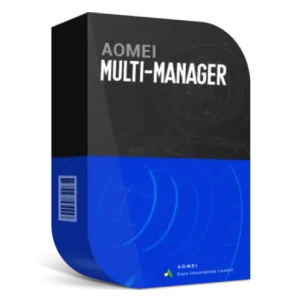
- AOMEI Multi-Manager: Centralized control for deployment, backup, and device management.
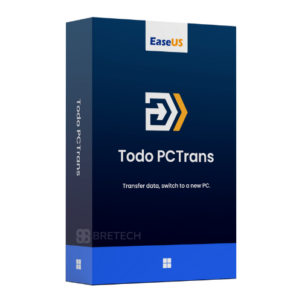
- EaseUS Todo PCTrans Professional: Transfer apps, data, and accounts between PCs.
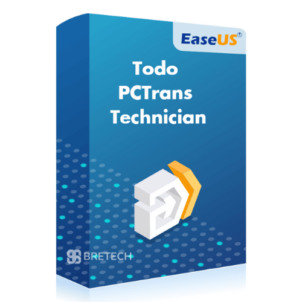
- EaseUS Todo PCTrans Technician: For IT pros handling multiple PCs and migrations.
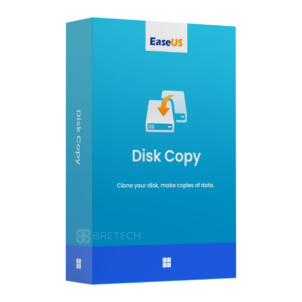
- EaseUS Disk Copy Professional: Clone HDD/SSD/NVMe drives sector-by-sector.
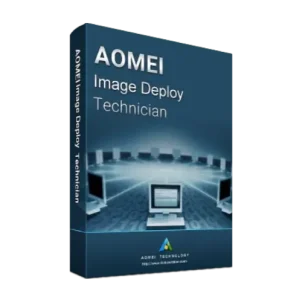
- AOMEI Image Deploy Technician Edition: PXE-based deployment to many target systems.
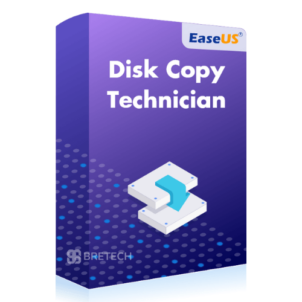
- EaseUS Disk Copy Technician: Advanced cloning and disk imaging for service centers.
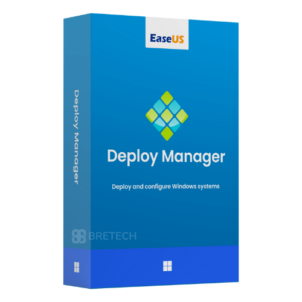
- EaseUS Deploy Manager Bundle: Centralized image deployment for Workstation and Server.
More Related Categories
Explore more tools in the top category: System & Disk Utilities
Best for moving Windows to SSD, cloning a disk, or setting up multiple PCs. These related links keep users inside the same setup workflow.
Best Migration & Deployment Solutions for Home & Business in Pakistan
- Home Users: Easily move to a new PC or SSD without reinstalling apps.
- Students: Back up and migrate study setups and projects between systems.
- SMEs & Teams: Standardize systems and minimize setup downtime.
- IT Admins: Automate image deployment, PXE boot, and bulk cloning tasks.
- Service Providers: Handle multi-seat rollouts with technician-grade licenses.
Why Buy Official Licenses from BreTech
As an authorized reseller in Pakistan, we guarantee:
- Official licenses & Genuine software keys
- Local guidance & Activation support
- Fast digital email delivery on most orders (within 1–72 hours)
- Renewal and update assistance
“We cloned 20 SSDs for a Karachi office using EaseUS Disk Copy — smooth, fast, and reliable support.” — Arif, IT Coordinator, Karachi
Frequently Asked Questions (FAQs)
Q: Can I clone an NVMe SSD to another NVMe drive?
A: Yes. Use a disk cloning tool that supports NVMe. After cloning, set the new SSD as the boot drive in BIOS or UEFI.
Q: What’s the difference between cloning and imaging?
A: Cloning copies a drive directly to another drive. Imaging creates a compressed file that can be deployed to multiple PCs later.
Q: Do I need to reinstall Windows after migration?
A: No. With proper cloning or PC transfer software, Windows and installed apps remain intact and bootable.
Q: Can I deploy one Windows image to several PCs?
A: Yes. Use technician-grade tools like AOMEI Image Deploy or EaseUS Deploy Manager for PXE or multicast deployment.
Q: Will my software licenses transfer automatically?
A: Some app licenses transfer; others need reactivation. Always check vendor policies before migration.
Q: Are these tools suitable for business use?
A: Yes. Technician and multi-PC editions include rights for commercial deployment and multi-seat management.
Learn More & Expert Guides
- How to Clone Your Hard Drive for Free
- Full Guide to Clone NVMe SSD to NVMe SSD
- Best Deployment Toolkit in Pakistan
- AOMEI Partition Assistant vs EaseUS Partition Master in Pakistan
- Best Backup Software in Pakistan
- Disk Health Checker Tools Pakistan
- Best Data Recovery Software in Pakistan
Read more on our Utilities & Optimization Guides before you buy.
Start Your Migration Today
Upgrade, clone, or deploy Windows systems efficiently with verified software and local support. Order your official license now and receive fast digital delivery.
Disclaimer: Features, editions, and pricing may vary. Always verify the latest details, system requirements, and update policies on the official vendor website before ordering.