
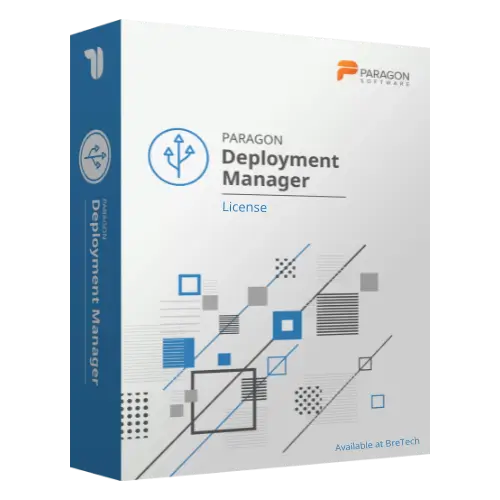
Paragon Deployment Manager
Buy Paragon Deployment Manager in Pakistan for centralised Windows deployment, system image rollout, and IT deployment tasks on supported business computers.
- Genuine Paragon licence
- For IT deployment and system rollout
- Helps deploy images to multiple supported computers
- PKR pricing and local payments
- Digital delivery, activation help, and invoice support
Paragon Deployment Manager in Pakistan
Need to deploy the same Windows setup across many computers without installing each PC one by one? Paragon Deployment Manager helps IT teams, OEMs, offices, schools, labs, and organizations manage system image deployment from a centralized workflow.
It is useful when your team needs to prepare new computers, refresh existing systems, deploy a master image, or reduce repeated manual Windows setup work.
BreTech helps Pakistan buyers buy a genuine Paragon software license with PKR pricing, local payment options, digital delivery, activation help, and invoice support where needed.
Use this software only on systems you own, manage, or have proper permission to deploy.
Need help choosing the right Paragon option? Browse all Paragon products or view related System Migration & Deployment Software.
How Paragon Deployment Manager Helps You
Paragon Deployment Manager helps IT teams deploy system images across supported business computers from a managed deployment process.
Instead of setting up each computer manually, your team can prepare a master image and use a deployment workflow to roll it out to multiple target machines.
This can save time in offices, computer labs, schools, training centers, service departments, and technical environments where many PCs need the same or similar setup.
Key Features and Benefits
- Centralized Deployment: Manage and supervise deployment sessions from one central workflow.
- Bare-Metal Deployment: Deploy system images to supported computers that do not already have a working operating system.
- Master Image Workflow: Create and deploy a prepared Windows image for repeated setup tasks.
- Multicast Deployment: Deploy to multiple machines across a network where the network is configured correctly.
- PXE and Bootable Media Support: Prepare target computers using supported bootable media or network boot methods.
- Dissimilar Hardware Support: Helps adapt deployed systems to different hardware where supported.
- Scheduled Deployment: Useful for routine rollout tasks in labs, classrooms, and offices.
- Post-Deployment Tasks: Supports selected hardware adoption tasks, such as storage and network driver injection where available.
Compatibility and IT Setup Guidance
Before buying, check your selected license option, supported operating systems, workstation quantity, server requirements, and deployment environment.
Deployment software depends on more than the license. Your IT team may also need to prepare:
- A clean master image
- Network access between deployment server and client PCs
- PXE boot support if using network boot
- Correct storage and network drivers
- Compatible target hardware
- Backup plan before overwriting systems
BreTech can help with license availability, edition guidance, and activation support. Full deployment planning, network configuration, PXE setup, and image preparation may require your IT administrator.
Common Buyer Situations
Paragon Deployment Manager may be useful when:
- A school or training lab needs to set up many Windows PCs with the same image.
- An office wants to deploy a standard Windows setup to new computers.
- An IT team needs to refresh multiple machines after hardware upgrades.
- A technician wants to reduce repeated manual installation work.
- A business wants a managed deployment process instead of installing each PC separately.
Why Buy from BreTech
BreTech helps Pakistan buyers purchase genuine software licenses with local support before and after the order.
You can contact BreTech for:
- Genuine Paragon software license availability
- Current PKR price
- Local payment guidance
- Digital delivery details
- Basic activation help
- Business invoice support
- Edition and compatibility guidance before purchase
Learn Before You Buy
- Which Paragon Software Do You Need?
- Best Windows Deployment Software in Pakistan
- File Backup vs System Image Backup in Pakistan
FAQs
Q: What is Paragon Deployment Manager used for?
A: It is used for centralized system deployment, master image rollout, bare-metal deployment, and Windows deployment across supported business computers.
Q: What is the Paragon Deployment Manager price in Pakistan?
A: The price depends on the selected license option, device quantity, and current availability. Contact BreTech for the latest PKR price.
Q: Is it useful for IT departments and computer labs?
A: Yes. It is made for IT teams, OEMs, schools, labs, offices, and businesses that need to deploy systems across multiple computers.
Q: Can it deploy images over a network?
A: Yes, it supports network-based deployment methods where configured correctly. Network setup, PXE, drivers, and target hardware must be compatible.
Q: Can BreTech help with activation?
A: Yes. BreTech can provide basic activation guidance after purchase. Deployment setup and image preparation may require your IT administrator.
Check Price and Deployment License Availability
Choose Paragon Deployment Manager from BreTech if your business needs a genuine deployment license for system image rollout, bare-metal deployment, and centralized Windows deployment tasks.
For current PKR price, license availability, deployment quantity, invoice needs, and compatibility guidance, contact BreTech before ordering.
Important Note
Features, editions, pricing, license terms, system requirements, supported operating systems, network requirements, and deployment results can change. Always check the selected product option before purchase.



There are no reviews yet.