
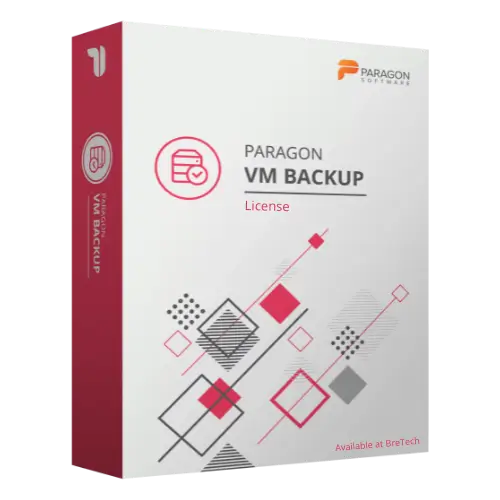
Paragon VM Backup
Buy Paragon VM Backup in Pakistan for VMware virtual machine backup, replication, restore, and disaster recovery tasks.
- Genuine Paragon licence
- For VMware VM backup
- Helps protect supported virtual machines and recovery points
- PKR pricing and local payments
- Digital delivery, activation help, and invoice support
Paragon VM Backup License in Pakistan
Need to protect VMware virtual machines with backup, retention, replication, and restore options? Paragon VM Backup helps small businesses, IT teams, and administrators manage backup workflows for supported VMware environments.
It is useful when your business runs important virtual machines on VMware vSphere or standalone ESX/ESXi servers and needs a focused VM backup solution for recovery planning.
BreTech helps Pakistan buyers buy a genuine Paragon software license with PKR pricing, local payment options, digital delivery, activation help, and invoice support where needed.
Use this software only on virtual machines, servers, and data you own, manage, or have proper permission to protect.
Need help choosing the right Paragon option? Browse all Paragon products or view related File & Folder Backup Software.
How Paragon VM Backup Helps You
Paragon VM Backup helps businesses protect supported VMware virtual machines with scheduled backups, retention rules, replication, restore options, and backup validation tools.
Instead of relying only on manual VM copies, your IT team can create a more organized backup workflow for important virtual machines.
This can help with recovery planning for small offices, VMware-based servers, test environments, and business systems that need regular backup protection.
Key Features and Benefits
- VMware VM Backup: Back up supported virtual machines hosted on VMware vSphere or standalone ESX/ESXi servers.
- Agentless Backup Workflow: Uses VMware snapshot technology, so a backup agent is not required inside each target virtual machine.
- Backup Scheduling: Create regular backup routines for supported virtual machines.
- Incremental Imaging: Helps keep backup storage updated while reducing repeated full-backup work.
- Retention Options: Manage how long backup data is kept based on your storage and recovery needs.
- VM Replication: Create replicas of supported virtual machines for recovery and failover planning.
- Granular Restore: Restore selected files or objects where the backup, guest system, and recovery option support it.
- Backup Integrity Validation: Check supported backups before relying on them for recovery.
- Application-Level Protection: Supports selected application-level backup tasks for Microsoft Exchange and Active Directory virtual servers where configured correctly.
- Disaster Recovery Support: Helps improve recovery planning for important VMware virtual machines.
VMware Compatibility Guidance
Paragon VM Backup is mainly made for VMware environments. Paragon documentation lists support for VMware vSphere and VMware ESX/ESXi versions, but compatibility can depend on the selected product version, VMware setup, guest systems, storage, and permissions.
Before buying, check:
- VMware vSphere or ESX/ESXi version
- Whether your VMware edition supports the required snapshot features
- Backup storage location
- VM size and backup frequency
- Admin permissions
- Restore and replication needs
- Application-level backup requirements
- Recovery testing plan
Important: Paragon documentation notes that free VMware ESX versions and VMware fault-tolerant configurations may not be supported for this product. Please verify your environment before purchase.
If you need Hyper-V protection, confirm the selected Paragon option before ordering because this specific VM Backup page is VMware-focused.
Common Buyer Situations
Paragon VM Backup may be useful when:
- A small business uses VMware virtual machines and needs regular backup.
- An IT administrator wants backup retention and restore options for important VMs.
- A company wants VM replication for faster recovery planning.
- A business wants to test backup integrity before a real failure.
- A VMware environment needs a focused backup tool for entry-level virtual infrastructure.
Why Buy from BreTech
BreTech helps Pakistan buyers purchase genuine software licenses with local support before and after the order.
You can contact BreTech for:
- Genuine Paragon software license availability
- Current PKR price
- Local payment guidance
- Digital delivery details
- Basic activation help
- Business invoice support
- Edition and compatibility guidance before purchase
Learn Before You Buy
- Which Paragon Software Do You Need?
- Best Backup Software in Pakistan
- File Backup vs System Image Backup in Pakistan
FAQs
Q: What is Paragon VM Backup used for?
A: It is used for backing up, replicating, validating, and restoring supported VMware virtual machines.
Q: What is the Paragon VM Backup price in Pakistan?
A: The price depends on the selected license option, environment size, and current availability. Contact BreTech for the latest PKR price.
Q: Does Paragon VM Backup support VMware?
A: Yes. It is designed for supported VMware environments, including VMware vSphere and standalone ESX/ESXi servers.
Q: Does it support Hyper-V?
A: Hyper-V support is not confirmed for this specific VMware-focused product page. If you need Hyper-V protection, confirm the selected Paragon option before purchase.
Q: Can BreTech help with activation?
A: Yes. BreTech can provide basic activation guidance after purchase. VMware setup, storage planning, and recovery testing may require your IT administrator.
Check Price and VM Backup License Availability
Choose Paragon VM Backup from BreTech if your business needs a genuine backup and disaster recovery tool for supported VMware virtual machines.
For current PKR price, license availability, VMware environment size, invoice needs, and compatibility guidance, contact BreTech before ordering.
Important Note
Features, editions, pricing, license terms, system requirements, supported VMware versions, storage support, application-level backup support, and recovery results can change. Always check the selected product option before purchase.

There are no reviews yet.