Abdul Basit
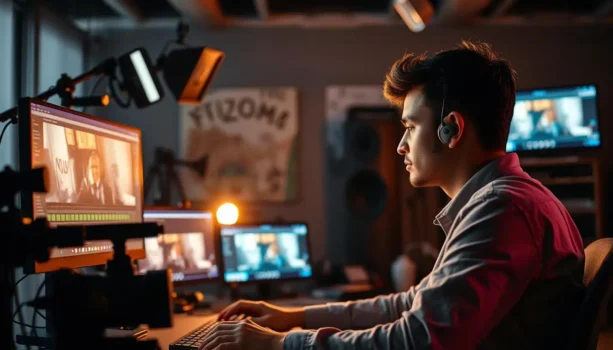
Best video editing software in Pakistan now determines whether YouTube videos, reels, and client projects look professional or amateur. Lagging editors, export crashes, and blurry logos can make even good footage look weak for creators and SMEs in Pakistan.
Many people choose tools by trend or risk using unsafe cracked software, which often leads to unstable timelines, watermarks, licensing issues, and wasted time fixing problems instead of improving content.
You don’t need a studio budget. The right paid video editor for your PC or laptop can deliver smooth 1080p/4K exports, cleaner audio, and reusable templates that match your brand.
This updated 2026 guide for Pakistani users covers real video editing software BreTech customers use, including Filmora, Movavi, and EaseUS, so you can pick the editor that fits your skill level, content type, and PKR budget.
If you want the best video editing software in Pakistan in 2026, start with Filmora for templates and effects, Movavi for simple editing and fast exports, and FlexClip when you need a browser editor for low-spec PCs. For AI explainer videos, Vidnoz is a smart pick, while EaseUS Video Editor works well for budget Windows editing.
Quick overview: Best Video Editing Software in Pakistan (2026)
If you just want the best video editor for your PC in Pakistan without reading the full guide, start with this shortlist. These editors cover everything from basic editing for beginners to professional video editing for SMEs and YouTubers.
| Tool | Best for | Key strengths | Platform |
|---|---|---|---|
| Wondershare Filmora | Beginners to mid-level creators | Effects, templates, AI helpers, smooth 1080p/4K exports | Windows, macOS |
| Movavi Video Editor Plus | New YouTubers and students | Simple interface, quick edits, captions, social-ready exports | Windows, macOS |
| Movavi Video Suite | SMEs and trainers | All-in-one editing, screen recording, conversion tools | Windows, macOS |
| FlexClip Plus | Low-spec PCs and fast web editing | Browser editor, templates, stock library, clean exports | Web |
| Vidnoz AI Starter | AI explainers and avatar videos | Script-to-video, avatars, quick training/marketing clips | Web |
| EaseUS Video Editor | Budget Windows editing | Familiar timeline, essential tools, practical exports | Windows |
| Ashampoo Movie Studio Pro | Longer projects and semi-pro work | Multi-track timeline, effects, deeper control | Windows |
Browse all options in Video Editing Software or explore more tools from Wondershare, Movavi, and EaseUS.
Use this table as your starting point: pick the editor that fits your type of video, budget, and hardware, then dive into the detailed sections below.
All-In-One Video Editing Toolkits (Best If You Want Everything In One App)
If you do not want separate tools for editing, screen recording, and converting files, a toolkit-style suite is the easiest option. This is common in Pakistan where many creators work on one laptop and need quick results for YouTube, reels, and client videos.
Movavi Video Suite: Editor + Screen Recorder + Converter
Movavi Video Suite is a strong “one-install” toolkit for creators and SMEs who want editing plus extra utilities without learning a complex workflow.
- Edit videos with a simple timeline and ready templates
- Record your screen for tutorials, training, and product demos
- Convert video formats for social uploads and client sharing
- Export clean files for YouTube and business use
Buy here: Movavi Video Suite
Ideal for: SMEs, trainers, course creators, and YouTubers who also need screen recording.
EaseUS VideoKit: Quick Media Toolkit For Daily Video Jobs
If your main work is basic editing plus converting and compressing videos for WhatsApp, drives, or fast uploads, EaseUS VideoKit is a practical Windows toolkit.
- Cut, merge, and export common video formats
- Convert large files to smaller sizes for sharing
- Compress videos without confusing settings
- Simple interface for beginners and office users
Buy here: EaseUS VideoKit
Ideal for: Students, office teams, and creators who want a lightweight all-in-one toolkit.
Why the Best Video Editor Matters in Pakistan in 2026
Pakistani creators now depend on video for product demos, training, and YouTube channels. A weak video editor turns sharp ideas into shaky clips, broken audio, and inconsistent branding.
When you choose the best video editor in Pakistan, you protect your time and reputation. A reliable editing tool lets you edit video faster, export clean 1080p or 4K, and deliver professional work without fighting the software on every project.
How to Choose Video Editing Software for Your PC in Pakistan
Before you pick a video editor, think about what kind of video projects you create and what PC you actually have on your desk. Light YouTube clips and simple reels can run on mid-range laptops, but longer 4K video and multi-track timelines need stronger hardware and a more powerful editing tool.
In Pakistan, many creators work on older PCs, so choosing software for editing that matches your CPU, RAM, and storage is critical. A lightweight, easy-to-use video editor will feel smoother than a heavy professional video editing suite that your system cannot handle.
Key Features for Basic Editing and Professional Video Editing
Once your PC is covered, look at the editing features you actually need instead of chasing every buzzword. A good video editing program should handle both basic editing and give you room to grow into more advanced editing work.
- Core editing tools: Trim, cut, split, crop, add text, and basic video effects so you can edit video quickly without a cluttered timeline.
- Text, titles, and captions: Add intros, lower-thirds, and subtitles for YouTube or client videos, with fonts that stay readable on mobile screens.
- Audio editing and mixing: Control voice, music, and sound effects so your video and audio stay balanced, with simple noise reduction for fan or street noise.
- Export and video formats: Make sure the software supports popular video formats like MP4 (H.264/H.265) and can render 1080p or 4K video reliably for social platforms.
- AI helpers for speed: Look for AI video features such as auto-captions, smart cut, or noise removal that make editing faster without changing your style.
These points help you find the best balance between a beginner-friendly interface and professional video editing capabilities you can grow into over the next few years.
Best Video Editing Software for Beginners in Pakistan
Easy Timeline Tools to Help You Edit Video Faster
Tools like Movavi Video Editor Plus are designed so you can start editing your first video without reading a manual. Templates, guided tools, and a simple timeline help new users edit faster and export clean videos for YouTube and reels.
For Pakistani beginners, this matters because many people start on mid-range laptops and need an editor that stays smooth, does not crash during export, and keeps captions and titles readable on mobile screens.
When a Beginner Should Upgrade to a Prosumer Video Editor
You know it’s time to upgrade when your video editing tool feels cramped: too few tracks, limited editing features, or no advanced editing for color and sound. At that stage, a best prosumer tool makes sense.
Prosumer software for editing gives you deeper control over video and audio while keeping straightforward editing for daily jobs. This is ideal when you move from casual clips to paid projects and want more professional-grade video editing.
Best Prosumer and Professional-Grade Video Editing Tools
Prosumer Video Editor Options for YouTube and Client Work
Prosumer editors are the best “middle option” for Pakistani creators who want more control than a basic editor, but still need an easy workflow on a normal laptop. They suit YouTube, client promos, reels, and training videos.
Tools like Filmora, Movavi, and EaseUS give you multi-track timelines, templates, captions, and clean exports without the heavy learning curve of studio-grade suites. For most creators, this level is enough for paid work and steady growth.
Professional-Grade Video Editing for Agencies, Studios, and SMEs
Professional editing suits teams doing regular campaigns, long projects, and strict brand consistency. These workflows need stronger PCs, better storage, and more organised project handling.
If you are an SME or agency in Pakistan, a practical setup is using a prosumer editor for quick weekly content, and a heavier professional tool only when a flagship project truly needs it.
Cross-Platform Video Editing: Windows, macOS, and Browser-Based Tools
When You Need Video Editing Software That Supports Multiple Devices
Some teams move between home and office machines, or switch from Windows at work to macOS at home. In that case, cross-platform video editing becomes important.
A cross-platform video editing program lets you edit video on different systems without learning a new editing interface each time. This is ideal when one type of video is started on a laptop and finished on a desktop.
Cloud and Browser Editors vs Traditional Desktop Software
Web-based video editors like FlexClip help when you have light video projects and need a quick video from any browser. They’re helpful for small promos and fast social clips.
For heavier video coding and big timelines, desktop video editing still wins. A mix of both can work: use browser tools for drafts and a stronger editing suite on PC for final high-end video exports.
AI Video Features in Modern Video Editors
How AI Video Tools Speed Up Basic Editing Tasks
Modern ai video features now cut out boring steps. Automatic captioning, smart trim, and background noise removal all make editing smoother for busy creators.
For basic video editing, AI can handle things like silence detection or automatic editing of jump cuts. That means you can focus on story and pacing instead of repetitive timeline cleanup.
Where AI Helps in Professional Video Editing Workflows
For professional video editor users, AI supports tasks like scene detection, text-based editing, and smart reframing for vertical platforms. This reduces manual work in a long editing process.
Used well, ai video tools become one part of a professional-level video editing workflow: they speed up technical steps, while you still make the creative decisions that turn clips into a great video for Pakistan audiences.
Choose the Right BreTech Video Editor by Use Case (Pakistan)
If you want a quick pick without another table, use this shortlist. It keeps the guide simple and avoids repeating the same info twice.
- Movavi Video Editor Plus: Fast learning curve for YouTube, tutorials, and simple reels on Windows or Mac.
- Movavi Video Editor Business: Better for teams and office workflows when you need a business-ready license for client work, training, and internal videos.
- Wondershare Filmora: Better for creators who need templates, captions, effects, and reliable exports for client work.
- EaseUS Video Editor: Clean Windows editor for training videos and office-style explainers on budget PCs.
- FlexClip Plus: Browser editing with ready templates when your laptop is low-spec or you need quick promo videos.
- Vidnoz AI Starter: AI avatar explainers for Urdu/English intros, ads, and training clips without filming.
- Ashampoo Movie Studio Pro: Longer Windows projects when you want more timeline control than beginner editors.
Browse by brand: Wondershare, Movavi, EaseUS, Ashampoo
Together, these cover most Pakistani use cases from student reels to SME promos, with genuine licenses available from BreTech with PKR pricing and local support.
Best Video Editor Setups for Different Pakistani Use Cases
Students and Beginners Creating Simple Social Clips
Students usually want a video editing app that lets them edit video for class projects and reels without killing their PC. A light video editing program with templates is enough here.
Pair one simple editing tool like Movavi with a web option like FlexClip. This combo covers almost any type of video a beginner wants to post on Instagram, TikTok, or YouTube.
Freelancers and YouTubers Needing Best Prosumer Video Tools
Freelancers and YouTube creators in Pakistan need a best prosumer setup: one main video editor plus a backup. Many prefer Filmora or Movavi Video Suite as the central editing suite.
They typically work on mixed video projects (shorts, long videos, ads), so they need powerful editing plus stable exports. Adding Vidnoz for ai video intros or explainers can give them a stronger offer for clients.
Businesses and Teams Requiring Professional-Grade Video Editing
Teams in SMEs, training departments, or agencies need professional-grade video editing with predictable workflows. They often mix a main PC video editor with screen recorders and watermark tools.
For these users, editing is just one step in a larger content pipeline. They care about proper licensing, shared assets, and reliable support, which is why choosing the best video editor from a trusted local reseller matters more than chasing every new video trend.
Recommended PC Specs for Smooth Video Editing in 2026
Minimum vs Recommended Specs for 1080p and 4K Editing
For 1080p on a budget, you can run most software for editing on 8 GB RAM and a mid-range CPU, as long as your timelines stay light. This covers most basic video editing for students and beginners.
For 4K video and complex video projects, 16 GB+ RAM, SSD storage, and a dedicated GPU make a big difference. That way your editing interface stays responsive even when many video and audio tracks are stacked.
Storage, Backup, and Project Management Tips
Even the best video editor behaves badly if your disk is full. Keep separate drives or folders for raw footage, project files, and exports so you can track every piece of software and file in your workflow.
In Pakistan, power cuts and slow internet are common, so backing up video projects to an external drive is often safer than relying only on cloud sync. This keeps your top video editing work safe even if a PC fails.
Common Video Editing Problems and How to Fix Them
Lag, Crashes, and Slow Exports on Low-Spec PCs
Lag and crashes usually happen when video editing capabilities don’t match hardware. High-bitrate video formats and many tracks can overwhelm a modest PC quickly.
To stabilise the editing process, use proxy media, limit heavy video effects, and choose software includes performance modes. Sometimes a lighter video editing tool will export faster than an overloaded high-end video suite.
Watermarks, Trial Limits, and Unsafe Cracked Software
Many users test a video editing app then get stuck with watermarks or blocked exports. Others risk cracked software to get a “free” video editor, which can break systems or steal data.
Trial versions may add watermarks or export limits, so test before client work.
Choosing genuine video editing software from BreTech, a trusted local reseller in Pakistan, lets you create client videos without hidden limits or sudden lockouts. This is safer for professional-level editing and helps you avoid losing important work when a trial expires mid-project.
Conclusion: Picking the Best Video Editor in Pakistan
There’s no single answer to what’s the best video editor in Pakistan? The right choice depends on your PC, video projects, budget, and how far you plan to go with professional video editing.
Start with a stable, easy-to-use video editor for basic video work, then upgrade to best prosumer or professional-grade video editing tools as your skills and income grow. With the right software choices, you can edit video confidently, meet client deadlines, and deliver high-quality content for Pakistan’s growing digital audience.
Explore genuine video editing tools available in Pakistan:
- Video Editing Software: Compare editors for YouTube, client work, and business videos.
Want more video tools beyond editing? Browse Video software for screen recorders, converters, effects, and editing tools in one place.
FAQs
Q: Which video editing software is best in Pakistan for beginners on PC?
A: Filmora and Movavi Video Editor Plus are usually the easiest for beginners in Pakistan. They offer a clean timeline, drag-and-drop controls, and quick exports for YouTube and reels on normal PCs.
Q: What is the difference between basic video editing and professional video editing software?
A: Basic editors handle trimming, cutting, text, music, and a few effects for quick videos. Professional video editing software adds multi-track timelines, color grading, advanced audio, motion tracking, and 4K workflows for client and agency work.
Q: Can a mid-range PC in Pakistan handle 4K video editing?
A: A PC with at least 16 GB RAM, a recent Intel or Ryzen CPU, and a simple dedicated GPU can handle light 4K in Filmora, Movavi, or EaseUS. For smoother work, use proxies or edit in 1080p on older or weaker machines.
Q: Should I pick a one-time license or subscription video editor for Pakistan?
A: One-time licenses from Movavi, EaseUS, or Ashampoo are usually better if you want stable PKR costs and long-term use. Subscriptions add cloud features and frequent updates but can become expensive as exchange rates change.
Q: Are free video editors enough, or do I need paid software?
A: Free tools like DaVinci Resolve or Shotcut are powerful but need stronger hardware and more learning time. Paid editors BreTech sells are tuned for stability, easier setups, and local-style support so you can edit without constant troubleshooting.
Q: Which video editor is better for Urdu or bilingual content?
A: Editors like Filmora, Movavi, FlexClip, and Vidnoz work well for Urdu and English content. They support custom fonts, captions, and AI or recorded voiceovers for bilingual explainers and training videos.
Q: Can I use the same video editor for YouTube, reels, and business training videos?
A: Yes. A good video editor should export in multiple aspect ratios, support screen or webcam recording, and let you mix voice, music, and on-screen text. That way, one piece of software can cover YouTube, social clips, and internal training.
Further Reading
Want more video tools and tips? Check out these helpful posts:
- AI Video Generator Price in Pakistan
- Best Business Video Editing Tools in Pakistan
- AI Video Editing Tools Urdu for Creators in Pakistan
- Best AI Video Generator Software in Pakistan (2026)
- Best Video Editing Software for Vlogging in Pakistan
- FlexClip Price in Pakistan: Plans, Licensing & Activation Guide
For more helpful guides, explore all our Video Editing blogs in one place.