Abdul Basit
Best WhatsApp data recovery software in Pakistan matters most when a phone reset, WhatsApp update, or accidental delete wipes chats you needed for orders, payments, or proof, and you only realise it after the panic starts.
Many people depend on cloud backups without checking the backup date, or they try random cracked “recovery apps” that ask for risky permissions and still fail because WhatsApp data is encrypted and storage can be overwritten quickly.
The safer path is to start with backups first, then use a licensed tool only when it matches your phone model, OS version, and backup source. BreTech can help you choose a realistic method with PKR pricing plus local payments and email delivery on most orders within 1–72 business hours, with guidance before you buy.
Quick Overview: Top WhatsApp Data Recovery Tools Pakistan
Here’s a quick look at the best WhatsApp data recovery software for 2026, focused on backup extraction first, then device scanning where supported for deleted messages and media.
| Tool Name | Device Support | Best For |
|---|---|---|
| Elcomsoft Phone Breaker (Forensic Edition) | iOS & Android (via iCloud/Google Drive backups) | Advanced extraction from cloud/backups for WhatsApp evidence |
| Elcomsoft Phone Viewer (Analyzer) | iOS & Android (after backup extraction) | Reading, searching, and exporting WhatsApp chats and media |
| Stellar Data Recovery for iPhone | iPhone, iPad (device + iTunes/iCloud) | Fast, easy WhatsApp and media recovery for Apple users |
| Stellar Data Recovery for Android | Android (device + backups) | Reliable message and media recovery on most Android phones |
| EaseUS MobiSaver | Android, iPhone | Simple, beginner-friendly WhatsApp message recovery |
| Wondershare Dr.Fone (WhatsApp Transfer + Data Recovery) | iOS & Android (iCloud/Google Drive/iTunes + supported device recovery) | WhatsApp backup restore/transfer, plus recovery options for chats and media |
Tip: Use Phone Breaker to acquire data from cloud or backups. Use Phone Viewer to read, search, and export chats after extraction. Want more phone recovery tools? Browse: Mobile Data Recovery
Before You Buy: Important Recovery Notes
BreTech sells licensed recovery software, not a hands-on data recovery service. This means you run the software yourself on your PC using your phone or backup, following the guided steps provided by the tool.
WhatsApp recovery is not guaranteed because success depends on backup availability, phone model, OS version, encryption, and how long ago the data was deleted. Some cases simply cannot be recovered by any software.
Because licenses are delivered digitally and activated instantly, there is no refund once a recovery tool has been issued or activated. To avoid confusion, check your device type, backup source (Google Drive, iCloud, iTunes, local), and supported list before buying.
If you are unsure, contact BreTech before purchase with your phone model, Android or iOS version, and backup details. This helps us suggest the safest option and tell you honestly if recovery is unlikely.
Why You Can Trust BreTech for Licensed Recovery Tools in Pakistan
BreTech provides genuine software licenses with invoice-based purchasing, so you don’t have to rely on risky cracked apps or random “recovery” downloads. Most orders are delivered by email, and we can guide you on which tool fits your case.
WhatsApp recovery is not guaranteed because results depend on device compatibility, OS version, encryption, and whether a usable backup exists. We help you choose the safest method first (backup restore or backup extraction), then the right licensed tool only if recovery is realistically possible.
Before you buy, share your device type (Android/iPhone), backup source (Google Drive/iCloud/iTunes/local), and what you need back (chats, media, export). This pre-buy check helps us recommend the safest path and tell you what to avoid.
Deleted WhatsApp Messages Recovery in 2026: Backup First, Tools Second
Deleted WhatsApp message recovery in 2026 usually comes down to one safe approach: restore from a backup first, then use a trusted recovery tool only if there is no usable backup. Most encrypted “instant recovery apps” fail because WhatsApp data is encrypted and deleted storage can be overwritten quickly.
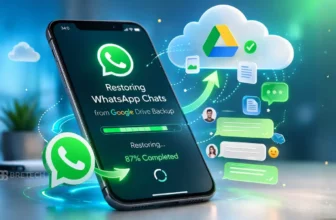
The safest approach is checking Google Drive or iCloud backups, confirming the backup date, and restoring chats the official way.
If there is no backup, desktop WhatsApp recovery software may extract recoverable data from supported devices or existing backup files, but results depend on phone model, Android or iOS version, and how long ago the messages were deleted.
Avoid cracked recovery apps. They can request risky permissions, expose private chats, and often fail to recover anything meaningful.
Common WhatsApp message recovery methods:
- Restore WhatsApp from Google Drive backup (Android)
- Restore WhatsApp from iCloud backup (iPhone)
- Check local WhatsApp backups on Android before reinstalling
- Recover from iTunes or iCloud backups using a trusted desktop tool
- Extract chats and media from existing backup files for export or proof
- Use professional tools for locked phones or missing devices via cloud access
Deleted Messages Recovery Methods in Pakistan (2026 Guide)
People usually try a few recovery methods first, then look at software only if nothing works. In Pakistan, most successful WhatsApp recoveries follow a simple order: check backups first, then use a licensed tool only when you have no usable backup.
For WhatsApp specifically, these are the methods that work most reliably in 2026:
Restore From Google Drive Backup (Android)
If WhatsApp backup was enabled, uninstall and reinstall WhatsApp, verify your number, and restore chats from Google Drive. Always check the backup date before restoring to avoid losing newer chats.
Restore From iCloud Backup (iPhone)
iPhone users can reinstall WhatsApp and restore chats from iCloud during setup. This works only if a recent iCloud backup exists with WhatsApp data included.
Check Local WhatsApp Backup (Android)
Some Android phones store local WhatsApp backups in internal storage. Before reinstalling, check the WhatsApp “Databases” folder. Renaming an older backup file may allow you to restore previous chats.
Restore From iTunes or Computer Backup
If you previously backed up your phone to a PC or Mac, you may restore WhatsApp data from that backup. Licensed desktop tools can extract WhatsApp chats without fully restoring the phone.
Use Licensed WhatsApp Recovery Software (When No Backup Exists)
If no usable backup exists, professional desktop recovery software may scan supported devices or extract recoverable data from encrypted backups. Results depend on device model, OS version, encryption, and overwrite status.
Most “instant recovery apps” fail because WhatsApp uses strong encryption and deleted storage can be overwritten quickly. That is why a backup-first approach remains the safest and most realistic recovery strategy in 2026.
Understanding WhatsApp Data Recovery in Pakistan
WhatsApp data recovery software works best with backups; encryption and quick overwrites make device scans less reliable. Act fast after deletion.
What Is WhatsApp Data Recovery?
WhatsApp data recovery uses specialized software to retrieve lost messages, media, and attachments after deletion, resets, or failed updates. Recovery may come from backups or supported device scans, with backup extraction generally offering higher success when available.
Why Data Recovery Matters for Android and iPhone Users
For both Android and iPhone users, WhatsApp often holds business conversations, client records, and personal media. Losing this data can disrupt work and communication. Using the right recovery approach helps reduce long-term loss.
Common Reasons for WhatsApp Data Loss
- Accidental chat deletion
- Phone reset or OS update
- WhatsApp reinstallation without checking backups
- Malware or storage corruption
These cases highlight why proper recovery software and regular backups matter.
What Data Can You Recover With WhatsApp Recovery Software?
WhatsApp recovery tools allow users to preview and selectively restore data, saving time and avoiding unnecessary overwrites.
Messages and Chats
Deleted chats can often be recovered on iPhone or Android by checking backups like iCloud, Google Drive, or an iTunes backup. If a backup exists, a licensed WhatsApp recovery tool can help you retrieve important WhatsApp messages and restore chats safely.
Photos, Videos, and Voice Notes
Media attachments like photos, videos, and voice notes are often recoverable from backups or supported file recovery on Android phones and iPhones. Licensed recovery tools can also scan USB storage or device memory, and solutions like Stellar Data Recovery support common recovery options for iOS and Android devices.
Limitations: What Cannot Be Recovered
Data that has been overwritten, securely wiped or corrupted beyond repair is usually unrecoverable even by the best WhatsApp recovery software. To avoid losing deleted or lost WhatsApp data, back up WhatsApp regularly; this is the right data recovery strategy and the best choice after accidental deletion.
| Type of Data | Recoverable |
|---|---|
| Messages and Chats | Yes |
| Photos | Yes |
| Videos | Yes |
| Voice Notes | Yes |
| Overwritten Data | No |
| Severely Corrupted Data | No |
Top 7 Best WhatsApp Data Recovery Software in Pakistan
Below is a detailed look at each tool, focusing on real-world use for technicians and everyday users in Pakistan.
1. Elcomsoft Phone Breaker: Cloud and Backup Extraction
Elcomsoft Phone Breaker is designed for advanced WhatsApp recovery from iCloud, Google Drive, and encrypted backups. It is especially useful when the phone is unavailable, locked, or damaged.
Key Features:
- Extract WhatsApp chats and media from iCloud or Google Drive backups
- Work with encrypted iOS backups using supported acquisition workflows
- Export clean reports for review, auditing, timelines, and documentation
Best For: Forensic-style backup extraction, technicians, and legal workflows.
User Review:
“We pulled a client’s WhatsApp from iCloud when the phone was dead. The export was clean and easy to review.” Sami, Technician, Islamabad
2. Elcomsoft Phone Viewer: Read and Export WhatsApp Backups
Elcomsoft Phone Viewer helps open and analyze WhatsApp chats after backups are acquired. It is ideal for searching conversations and exporting readable reports.
Key Features:
- View chats and attachments from extracted backups in a readable layout
- Search, filter, and review conversations by contact, date, and content
- Export chats and media for records, reports, and offline case review
Best For: Backup analysis, reporting, chat review, and evidence exports.
User Review:
“Once the backup was extracted, reviewing chats and attachments became very easy.” Asif, Legal Consultant, Lahore
3. Stellar Data Recovery for iPhone: Easy Chat Recovery
Stellar Data Recovery for iPhone focuses on simplicity, letting users recover WhatsApp messages, photos, videos, and attachments from iPhone devices or from iCloud or iTunes backups with guided steps.
Key Features:
- Recover WhatsApp chats, photos, videos, and attachments in guided steps
- Restore data from device scans or from iTunes and iCloud backup sources
- Preview recoverable items before saving, to reduce wasted time
Best For: iPhone users, shops, and fast WhatsApp plus media recovery cases.
User Review:
“It helped me recover business chats after accidental deletion.” Ayesha, Shop Owner, Karachi
4. Stellar Data Recovery for Android: Messages and Media Recovery
Stellar Data Recovery for Android supports WhatsApp recovery on many Android phones, using guided scans to help retrieve messages, photos, videos, and other media when recovery is possible.
Key Features:
- Recover WhatsApp messages, photos, videos, and common media formats
- Scan supported Android phones with clear prompts and simple recovery
- Preview results before export, helping avoid wrong restores and repeats
Best For: Android phones, mobile technicians, and message plus media recovery.
User Review:
“Works smoothly in my shop for many Android phones.” Bilal, Mobile Technician, Multan
5. EaseUS MobiSaver: Simple Recovery for Beginners
EaseUS MobiSaver provides a clean, easy-to-use interface for users who want WhatsApp recovery without complex setup. It supports Android and iPhone workflows, with scanning, preview, and selective recovery options.
Key Features:
- Recover WhatsApp chats and media with a beginner-friendly interface
- Support Android and iPhone workflows with simple guided recovery steps
- Preview recoverable items before restore to keep the process clean
Best For: Home users, quick recoveries, and non-technical WhatsApp restores.
User Review:
“I recovered important messages in a few clicks.” Sadia, Student, Faisalabad
6. Wondershare Dr.Fone: WhatsApp Transfer and Recovery Toolkit
Wondershare Dr.Fone is a handy option in Pakistan for guided backup, restore, transfer, and recovery from iCloud, Google Drive, or iTunes, helping bring chats and media back safely when a backup exists.
Key Features:
- Restore or transfer WhatsApp and WhatsApp Business between phones
- Recover chats and media from iCloud, Google Drive, or iTunes backups
- Use dedicated recovery modules for targeted data retrieval on each OS
Best For: Phone-to-phone transfers, backup restores, and daily shop use.
Choose the right module: Dr.Fone Toolkit | Dr.Fone Android Data Recovery | Dr.Fone iOS Data Recovery
User Review:
“I moved WhatsApp chats to a new phone and restored missing media from a backup.” Hamza, Mobile Shop, Rawalpindi
7. AOMEI FoneBackup: Backup-First Recovery Helper
AOMEI FoneBackup is useful when WhatsApp recovery depends on having a solid iPhone backup. It helps you create, manage, and restore backups in a controlled way.
This approach is often safer than random recovery scans because it reduces overwrite risk and keeps your restore steps clean.
Key Features:
- Create and manage iPhone backups on a PC with simple guided steps
- Restore backup data when chats and media were lost or deleted
- Backup-first approach that helps reduce overwrite and restore mistakes
Best For: iPhone users and technicians who want a backup-first recovery path.
User Review:
“It helped me create a clean backup before switching phones, so my WhatsApp data stayed safe.” Imran, Technician, Lahore
Explore More Recovery and Backup Tools on BreTech
If you are recovering more than WhatsApp (photos, videos, documents, or full phone backups), these categories can help you pick the right licensed tool.
- Browse all options in Data Recovery for common data loss cases and recovery software choices.
- Explore File & Drive Recovery if your main issue is missing media files, deleted folders, or storage-level recovery.
- Prevent future WhatsApp loss with File & Folder Backup tools for backup-first protection and safer restores.
Practical Benefits for Technicians & Users in Pakistan
WhatsApp recovery tools support both professional repair shops and everyday users handling accidental data loss.
How Technicians Use WhatsApp Recovery Tools
Technicians use WhatsApp recovery tools to scan devices, preview available chats, and recover messages on Android and iPhone. They may use different recovery modes, connect by USB, and access an iTunes backup to restore files safely.
Benefits for Regular Users
Regular users rely on a user-friendly recovery app or backup option to restore WhatsApp messages after accidental deletion. They can back up WhatsApp to google drive or icloud, preview recoverable attachments, and use WhatsApp message recovery tools to retrieve deleted WhatsApp chats without deep technical skill.
Real Use Cases in Pakistan
Businesses and individuals recover lost WhatsApp data like order histories and important WhatsApp messages after resets or deletion. Shops use a reliable data recovery tool to retrieve deleted chats and attachments on Android phones or iPhones, offering a recovery solution to recover lost records and restore deleted conversations.
Getting Started: Using WhatsApp Recovery Tools
Use reliable WhatsApp data recovery software and follow clear steps to recover lost chats, media, and backups efficiently.
Step-by-Step: How to Use Recovery Software
Install the right data recovery tool and connect your iPhone or Android via USB or wireless. Scan the device, preview recoverable items, then choose recovery modes to restore WhatsApp messages or attachments. Follow on-screen steps to retrieve deleted WhatsApp safely.
WhatsApp Message Recovery Methods for Android
Start by checking Google Drive or a local backup to restore deleted chats. If no backup is available, use a reliable WhatsApp recovery tool to scan Android devices and attempt file recovery before overwrite. Recovery success varies, but a licensed recovery tool may help retrieve deleted WhatsApp data on supported devices.
Best Practices for WhatsApp Data Backup
Back up WhatsApp regularly to Google Drive or iCloud and enable automatic backups to protect against accidental deletion. Keep backups updated and avoid resets or reinstalling without checking backup dates so you can restore deleted messages, attachments, and lost important WhatsApp data.
When to Get Expert Help
Get expert help if your device is damaged, encrypted, or reset and you can’t recover lost data. A professional can use licensed iPhone or Android recovery tools like EaseUS MobiSaver or Stellar Data Recovery and try safe recovery modes to retrieve deleted or lost WhatsApp chats safely.
Conclusion: WhatsApp Data Retrieval in 2026 for iOS and Android
Losing WhatsApp data is stressful, but using the right WhatsApp data recovery software significantly increases the chance of recovering chats, attachments, and media, especially when backups are available.
Start with backup extraction (Google Drive, iCloud, or local backups) as the safest method. If backups are incomplete, run a supported recovery scan with reputable software that preserves data integrity and avoids overwriting.
Choose tools that offer clear device compatibility, clear preview results and export options, and strong privacy practices. If you need local assistance, consider providers like BreTech that combine verified recovery tools with regional support to ensure safe and responsible restoration.
See all mobile recovery tools here: Mobile Data Recovery
FAQs
Q: What are the best deleted messages recovery methods in Pakistan in 2026?
A: In 2026, the most reliable deleted message recovery method is restoring from an existing backup such as Google Drive, iCloud, iTunes, or local Android backups. If no usable backup exists, some licensed desktop recovery tools may extract limited data on supported devices, but success depends on phone model, OS version, and how recently the messages were deleted.
Q: Can I recover deleted WhatsApp messages without a backup?
A: Recovery without a backup is sometimes possible on supported devices, but results are limited and not guaranteed. WhatsApp uses encryption, and deleted data is often overwritten quickly. Licensed recovery software may help in specific cases, but “instant recovery” apps usually fail.
Q: Which WhatsApp data recovery software works best in Pakistan?
A: The best WhatsApp data recovery software in Pakistan depends on your situation. Backup-based tools work best when Google Drive, iCloud, or iTunes backups exist. Device-scan tools can help in limited cases. Always choose licensed software that clearly lists supported devices and recovery methods.
Q: Are WhatsApp deleted messages recoverable after a long time?
A: Deleted WhatsApp messages become harder to recover over time. If a newer backup has overwritten the old one, recovery is usually not possible. Acting quickly and checking backup dates increases the chance of successful recovery.
Q: Is WhatsApp message recovery guaranteed with software?
A: No WhatsApp recovery software can guarantee full recovery. Success depends on factors like backup availability, device compatibility, OS version, encryption, and overwrite status. Be cautious of tools that promise guaranteed or instant recovery.
Q: Do recovery tools work for both Android and iPhone?
A: Yes, many WhatsApp recovery tools support both Android and iPhone, but recovery methods differ. Android often relies on Google Drive or local backups, while iPhone recovery is usually based on iCloud or iTunes backups. Device and OS support must be checked before buying.
Q: What should I check before buying WhatsApp recovery software?
A: Before buying, confirm your phone model, Android or iOS version, backup source, and deletion timing. Since recovery software licenses are digital and non-refundable once issued, checking compatibility first helps avoid confusion and wasted purchases.
Further Reading
- Elcomsoft Explorer for WhatsApp Guide
- Best Mobile Data Recovery Software in Pakistan
- WhatsApp Transfer Android to iPhone
- Dr.Fone Price in Pakistan: Which Plan to buy?
- How to Recover WhatsApp Backup From Google Drive
Explore more recovery guides here: Data Recovery articles.