Abdul Basit
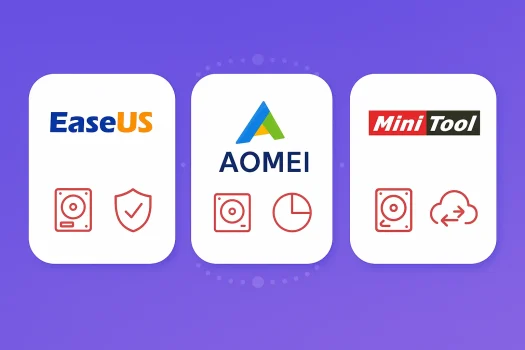
EaseUS vs AOMEI vs MiniTool is an important comparison in Pakistan because a wrong backup, clone, or partition move can make a PC unbootable and put important files at risk.
This matters even more on older laptops, mixed SSD and HDD setups, and systems affected by sudden power cuts. Many users start with a free edition, then find out during a problem that the restore, migration, or recovery feature they need is only available in a paid plan.
This guide compares EaseUS, AOMEI, and MiniTool for backup, cloning, and partition work so you can choose the right option for your PC, budget, and skill level. BreTech offers these tools in Pakistan with PKR pricing, local payment options, and 1–24 hour digital email delivery.
EaseUS is usually best for beginners. AOMEI is a strong choice for older PCs and mixed Windows systems. MiniTool works well for simple partition tasks, cloning, and SSD migration.
At a Glance: EaseUS vs AOMEI vs MiniTool
| Need | Best Pick | Why |
|---|---|---|
| Best for beginners | EaseUS | Easier setup, cleaner interface, and a more guided workflow |
| Best for older PCs | AOMEI | Better fit for mixed Windows setups and older hardware |
| Best for partition management | MiniTool | Clear tools for resizing, migration, and basic disk work |
| Best for backup and restore confidence | EaseUS | Simple backup flow and strong recovery-focused usability |
| Best budget-friendly learning option | AOMEI | Useful free edition for testing before upgrading |
| Best for simple office use | MiniTool | Straightforward tools for common partition and clone tasks |
After this EaseUS vs AOMEI vs MiniTool quick comparison, explore the right edition, features, and backup options for your needs here: Disk Backup and Imaging Tools | EaseUS | AOMEI | MiniTool
Which Tool Is Best for Backup?
For backup-first users, EaseUS Todo Backup and AOMEI Backupper are usually stronger choices than MiniTool. EaseUS is often easier for beginners because the interface is simpler and the workflow feels less risky when creating system backups, disk images, or restore plans.
AOMEI Backupper is also a strong backup option, especially for users working across different Windows setups or older hardware. It often appeals more to admins, office users, and people who want flexibility in how they manage backup routines.
MiniTool ShadowMaker supports full, incremental, and differential backups, so it is still a useful option. But if your main goal is long-term backup safety and restore confidence, EaseUS and AOMEI usually feel stronger.
Which Tool Is Best for Partition Management?
If your main focus is partition resizing, drive organisation, OS migration, or disk cloning, all three brands are relevant. The difference is in how easy and comfortable the workflow feels.
EaseUS Partition Master is often the easiest for beginners. The layout is cleaner, the steps feel more guided, and it is usually easier for home users to follow carefully without getting lost.
AOMEI Partition Assistant is strong for users who want more control, especially on mixed or older Windows systems. It is a good fit for people managing multiple PCs or handling more than basic disk tasks.
MiniTool Partition Wizard is a practical choice for straightforward partition work. It suits home users and small offices that want direct tools for resizing, cloning, migration, and everyday disk management.
EaseUS Todo Backup and Partition Master
EaseUS offers a beginner-friendly mix of backup and partition tools. Todo Backup supports system backup, disk backup, file backup, cloning, scheduling, and bootable recovery options, depending on edition. That makes it useful for users who want both routine protection and a recovery path after a failed update or system problem.
Partition Master adds disk and partition features such as resize, clone, migrate, and conversion tasks, depending on the plan. The main strength of EaseUS is usability. It often feels easier to learn and easier to recommend to first-time buyers.
For many Pakistani users, that matters more than having the longest feature list. A cleaner interface can reduce mistakes when working on an important PC.
AOMEI Backupper and Partition Assistant
AOMEI gives users strong backup flexibility through Backupper and solid disk tools through Partition Assistant. Backupper supports system, disk, and file backups, while higher editions may include more advanced restore, sync, and deployment options.
One of AOMEI’s biggest strengths is compatibility. It works well in mixed Windows environments and often feels like a safer choice for older PCs still common in offices, workshops, schools, and homes.
Partition Assistant is also strong for practical partition work. It suits users who want a reliable toolset without moving into something that feels too advanced or too confusing.
MiniTool ShadowMaker and Partition Wizard
MiniTool covers backup and partition needs through ShadowMaker and Partition Wizard. ShadowMaker handles full, incremental, and differential backups, plus scheduling and recovery-oriented features depending on edition.
Partition Wizard is often the stronger part of the MiniTool lineup for many users. It gives a clear path for partition work, disk cloning, partition recovery, and OS migration, which makes it useful for day-to-day tasks.
MiniTool is a practical option for users who care more about partition handling and simple migration jobs than deep backup flexibility. For home use and smaller offices, that can be enough.
EaseUS vs AOMEI for Backup
When comparing EaseUS Todo Backup vs AOMEI Backupper, EaseUS usually wins for ease of use, while AOMEI often appeals more to users who want broader flexibility or work across older systems.
EaseUS is a better fit for buyers who want a smoother first experience. Backup setup is clearer, restore flow is easier to understand, and the overall process feels more beginner-safe.
AOMEI is strong for users who already understand backup workflows or need better comfort across mixed Windows environments. If compatibility matters more than a polished beginner interface, AOMEI can be the better choice.
EaseUS vs MiniTool for Partition Work
For partition management, EaseUS and MiniTool both make sense, but they appeal to different users.
EaseUS Partition Master is often the safer option for beginners because the workflow is more guided. That matters when resizing partitions, migrating Windows, or changing disk structure on a machine you depend on every day.
MiniTool Partition Wizard is a good alternative if your main aim is simple, practical partition work. It handles common disk tasks clearly and is useful for users who want direct access to partition and migration tools.
If simplicity is your top priority, EaseUS usually has the edge. If you want straightforward disk handling for regular use, MiniTool remains a solid option.
AOMEI vs MiniTool for Older PCs
For older PCs, AOMEI often has the stronger position. It tends to fit better in mixed environments and is usually a more comfortable choice for systems still running older Windows versions or less powerful hardware.
MiniTool can still work well on many machines, but AOMEI often feels like the safer starting point where compatibility matters more than interface polish. This is especially relevant in Pakistan, where many users continue using older laptops and office desktops for budget reasons.
If you are supporting older hardware, mixed storage types, or shared office systems, AOMEI is usually the better first option to test.
Which Tool Is Best for HDD to SSD Migration?
All three brands support migration or cloning in some form, but EaseUS and MiniTool are usually the easiest to consider first for HDD to SSD upgrades.
EaseUS is often the better choice for beginners because the migration steps feel more guided and less risky. Users moving from an old hard drive to an SSD usually want fewer mistakes and a clearer path to a bootable result.
MiniTool is also a practical option for SSD migration, especially for users already focused on partition and disk tasks. It is a good fit for many home and office upgrade jobs.
AOMEI can also handle migration well, but for a single-user SSD upgrade, EaseUS often feels easier to recommend first.
Performance and Real-World Use for Pakistani Users
In real use, the best tool is not the one with the most marketing claims. It is the one that matches your hardware, skill level, and recovery needs. That matters even more in Pakistan, where older laptops, mixed SSD and HDD setups, and unstable power can affect backup and restore planning.
EaseUS generally feels more polished and beginner-friendly. AOMEI often stands out in older or mixed Windows environments. MiniTool works well when you want straightforward partition handling and a simple day-to-day workflow.
The safest approach is to test a small backup, restore check, or non-critical disk task on your own PC before you fully depend on any tool.
| Comparison Point | EaseUS | AOMEI | MiniTool |
|---|---|---|---|
| Ease of use | Strong for beginners | Moderate, flexible | Simple for common tasks |
| Backup strength | Strong | Strong | Good |
| Partition strength | Strong | Strong | Strong |
| Older PC suitability | Good | Very good | Good |
| HDD to SSD migration | Very good | Good | Very good |
| Free edition testing value | Good | Very good | Good |
Pakistan-Specific Buying Considerations
Pakistani buyers should look beyond the brand name and check whether the edition includes the features they may need later. Free versions are useful for testing, but many users only discover the limits after a restore failure, migration issue, or recovery need.
Power stability also matters. If your area has frequent outages, create recovery media, keep backups on a separate drive where possible, and use a UPS for important systems. A backup plan only helps if you can restore it after a bad shutdown or failed update.
Pricing matters too. Some buyers may prefer an annual plan, while others may look for a longer-term option if available. The right decision depends on how often you upgrade PCs and how important the stored data is.
Which Tool Should You Choose?
Choose EaseUS if you want the easiest path for backup, restore, cloning, and partition work. It is usually the best fit for beginners, students, professionals, and buyers who want less technical friction.
Choose AOMEI if you work with older PCs, mixed Windows versions, or more varied environments. It is a strong option for offices, admins, and users who care about compatibility and flexibility.
Choose MiniTool if your main focus is partition work, SSD migration, or simple disk tasks. It is a practical option for home users and small offices that want straightforward workflows.
If you are still unsure, test the free edition first, then upgrade only after confirming the workflow fits your PC and recovery needs.
Conclusion
This EaseUS vs AOMEI vs MiniTool comparison shows that each brand has real strengths, but they are not equally strong for every task.
For most beginners and everyday users in Pakistan, EaseUS is usually the easiest all-round choice for backup, restore, and partition work. AOMEI is a strong pick for older hardware, mixed Windows setups, and users who want more flexibility. MiniTool remains a practical option for straightforward partition management and routine migration tasks.
The best decision is to match the tool to your real use case, not just the feature list. If backup safety and restore confidence matter most, start with EaseUS or AOMEI. If your main job is partition work or SSD migration, MiniTool is also worth considering.
Before buying, test a small backup or non-critical disk task first. That simple step can save you from choosing the wrong edition and discovering the limits too late.
FAQs
Q: Which is better for backup, EaseUS or AOMEI?
A: EaseUS is usually better for beginners because the workflow is easier to understand. AOMEI is strong for users who want more flexibility or work across older and mixed Windows systems.
Q: Which tool is best for partition management?
A: MiniTool, AOMEI, and EaseUS all handle partition tasks well. EaseUS is often easier for beginners, AOMEI is strong for mixed environments, and MiniTool is practical for straightforward disk work.
Q: Is MiniTool better than EaseUS for SSD migration?
A: MiniTool is a good option for SSD migration, but EaseUS is often easier for beginners because the setup and migration flow feel more guided.
Q: Which option is best for older PCs in Pakistan?
A: AOMEI is often the better choice for older PCs and mixed Windows environments because of its wider compatibility and practical restore-related strengths.
Q: Are the free versions enough?
A: Free editions are useful for testing and learning the workflow, but important features such as advanced restore, cloning, or bootable recovery may depend on the edition. Always check the exact feature list before relying on it.
Q: Which is the safest choice for beginners?
A: EaseUS is usually the safest starting choice for beginners because it is easier to set up, easier to understand, and more comfortable for backup and restore routines.
Q: How should Pakistani buyers compare pricing?
A: Compare the current edition, included features, upgrade terms, and whether you need the tool for one PC, long-term use, or office work. The cheapest option is not always the safest if key recovery features are missing.
Further Reading
- AOMEI Partition Assistant vs EaseUS Partition Master in Pakistan
- EaseUS Todo Backup Price in Pakistan
- Best Backup Software in Pakistan
- MiniTool Partition Wizard in Pakistan Choose the Right Tool
Explore more File and Folder Backup guides to compare tools, features, and use cases before you choose.