Abdul Basit
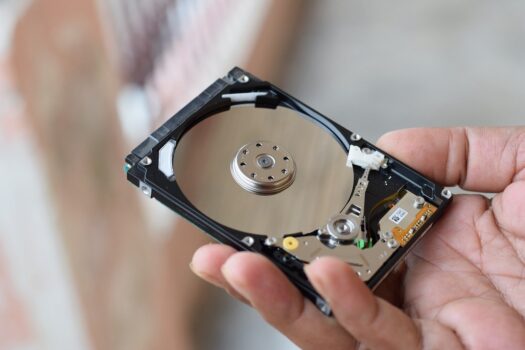
Best data recovery software in Pakistan is often needed after a sudden data loss scenario like deleted files, a formatted hard drive, or a crashed Windows system. Students, offices, and technicians usually realise the problem when important files are already gone and they need to recover the data fast.
A common mistake is installing random recovery tools or trying a cracked data recovery program. In many cases, new scans overwrite deleted data, reduce the recovery chance, or fail completely in complex data recovery cases like partition loss or RAID recovery.
The safe approach is to choose the right file recovery software based on your data loss situation. This guide helps you understand which data recovery solution fits your case, what recovery features matter, and how to recover data without risking further damage.
Best data recovery software in Pakistan depends on the device, file type, and amount of data lost. Windows and Mac users usually need different recovery option paths, while phones, RAID systems, and damaged partitions require specialised recovery software solutions.
From BreTech, you can buy genuine licenses in Pakistan with PKR pricing, local payment options, and fast digital email delivery on most orders, plus local support as an authorized reseller partner for the software brands we list in this guide.
This guide explains the recovery process step-by-step and helps you choose the right tool before you install anything. It also shows when a free version is enough, when you may need professional data recovery, and what to avoid so you do not add new data that makes recovery harder.
Quick Overview Table: Choose the Right Data Recovery Tool
| Your Data Loss Situation | Best Starting Recovery Option | What to Do First |
|---|---|---|
| Deleted files on Windows 10/11 PC | windows file recovery using a trusted recovery program | Stop saving new data and scan the same drive |
| Formatted hard drive, USB, memory card | File recovery tool with deep scan | Avoid copying large files to the same disk |
| Missing partition or RAW drive | partition recovery + file scan | Do not format again, check disk status first |
| Mac file loss (MacBook/iMac) | Recovery tool that supports Windows and Mac | Choose the correct macOS drive and scan |
| Phone storage, photos, WhatsApp media | recovery apps for mobile data | Stop using the phone, avoid cache cleaning |
| Business server, NAS, RAID arrays | raid recovery or professional data recovery plan | Do not rebuild RAID blindly, note drive order |
- Stop using the same drive to avoid overwriting deleted data.
- Install the recovery tool on a different drive or USB.
- Save recovered files to a separate disk, not the same one.
If you want to start safely, browse our Data Recovery Tools and then narrow it down by your device type. BreTech provides PKR pricing, local payments, and fast digital email delivery on most orders with local support.
Best File Recovery by Use Case
File Recovery for Windows PCs (Students and Home Users)
For daily Windows use, the best file recovery is usually a simple recovery solution that can scan deleted data and preview results before you recover the data. This works well when the amount of data is small and the hard drive is still healthy.
If you are using Windows 10 or a newer Windows version, avoid installing the data recovery tool on the same drive you are trying to recover. That one mistake can overwrite deleted data and reduce your recovery chance.
File Recovery Software for USB, Memory Cards, and External Drives
When removable storage is formatted, you need file recovery software that can do a deeper scan without writing new data to the same device. This is common with USB sticks, camera cards, and portable hard drives.
If you want data for free, a free version can sometimes show what is recoverable, but it may limit the amount of data you can save. For important work files, a genuine recovery option is safer than trying best free tools from random sites.
Data Recovery Tool for Partition and Drive Errors
If a drive becomes RAW or a partition disappears, the recovery option should focus on partition recovery before scanning for files. This type of data loss scenario is common after power failures, wrong disk tools, or sudden PC crashes.
Do not format again and do not run repair tools that change the disk structure unless you know what they do. In many cases, the recovery process needs to read the drive in a safe mode first, then recover data to a separate disk.
Data Recovery Solution for Windows and Mac Users
For mixed environments, choose a data recovery solution that supports both Windows and Mac so your recovery process stays consistent. This matters for freelancers and offices that move drives between systems.
Also check if the recovery program supports the file system you use, because that changes the recovery chance. A tool that works well on Windows file recovery may not behave the same way on a Mac drive.
Recovery Tools for Phones, Photos, and WhatsApp Media
Mobile recovery depends on device limits and how data was deleted, so using the right recovery apps is important. For WhatsApp, results also depend on backup settings and whether chats were stored locally or in the cloud.
For advanced camera recovery, stop recording new photos or videos because new data can overwrite deleted media. If the phone keeps writing new data in the background, it can reduce your recovery chance quickly.
Recovery Solution for Business Systems and Complex Data
For servers, RAID recovery, or large volumes of data, start with a professional data recovery approach instead of quick trial-and-error. These cases often involve complex data recovery, where one wrong step can make recovery harder.
If you manage complex data like databases or multi-drive storage, plan the recovery process before running any recovery software solutions. It is also smart to think about backup and recovery together, so the same data loss situation does not repeat.
Best Data Recovery Software in Pakistan: What You Should Do First
Stop Using the Drive or Phone
When a data loss scenario happens, stop saving, copying, or installing anything on the same hard drive or phone. The moment you add new data, you can overwrite deleted data and reduce your recovery chance.
If this is Windows 10 or a newer Windows version, do not install a recovery program on the same disk you want to scan. Use another drive or USB so the recovery process does not change the original storage.
Check Where the Data Was Lost
First confirm where the data was lost: internal hard drive, external drive, USB, memory card, or phone storage. This helps you pick the correct recovery option and avoid the wrong recovery tools.
Also note what happened right before the issue, like a format, power cut, Windows crash, or partition error. This small check improves the recovery process because your data recovery tool can be chosen for that exact situation.
Choose File Recovery Software Based on the Device
Choose file recovery software based on the device and the amount of data you need to recover. A Windows file recovery tool for PC drives is different from recovery apps designed for mobile data recovery.
If you want to test results first, a free version can show what files are recoverable, but it may limit the amount of data you can save. For important files, a genuine data recovery solution is safer than trying “best free” tools that promise data for free.
- Stop using the drive or phone immediately.
- Note what happened (deleted, formatted, RAW, partition loss).
- Prepare a second drive for saving recovered files.
- Run one scan (quick first, deep if needed).
- Recover files to a different location, not the same disk.
Ready to recover files the safe way? Start with File & Drive Recovery so you can choose a recovery tool that matches your hard drive, USB, or memory card case and avoid overwriting deleted data.
How Data Recovery Software Works
What “Scan” and “Preview” Really Mean
In most recovery software uses, a scan means the tool is searching your hard drive for file traces, even if Windows cannot see the files. A preview helps confirm the file is still readable before you start the recovery process and save it somewhere safe.
Preview is important because it reduces wasted time and helps you judge the recovery chance before you pay or run long scans. If preview opens the file properly, your data recovery tool is more likely to recover the data successfully.
When Recovery Fails Even With Good Tools
Recovery can fail when new data overwrites deleted data, especially after you keep using the same drive. This is why many recovery tools do not help if you install programs, download files, or copy large folders after a data loss scenario.
Recovery also fails in complex data recovery cases like physical drive damage, unstable disks, or RAID recovery where the storage layout is broken. In these situations, a normal file recovery tool may not be enough, and professional data recovery becomes the safer recovery solution.
Why Genuine Licensing Matters for Stable Recovery
Genuine recovery software solutions are safer because they install cleanly, update properly, and do not carry risky add-ons that can damage your data protection setup on Windows. This matters when you are trying to recover lost data and you cannot afford another crash or malware problem.
A genuine license also gives you access to stable recovery features like full scans, file previews, and reliable saving options, while many “data for free” tools restrict the amount of data or fail during export. For Pakistan users, buying from an authorized reseller helps you avoid fake keys and broken windows version installs.
Best File Recovery Software for Common Pakistan Use Cases
Deleted Files From HDD, SSD, USB, and Memory Cards
For deleted files on a hard drive, SSD, USB, or memory card, the fastest wins usually come from stopping new writes and running a trusted file recovery software scan. This is a common data loss scenario in Pakistan when a USB is removed suddenly or a folder is deleted during cleanup.
Always save recovered files to a different drive so you do not overwrite more deleted data during the recovery process. If you are on Windows 10, avoid installing the recovery program on the same disk you are scanning.
Formatted Drive and Partition Loss Situations
If a drive was formatted by mistake, you may still recover data, but the recovery chance depends on how much the device was used after formatting. In these cases, a deep scan and partition recovery support can help rebuild old file structures.
Do not format again and do not run random repair tools that change the disk layout. A free version may show what can be recovered, but the amount of data you can save can be limited, so plan the recovery option before you rely on “data for free” claims.
Photo, Video, and Document Recovery From Mixed Storage
Photo and video recovery often works when you stop recording new media quickly, because new files overwrite old ones on cards and phone storage. For mixed storage, choose a data recovery tool that can filter by file type and preview results before exporting.
If you are trying advanced camera recovery from memory cards, treat the card as read-only until the scan is done and you have recovered the data to a safe location. This simple step protects recovery features like file signatures and improves the recovery chance for media files.
“I kept scanning again and again and got worse results. When I stopped using the card and saved recovered files to another drive, I finally recovered my photos.”
Data Recovery Solution for Businesses and Enterprises
Best Practices for Offices Handling Client Data
For offices, a good data recovery solution starts with protecting client files the moment a data loss scenario happens. Stop work on the affected PC or server, isolate the hard drive if needed, and avoid quick “fix” steps that can overwrite deleted data.
It also helps to define who is allowed to run recovery tools, because too many attempts reduce recovery chance and create confusion in the recovery process. If you handle sensitive records, plan backup and recovery together so the same data loss situation does not happen again.
Database and Server Recovery Scenarios
Database and server loss often looks like missing folders, corrupted files, or apps failing to open, but the real issue can be complex data recovery under the surface. In these cases, treat the storage as read-only first and avoid random repairs that change the recovery and disk structure.
For RAID recovery, do not rebuild arrays blindly or swap disk order without notes, because that can destroy the recovery option you still have. A specialised data recovery tool may help, but if the data is business-critical, professional data recovery can be the safer path.
What to Prepare Before You Try Recovery on Work Systems
Before you run any recovery program on a work system, confirm where you will save recovered files and how much space you need based on the amount of data. A second healthy drive is essential, because saving recovered data to the same disk can overwrite more deleted data.
Also document the system details like Windows version, drive type, and what changed before the issue, because that affects which recovery software solutions fit best. If you are testing first, a free version can show what is recoverable, but do not rely on “unlimited data recovery” claims without checking the tool’s limits.
- Note the Windows version and storage type (HDD/SSD/NVMe).
- Confirm where recovered data will be saved (separate healthy drive).
- If RAID is involved, write down disk order and any controller details.
- Assign one person to run the recovery process to avoid repeated scans.
For offices and IT teams, it’s safer to choose the right edition first, especially for servers, databases, or RAID recovery cases. Explore Database Recovery Tools or browse the full Data Protection range for backup and recovery planning.
Data Recovery for Mobile and WhatsApp in Pakistan: What’s Realistic
What You Can Recover Without Risking More Data Loss
Mobile data loss usually happens after a reset, storage cleanup, app reinstall, or phone damage, so your first goal is to protect the recovery chance by stopping extra use. New photos, updates, and background syncing can add new data and overwrite older files without you noticing.
If you lost WhatsApp chats or media, check whether backups exist before trying any recover data attempt. In many cases, restoring a backup is the safest recovery option, while repeated experiments can make the data loss situation worse.
- If a backup exists, restore it first because it is usually the safest option.
- If no backup exists, results depend on device limits and how much new data was added.
When a Desktop Data Recovery Tool Helps More Than a Phone Method
Modern Android and iPhone devices have security limits, so many phone-based recovery methods cannot access everything after deletion. A safer approach is using a desktop data recovery tool on sources you control, like an SD card, exported backups, or accessible device storage.
For advanced camera recovery from SD cards, desktop file recovery software often works better because it can deep scan and preview results. If you try random “recovery apps”, treat results carefully because many have strict limits and may not recover the data you expect.
Where to Continue: Mobile and WhatsApp Recovery Guides
If your goal is phone recovery, follow a guide that matches your exact data loss scenario and device type so the recovery process stays safe. The wrong recovery program or repeated scans can reduce recovery chance, especially when you are dealing with a large amount of data.
For step-by-step help, use your BreTech guides on recover lost data for mobile and WhatsApp, then return to this pillar to compare desktop recovery software solutions. This keeps your recovery option clear and avoids wasting time on the wrong tools.
If your case is mobile or WhatsApp, follow the right guide first, then come back to choose the best desktop recovery option.
See Best WhatsApp Data Recovery Software in Pakistan and Best Mobile Data Recovery Software in Pakistan.
How to Choose the Right Recovery Solution
Home Use vs Technician vs Enterprise Editions
For home users, a simple data recovery tool is usually enough when you only need Windows file recovery for deleted data or a formatted hard drive. These editions focus on common recovery features like scanning, preview, and saving files safely to another drive.
Technicians and IT shops often need a recovery solution that supports more devices and larger jobs, because the amount of data and the number of drives can be higher. Enterprise editions make more sense when the data loss scenario involves servers, RAID recovery, or complex data recovery that needs advanced control.
What to Check Before You Buy in Pakistan
Before buying any file recovery software, confirm it supports your device type, file system, and your Windows and Mac setup if you work across both. This reduces wasted time and improves the recovery process because the recovery program matches your data loss situation.
Also check what the license allows, such as one PC, multiple PCs, or technician use, and avoid unclear “unlimited data recovery” promises. Buying from BreTech helps you avoid fake keys and get a real recovery solution with PKR pricing, local payment options, and fast email delivery on most orders.
- Works with your device and file system.
- Supports your Windows version (or Windows and Mac if needed).
- Allows preview before you recover the data.
- License matches your use (home, technician, or business).
- Clear limits for free version vs paid edition.
- Lets you save recovered files to a separate drive.
Simple Checklist: Pick the Right Tool in 60 Seconds
Start by writing down what you are trying to recover, where it was lost, and whether new data was added after the loss, because that affects recovery chance. Then pick a recovery option that matches the device, not the brand name, so the tool is built for your case.
If you are unsure, test with a free version to preview what can be recovered, but do not rely on “data for free” claims for full recovery. The safest path is to confirm preview results, then use a genuine data recovery solution to recover the data to a separate drive.
What to Avoid in Pakistan When Recovering Data
Cracked Tools, Fake Activators, and “One-Click” Claims
Cracked tools and fake activators often bundle malware, which can damage your data protection and make recovery harder than the original data loss scenario. Even if the tool runs, it may corrupt recovered files, block updates, or cause new crashes during the recovery process.
“One-click” claims also hide important limits, like not supporting your file system or failing on complex data recovery cases. For safer recovery, use a genuine recovery program and follow a clean recovery process instead of experimenting with unknown software companies.
Installing Recovery Software on the Same Drive
Installing a recovery program on the same hard drive you are trying to recover from can overwrite deleted data and reduce recovery chance instantly. This mistake is common on Windows 10 systems where the C drive is both the system disk and the storage for important folders.
Always install file recovery software on a different drive or run it from a separate USB, then save recovered files to another location. This keeps the recovery and disk structure stable and improves the recovery process.
Repeated Scans That Waste Time and Reduce Chances
Running repeated scans with different recovery tools can waste time and lower the recovery chance on weak drives, especially if the disk has bad sectors. It also creates confusion because each data recovery tool may label files differently and you may recover the wrong versions.
Instead, pick one suitable recovery solution, scan once carefully, and export results to a safe drive before trying other recovery options. If the case involves RAID recovery or complex data recovery, stop early and plan the recovery process rather than forcing scans.
- Do not install recovery software on the same drive you are scanning.
- Do not format again “to fix” a RAW or missing partition case.
- Do not run 3–4 different tools repeatedly on a weak drive.
- Do not rebuild RAID without notes and a clear plan.
Where to Buy a Genuine Data Recovery Software License in Pakistan
Choose an Authorized Reseller for Stable Licensing
When you are ready to buy, the safest choice is an authorized reseller so your recovery solution works properly and updates without problems. A genuine license also reduces the risk of failed activation, blocked keys, or tools that stop working during the recovery process.
BreTech provides genuine software licenses in Pakistan with PKR pricing, local payment options, and fast digital email delivery on most orders, plus local support. This matters when you need a reliable data recovery tool quickly and you do not want delays or risky downloads.
Match the Product Category to Your Data Loss Situation
Before you buy, match the tool type to your data loss scenario so you do not waste money on the wrong edition or wrong recovery option. If you mainly need Windows file recovery for USBs, HDDs, and SSDs, start from the file and drive recovery path first.
For business needs like database recovery or RAID recovery, choose specialist recovery software solutions designed for complex data. This is also where technician or enterprise licensing matters, because the amount of data and number of devices can be higher.
Quick Links to Explore on BreTech
To browse safely, start with the main data recovery category and then drill down based on your device type and recovery process. This keeps your buying decision simple and helps you choose the right data recovery solution.
- Browse Data Recovery Tools data recovery solution
- Explore File & Drive Recovery recovery option
- See Database Recovery Tools recovery tools
- View Data Protection and Backup Options data protection
Also check the official Windows support page for storage handling and basic file recovery guidance.
Before You Buy: One Last Safety Check
Confirm the tool supports your Windows version or Windows and Mac setup, and plan where you will save recovered files so you do not overwrite deleted data. This protects the recovery chance and keeps the recovery process clean.
Also check the vendor’s official site for the latest editions, system requirements, and updates so you know what you are buying. This avoids surprises and helps you pick the right recovery program for your data loss situation.
Conclusion: Choosing the Best Data Recovery Software in Pakistan
Choosing the best data recovery software in Pakistan starts with your data loss situation, not a brand name. If you stop using the drive quickly and avoid adding new data, your recovery chance stays higher.
To choose the best tool, match the recovery option to your device and case, like Windows file recovery, partition recovery, or RAID recovery for business systems. This keeps the recovery process clean and helps you recover lost data without wasting time.
When you are ready to buy, a genuine license from BreTech gives PKR pricing, local payment options, and fast digital email delivery on most orders, plus local support. That is the safest way to use stable recovery software solutions and avoid cracked tools.
Further Reading
If you want deeper help for one specific case, use these focused guides and then come back to this pillar to choose the right recovery option.
- Best Data Recovery Software for Mac in Pakistan
- EaseUS Data Recovery Wizard in Pakistan
- GetData Recover My Files Edition Comparison in Pakistan
- Best Database Recovery Software in Pakistan
- Best Enterprise Data Recovery Software in Pakistan
- Affordable Data Recovery Software in Pakistan
Browse all recovery guides here: Data Recovery Blog Guides
FAQs
Q: What is the safest first step in the data recovery process?
A: The safest first step in the data recovery process is to stop using the drive or phone immediately. Do not install any tool on the same disk, and do not save new files there. Prepare a second drive, scan once, and recover files to a separate location.
Q: Can I recover data without paying?
A: You may be able to recover data without paying if the tool’s free version allows saving files and your data loss is simple (recent deletions, small folders). Many tools let you scan and preview for free, but saving recovered files is often limited by file size or total amount of data.
Q: What should I avoid during the data recovery process?
A: Avoid installing a recovery program on the same drive you are trying to recover from, because it can overwrite deleted data. Avoid repeated scans with many tools, and do not format a RAW drive again. These steps reduce recovery chance and can make recovery harder.
Q: Which software to recover deleted files on Windows 10/11 works best?
A: The best software to recover deleted files depends on what happened (deleted, formatted, RAW, partition loss) and whether new data was added. Choose a tool that supports your file system, lets you preview files, and allows recovery to a separate drive to keep results safe.
Q: How do I know if my files can be recovered before I buy?
A: Use scan and preview first. If the preview opens the file correctly, your recovery chance is usually higher. If previews are broken or the drive is unstable, results may be limited and you may need a more advanced tool or professional data recovery help.
Q: Can formatted drives and missing partitions be recovered?
A: Yes, in many cases, formatted drives and missing partitions can be recovered if you stop using the drive early. A deep scan and partition recovery support can rebuild older file structures, but success depends on how much the device was used after formatting.
Q: Do mobile and WhatsApp recovery tools always work?
A: No. Mobile recovery depends on device security limits, backups, and how the data was deleted. If a backup exists, restoring it is often the safest option. For SD cards and accessible storage, desktop recovery tools can work better than phone-only methods.