Abdul Basit
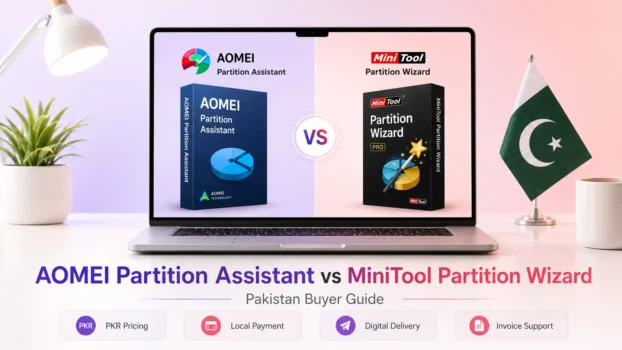
AOMEI Partition Assistant and MiniTool Partition Wizard are both capable Windows partition managers, but neither is the best choice for every user.
AOMEI Partition Assistant is a strong fit for buyers who want a broad disk-management toolkit and clear personal, Server, Unlimited, and Technician editions.
MiniTool Partition Wizard is a strong fit for users who prefer its free tools or its wider range of personal, multi-PC, Server, Enterprise, and Technician options.
For basic partition work, both can resize, move, create, delete, format, extend, and merge partitions. The bigger differences appear when you compare free-version extras, SSD and OS migration, system-disk cloning, recovery tools, bootable media, and commercial licensing.
For Pakistan buyers, the correct choice also depends on how many PCs or servers you need to manage and whether the software is for personal, company, or technician use. You can browse Partition Management software in Pakistan to compare more disk and partition management tools.
AOMEI vs MiniTool Partition Wizard: Quick Comparison
The table below shows the main differences by buyer need. Advanced features can vary by edition, so check the exact license before buying.
| Buyer Need | Better Fit | Why |
|---|---|---|
| Basic free partition management | Both | Both handle common resize, move, create, delete, format, extend, and merge tasks |
| Free feature extras | Depends | MiniTool Free includes tools such as Split Partition and BitLocker management, while AOMEI Standard includes Windows To Go and additional disk utilities |
| C drive extension | Both | Both provide tools for adjusting partition space |
| Data-disk or partition cloning | Both | Both support selected non-system disk or partition cloning tasks |
| OS migration or system-disk cloning | Paid editions | Compare the exact AOMEI or MiniTool paid edition |
| Partition or data recovery | Paid editions | Recovery functions vary by edition |
| Windows Server use | AOMEI Server or MiniTool Server | Use an edition designed for Windows Server |
| Company-wide internal use | AOMEI Unlimited or MiniTool Enterprise | Intended for broader business deployment |
| Technician or client work | AOMEI Technician or MiniTool Technician | Designed for professional service workflows |
AOMEI Partition Assistant and MiniTool Partition Wizard Overview
Both tools are Windows partition management solutions, but their free features, advanced tools, and license structures differ.
AOMEI Partition Assistant
AOMEI Partition Assistant is disk and partition management software for resizing partitions, extending volumes, converting disks and file systems, cloning selected drives, migrating systems in supported editions, and handling other storage-management tasks.
Its product family includes Standard for free personal use, Professional for advanced Windows PC users, Server for Windows Server environments, Unlimited for broader internal company deployment, and Technician for professional service work.
You can explore AOMEI software in Pakistan to see the available AOMEI products and licenses.
MiniTool Partition Wizard
MiniTool Partition Wizard is another Windows partition manager for resizing, extending, merging, splitting, formatting, converting, checking, and organizing hard drives and SSDs.
Its product range includes Free and paid editions for personal PCs, multiple PCs, Windows Server, organizations, and technicians. The available features, PC limits, recovery options, and license terms vary by edition.
You can browse MiniTool software in Pakistan to compare the available MiniTool products.
AOMEI Standard vs MiniTool Free: Which Free Version Is Better?
For basic home partition management, there is no universal winner between AOMEI Standard and MiniTool Free. Both provide the main disk partition management tools most home users need.
MiniTool Partition Wizard Free includes common partition operations along with tools such as Split Partition, BitLocker management, Space Analyzer, Duplicate Cleaner, file-system checking, and Surface Test.
AOMEI Partition Assistant Standard combines common partition operations with additional disk and PC utilities such as Windows To Go, disk-health monitoring, disk-speed testing, cleanup tools, and selected non-system disk or partition cloning functions.
Choose AOMEI Standard if its broader mix of disk and PC utilities better matches your work. Choose MiniTool Free if Split Partition, BitLocker management, or MiniTool’s disk-analysis tools are more useful to you.
For OS migration, system-disk cloning, advanced recovery, bootable media, Windows Server, business deployment, or technician work, compare the appropriate paid editions instead of deciding only by the free version.
Disk Management Features Compared
Both programs cover the core Windows disk-management tasks. The important differences appear when a task moves beyond normal partition management into system migration, recovery, or commercial use.
C Drive Extension and Partition Resizing
Both AOMEI Partition Assistant and MiniTool Partition Wizard can resize, move, extend, create, delete, format, and merge partitions.
These operations are useful when the C drive is running low on disk space, when unallocated space needs to be assigned to another volume, or when you want to adjust the partition layout of a hard drive or SSD.
MiniTool Free also includes Split Partition, which can divide an existing partition into separate volumes.
MBR, GPT, NTFS, and FAT32 Conversion
Both products include disk and file-system conversion tools, but the exact operations available depend on the edition and whether you are working with a data disk or a system disk.
AOMEI Standard supports common data-disk MBR and GPT conversion tasks as well as NTFS and FAT32 conversion. MiniTool also includes common conversion tools in its partition-management feature set.
More advanced operations involving a Windows system disk may require a paid edition. Before converting a disk that contains Windows or important files, keep a current backup and make sure the selected edition supports the operation you need.
Disk Cloning and SSD Migration
Both AOMEI Partition Assistant and MiniTool Partition Wizard provide cloning tools, but data-disk cloning and Windows OS migration are not the same task.
Selected non-system disk or partition cloning can be available without moving Windows itself. Migrating the operating system to an SSD or another hard drive, or cloning a system disk, is a more advanced operation and may require the appropriate paid edition.
If your main goal is moving Windows to a new SSD, check the migration and cloning features of the edition you plan to buy rather than assuming every free or paid version provides the same functions.
For a practical SSD migration example, see the guide to cloning an NVMe SSD to another NVMe SSD.
Recovery and Bootable Tools
Recovery is another area where the exact edition matters more than the brand name.
Both product families offer paid editions with recovery-related capabilities, but partition recovery, file recovery, bootable media, and other recovery tools are not identical across every plan.
If recovery is a major buying reason, compare the current edition features carefully before purchasing. Recovery success can never be guaranteed because results depend on overwritten data, file-system damage, drive condition, and whether the storage device has a physical fault.
AOMEI Partition Assistant Editions and Who They Suit
AOMEI separates its Partition Assistant range by personal PC use, Windows Server administration, internal company deployment, and professional client service.
AOMEI currently lists Professional and Server licenses for up to 2 computers per license. Unlimited and Technician allow use on unlimited supported computers, but their commercial rights differ: Unlimited is intended for wider internal use within one company, while Technician allows billable technical service for clients.
AOMEI Standard and Professional
AOMEI Partition Assistant Standard is the free edition for personal Windows PCs. It covers common partition and disk management operations and is enough for many basic home tasks.
AOMEI Partition Assistant Professional is the main paid PC edition for users who need more advanced functions. Depending on the current version, these can include OS migration, system-disk cloning, advanced conversion tools, recovery functions, and bootable media.
Choose Standard when the free tools already solve your problem. Professional is the better fit when you need advanced disk or system operations that are not available in Standard.
AOMEI Partition Assistant Server
AOMEI Partition Assistant Server is designed for environments that need partition and disk management on supported Windows Server systems.
It is more appropriate for server administrators and businesses than a normal personal PC edition. If Windows Server is the system you need to manage, check the Server edition rather than choosing Professional only because it is a paid product.
AOMEI Unlimited and Technician
AOMEI Partition Assistant Unlimited is intended for broader internal deployment where one organization needs to manage multiple supported PCs or servers.
AOMEI Partition Assistant Technician is intended for technicians, IT service providers, consultants, repair shops, and other professionals who work on customer or client systems.
Choose Unlimited for wider internal company use. Choose Technician when your work involves providing partition-management services to clients.
If you are deciding between disk management and backup software, read AOMEI Partition Assistant vs AOMEI Backupper.
MiniTool Partition Wizard Editions and Who They Suit
MiniTool provides separate options for free home use, advanced personal use, multiple PCs, Windows Server, internal business deployment, and professional technical service.
MiniTool currently lists Pro for 1 PC, Pro Platinum for 3 PCs, and Pro Ultimate for 5 PCs. Its business licenses expand further, with Enterprise covering up to 99 computers within one company and Technician covering up to 299 computers for technical service.
MiniTool Free and Pro
MiniTool Partition Wizard Free is suitable for common home disk and partition management tasks.
The paid Pro edition is designed for users who need more advanced system-level functions on a personal PC. The exact feature difference matters, so users should compare the current Free and Pro capabilities before paying for an upgrade.
Choose Free when its partition tools already cover your needs. Consider Pro when your required operation is not available in the free version.
MiniTool Pro Platinum and Pro Ultimate
MiniTool Partition Wizard Pro Platinum is aimed at buyers who need paid features across multiple PCs and additional recovery-related capabilities.
MiniTool Partition Wizard Pro Ultimate provides broader PC coverage and a different license term. MiniTool distinguishes these editions partly by the number of supported PCs and licensing period.
Platinum can suit a smaller multi-PC setup, while Ultimate makes more sense when the buyer needs broader personal PC coverage or prefers its license model.
MiniTool Server, Enterprise, and Technician
MiniTool Partition Wizard Server Standard is intended for Windows Server disk management.
MiniTool Partition Wizard Enterprise is designed for organizations that need broader internal deployment, while MiniTool Partition Wizard Technician is intended for professional IT and service work involving client systems.
Choose Server when Windows Server management is the main requirement. Choose Enterprise for broader internal company use and Technician when the software will be used professionally on customer computers.
For a more detailed license breakdown, see MiniTool Partition Wizard Editions Compared.
Are AOMEI Partition Assistant and MiniTool Partition Wizard Trustworthy?
AOMEI Partition Assistant and MiniTool Partition Wizard are established Windows disk-management products with free and commercial editions. The more important safety question is how the software is obtained and how carefully disk operations are performed.
AOMEI Partition Assistant can be a trustworthy option when you use legitimate software and the correct edition for the task. The same applies to MiniTool Partition Wizard. Neither product removes the normal risks involved in resizing, converting, cloning, or recovering disks.
Before major disk operations, keep important files backed up, use a legitimate installer and genuine license, and avoid cracked builds, unofficial activators, or modified installers.
Which Tool Should You Choose?
Choose AOMEI Partition Assistant when its mix of partition management, disk utilities, Windows To Go, cloning, migration features, and AOMEI’s license structure better matches your workflow.
Choose MiniTool Partition Wizard when its free Split Partition and BitLocker tools, disk-analysis features, or range of personal, multi-PC, Server, Enterprise, and Technician editions better fits your requirements.
For basic home use, start by comparing AOMEI Standard with MiniTool Free. You may not need a paid license if the free version already completes the disk operation you need.
For SSD migration, system-disk cloning, recovery, bootable media, or other advanced tasks, compare AOMEI Professional with the appropriate MiniTool paid edition.
For Windows Server, use a server-focused edition. For wider internal company deployment, compare AOMEI Unlimited with MiniTool Enterprise. For repair shops, IT technicians, consultants, and service providers, compare the Technician editions.
Before resizing, converting, or cloning an older drive, it is also useful to check its condition first. See Disk Health Checker Tools in Pakistan.
Buying AOMEI or MiniTool in Pakistan
For Pakistan buyers, software features are only one part of the decision. The license must also match the number and type of systems where the partition manager will be used.
A home user, Windows Server administrator, company, and repair technician can require different licenses even when they perform similar disk-management operations.
Genuine Software Licenses
Partition software works directly with disk layouts, partitions, file systems, boot information, and stored data. Using a genuine license reduces the activation, update, security, and support problems associated with unofficial copies.
Avoid cracked software, unofficial serial keys, unknown modified installers, and activators, especially when working on important business or customer systems.
PKR Pricing, Digital Delivery, and Local Support
BreTech offers genuine AOMEI and MiniTool licenses for Pakistan buyers with PKR pricing, local payment options, digital delivery, activation guidance, and invoice support.
Check the exact edition before ordering, particularly when the software will be used on Windows Server, across multiple company systems, or for professional technician work.
Final Verdict
AOMEI Partition Assistant and MiniTool Partition Wizard are both capable Windows partition management tools. For free home use, compare AOMEI Standard and MiniTool Free based on the specific partition, disk, and utility features you actually need.
For advanced tasks such as OS migration, system-disk cloning, recovery, Windows Server management, company deployment, or technician servicing, the exact edition and license scope matter more than choosing one brand universally.
For Pakistan buyers, BreTech can help identify a suitable genuine license based on your PCs, servers, company requirements, or technician workflow.
Related Partition Management Guides
If you are comparing other partition managers or deciding between disk management and related tools, these guides cover the closest buyer decisions:
- AOMEI Partition Assistant vs EaseUS Partition Master in Pakistan
- MiniTool Partition Wizard Editions Compared
- AOMEI Partition Assistant vs AOMEI Backupper
- Clone NVMe SSD to NVMe SSD Guide
Browse more PC maintenance, disk management, optimization, and Windows utility guides in the System Utilities section.