Abdul Basit
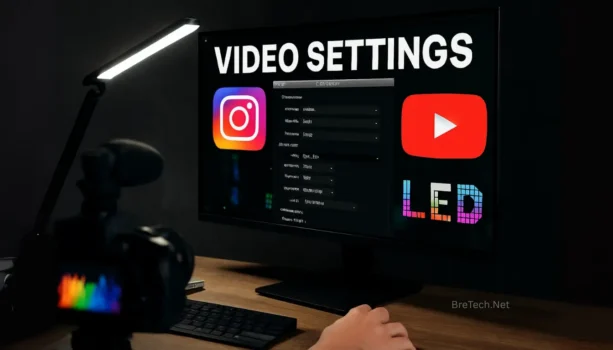
As a content creator or business operating in Pakistan, you often face the frustrating issue of video quality dropping after uploading to social media. This isn’t usually an error—it’s compression.
Every platform (YouTube, Instagram) and every display medium (LED walls) has unique, non-negotiable specifications. If your export doesn’t match, the platform aggressively recompresses it, ruining your hard work.
This BreTech guide provides the exact, optimal export settings you need to master video quality across the three most demanding platforms.
We cover everything from the basic MP4 container to the advanced bitrates that ensure your content looks professional, whether it’s viewed on a smartphone in Lahore or a massive LED display in Karachi.
If you are specifically using Wondershare Filmora, you can find our dedicated guide on Filmora Export Settings in Pakistan for more software-specific details.
1. Optimal Export Settings for YouTube (The Highest Quality)
To beat YouTube’s heavy compression, the strategy is to upload a file with an unnecessarily high resolution and bitrate. This forces YouTube to use its premium VP9 codec, which offers superior clarity on playback.
| Setting | Recommendation |
|---|---|
| Container/Format | MP4 |
| Video Codec | H.264 or H.265 (HEVC), High Profile |
| Resolution (FHD) | 1920 x 1080 |
| Resolution (4K Recommended) | 3840 x 2160 (Upscale if source is 1080p) |
| Frame Rate (FPS) | Match Source (24, 25, 30, 50, 60 fps) |
| Bitrate (1080p @ 30fps) | 12 – 16 Mbps (VBR, 2-Pass is best) |
| Bitrate (4K @ 30fps) | 45 – 60 Mbps (VBR, 2-Pass is best) |
| Audio | AAC-LC, 48 kHz, 320 kbps |
| Color Space | Rec. 709 |
2. Optimal Export Settings for Instagram Reels & Feed (Maximum Compatibility)
Instagram heavily compresses video, so the goal is to use their exact required dimensions and a bitrate that’s high enough to look clean but not so high that it gets crushed unnecessarily.
| Setting | Reel (9:16 Vertical) | Feed Post (4:5 Portrait) |
|---|---|---|
| Container/Format | MP4 | MP4 |
| Video Codec | H.264 | H.264 |
| Resolution | 1080 x 1920 (for Reels/Stories) | 1080 x 1350 (for Feed Posts) |
| Frame Rate (FPS) | Match Source (max 30 fps recommended) | Match Source (max 30 fps recommended) |
| Bitrate | 8 – 12 Mbps (VBR) | 8 – 12 Mbps (VBR) |
| Max Length | 90 seconds (Reels) | 60 seconds (Posts) |
| Max File Size | 250 MB | 250 MB |
3. Critical Export Settings for LED Screens / Digital Signage (Pixel Perfection)
For large public displays, online standards are irrelevant. The content must be created to the exact native resolution of the physical LED wall. Always consult the vendor for these specs.
| Setting | Recommendation |
|---|---|
| Resolution | MUST MATCH WALL’S NATIVE PIXEL COUNT (e.g., 1610×945 or 3840×1152) |
| Container/Format | MP4 (H.264) or MOV (ProRes 422) |
| Video Codec | H.264 for compatibility or ProRes 422 for highest quality |
| Frame Rate (FPS) | Match Playback System (often 29.97/59.94 fps) |
| Bitrate | 25 – 50 Mbps (For H.264 content) |
| Color Space | Rec. 709 (Standard digital video) |
| Crucial Step | Consult the AV/LED Screen Vendor for Exact Specs |
Beginner’s Guide: What NOT To Do
| What is NOT Right | What is the Correct Approach (Based on Facts) |
|---|---|
| LED Screens: Guessing the resolution and exporting a standard 1080p video. | Fact: LED screens are often custom aspect ratios (e.g., 2:1 or 3:1). Exporting a 16:9 1080p video will force the screen to improperly scale or crop, resulting in a blurry, unprofessional image. Get the exact pixel dimensions. |
| YouTube: Uploading a very low bitrate file (e.g., 5 Mbps) to speed up the upload process. | Fact: YouTube compresses all videos to their target bitrate. If your source file is low quality, the final, compressed video will be significantly worse due to double compression. Use the recommended high bitrates. |
| Instagram: Uploading a high-resolution 4K file directly to a Reel. | Fact: Instagram does not play back at 4K resolution. Uploading a massive 4K file often results in the platform over-compressing it, leading to a much worse result than a perfectly exported 1080×1920 file. |
| General Workflow: Only exporting one file format for everything. | Fact: Each platform requires optimization. Use a high-bitrate 4K file for YouTube and a vertical, low-file-size 1080p file for Instagram. One size does not fit all. |
Recommended Tools and Software
To handle these specific settings, you need powerful video editing software. BreTech stocks the latest licenses and components for professionals in Pakistan:
- Professional Software: For a beginner-friendly editor with powerful features, check out Wondershare Filmora or Movavi Video Editor Plus. We also stock top-tier Video Editing Software to find the right tool for your workflow (Premiere Pro, DaVinci Resolve, etc.).
- Action Cam Footage: If you work with fast-paced, high-motion video, use specialized software like Ashampoo ActionCam to stabilize and enhance your footage before exporting.
- Quality Enhancement: If your source footage isn’t high quality, consider using a Video Enhancer/Upscaler tool to improve your footage before beginning the export process.
For a visual walkthrough of the highest-quality export settings in Premiere Pro, refer to this detailed video guide: Best Export Settings For Premiere Pro For YouTube
Ready to upgrade your editing workstation? BreTech offers the latest GPUs, CPUs, and high-performance monitors needed to handle demanding 4K video editing.
Final Conclusion: Master Your Exports, Master Your Content
Achieving professional-grade video quality online is not about luck; it’s about precision. By following these specific export settings for YouTube, Instagram, and LED Screens, you bypass unnecessary compression and ensure your content looks exactly as intended across all platforms and display sizes in Pakistan.
Remember the golden rule: One size does not fit all. Treat a 4K YouTube upload as a high-bitrate archival file, optimize your Instagram video for the exact mobile screen size, and always get the native pixel resolution from your LED screen vendor.
Ready to put these settings to the test? Ensure your PC is capable of handling the demanding 4K export process. Visit BreTech today to upgrade your workstation with the latest GPUs and high-speed storage, and take control of your digital media quality.
Read Further
- Filmora vs Movavi in Pakistan: Best Choice for 2025
- Filmora Lifetime vs Annual in Pakistan: Which Option Is Better?
- Best Video Format for WhatsApp and YouTube
- Filmora Export Settings in Pakistan: YouTube & TikTok Quality
- Top 10 Best Business Video Editing Tools in Pakistan (2025)
- Wondershare Virbo in Pakistan: AI Spokesperson Videos in Urdu