Abdul Basit
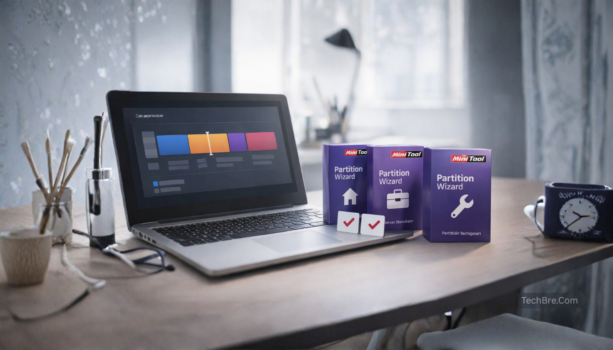
MiniTool Partition Wizard editions help users in Pakistan choose the right license for home PCs, offices, Windows Server systems, or technician work. Many people only look for this tool when a drive shows “unallocated,” Windows fails to boot, or a partition resize goes wrong.
A common mistake is trying random free tools or cracked software in this situation. That can lead to failed partition changes, inaccessible drives, or data loss. BreTech offers genuine MiniTool licenses in Pakistan with PKR pricing, local payments, and 1–72 hour digital email delivery as an authorized reseller.
MiniTool Partition Wizard editions mainly depend on how many PCs you manage and what type of work you do. For most home users, Pro is the right starting option. If you manage Windows Server systems, choose Server. Businesses usually need Enterprise, while repair shops and technicians should choose Technician.
MiniTool Partition Wizard Editions at a Glance
| Edition | Best For | Approx Price (PKR) |
|---|---|---|
| MiniTool Partition Wizard Pro | Home users managing partitions and disk layouts on one PC | 18,408 |
| MiniTool Partition Wizard Pro Platinum | Power users or small offices needing additional disk tools | 40,248 |
| MiniTool Partition Wizard Pro Ultimate | Advanced recovery and disk repair tasks | 62,088 |
| MiniTool Partition Wizard Server Standard | Managing partitions on Windows Server machines | 49,608 |
| MiniTool Partition Wizard Enterprise | Businesses managing multiple office computers | 155,688 |
| MiniTool Partition Wizard Technician | Repair shops and technicians working on client PCs | 218,088 |
Prices are approximate PKR values based on current BreTech listings. Always open the product page to confirm the latest pricing, features, and licensing terms.
Explore MiniTool Partition Wizard Tools on BreTech
If you want to review full features, licensing details, and the latest PKR pricing for each edition, open the MiniTool listings on BreTech. These pages help you compare disk utilities and choose the right partition manager before purchasing.
Browse related pages:
These pages list genuine MiniTool software available in Pakistan with PKR pricing, local payment options, and digital email delivery from BreTech.
MiniTool Partition Wizard Free vs Pro: Key Limitations
Many users start with the free edition of MiniTool Partition Wizard to perform basic partition tasks. However, the free version has several important limitations that can affect disk repair or recovery work.
The free edition does not include Partition Recovery or Bootable Media Builder, which are often required when Windows fails to boot or partitions become inaccessible.
Because of these limitations, many users upgrade to MiniTool Partition Wizard Pro or higher editions when they need advanced disk repair, recovery tools, or commercial usage rights.
Overview of MiniTool Partition Wizard Editions
MiniTool Partition Wizard comes in multiple editions for different users. In BreTech listings, you can choose from home/Pro editions, server editions, and technician or enterprise editions depending on licensing and workload.
If you are doing normal Windows partition tasks for one PC, start from the Pro line. If you manage Windows Server or client PCs for customers, look at Server and Technician editions.
Best Use Cases for Each Edition
- Home and personal use: Pro editions are usually enough for partition resizing, moving, and common disk tasks.
- Office or IT teams: Enterprise edition fits managed environments where licensing and deployment matters.
- Windows Server machines: Server Standard edition is the safer match.
- Repair shops and technicians: Technician edition is built for handling multiple client systems.
If you are unsure, start from the MiniTool Partition Wizard editions list and use the compare icon to shortlist 2–3 editions.
Manual-Backed Notes That Help You Pick the Right Edition
MiniTool documentation explains several feature differences between the Free edition and higher paid editions. Understanding these limitations can help you choose the correct license before starting important disk operations.
Some recovery and boot features are not included in the Free edition
According to the official documentation, Partition Recovery is not available in the Free edition. This feature is only supported in professional editions and higher.
Bootable Media Builder is also not included in the Free version. This feature is important when Windows cannot start and you need to run disk repair tools from bootable media.
These limitations are one reason many users eventually upgrade to Pro or higher editions when performing disk recovery or system repair tasks.
Partition Recovery vs Data Recovery (quick explanation)
MiniTool documentation explains the difference between these two recovery features:
- Partition Recovery rebuilds the partition table and restores lost or deleted partitions together with their data.
- Data Recovery scans a drive and attempts to recover specific files when partition recovery is not possible.
Understanding this difference helps avoid choosing an edition that lacks the recovery method needed for a specific disk problem.
A simple safety warning many users overlook
The documentation also warns that setting the wrong partition as Active can prevent Windows from booting properly. When editing partitions, it is safer to confirm the system partition first and apply one change at a time.
Offline activation for restricted environments
MiniTool also supports an offline activation method for systems that cannot connect to the internet. The process uses a removable drive to transfer activation information and return an activation code.
This method can be useful in controlled office environments or isolated computers where direct internet access is restricted.
Compare Working Environment for MiniTool Partition Wizard
System Requirements for Each Edition
The Free and Pro editions are typically easier to run on normal PCs. Higher editions (Server, Enterprise, Technician) are meant for heavier environments, so stable hardware and a clean Windows install matters more.
User Interface and Experience
Most editions share the same interface, but advanced editions unlock extra options that can confuse beginners. If you are not comfortable with disk operations, avoid experimenting on the main drive without a plan.
A simple safe approach is: check the partition layout, confirm the target drive, and do one change at a time. For risky jobs, use the edition that supports bootable recovery and proper licensing.
Compatibility with Various Operating Systems
MiniTool Partition Wizard is mainly for Windows systems. Server editions are the better fit when you are working on Windows Server machines where compatibility and stability matters.
If you are working in Pakistan with mixed client machines, a technician license can reduce “license not valid” problems when moving between PCs.
Choosing the Right Edition of MiniTool Partition Wizard
Factors to Consider When Selecting an Edition
Choose based on these practical points:
- How many PCs you will use it on (single PC vs many PCs)
- Whether you manage servers
- Whether you need technician rights for client systems
- Your budget, and how often you do disk jobs
For most buyers, starting with the Pro edition makes sense, then upgrading later if your work becomes more advanced.
Start by browsing MiniTool options here: MiniTool on BreTech
Cost Analysis of Each Edition
Always compare features to cost before you buy. Paying extra only makes sense if you truly need server usage, multi-PC usage, or technician rights.
User Reviews and Recommendations
User reviews can help, but also focus on the edition match. Many “bad reviews” come from people using the wrong edition for the wrong job.
If you are choosing between MiniTool and other brands, these BreTech comparisons will help you decide faster:
- EaseUS vs AOMEI vs MiniTool: backup + partition comparison
- AOMEI Partition Assistant vs EaseUS Partition Master
Conclusion: Choosing the Best MiniTool Partition Wizard Editions
MiniTool Partition Wizard editions are easiest to choose when you match the license to your real work: one PC, multiple PCs, Windows Server, or technician jobs. For most home users, Pro is enough for safe partition changes and basic disk tasks.
If you manage office PCs, the Enterprise edition is the better fit for business use and proper licensing. If you run Windows Server machines, choose the Server Standard edition so you are covered for server environments.
If you work on client computers as a repair shop or field technician, Technician is the right choice because it is built for multi-client usage. To avoid buying the wrong edition, compare 2–3 options using the MiniTool Partition Wizard editions list and the compare icon.
When you buy from BreTech, you get PKR pricing, local payment options, and email delivery on most orders, along with help if you get stuck during setup or activation.
FAQs
Q: Which MiniTool Partition Wizard edition is best for most users?
A: For most home users who need resizing, moving, or managing partitions on one PC, Pro is usually the best starting option.
Q: Do I need a Server edition for Windows Server?
A: Yes. If the machine runs Windows Server, Server Standard is the safer licensing choice compared to home editions.
Q: What is the difference between Enterprise and Technician?
A: Enterprise is for businesses managing many office PCs. Technician is for repair shops or technicians working on many client computers.
Q: Does the Free edition include partition recovery and bootable media?
A: The manual notes partition recovery is not supported in the Free edition, and bootable media builder is also not provided in the Free edition.
Q: Can MiniTool Partition Wizard help if Windows will not boot?
A: It can help in some cases, but you usually need an edition that supports bootable media so you can run tools outside Windows.
Q: Can I activate MiniTool Partition Wizard without internet?
A: Yes. The manual describes an offline activation method using a removable disk to move activation information and receive a code.
Q: How do I avoid breaking Windows when editing partitions?
A: Avoid setting the wrong partition as Active, make one change at a time, and restart if required before doing the next change.
Further Reading
If you need help with a specific disk management task or want to compare MiniTool with other top-tier tools in Pakistan, explore these focused guides:
- EaseUS vs. AOMEI vs. MiniTool: Backup & Partition Comparison
- EaseUS Partition Master Editions Compared in Pakistan
- AOMEI Partition Assistant vs. EaseUS Partition Master Comparison
- Best Bad Sector Repair Software in Pakistan
- How to Clone Your Hard Drive for Free: A Step-by-Step Guide
- Disk Health Checker Tools for Pakistani Users
Want more help like this? Browse all Utilities & Optimization guides: Utilities & Optimization