Abdul Basit
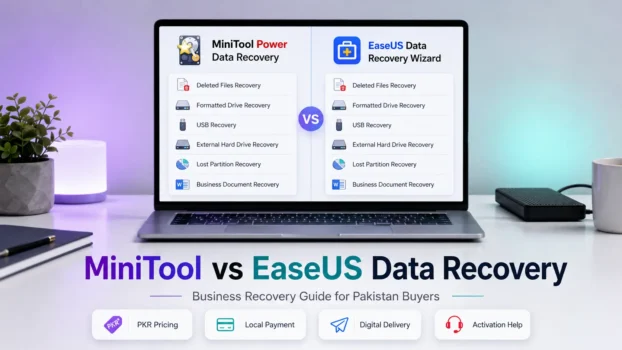
Both MiniTool Power Data Recovery and EaseUS Data Recovery Wizard are good choices for businesses in Pakistan.
MiniTool is better for buyers who want a lower-cost option and a perpetual licence. EaseUS is better for users who want an easier, guided recovery process.
For small offices and freelancers in Pakistan, MiniTool usually gives better value. EaseUS is a strong choice when ease of use matters more than the lowest licence cost.
Key Takeaways
- MiniTool Free recovers up to 1 GB, while EaseUS Free may recover up to 2 GB, based on current free-version terms.
- Free versions are mainly for testing, not serious business recovery.
- MiniTool is better for budget-focused buyers who want a perpetual licence.
- EaseUS is easier for non-technical users.
- Both tools can recover files from formatted drives, USB drives, external drives, and memory cards.
- Neither tool should replace a proper backup plan.
- Avoid cracked versions because they are risky and unreliable.
- BreTech offers genuine MiniTool and EaseUS licences in Pakistan with PKR pricing, local payment options, digital delivery, and activation help.
- Check the product page or contact BreTech for the latest PKR price.
What Is the Difference Between MiniTool and EaseUS Data Recovery?
MiniTool Power Data Recovery and EaseUS Data Recovery Wizard are both Windows-based file recovery tools. They scan storage devices and recover deleted, formatted, or lost files. The core difference lies in pricing structure, licence type, user experience, and business-tier options.
MiniTool Power Data Recovery is developed by MiniTool Software Ltd. EaseUS Data Recovery Wizard is made by EaseUS Software. Both have been in the market for many years and have strong user bases globally, including in Pakistan.
Key differences at a glance:
| Feature | MiniTool Power Data Recovery | EaseUS Data Recovery Wizard |
|---|---|---|
| Free recovery limit | Up to 1 GB | Up to 2 GB, depending on current free-version terms |
| Pricing style | Usually stronger for budget-focused perpetual licence buyers | Usually stronger for guided recovery and ease of use |
| Technician/business use | Business Technician supports up to 299 PCs/Servers | Technician/service-provider editions are designed for wider professional use |
| Bootable media support | Yes, in higher tiers | Yes, in higher tiers |
| RAID recovery | Business Enterprise and higher editions | Pro / Technician editions |
| Windows 11 support | Yes | Yes |
Which One Is Cheaper for Small Businesses in Pakistan?
For small businesses in Pakistan, MiniTool Power Data Recovery is generally the more affordable option, especially for buyers who want a perpetual licence instead of a short-term subscription. This makes it attractive for small offices, freelancers, repair technicians, and IT admins who want to keep a recovery tool ready for future use.
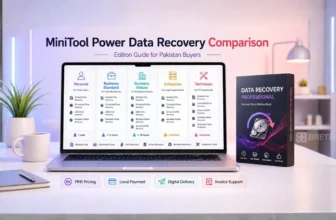
For business use, MiniTool offers tiered editions:
- MiniTool Power Data Recovery Business Standard — covers 1 device
- MiniTool Power Data Recovery Business Deluxe — 1 device with more features
- MiniTool Power Data Recovery Business Enterprise — suitable for larger business use
- MiniTool Power Data Recovery Business Technician — suitable for technicians and service providers
For current PKR pricing, check the product pages above or contact BreTech directly. Exchange rates change, vendor promotions change, and software prices are updated regularly.
EaseUS pricing in Pakistan is also available through BreTech. See the EaseUS Data Recovery Wizard pricing guide for Pakistan for a detailed breakdown.
Can These Tools Recover Files from Formatted Hard Drives?
Yes. Both MiniTool Power Data Recovery and EaseUS Data Recovery Wizard can recover files from formatted hard drives. This is one of the most common recovery scenarios in Pakistani offices, where drives are sometimes accidentally formatted or wiped during Windows reinstalls.
Both tools use deep scan technology to find file signatures even after a format. Recovery success depends on how much new data has been written to the drive after formatting. The sooner you scan, the better the results.
Common mistake: Many users continue using a drive after data loss, which overwrites the deleted files and reduces recovery chances. Stop using the drive immediately and run a scan first.
How Much Does Each Software Cost for a Business Licence?
Do not rely on old online prices when choosing a data recovery licence. Software prices change with exchange rates, vendor updates, regional availability, and promotional offers.
For the latest PKR prices on MiniTool business licences, visit the product pages linked above. For EaseUS, see the EaseUS Data Recovery Wizard pricing page on BreTech.
What you should know about the pricing structure:
- MiniTool offers subscription and perpetual licence options, depending on the edition
- EaseUS also offers subscription and perpetual options, depending on the edition
- Business and Technician editions cost more than personal editions because they allow wider professional or commercial use
- For multi-device deployments, always compare the licence terms, device coverage, support rights, and upgrade policy before buying
BreTech provides official invoices with every purchase, which is useful for business expense records and IT audits in Pakistan.
Is MiniTool or EaseUS Better for Recovering Deleted Office Documents?
Both tools recover deleted Word, Excel, PowerPoint, and PDF files well. For everyday office document recovery, the difference is minimal. Both support deep scan modes that find files by type even when the directory structure is lost.
EaseUS has a slight edge in its file filter and preview interface, which makes it easier to find specific document types quickly. MiniTool’s interface is also clean and straightforward, but the filtering options are slightly less visual.
For non-technical employees in Pakistani offices who need to recover a deleted report or presentation, either tool works well. EaseUS may be slightly easier for first-time users to navigate.
Which Data Recovery Tool Works Fastest?
Scan speed depends more on drive size and condition than on the software itself. Both tools offer a Quick Scan for recently deleted files and a Deep Scan for more complex recovery scenarios.
On standard HDDs and SSDs, both tools can take time when running a full deep scan. Deep scans on large drives can take 30 minutes to several hours on either platform, depending on drive size, drive health, connection type, and the number of files found.
Choose based on features and licence value rather than speed alone. If you need faster results, use Quick Scan first before running a full Deep Scan.
Can These Recover Data from External Hard Drives and USB Drives?
Yes. Both MiniTool Power Data Recovery and EaseUS Data Recovery Wizard support recovery from:
- External hard drives
- USB flash drives and pen drives
- SD cards and memory cards
- Internal HDDs and SSDs
- Lost or deleted partitions
- RAID arrays in higher business editions
This makes both tools practical for Pakistani freelancers and small businesses who regularly use external drives and USB storage.
For mobile data recovery needs, see the best mobile data recovery software options in Pakistan.
What Are Common Mistakes People Make When Trying to Recover Lost Files?
These mistakes reduce recovery success rates significantly:
- Continuing to use the drive after data loss, as this overwrites deleted files
- Installing recovery software on the same drive being recovered, because you should always install on a separate drive
- Running multiple recovery tools at once, which can cause conflicts and further data loss
- Using cracked or pirated recovery software, because fake tools often contain malware and may not recover anything at all
- Waiting too long, because the longer you wait, the more data gets overwritten
- Skipping the Quick Scan, because you should always try Quick Scan first before a Deep Scan
If you are unsure where to start, use the BreTech Data Recovery First Aid Checker to assess your situation before running any software.
Which Software Is Easier to Use for Non-Technical Employees?
EaseUS Data Recovery Wizard has a slightly more beginner-friendly interface. The scan results are easier to browse, and the file type filters are more visual. For non-technical staff in Pakistani offices, EaseUS requires less learning time.
MiniTool Power Data Recovery is also simple, but its interface is more functional than visual. IT admins and technicians tend to prefer it for its control and flexibility.
Choose EaseUS if your team has limited technical experience. Choose MiniTool if you have an IT admin managing recovery tasks.
Are There Free Alternatives to MiniTool and EaseUS?
Yes, but with significant limitations. Free tools like Recuva and PhotoRec are available, but they lack the same mix of file preview, guided interface, business licence options, and support that paid tools offer.
The free tiers of MiniTool and EaseUS are useful for small personal recoveries, but they are not practical for serious business-grade data loss. For a broader look at options, see the best data recovery software available in Pakistan.
For businesses, investing in a genuine paid licence is the right decision. A single successful recovery of an important file can justify the cost many times over.
How Reliable Are These Tools for Recovering Important Business Data?
Both tools are reliable for standard recovery scenarios. They perform well on deleted files, formatted partitions, and many logical drive problems. Neither tool guarantees 100% recovery because success depends on drive condition, file system type, and how much data has been overwritten.
For critical business data on RAID arrays or servers, consider enterprise-grade options. See the enterprise data recovery software guide for Pakistan for more advanced solutions.
Both MiniTool and EaseUS are widely used by home users, businesses, and IT professionals. They are safe, legitimate tools when purchased through an official or authorised source.
What File Types Can Each Software Recover?
Both tools support many common file types, including:
- Documents: DOCX, XLSX, PPTX, PDF, TXT
- Images: JPG, PNG, RAW, TIFF, BMP
- Videos: MP4, AVI, MOV, MKV
- Audio: MP3, WAV, AAC
- Archives: ZIP, RAR
- Emails: PST, OST
- Database files and system files in higher tiers
MiniTool supports a wide range of storage devices and file systems. EaseUS has strong support for photo, video, and document recovery, making it a good choice for photographers, video editors, and office users in Pakistan.
Do These Work on Windows 11 and Older Windows Versions?
Yes. Both MiniTool Power Data Recovery and EaseUS Data Recovery Wizard support modern Windows versions, including Windows 11 and Windows 10. They also support selected older Windows versions, depending on the edition and installer version.
For bootable media recovery, both tools offer higher-tier options that can help recover data when Windows will not start. This is useful for recovering data from a crashed system without needing to boot into Windows first.
Always check the latest system requirements on the official product page before buying, especially if you are using an older PC, Windows Server, or a specialised business setup.
MiniTool Power Data Recovery vs EaseUS Data Recovery Wizard: Which Should You Buy?
Use this decision guide based on your situation in Pakistan:
Choose MiniTool Power Data Recovery if:
- You want a lower-cost perpetual licence option
- You are buying for 1 to 3 PCs or a small office setup
- You are an IT admin or technician who prefers a functional interface
- You want a business edition with clear upgrade options
- Budget is a priority and you want genuine software with local support
Choose EaseUS Data Recovery Wizard if:
- Your team is non-technical and needs an easier interface
- You prefer a guided recovery workflow
- You are a photographer or video editor recovering media files
- You want strong file filtering and preview options
- You need a professional recovery tool for broader technician or service-provider work
For a broader software comparison, also see EaseUS vs AOMEI vs MiniTool in Pakistan.
FAQs
Q: Can I try MiniTool or EaseUS before buying?
A: Yes. Both offer free versions. MiniTool lets you recover up to 1 GB for free. EaseUS Data Recovery Wizard Free can recover up to 2 GB, depending on the current free-version terms shown by EaseUS. Use the free version to test if your files are recoverable before purchasing.
Q: Is it safe to use cracked versions of these tools?
A: No. Cracked software often contains malware, may not recover your files, and can cause further data loss. Always buy a genuine licence from an authorised reseller like BreTech to avoid fake keys and unsafe software.
Q: Does BreTech sell both MiniTool and EaseUS licences in Pakistan?
A: Yes. BreTech sells original MiniTool and EaseUS licences in Pakistan. Both tools are available with PKR pricing, local payment options, and digital email delivery of the original licence key.
Q: Which tool is better for recovering photos?
A: Both recover photos well. EaseUS has a slightly better photo preview and filter system, making it easier to find specific image files during recovery.
Q: Can these tools recover data from a physically damaged hard drive?
A: No. Software tools cannot recover data from physically damaged drives with problems such as clicking sounds, motor failure, severe head damage, or physical platter damage. For physical damage, you need a professional data recovery service with proper hardware recovery facilities.
Q: Do I need an internet connection to use these tools after activation?
A: In most normal cases, you only need an internet connection to download and activate the software. After activation, recovery work is usually done locally on the computer. Always check the vendor’s current activation policy if you are working in a restricted office environment.
Q: What is the difference between a personal and business licence?
A: Personal licences are usually for home or individual use on a limited number of PCs. Business licences allow commercial use, cover business environments, and may include more suitable support or upgrade rights. Using a personal licence for commercial work may violate the software’s terms of service.
Q: Which tool is better for recovering data from a USB drive?
A: Both tools recover USB drive data effectively. For a quick recovery of recently deleted files from a USB, either tool works well. Use the Quick Scan mode first, then run a Deep Scan if the missing files do not appear.
Q: Can I get an official invoice from BreTech for my business purchase?
A: Yes. BreTech provides an official invoice with every purchase, which is useful for business expense records and IT procurement documentation in Pakistan.
Q: How do I contact BreTech for help choosing the right edition?
A: BreTech offers WhatsApp support for pre-purchase questions and activation help. You can contact BreTech before buying to get advice on which edition fits your business needs.
Conclusion
The MiniTool Power Data Recovery vs EaseUS Data Recovery Wizard comparison comes down to your budget, team size, and technical level. MiniTool is the better value for small businesses and IT technicians in Pakistan who want a cost-effective perpetual licence option. EaseUS is the stronger choice for teams that need an easier interface, stronger visual filtering, or a more guided recovery experience.
Both tools are reliable, widely used, and compatible with modern Windows systems. Neither should replace a proper backup system, but having one ready before data loss happens is smart planning for any business.
Next steps:
- Check the MiniTool Power Data Recovery personal edition or business editions on BreTech
- Read the EaseUS Data Recovery Wizard pricing guide for Pakistan for the latest PKR prices
- Use the Data Recovery First Aid Checker if you have an active data loss situation right now
- Contact BreTech via WhatsApp for activation help, edition advice, or a safe software purchase with an official invoice