Abdul Basit
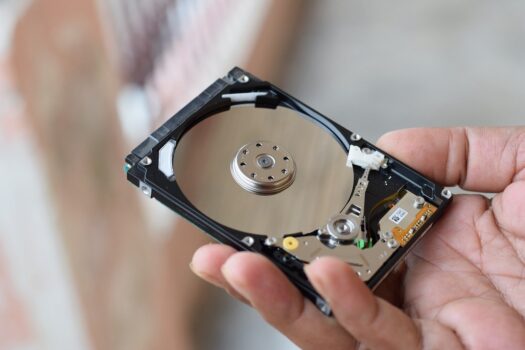
Best data recovery software in Pakistan can help when files are deleted, a drive is formatted, a USB or SD card stops opening, or Windows shows a RAW partition. The right tool depends on what happened to the data and whether the drive is still detected.
Use recovery software only when the hard drive, SSD, USB, memory card, or external drive is still readable by Windows or macOS. If the drive is clicking, dropped, water-damaged, burnt, or not detected, software may not be the safe first step.
This guide helps you choose the best recovery software for PC, Windows 10, Windows 11, Mac, USB drives, memory cards, deleted files, formatted drives, RAW partitions, mobile data, and business recovery cases.
Key Takeaways
- Stop using the affected drive before scanning.
- Use recovery software only if the drive is still detected.
- For deleted files, start with scan and preview.
- For formatted drives or RAW partitions, use deep scan or partition recovery software.
- Free tools are useful for testing, but important data usually needs a paid genuine licence.
- Avoid cracked tools, fake activators, and guaranteed recovery claims.
Quick Overview: Choose the Right Data Recovery Tool
| Data Loss Scenario | Best Starting Recovery Option | What To Do First |
|---|---|---|
| Deleted files on Windows 10 or Windows 11 | File recovery software | Stop saving new data and scan the affected drive |
| Formatted hard drive, SSD, USB, or memory card | Deep scan recovery program | Do not copy anything new to the same storage |
| RAW drive or missing partition | Partition recovery tool | Do not format again, even if Windows asks |
| Mac file loss | Windows and Mac recovery solution | Confirm macOS and file system support |
| Phone photos or WhatsApp media | Mobile recovery or backup-based recovery | Check backups before using recovery software |
| Business server, NAS, or RAID | Professional data recovery solution | Do not rebuild RAID blindly |
Before you start the recovery process:
- Stop using the affected hard drive, USB flash drive, memory card, or phone.
- Install the recovery program on a different drive.
- Save recovered files to a separate external drive.
- Use scan and preview before buying if the free version allows it.
- Avoid cracked tools, fake activators, and “unlimited data recovery” claims from unknown sites.
Start with our Data Recovery Software collection if you want to compare all recovery options in one place. For deleted files, lost folders, formatted disks, USB drives, and RAW drives, visit the File & Drive Recovery category.
You can also compare trusted recovery brands such as Stellar, EaseUS, and MiniTool. BreTech provides genuine licences in Pakistan with PKR pricing, local payment options, and support guidance.
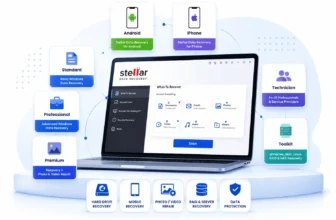
Not sure which Stellar licence fits your needs? Compare Stellar Data Recovery editions in Pakistan to choose between Standard, Professional, Premium, Technician, Android, iPhone, and Toolkit.
When Data Recovery Software Can Help
Many people search for data recovery Pakistan after losing important files, but the right solution depends on the condition of the device.
Data recovery software can help when your hard drive, SSD, USB flash drive, memory card, or external drive is still detected by Windows or macOS. It is useful for deleted files, formatted drives, RAW partitions, lost folders, and some partition recovery cases.
BreTech helps customers in Pakistan buy genuine data recovery software licences for software-recoverable cases, with PKR pricing, local payment options, digital delivery, and activation guidance.
If your drive is not detected, making clicking sounds, dropped, burnt, or water-damaged, do not keep scanning it with software. In that situation, software may not be the right first step.
When Software Recovery Is Suitable
- The drive is still detected by Windows or macOS.
- Files were deleted by mistake.
- A USB, SD card, hard drive, or SSD was formatted.
- A partition is missing but the disk still appears.
- The drive shows as RAW but is still readable.
- You want to scan and preview recoverable files first.
- You need paid data recovery software for personal, office, or technician use.
When Software May Not Be Enough
- The hard drive is making clicking sounds.
- The SSD or HDD is not detected at all.
- The device was dropped or physically damaged.
- The drive has water, fire, or electrical damage.
- RAID, NAS, or server storage has failed.
- The data is highly sensitive or business-critical.
- The issue needs physical recovery, lab recovery, or hardware repair.
Best File Recovery Software by Use Case
Deleted Files on Windows PCs
For deleted data on Windows 10 or Windows 11, a trusted file recovery software is usually the best starting point. This works well when files were deleted recently and the hard drive is still healthy.
This type of Windows file recovery is common for students, home users, office staff, and freelancers who deleted documents, photos, PDFs, project files, or folders by mistake.
Do not install the recovery program on the same drive you want to scan. If the lost files were on the C drive, install the tool on another drive or use a safe external location.
Formatted HDD, SSD, USB, or Memory Card
If a hard drive, SSD, flash drive, USB flash drive, or memory card was formatted by mistake, choose a recovery program with deep scan support.
A free version may help you check whether the files are visible. However, full recovery is often limited in free recovery tools, especially when the amount of data is large.
A paid genuine licence is usually safer if you need to recover lost data from important work files, family photos, business folders, or client data.
RAW Drive or Missing Partition
If Windows asks you to format the drive before using it, do not format it again. This is often a RAW drive or damaged file system problem.
Choose a data recovery tool with partition recovery support. The tool should read the storage first, scan for lost data, and recover files to another drive.
For users comparing disk and partition tools, the MiniTool Partition Wizard Editions Compared can help explain which edition fits partition repair, disk management, and technician use.
If you are also comparing AOMEI with MiniTool for partition work, read our direct guide on AOMEI Partition Assistant vs MiniTool Partition Wizard before choosing a tool for partition recovery, disk resizing, SSD migration, or technician jobs.
Photo, Video, and Camera Recovery
Photo and video recovery is common after SD card formatting, camera error, accidental deletion, or sudden power loss. Stop recording new photos or videos immediately.
For advanced camera recovery, choose a file recovery tool that can filter by file type and preview photos before recovery. This helps confirm whether the files are still readable.
For a more focused guide, read Best Photo Recovery Software in Pakistan.
USB Flash Drive and External Drive Recovery
USB flash drives and external drives are often used in Pakistan for office files, student assignments, shop data, and customer backups. They can fail after unsafe removal, formatting, virus infection, or file system errors.
Choose file recovery software that supports removable storage, deep scan, preview, and recovery to another location.
Do not save recovered files back to the same USB or external drive. Use a separate healthy drive.
Windows and Mac Recovery Needs
Some offices and freelancers use both Windows and Mac. In this case, choose a data recovery solution that supports the correct Windows version or mac version.
Also check file system support. A recovery program that works well for Windows file recovery may not give the same result on a Mac drive.
Before buying, confirm whether the product supports Windows 10, Windows 11, macOS, external drives, SSDs, memory cards, and the file types you need.
Need recovery for a MacBook, iMac, or external Mac drive? Browse Mac Data Recovery Software in Pakistan to choose a genuine macOS-compatible license with PKR pricing and activation support.
Mobile and WhatsApp Recovery
Mobile recovery depends on device security limits, backup settings, and how the data was deleted. WhatsApp recovery also depends on whether chats were stored locally, backed up to Google Drive or iCloud, or still available on the device.
If a backup exists, restoring the backup is often the safest option. If no backup exists, recovery is limited and depends on the phone model, storage condition, and how much new data was added after deletion.
Not sure what to do next? Use our WhatsApp Recovery Checker to check whether backup restore, recovery software, or expert guidance should come first.
For mobile-specific cases, read Best WhatsApp Data Recovery Software in Pakistan and Best Mobile Data Recovery Software in Pakistan.
Business, RAID, NAS, and Server Recovery
Business and office recovery needs are more serious because the lost data may include client files, accounts, databases, project folders, or shared storage.
For RAID, NAS, and server recovery, do not use a basic free option first. Wrong rebuilds, repeated scans, or changing drive order can make complex recovery harder.
If the issue involves databases, damaged database files, Exchange, SQL, or business systems, read Best Database Recovery Software in Pakistan before choosing a specialist tool.
For larger office and IT needs, also see Best Enterprise Data Recovery Software in Pakistan.
For IT teams, technicians, and businesses that need a broader professional recovery package, compare Stellar Toolkit for Data Recovery before choosing a single-purpose recovery tool.
How Data Recovery Software Works
Scan and Preview
A scan means the data recovery program checks your storage for file traces, deleted records, lost folders, and recoverable data. A preview helps you check whether a file is readable before you recover it.
This is useful because some free versions allow scan and preview before purchase. If the preview opens correctly, there is a better chance that the file can be recovered successfully.
A good recovery program should let you scan first, preview the file, and then decide whether the paid licence is worth buying.
Quick Scan vs Deep Scan
A quick scan is useful for recently deleted files. It is faster and may find files that were removed from the recycle bin or deleted by mistake.
A deep scan is better for formatted drives, RAW partitions, memory cards, external drives, or complex data loss cases. It takes longer but may find more lost data.
Deep scan results are not always perfect. Recovery performance depends on how much new data was written after deletion and whether the storage device is healthy.
Why Recovery Sometimes Fails
Recovery can fail when new data overwrites deleted data. This can happen if you keep using the same hard drive, install software, download files, or copy folders after data loss.
Recovery can also fail when the storage device is physically damaged, unstable, encrypted, or affected by serious file system corruption.
No software company can honestly promise completely free and guaranteed recovery from every case. Be careful with sites that claim “best free unlimited data recovery” without clear limits.
How to Choose the Right Recovery Solution
Start With Your Data Loss Scenario
Before you pick the best data recovery software, first check what happened. Was the file deleted, was the drive formatted, did Windows show a RAW error, or did a partition disappear?
The best recovery option depends on the device, file type, storage health, and how the data was lost. One data recovery tool is not always best for every case.
Check Device and File System Support
Before buying, confirm that the software supports your device type. This may include hard drive, SSD, NVMe, USB flash drive, memory card, external drive, RAID, NAS, or mobile storage.
Also check operating system support. Some tools have a Windows version, some have a Mac version, and some support both Windows and Mac.
Check the Free Version Limits
Many popular data recovery tools offer a free version for scanning and previewing. Some may allow a small amount of free recovery.
This is useful for testing, but free recovery is often limited. If you need to recover a large amount of data, business files, or client data, a paid genuine licence is usually the better option.
Avoid tools that promise completely free unlimited data recovery without clear details. Important data needs a safe and stable recovery process.
Match the Licence to Your Use
Home users usually need a basic recovery program for one PC. Office users may need a business licence with invoice support and proper activation.
Technicians need a licence that matches client work and multiple recovery cases. Enterprise users may need advanced data recovery features for RAID, NAS, servers, or complex data recovery jobs.
If you are buying for an office or company, read Genuine Software for SMEs in Pakistan to understand why proper licensing, invoices, and support matter.
Home Use vs Office vs Technician Recovery
Home Users
Home users usually need software to recover deleted photos, documents, videos, PDFs, or folders from a laptop, PC, USB, or memory card.
A simple file recovery program may be enough if the device is healthy and the lost data was deleted recently.
Office and SME Users
Offices need a more careful recovery solution because the data may include client files, accounts, invoices, or business documents.
For office use, avoid cracked recovery tools. They can cause security risks, activation failure, and unreliable recovery results.
IT Technicians
Technicians often handle different devices, file systems, and customer cases. They may need a professional data recovery licence with broader recovery features.
Before buying, check whether the licence allows technician use. A personal licence may not be suitable for client recovery work.
Enterprise and Complex Data Recovery
Enterprise recovery can involve RAID, NAS, servers, virtual machines, databases, and large storage systems. These cases need advanced data recovery planning.
For complex data, do not run random tools repeatedly. Document the storage setup, note drive order, and choose a specialist recovery solution.
What To Avoid During Data Recovery
Installing Recovery Software on the Same Drive
Do not install the recovery program on the same hard drive you want to recover. This can overwrite the data and reduce recovery success.
If the lost files were on the C drive, install the software on another drive or use another PC where possible.
Formatting a RAW Drive Again
If Windows asks you to format a RAW drive, do not format it again before recovery. Formatting may make the recovery process harder.
Use a data recovery tool with partition recovery support and save recovered files to a separate drive.
Running Too Many Different Tools
Running many recovery programs again and again can waste time and create extra risk, especially if the drive is weak or unstable.
Choose one suitable recovery solution, scan carefully, and avoid repeated writing to the affected storage.
Using Cracked Tools and Fake Activators
Cracked tools and fake activators can contain malware, break activation, or stop working during recovery. They may also damage your Windows setup.
When the data is important, genuine software is safer than risky downloads.
Rebuilding RAID Without a Plan
If RAID is involved, do not rebuild the array blindly. Write down the drive order, controller details, and what happened before the failure.
For business-critical RAID, a professional data recovery approach may be safer than trial and error.
Why Genuine Licensing Matters
Genuine data recovery software is safer because it installs cleanly, updates properly, and avoids risky add-ons. This matters when you are already dealing with important lost data.
A genuine licence also helps avoid fake keys, blocked activations, broken downloads, and tools that stop working during recovery.
For Pakistan buyers, BreTech provides genuine recovery software licences with PKR pricing, local payment options, digital delivery on most orders, and support guidance.
Where To Buy Genuine Data Recovery Software in Pakistan
Choose a Licence That Matches Your Recovery Need
Before buying, match the product to your data loss scenario. If you need Windows file recovery for deleted files, USB drives, HDDs, SSDs, or memory cards, start from the file and drive recovery category.
If your case involves business systems, databases, RAID, NAS, or server recovery, choose specialist recovery software designed for complex recovery.
BreTech Recovery Categories To Explore
To browse safely, start with the main data recovery category and then choose based on your device and recovery need.
Before You Buy: Final Safety Check
Before buying any data recovery solution, confirm:
- It supports your Windows version or macOS version.
- It supports your device type and file system.
- It allows scan and preview.
- The licence matches home, office, technician, or business use.
- You have a second drive ready for recovered files.
- You understand the free version and paid version limits.
If your main goal is prevention after recovery, compare options in our guide to the Best Backup Software in Pakistan.
Not Sure Which Recovery Software You Need?
If you are not sure which licence to buy, share these details before asking for a quotation:
- What happened to the data? Deleted, formatted, RAW drive, missing partition, or system crash?
- Which device has the lost data? PC, laptop, USB, SD card, external drive, phone, server, or NAS?
- Is the drive still detected by Windows or macOS?
- What file types do you need to recover? Documents, photos, videos, PST, database files, or full folders?
- Is it for personal, office, company, technician, or client use?
- How many computers will use the software?
- Do you need a 1-year, lifetime, business, or technician licence?
- Do you need an official invoice?
This helps BreTech recommend the correct recovery tool instead of suggesting software that may not match your case.
Conclusion: Choose the Best Data Recovery Software for Your Case
Choosing the best data recovery software in Pakistan starts with your data loss scenario, not only a brand name. Deleted files, formatted drives, RAW partitions, mobile recovery, and RAID recovery all need different recovery steps.
For simple file recovery, a basic recovery program may be enough. For advanced data recovery, business data, RAID, NAS, servers, or complex data recovery, choose a professional recovery solution.
When you are ready to buy, a genuine licence from BreTech gives PKR pricing, local payment options, digital delivery on most orders, and local support guidance. This is safer than using cracked recovery tools or random downloads.
FAQs
Q: Does BreTech recover physically damaged drives?
A: BreTech provides genuine data recovery software licences in Pakistan. If your drive is physically damaged, clicking, water-damaged, or not detected, software may not be the right first step.
Q: What is the safest first step in the data recovery process?
A: Stop using the affected drive or phone immediately. Do not install software on the same disk, and do not save new files there. Prepare a second drive, scan carefully, and recover files to a separate location.
Q: Can I recover data without paying?
A: Some free versions allow scanning and previewing files. Some may recover a small amount of data. For important files, formatted drives, or business use, a paid genuine licence is usually safer.
Q: Which software is best to recover deleted files on Windows 10 or Windows 11?
A: The best software depends on what happened. For simple deleted files, a trusted file recovery tool may be enough. For formatted drives, RAW drives, or missing partitions, choose software with deep scan and partition recovery support.
Q: How do I know if my files can be recovered before I buy?
A: Use scan and preview first. If the preview opens the file correctly, the recovery result is usually better. If previews are broken or the drive is unstable, recovery may be limited.
Q: Can formatted drives and missing partitions be recovered?
A: Yes, in many cases they can be recovered if the drive has not been overwritten. Stop using the device, avoid formatting again, and use a recovery program with deep scan or partition recovery support.
Q: Do mobile and WhatsApp recovery tools always work?
A: No. Mobile recovery depends on device security limits, backups, and how the data was deleted. If a backup exists, restoring it is often the safest option.
Q: When is data recovery software not enough?
A: Data recovery software may not be enough if the drive is physically damaged, clicking, dropped, water-damaged, burnt, or not detected. Software is more suitable when the drive is still detected and the issue is deleted files, formatting, RAW drive, or missing partitions.
Further Reading
If you want deeper help for one specific case, use these focused guides and then come back to this pillar to choose the right recovery option.
- EaseUS Data Recovery Wizard in Pakistan
- Recover Deleted Photos From SD Cards
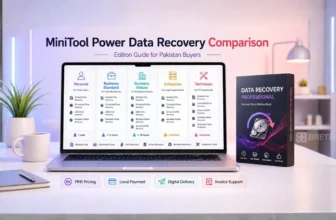
- MiniTool Power Data Recovery Editions Compared
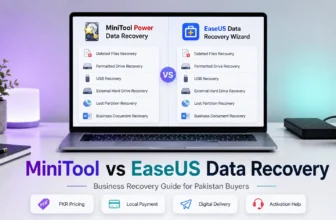
- MiniTool vs EaseUS Data Recovery Wizard Compared
Find more data recovery tips, product comparisons, and helpful advice in our Data Recovery learning centre.